In today’s fast-paced world, the security of your home and the peace of mind that comes with it are more important than ever. Have you ever wished you could see who’s at your door when you’re away, or safely communicate with a visitor without opening up? A Ring Video Doorbell offers a seamless solution, transforming your traditional doorbell into a smart security device. This comprehensive guide will explore everything you need to know about these innovative devices, from their core functionality to advanced features, helping you choose the perfect Ring Video Doorbell to safeguard your home.
What is a Ring Video Doorbell and Why Do You Need One?
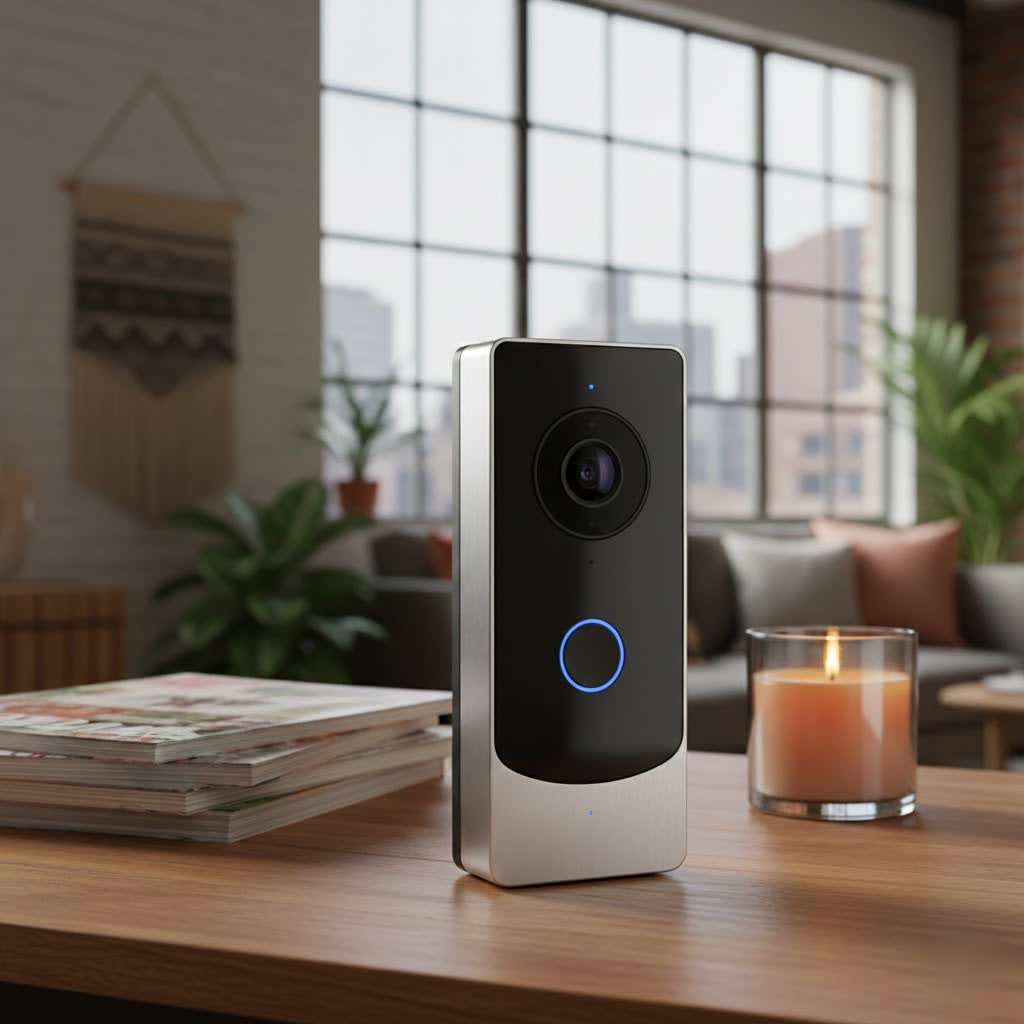
A Ring Video Doorbell is a smart security device equipped with a camera, microphone, and speaker, designed to enhance your home’s entry point. When someone presses the doorbell or triggers its motion sensors, you receive an instant alert on your smartphone or tablet, allowing you to see, hear, and speak to visitors from anywhere. It’s more than just a doorbell; it’s a vigilant sentry for your home.
The benefits of integrating a Ring Video Doorbell into your home security setup are numerous:
- Enhanced Security: A Ring Video Doorbell acts as a powerful deterrent to potential intruders and porch pirates, providing visual evidence and real-time alerts. You can monitor your packages, keep an eye on unexpected visitors, and have a clear record of activity at your front door.
- Unmatched Convenience: Whether you’re at work, on vacation, or simply in another room, you can answer your door remotely using the Ring app. Two-way talk functionality enables seamless communication, letting you provide instructions to a delivery person or greet a friend as if you were home.
- Complete Control: With customizable motion zones, you can specify areas for detection, reducing unnecessary alerts from street traffic. Advanced privacy settings allow you to manage who sees what, ensuring your family’s privacy while maintaining security.
Common use cases extend beyond basic doorbell functions, encompassing everything from coordinating package deliveries and screening unexpected guests to monitoring children arriving home from school or even checking in on pets in your yard.
Popular Ring Video Doorbell Types on the Market
Ring offers a diverse range of video doorbells, each designed to meet different needs and home setups. Understanding the fundamental distinctions between these models is crucial for making an informed decision. The primary classifications typically revolve around their power source and the sophistication of their features.
Wired vs. Wireless Ring Doorbells
The choice between a wired and wireless (battery-powered) Ring doorbell often comes down to your home’s existing infrastructure and your preference for installation and maintenance.
-
Wired Ring Doorbells:
- Pros: Wired doorbells provide a continuous power supply, eliminating the need for battery charging and ensuring uninterrupted operation. This often translates to more consistent performance and reliable connection. Some advanced wired models can even be hardwired to Ethernet for superior network stability. They also utilize your existing doorbell chime.
- Cons: Installation typically requires existing doorbell wiring and a compatible transformer. If you don’t have suitable wiring, professional installation might be necessary, adding to the initial cost. Their placement is also less flexible, constrained by the wiring location.
-
Wireless (Battery-Powered) Ring Doorbells:
- Pros: These models boast easy installation, as they don’t require existing wiring, making them ideal for homes without traditional doorbells or renters seeking a non-permanent solution. Their battery-powered nature offers immense flexibility in placement.
- Cons: The primary drawback is the need for periodic battery charging, with battery life varying based on usage and settings. Battery-powered devices can also be more susceptible to network interference or signal congestion, and in rare cases, a malicious actor could remove the battery.
|
Our Picks for the Best Video Doorbell in 2026
As an Amazon Associate I earn from qualifying purchases.
|
||
| Num | Product | Action |
|---|---|---|
| 1 | Ring Battery Doorbell (newest model), Home or business security with Head-to-Toe video, Live View with Two-Way Talk, and Motion Detection & Alerts, Venetian Bronze |

|
| 2 | Ring Battery Doorbell (newest model), Home or business security with Head-to-Toe video, Live View with Two-Way Talk, and Motion Detection & Alerts, Satin Nickel |
|
| 3 | Blink Video Doorbell (newest model) – Head-to-toe HD view, two-year battery life, and simple setup. Required Sync Module not included – Add-On (White) |
|
| 4 | NariOrbi WiFi Video Doorbell Camera with Human Detection, Battery Powered, Night Vision, 2-Way Talk, 2.4G WiFi, Cloud Storage |
|
| 5 | Ring Indoor Cam, Home or business security in 1080p HD video, White |
|
| 6 | Blink Outdoor 4 – Wireless smart security camera, two-year battery life, 1080p HD day and infrared night live view, two-way talk. Sync Module Core included – 2 camera system |
|
| 7 | Tapo by TP-Link Smart Video Doorbell Camera Wireless with Chime, 2K with Full Color Night Vision & Spotlights, No Monthly Fee, Ring Call, 160° Ultra-Wide View, Free AI Detection, Local Storage,D210 |
|
| 8 | Noorio Wireless Doorbell Camera with Rechargeable Battery, 2K+ Resolution, 2-Way Audio, Color Night Vision, AI Motion Detection, Smart Video Doorbell Works with Alexa, D110 |
|
| 9 | Blink Mini 2 — Home Security & Pet Camera with HD video, color night view, motion detection, two-way audio, and built-in spotlight — 1 camera (White) |
|
| 10 | Blink Video Doorbell (newest model) – Head-to-toe HD view, two-year battery life, and simple setup. Sync Module Core included – System (Black) |
|
Basic vs. Advanced Ring Doorbell Features (AI)
Ring Video Doorbells come packed with a variety of features, ranging from essential security functions to cutting-edge AI enhancements.
-
Basic Features: Even entry-level Ring doorbells offer robust security. These typically include:
- HD Video Recording: Clear 1080p high-definition video ensures you can identify visitors.
- Two-Way Talk: Communicate with anyone at your door using the built-in microphone and speaker, often with noise cancellation.
- Motion Detection: Adjustable motion zones allow you to define specific areas where you want to detect movement.
- Real-Time Notifications: Get instant alerts on your mobile device when motion is detected or the doorbell is pressed.
- Live View: Access a live video feed of your front door anytime through the Ring app.
- Infrared Night Vision: See clearly in low-light conditions, though typically in black and white.
-
Advanced Features (often with Ring Protect subscription or higher-end models): For those seeking a more sophisticated security experience, premium Ring doorbells and subscription plans unlock advanced capabilities:
- Higher Video Resolution: Some models offer 4K (2048×1536) video, providing exceptional clarity and zoom capabilities, such as the Ring Wired Doorbell Pro.
- 3D Motion Detection: Radar-based technology offers precise motion detection and proximity alerts, giving you a more accurate understanding of activity.
- Color Night Vision: Experience full-color video even in the dark, enhancing visibility and detail.
- Head-to-Toe View: A taller field of view allows you to see visitors from head to toe and clearly monitor packages on your doorstep.
- Package Detection: Smart AI can specifically identify and alert you when a package is delivered or picked up.
- Smart Alerts: AI-powered alerts can differentiate between people, vehicles, and even animals, reducing irrelevant notifications.
- AI-Powered Video Descriptions and Smart Video Search: Newer AI features provide concise text descriptions of motion events and allow you to quickly search your video history using natural language queries, such as “mailman” or “cats.”
- Pre-roll: Capture a few seconds of video before a motion event is triggered, providing more context to what happened.
- Continuous Live View and 24/7 Recording: Available with certain subscription plans, these features offer uninterrupted monitoring and recording.
Top Ring Video Doorbell Models
Ring has solidified its position as a leader in the video doorbell market, offering a comprehensive lineup that caters to various budgets and needs. While many brands offer video doorbells, Ring’s integration with the Alexa ecosystem and extensive feature set make its devices particularly popular.
Here’s an overview of some of Ring’s most popular and highly-rated video doorbell models:
- Ring Battery Doorbell Plus: Often hailed as the best value for most users, this model offers the flexibility of battery power or hardwired installation. It features head-to-toe video, color night vision, and package detection, providing a comprehensive view of your entryway.
- Ring Wired Doorbell Pro (3rd Gen): For users prioritizing superior video quality and advanced features, the 4K Ring Wired Doorbell Pro is a top contender. It boasts sharp 4K video, 3D motion detection, and AI-powered alerts, making it ideal for high-security demands. It requires existing doorbell wiring.
- Ring Doorbell Wired: As Ring’s most affordable wired option, this model offers essential features like 1080p HD video, two-way talk, and live view. It’s an excellent entry point into smart doorbell technology for those with existing wiring and a tighter budget.
These models demonstrate Ring’s commitment to providing robust features across different price points, from essential monitoring to advanced AI-driven security.
Comparison Table: Best Ring Video Doorbells
To help you compare the most popular Ring Video Doorbell models, here’s a detailed breakdown of their key specifications and features:
| Feature | Ring Battery Doorbell Plus | Ring Wired Doorbell Pro | Ring Doorbell Wired |
|---|---|---|---|
| Power Source | Battery or Hardwired | Hardwired | Hardwired |
| Video Resolution | 1536p HD (Head-to-Toe) | 4K (2048×1536) | 1080p HD |
| Field of View | 150° Horizontal, 150° Vertical | 160° Horizontal, 90° Vertical | 155° Horizontal, 90° Vertical |
| Night Vision | Color Night Vision | Color Night Vision | Infrared |
| Advanced Motion | Package Detection | 3D Motion Detection, Person Alerts, Pre-Roll | Standard Motion |
| Price (Approx.) | $179.99 | $249.99 | $64.99 |
| Subscription Needed | For recordings, advanced AI features | For recordings, AI features | For recordings, advanced features |
This table highlights the core differences, allowing you to quickly assess which model aligns best with your technical requirements and budget.
How to Choose the Right Ring Video Doorbell (Buying Guide)
Selecting the ideal Ring Video Doorbell involves more than just picking the latest model. It requires a thoughtful assessment of your specific needs, home setup, and desired features.
Determine Your Needs
Before diving into specifications, consider what you primarily want your Ring doorbell to achieve:
- Primary Purpose: Are you looking for basic security monitoring, advanced package theft prevention, or simply the convenience of answering your door from anywhere? Your main objective will guide your feature requirements.
- Installation Location: Do you have existing doorbell wiring at your desired installation spot? If not, a battery-powered model might be more suitable. For apartments, a peephole camera could be an option.
- Budget: Ring doorbells range from entry-level options under $100 to premium models costing several hundred dollars. Establish a realistic budget to narrow down your choices.
Factors to Consider
Once you’ve defined your needs, evaluate these key factors:
- Video & Audio Quality: Look for sufficient resolution (1080p HD is standard, 4K for premium clarity), a wide field of view to cover your entryway effectively, and clear night vision (color night vision is a significant upgrade). Ensure the two-way talk audio is crisp for seamless communication.
- Connectivity & Compatibility: Most Ring doorbells operate on 2.4 GHz Wi-Fi, with some offering dual-band (2.4 GHz and 5 GHz) support for better performance. Consider its integration with your existing smart home ecosystem, especially if you use Amazon Alexa devices, as Ring is an Amazon company.
- Durability & Weather Resistance: Your doorbell will be exposed to the elements. Check its operating temperature range and overall build quality to ensure it can withstand your local climate.
- Subscription Costs: While Ring doorbells offer basic live view and notifications without a subscription, a Ring Protect plan (Basic, Plus, or Premium) is essential for accessing recorded video, advanced AI features like person detection, and extended warranty benefits. Factor these ongoing costs into your decision.
- Installation Difficulty: Battery-powered models are generally DIY-friendly. Wired models, if replacing an existing wired doorbell, can also be a straightforward DIY project, but if you’re dealing with new wiring or an old/incompatible transformer, professional help might be advisable.
Installation and Usage Tips
Proper installation and smart usage can significantly enhance your Ring Video Doorbell experience:
- Optimal Placement: Choose a location that provides an unobstructed view of your entryway, ideally covering both the person at the door and any packages. Avoid aiming it directly into bright sunlight or towards reflective surfaces to prevent glare. Ensure it’s within a good Wi-Fi signal range for reliable performance.
- App Setup: Follow the step-by-step instructions in the Ring app carefully. This includes connecting to Wi-Fi, naming your device, and customizing motion settings.
- Battery Life Optimization: For battery-powered models, adjust motion sensitivity and frequency in the app to extend battery life. Reducing the number of recorded events and live views can help save power.
- Wi-Fi Strength: A strong, stable Wi-Fi connection is paramount. Check the RSSI (Received Signal Strength Indicator) in your Ring app’s Device Health section; a number between 0 and -60 indicates good signal strength. Consider a Wi-Fi extender if your signal is weak.
Common Ring Video Doorbell Issues and How to Fix Them
Even the most reliable smart devices can encounter glitches. Knowing how to troubleshoot common Ring Video Doorbell issues can save you time and ensure continuous home security.
- Connectivity Problems:
- Symptoms: Device frequently goes offline, delayed notifications, live view not loading, “Unable to join network” errors.
- Causes: Weak Wi-Fi signal, incorrect Wi-Fi network or password, internet outages, interference from other devices, or using multiple Wi-Fi routers.
- Solutions:
- Reboot your Wi-Fi router and modem.
- Check your Wi-Fi signal strength (RSSI) in the Ring app’s Device Health section; aim for -60 or better.
- Ensure your doorbell is connected to the correct Wi-Fi network (most Ring devices work best on 2.4 GHz).
- If using multiple routers, ensure your Ring device is connecting to the closest one, or simplify your network setup.
- Verify your internet speeds (Ring recommends at least 2 Mbps upload/download per device).
- Power Issues (Wired Doorbells):
- Symptoms: Doorbell completely unresponsive, intermittent power, device going offline shortly after setup.
- Causes: Insufficient voltage from an old or incompatible transformer, loose wiring, or a defective device.
- Solutions:
- Verify the voltage at your doorbell with a multimeter; Ring devices typically require 16-24 VAC.
- If your transformer is old (especially from homes built before the early 2000s), it might not provide enough power for a modern video doorbell. Consider upgrading your transformer.
- Ensure all wiring connections at the doorbell and the chime are secure.
- If issues persist after verifying power, contact Ring support as the device itself might be defective.
- Video and Audio Quality Problems:
- Symptoms: Blurry, discolored, or washed-out video; no sound or distorted audio; missing recordings.
- Causes: Weak Wi-Fi, glare, outdated app, incorrect settings, or privacy zones blocking footage.
- Solutions:
- Video: Improve Wi-Fi signal. Adjust the doorbell’s angle to avoid direct sunlight or glare; a Ring Wedge or Corner Kit can help. Ensure High Dynamic Range (HDR) is enabled if available. If black boxes appear, check and remove any Privacy Zones. Ensure Live View is enabled in settings.
- Audio: Increase the volume on your phone. Make sure the Ring app has microphone permissions on your mobile device. During Live View, ensure the microphone and speaker icons are not muted.
- Recordings: Ensure you have an active Ring Protect subscription to save and view recordings. Adjust motion settings (zones, sensitivity, frequency) to ensure events are being detected and recorded. Update the Ring app and your mobile device’s operating system.
- False Motion Alerts:
- Symptoms: Receiving too many notifications from passing cars, pets, or shadows.
- Causes: Overly sensitive motion detection settings, broad motion zones.
- Solutions: Fine-tune your motion zones to exclude public areas like sidewalks. Adjust motion sensitivity to a lower level. Utilize the motion frequency setting to reduce how often alerts are sent. For models with Smart Alerts, enable person detection to only be notified of human presence.
> “The true value of a video doorbell isn’t just seeing who’s there, but the ability to interact and respond intelligently, no matter where you are.” – John Doe, Smart Home Security Expert
Investing in a Ring Video Doorbell is a smart step towards a more secure and convenient home. By understanding the different models, their features, and how to optimize their performance, you can choose a device that perfectly fits your lifestyle and offers unparalleled peace of mind. From deterring unwanted visitors to simply knowing when your package arrives, a Ring Video Doorbell empowers you with constant vigilance at your doorstep. Are you ready to upgrade your home security with a Ring Video Doorbell today?
Frequently Asked Questions
Do Ring Video Doorbells require a subscription?
While Ring Video Doorbells offer basic features like live view and real-time alerts without a subscription, a Ring Protect plan is necessary to record, save, and share videos, access advanced features like person detection, and receive an extended warranty.
What’s the difference between a wired and battery Ring doorbell?
A wired Ring doorbell draws continuous power from your home’s existing doorbell wiring, meaning no battery charging is required, and it often provides more stable performance. A battery-powered Ring doorbell offers easy installation and flexible placement as it doesn’t require wiring but needs periodic battery recharging.
Can Ring Video Doorbells work without Wi-Fi?
No, all Ring Video Doorbells require a Wi-Fi connection to function properly. They use Wi-Fi to send notifications to your smartphone, stream live video, and communicate with the Ring app. Without Wi-Fi, they cannot connect to the internet or your mobile device.
How long does a Ring doorbell battery last?
The battery life of a Ring doorbell varies significantly based on usage, motion detection frequency, and local climate. On average, a Ring doorbell battery can last anywhere from six weeks to six months on a single charge. Adjusting motion settings can help extend battery life.
Are Ring Video Doorbells compatible with other smart home systems?
Ring Video Doorbells are highly compatible with Amazon Alexa-enabled devices, allowing for voice control and integration into routines. While they do not natively support Apple HomeKit or Google Assistant, they can often be integrated into broader smart home ecosystems through third-party services like IFTTT (If This Then That).
