Welcome to the future of home security, where your front door is smarter, more secure, and always connected. In today’s fast-paced world, staying informed about who’s at your doorstep is no longer a luxury but a necessity for peace of mind. Ring wireless video doorbells offer an unparalleled blend of convenience, security, and smart technology, empowering you to monitor your home from anywhere. Whether you’re at work, on vacation, or simply in another room, these innovative devices ensure you’re always just a tap away from your front door, providing real-time alerts and interactive communication.
What is a Ring Wireless Video Doorbell and Why Do You Need One?
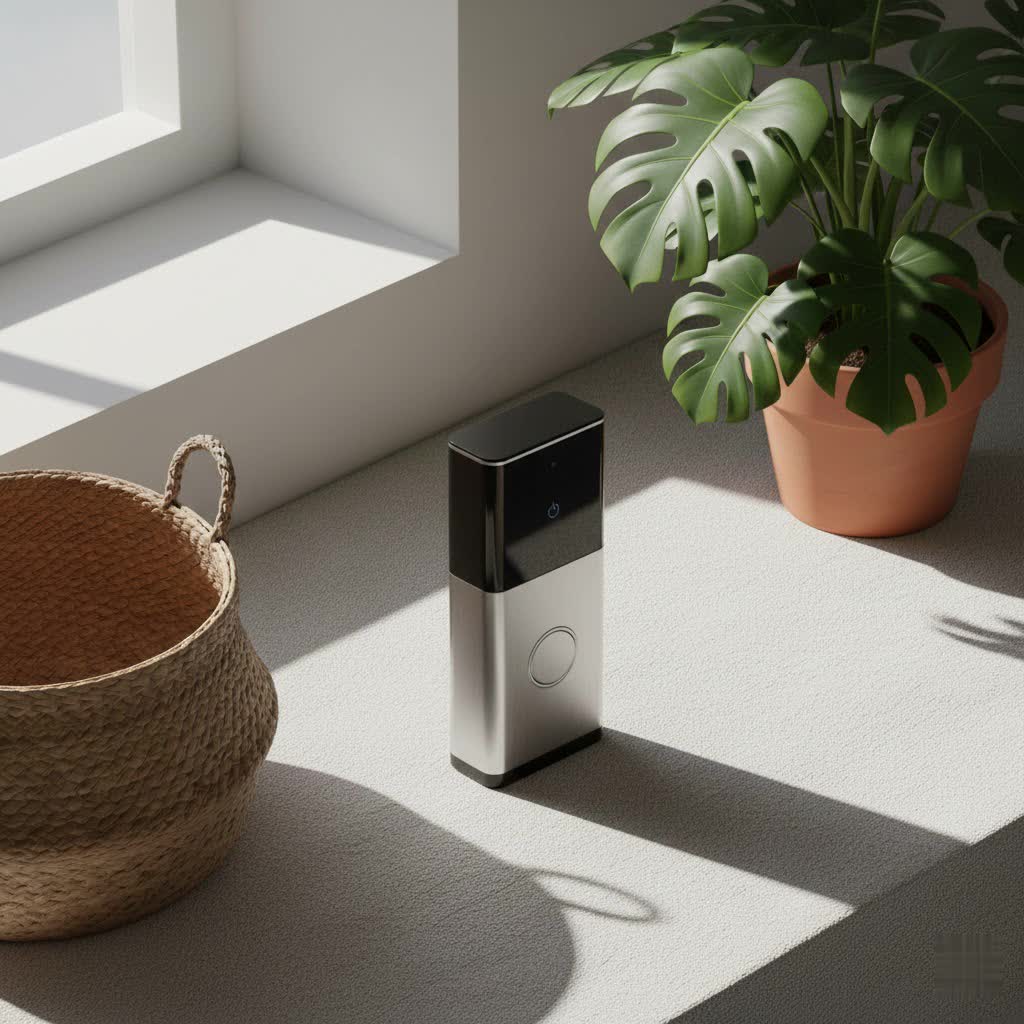
A Ring wireless video doorbell is a battery-powered, Wi-Fi-connected smart device that replaces your traditional doorbell. It integrates a high-definition camera, a microphone, and a speaker, allowing you to see, hear, and speak to anyone at your door directly from your smartphone, tablet, or PC, even when you’re not home. These devices operate by detecting motion or when someone presses the doorbell button, instantly sending alerts to your connected devices.
The benefits of incorporating a Ring wireless video doorbell into your home security setup are numerous. Firstly, they significantly enhance your home’s security by providing a visual record of visitors and deterring potential intruders. Motion-activated recording ensures that any activity at your doorstep is captured, offering vital evidence if an incident occurs. Secondly, they offer immense convenience. Imagine receiving a package while you’re out – you can instruct the delivery person where to leave it through two-way talk, or simply be alerted when it arrives. Lastly, the sheer peace of mind knowing you can monitor your home’s entrance anytime, anywhere, is invaluable. This constant connection helps you stay informed and in control, whether you’re managing deliveries, checking on kids returning from school, or simply keeping an eye on your property.
Common situations where a Ring wireless video doorbell proves essential include monitoring visitors, preventing package theft, verifying identities before opening the door, and maintaining a watchful eye on your home while traveling. It’s an indispensable tool for modern living, blending seamlessly into your smart home ecosystem.
Ring Wireless vs. Wired Video Doorbells: A Clear Distinction
When exploring Ring video doorbells, you’ll encounter both wireless and wired options. The primary distinction lies in their power source and installation requirements. Ring wireless video doorbells are predominantly battery-powered, making them exceptionally easy to install. They don’t require existing doorbell wiring, offering unparalleled flexibility in placement. This “install on any home” advantage makes them ideal for renters, apartments, or homes without traditional doorbell wiring. Their rechargeable battery provides power, and some models even feature a removable battery pack for convenient charging or quick swaps.
In contrast, wired video doorbells connect to your home’s existing doorbell wiring, drawing continuous power. This eliminates the need for battery charging and often enables more advanced features like continuous recording or advanced pre-roll without impacting battery life. While wired options might offer marginally more consistent performance due to constant power, the freedom and simplicity of installation offered by wireless models are a significant draw for many homeowners. For a Ring wireless video doorbell, the trade-off of occasional battery charging is often outweighed by the ease of setup and versatility.
Exploring Ring’s Wireless Video Doorbell Models
Ring offers a diverse lineup of wireless video doorbells, each designed to cater to different needs and budgets. Understanding the key features of each model will help you make an informed decision for your home.
Ring Battery Doorbell (2nd Gen/Original)
|
Our Picks for the Best Video Doorbell in 2026
As an Amazon Associate I earn from qualifying purchases.
|
||
| Num | Product | Action |
|---|---|---|
| 1 | Ring Indoor Cam, Home or business security in 1080p HD video, White |

|
| 2 | Blink Mini 2 — Home Security & Pet Camera with HD video, color night view, motion detection, two-way audio, and built-in spotlight — 1 camera (White) |
|
| 3 | Blink Video Doorbell (newest model) – Head-to-toe HD view, two-year battery life, and simple setup. Sync Module Core included – System (Black) |
|
| 4 | Ring Battery Doorbell (newest model), Home or business security with Head-to-Toe video, Live View with Two-Way Talk, and Motion Detection & Alerts, Venetian Bronze |
|
| 5 | NariOrbi WiFi Video Doorbell Camera with Human Detection, Battery Powered, Night Vision, 2-Way Talk, 2.4G WiFi, Cloud Storage |
|
| 6 | Blink Video Doorbell (newest model) – Head-to-toe HD view, two-year battery life, and simple setup. Required Sync Module not included – Add-On (White) |
|
| 7 | Ring Battery Doorbell (newest model), Home or business security with Head-to-Toe video, Live View with Two-Way Talk, and Motion Detection & Alerts, Satin Nickel |
|
| 8 | Tapo by TP-Link Smart Video Doorbell Camera Wireless with Chime, 2K with Full Color Night Vision & Spotlights, No Monthly Fee, Ring Call, 160° Ultra-Wide View, Free AI Detection, Local Storage,D210 |
|
| 9 | Blink Outdoor 4 – Wireless smart security camera, two-year battery life, 1080p HD day and infrared night live view, two-way talk. Sync Module Core included – 2 camera system |
|
| 10 | Noorio Wireless Doorbell Camera with Rechargeable Battery, 2K+ Resolution, 2-Way Audio, Color Night Vision, AI Motion Detection, Smart Video Doorbell Works with Alexa, D110 |
|
This is often considered Ring’s entry-level wireless video doorbell, offering essential features for effective home monitoring. It records in 1080p HD video, providing clear visuals of your front door. Equipped with a built-in rechargeable battery, it delivers the core functionalities of motion detection, live view, and two-way talk. It’s a solid choice for those seeking basic, reliable security without the need for intricate features or a higher investment.
Ring Battery Doorbell Plus
Stepping up from the basic model, the Ring Battery Doorbell Plus elevates your surveillance with a sharper 1536p Head-to-Toe HD+ Video resolution. This expanded field of view allows you to see more of your property, from head to toe of a visitor to packages left directly at your doorstep. A significant upgrade is its removable rechargeable battery, which simplifies the charging process as you can swap it out without taking the entire unit down. It also features advanced motion detection and Quick Replies, allowing you to use pre-recorded messages when you’re busy.
Ring Battery Doorbell Pro
At the pinnacle of Ring’s wireless offerings, the Ring Battery Doorbell Pro delivers a professional-grade security experience. It maintains the 1536p Head-to-Toe HD+ Video and removable battery of the Plus model but introduces several cutting-edge features. This includes 3D Motion Detection with Bird’s Eye Zones and Bird’s Eye View, which provides a more precise and comprehensive understanding of motion events by tracking a visitor’s path. Color Pre-Roll captures crucial seconds before a motion event in color, giving you a fuller picture. Enhanced Audio+ provides clearer two-way communication, and with a Ring Protect Plan, it can offer advanced AI features like Package Alerts and Familiar Faces. This model is for users who demand the highest level of security, detail, and intelligent features in a wireless doorbell.
In-Depth Comparison of Ring Wireless Video Doorbell Features
Choosing the best Ring wireless video doorbell means weighing various features against your specific requirements. Here’s a comparison to highlight the differences:
| Feature | Ring Battery Doorbell (2nd Gen) | Ring Battery Doorbell Plus | Ring Battery Doorbell Pro |
|---|---|---|---|
| Video Resolution | 1080p HD | 1536p Head-to-Toe HD+ | 1536p Head-to-Toe HD+ |
| Field of View | 155° Horizontal, 90° Vertical | 150° Horizontal, 150° Vertical | 150° Horizontal, 150° Vertical |
| Motion Detection | Standard Motion Detection | Advanced Motion Detection | 3D Motion Detection, Bird’s Eye View/Zones |
| Night Vision | Infrared Night Vision | Low-Light Sight w/ Color Night Vision | Low-Light Sight w/ Color Night Vision |
| Battery Type | Built-in Rechargeable | Removable Rechargeable | Removable Rechargeable |
| Wi-Fi Connectivity | 2.4 GHz Wi-Fi | 2.4 GHz Wi-Fi | Dual-Band (2.4GHz & 5GHz) Wi-Fi |
| Audio | Two-Way Talk | Two-Way Talk | Two-Way Talk with Audio+ |
| Pre-Roll | No | Pre-Roll (4 seconds) | Color Pre-Roll (6 seconds) |
| Quick Replies | Yes (with subscription) | Yes (with subscription) | Yes (with subscription) |
| Package Alerts | No | Yes (with subscription) | Yes (with subscription) |
| Familiar Faces | No | No | Yes (with subscription) |
The jump from 1080p to 1536p Head-to-Toe HD+ video significantly improves your ability to identify individuals and monitor packages, as it captures a much taller and wider view. The evolution in motion detection, from standard to advanced and then to 3D Motion Detection with Bird’s Eye View on the Pro model, provides increasingly accurate and customizable alerts, reducing false alarms and giving you a comprehensive understanding of activity. While all models offer two-way talk, the Audio+ on the Pro provides enhanced clarity. For optimal network stability and faster connection, the Pro’s dual-band Wi-Fi is a notable advantage. Ultimately, your choice will hinge on the level of detail, intelligence, and convenience you prioritize for your front door security.
How to Choose the Right Ring Wireless Video Doorbell for Your Home
Selecting the perfect Ring wireless video doorbell involves a few key considerations tailored to your unique situation. Think of this as your personalized buying guide to ensure maximum satisfaction and security.
Determine Your Usage Needs
What is your primary motivation for getting a video doorbell? Are you mainly concerned with general security and knowing when someone is at your door? Or do you frequently receive packages and need to ensure their safety? Perhaps you live in an area with high foot traffic and require advanced motion filtering. If basic monitoring is enough, the standard Battery Doorbell might suffice. If package delivery monitoring is crucial, models with Head-to-Toe HD+ video and Package Alerts (like the Plus or Pro) are more suitable. For comprehensive surveillance and advanced analytics, the Pro model is the clear winner.
Consider Your Property Layout
The physical layout of your home and front entrance plays a significant role. Do you have a wide porch or a narrow entryway? The field of view, particularly the “Head-to-Toe” capability, becomes important if you want to see items placed on the ground directly below the doorbell. If your doorbell is positioned off-center, a wider horizontal and vertical field of view will capture more of the critical area. For complex outdoor spaces where you want to exclude specific areas from motion detection, the 3D Motion Detection and Bird’s Eye Zones offered by the Pro model are highly beneficial.
Evaluate Your Budget
Ring wireless video doorbells come at various price points, reflecting their feature sets. The base model is an affordable entry into smart doorbell security, while the Plus and Pro models come with higher price tags justified by their enhanced video quality, advanced detection, and premium features. Remember to also factor in the cost of a Ring Protect Plan, which is essential for accessing video recordings and many of the smart AI functionalities. Sometimes, a slightly higher initial investment can lead to a more satisfying and robust security solution in the long run.
Understand the Ring Protect Plan
While Ring doorbells offer live view and two-way talk without a subscription, a Ring Protect Plan unlocks their full potential. This subscription service enables video recording history (up to 180 days), photo capture, Package Alerts, AI Video Descriptions, and Familiar Faces recognition on compatible devices. If you want to review past events, save clips, or utilize advanced AI features, a Protect Plan is necessary. A free 30-day trial is typically included with a new device purchase, allowing you to experience the full suite of features before committing.
Installation and Battery Management for Your Wireless Ring Doorbell
One of the most appealing aspects of a Ring wireless video doorbell is its straightforward installation process and the flexibility it offers.
Easy Installation
Installing a Ring wireless video doorbell is typically a DIY-friendly task that can be completed in minutes, even without prior experience. Since it’s battery-powered, you don’t need to deal with electrical wiring. Most models come with all the necessary tools and a simple mounting bracket. You essentially mount the doorbell to your wall or doorframe, connect it to your home’s Wi-Fi network via the Ring app, and you’re ready to go. The app guides you through each step, making the setup process seamless.
Battery Life Optimization
The battery life of your Ring wireless video doorbell is influenced by several factors, including the number of motion events detected, the frequency of Live View access, and even local weather conditions (cold temperatures can reduce battery efficiency). Typically, Ring batteries are designed to last for several weeks to months on a single charge under normal usage.
To maximize battery life:
- Adjust Motion Sensitivity: Lowering the motion sensitivity and customizing motion zones to focus only on critical areas can reduce unnecessary recordings.
- Optimize Motion Frequency: In the Ring app’s Power Settings, you can set how often the device checks for motion (e.g., “Periodically” instead of “Frequently”).
- Limit Live View: While convenient, frequent use of Live View drains the battery faster.
- Consider a Solar Charger: Ring offers optional solar panel accessories that can trickle-charge your battery doorbell, significantly extending the time between manual recharges.
When it’s time to charge, models like the Battery Doorbell Plus and Pro feature a removable battery pack that can be charged indoors with a standard micro-USB cable, allowing your doorbell to remain in place. The original Battery Doorbell (2nd Gen) has a built-in battery, requiring you to remove the entire unit for charging.
Common Issues and Troubleshooting Tips
Even with the most advanced technology, you might occasionally encounter issues with your Ring wireless video doorbell. Here are some common problems and straightforward troubleshooting steps.
Connectivity Problems
One of the most frequent issues is a lost Wi-Fi connection. This can lead to missed notifications, interrupted Live View, or a complete inability to access your doorbell remotely.
- Check Your Wi-Fi Signal: Ensure your router is within a reasonable range of your doorbell. If the signal is weak, consider a Wi-Fi extender or a Ring Chime Pro, which doubles as a Wi-Fi booster.
- Restart Your Router: Sometimes, a simple router reboot can resolve connectivity issues.
- Re-establish Connection: In the Ring app, go to your device settings and try to reconnect to Wi-Fi. You might need to put your doorbell into setup mode by pressing its orange setup button.
Battery Drain
If your battery seems to be draining faster than expected:
- Review Power Settings: Use the “Feature Power Usage” section in your Ring app’s Power Settings to identify which features (e.g., high motion frequency, long video recording length) are consuming the most power. Adjust them as needed.
- Temperature: Remember that cold weather can impact battery performance. If you live in a very cold climate, more frequent charging or a solar charger might be necessary.
- Motion Zones: Ensure your motion zones are optimized and not capturing constant, unnecessary activity from a busy street.
Missed Alerts or Recordings
If you’re not receiving notifications or videos of events:
- Motion Settings: Double-check your motion sensitivity and ensure motion zones are correctly set up to cover the areas you want to monitor.
- Ring Protect Plan: Confirm your Ring Protect subscription is active. Without it, videos are not recorded or saved to the cloud, meaning you can only view live events.
- Notification Settings: Verify that notifications are enabled for the Ring app on your smartphone or tablet, both within the app and in your device’s operating system settings.
If simple troubleshooting doesn’t resolve the issue, Ring’s customer support and online community forums are excellent resources for more in-depth assistance. They can provide tailored advice and guidance for complex problems.
Ring wireless video doorbells offer a powerful and flexible solution for modern home security, bringing peace of mind and convenience directly to your fingertips. From basic monitoring to advanced AI-powered features, there’s a Ring model designed to fit every home and lifestyle. By understanding the different models, their features, and how to optimize their performance, you can ensure your front door is always protected and connected.
Frequently Asked Questions
How long does the battery last on a Ring wireless video doorbell?
The battery life typically ranges from several weeks to several months, depending on usage factors such as the number of motion events detected, frequency of Live View, and local weather conditions. Actively adjusting motion settings and utilizing a solar charger can significantly extend the time between recharges.
Do I need a Ring Protect Plan for my wireless video doorbell?
While you can use core features like Live View, two-way talk, and real-time notifications without a subscription, a Ring Protect Plan is essential for accessing video recording history (up to 180 days), photo capture, and advanced AI features such as Package Alerts and Familiar Faces.
Is installation of a Ring wireless video doorbell difficult?
No, installation is generally straightforward and DIY-friendly. Since these doorbells are battery-powered, they don’t require existing wiring. The Ring app provides step-by-step guidance, and all necessary tools are usually included, allowing for quick setup on any home.
Can Ring wireless video doorbells connect to my existing chime?
Most Ring wireless video doorbells are designed to work with Ring Chimes or Chime Pros for in-home audible alerts. Some models, when hardwired to existing doorbell wiring (even if primarily battery-operated), can also utilize your traditional in-home chime.
What is “Head-to-Toe HD+ Video”?
“Head-to-Toe HD+ Video” refers to an expanded field of view offered on select Ring doorbell models (like the Battery Doorbell Plus and Pro). It captures a taller and wider image, allowing you to see more of your property, including packages placed directly below the doorbell, in crisp 1536p high definition.
