In an increasingly connected world, securing your home and staying aware of who’s at your doorstep has never been easier. Gone are the days of simple “ding-dong” chimes; today’s best wireless video doorbells offer a powerful blend of security, convenience, and smart technology, putting eyes and ears on your front porch, no matter where you are. Whether you’re expecting a package, screening visitors, or just want peace of mind, a wireless video doorbell is an invaluable addition to any modern home. This comprehensive guide will walk you through everything you need to know to choose the perfect device, from understanding essential features to comparing top models and troubleshooting common issues.
What is a Wireless Video Doorbell and Why Do You Need One?
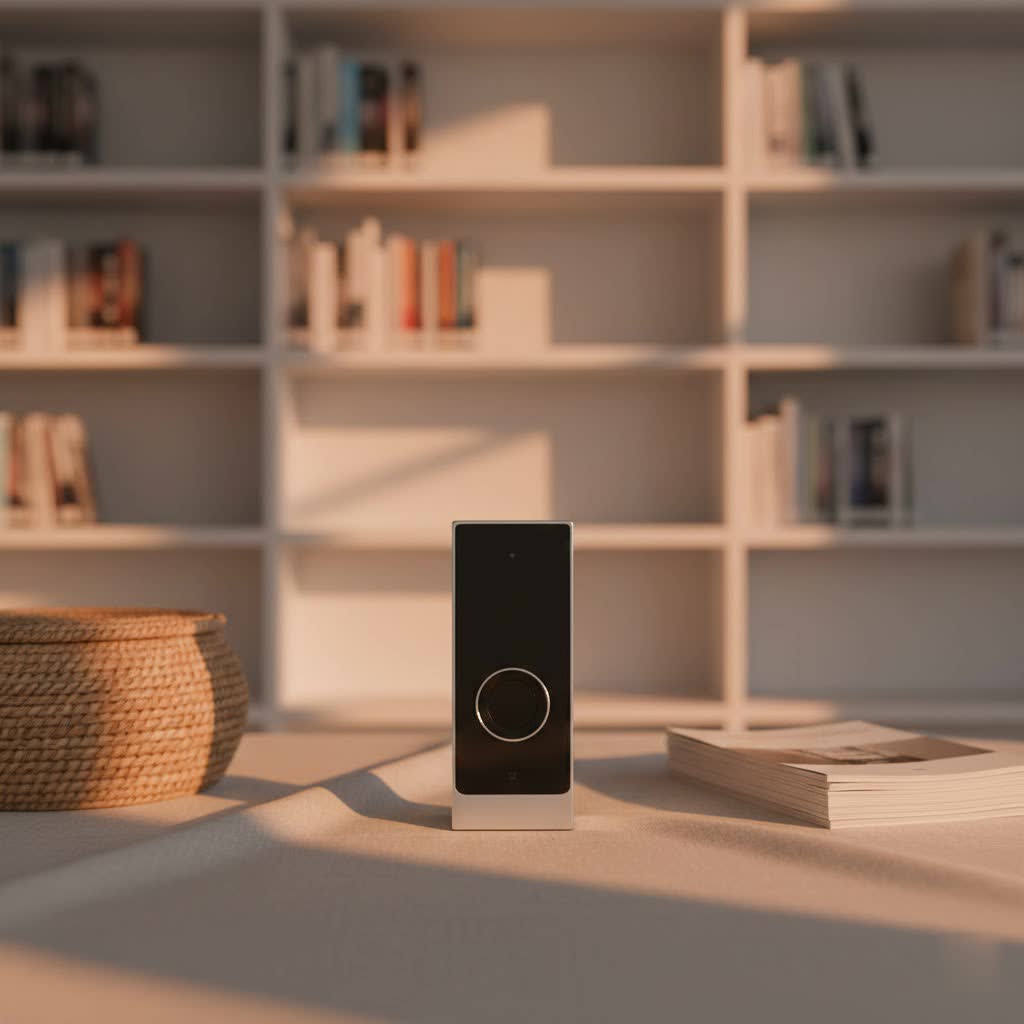
A wireless video doorbell is a battery-powered, Wi-Fi-enabled device that combines a doorbell with a camera, microphone, and speaker. When a visitor presses the button or motion is detected, it sends an alert to your smartphone or other connected devices, allowing you to see, hear, and speak to whoever is there, even if you’re not home. This technology transforms your front door into a smart security hub, offering unprecedented control and awareness.
The benefits of integrating a wireless video doorbell into your home are numerous. Firstly, it significantly enhances security by acting as a visible deterrent to potential intruders and recording any suspicious activity. You can monitor deliveries, ensuring packages aren’t stolen, and greet guests remotely. For families, it offers a convenient way to check on children arriving home from school. Whether you’re at work, on vacation, or simply in another room, a wireless video doorbell keeps you connected to your entryway, providing a continuous sense of security and control. Common use cases include verifying legitimate visitors, instructing delivery drivers on where to leave a parcel, or simply checking who rang the bell when you weren’t expecting anyone.
Types of Video Doorbells: Wired vs. Wireless & Basic vs. Advanced
Understanding the different types of video doorbells available is crucial for making an informed decision. The primary distinction lies in their power source and installation flexibility, followed by the sophistication of their features.
Wired vs. Wireless
The core difference between wired and wireless video doorbells lies in their power supply and connectivity.
- Wireless Video Doorbells: These devices are typically battery-powered and connect to your home Wi-Fi network, eliminating the need for complex electrical wiring.
- Advantages: Installation is remarkably easy and often DIY-friendly, requiring no existing doorbell wiring. This makes them ideal for renters or homes without traditional doorbell setups. They offer flexible placement options and can be easily moved if you relocate.
- Disadvantages: The main drawback is battery maintenance, as batteries need periodic recharging or replacement, which can be inconvenient, though most models provide proactive low-battery warnings. They also rely heavily on a stable Wi-Fi connection; poor signal strength can lead to performance issues or dropped connections. There’s also a potential for signal interference.
- Wired Video Doorbells: These connect to your home’s existing doorbell wiring for continuous power and sometimes for data transmission (PoE).
- Advantages: They offer consistent power, eliminating battery concerns, and often provide a more stable and reliable connection.
- Disadvantages: Installation is typically more complex, often requiring professional help, and they are less flexible in terms of placement.
|
Our Picks for the Best Video Doorbell in 2026
As an Amazon Associate I earn from qualifying purchases.
|
||
| Num | Product | Action |
|---|---|---|
| 1 | Blink Outdoor 4 – Wireless smart security camera, two-year battery life, 1080p HD day and infrared night live view, two-way talk. Sync Module Core included – 2 camera system |

|
| 2 | Ring Battery Doorbell (newest model), Home or business security with Head-to-Toe video, Live View with Two-Way Talk, and Motion Detection & Alerts, Venetian Bronze |
|
| 3 | Noorio Wireless Doorbell Camera with Rechargeable Battery, 2K+ Resolution, 2-Way Audio, Color Night Vision, AI Motion Detection, Smart Video Doorbell Works with Alexa, D110 |
|
| 4 | Blink Video Doorbell (newest model) – Head-to-toe HD view, two-year battery life, and simple setup. Required Sync Module not included – Add-On (White) |
|
| 5 | Ring Battery Doorbell (newest model), Home or business security with Head-to-Toe video, Live View with Two-Way Talk, and Motion Detection & Alerts, Satin Nickel |
|
| 6 | NariOrbi WiFi Video Doorbell Camera with Human Detection, Battery Powered, Night Vision, 2-Way Talk, 2.4G WiFi, Cloud Storage |
|
| 7 | Ring Indoor Cam, Home or business security in 1080p HD video, White |
|
| 8 | Blink Video Doorbell (newest model) – Head-to-toe HD view, two-year battery life, and simple setup. Sync Module Core included – System (Black) |
|
| 9 | Tapo by TP-Link Smart Video Doorbell Camera Wireless with Chime, 2K with Full Color Night Vision & Spotlights, No Monthly Fee, Ring Call, 160° Ultra-Wide View, Free AI Detection, Local Storage,D210 |
|
| 10 | Blink Mini 2 — Home Security & Pet Camera with HD video, color night view, motion detection, two-way audio, and built-in spotlight — 1 camera (White) |
|
Basic vs. Advanced (AI Features)
Beyond connectivity, video doorbells vary significantly in their feature sets, ranging from essential functions to cutting-edge AI capabilities.
- Basic Features: Most video doorbells offer core functionalities such as live video streaming, two-way audio communication, and motion detection alerts. When motion is detected or the doorbell is pressed, you receive a notification on your smartphone, allowing you to engage with visitors in real-time. Basic recording capabilities are usually included, though often limited in duration or storage without a subscription.
- Advanced Features: High-end wireless video doorbells integrate sophisticated AI to provide a more intelligent and tailored security experience. These features can include:
- Person and Package Detection: Differentiating between people, animals, vehicles, and packages, reducing false alarms.
- Facial Recognition: Identifying familiar faces and alerting you to known visitors.
- Customizable Activity Zones: Allowing you to define specific areas for motion detection, ignoring irrelevant movements like street traffic.
- Cloud and Local Storage Options: Offering flexibility in how your video footage is saved and accessed. Many provide subscription-based cloud storage for extended video history, while some offer local storage via an SD card or a home hub to avoid ongoing fees.
- Pre-Roll Recording: Capturing footage a few seconds before a motion event is even triggered, giving you a fuller picture of what happened.
- Smart Home Integration: Seamlessly connecting with platforms like Amazon Alexa, Google Home, and Apple HomeKit, allowing voice control, viewing on smart displays, and integration with other smart devices.
Top Wireless Video Doorbell Brands and Models
The market for wireless video doorbells is robust, with several brands consistently delivering innovative and reliable products. Understanding the strengths of each can help narrow down your choices.
- Ring: A pioneer in the smart doorbell space, Ring offers a wide variety of battery-powered doorbells known for their robust features, strong integration with the Amazon Alexa ecosystem, and a comprehensive range of security devices. Models like the Ring Battery Doorbell Plus are highly rated for their high-resolution video and a wide aspect ratio that shows visitors head-to-toe.
- Arlo: Often cited as a top performer, Arlo’s wireless video doorbells (e.g., Arlo Video Doorbell 2nd Generation) are praised for sharp 2K HDR video, wide viewing angles, and straightforward wireless installation. They offer optional cloud storage and smart alerts, making them a solid all-around choice.
- Eufy: Eufy stands out for its commitment to user privacy and local storage options, often allowing users to avoid monthly subscription fees. The Eufy Video Doorbell 2K is noted for excellent battery life and crisp video, while dual-camera models like the Eufy E340 provide extensive doorstep coverage and advanced detection without ongoing costs.
- Google Nest: For those integrated into the Google Home ecosystem, the Google Nest Doorbell (Battery) is an excellent choice. It offers advanced detection capabilities, high-quality video, and seamless integration with Google Assistant and Nest devices. However, some users note its battery life can be shorter if not hardwired.
- TP-Link Tapo: Providing strong value, Tapo wireless video doorbells, such as the Tapo D225 or D230S1, offer impressive features like 2K video resolution, local storage options, and no monthly fees, making them ideal for budget-conscious consumers seeking advanced functionalities.
- Reolink: Reolink offers battery-powered doorbells that often include local storage, a 1:1 aspect ratio for a full view of visitors, and competitive pricing, appealing to users who prefer to avoid cloud subscription costs.
Comparison Table: Best Wireless Video Doorbells
Here’s a comparison of some of the leading wireless video doorbells, highlighting their key specifications and features to help you compare options at a glance:
| Feature | Arlo Video Doorbell (2nd Gen) | Ring Battery Doorbell Plus | Eufy Video Doorbell 2K (Battery) | Google Nest Doorbell (Battery) | TP-Link Tapo D230S1 (Wireless) |
|---|---|---|---|---|---|
| Resolution | 2K HDR | 1536p HD | 2K HD | 960p HD | 2K QHD |
| Field of View | 180° diagonal | 150° horizontal, 150° vertical | 160° diagonal | 145° diagonal | 160° diagonal |
| Power Source | Battery (or Hardwired) | Battery (or Hardwired) | Battery (or Hardwired) | Battery (or Hardwired) | Battery |
| Battery Life | Several months | Up to 6 months | Up to 6 months | 1-2.5 months (varies) | Up to 180 days |
| Storage | Cloud (subscription) | Cloud (subscription) | Local (hub, no fees) | Cloud (subscription, 3hr free) | Local (SD card/hub, no fees) |
| Smart Integration | Alexa, Google Home | Alexa | Alexa, Google Home | Google Home | Alexa, Google Home |
| Key Features | Wide angle, smart alerts | Head-to-toe view, package detection | No monthly fees, AI detection | Smart alerts, person/package detection | No monthly fees, AI detection |
Note: Battery life estimates are manufacturer claims and can vary significantly based on usage, motion events, and Wi-Fi signal strength.
How to Choose the Best Wireless Video Doorbell (Buying Guide)
Selecting the ideal wireless video doorbell involves considering several factors tailored to your specific needs, home setup, and budget.
Determine Your Needs
Before diving into specifications, clarify what you primarily want your video doorbell to achieve:
- Primary Purpose: Is it for general security, convenient communication, package theft deterrence, or simply screening visitors? Your main goal will influence the features you prioritize.
- Installation Location: Do you have existing doorbell wiring, or do you need a purely battery-powered solution? Assess your Wi-Fi signal strength at the intended installation spot.
- Budget: Wireless video doorbells range from under $100 to over $200, with additional costs for subscriptions. Define your budget early.
Key Factors to Consider When Selecting
Once your needs are clear, evaluate these critical aspects:
- Video and Audio Quality: Look for high resolution (1080p, 2K, or even 4K), a wide field of view to capture more of your porch, and clear night vision for visibility in low light. Two-way audio should be crisp and allow for natural conversation without significant lag.
- Connectivity and Compatibility: Ensure the doorbell has a strong and stable Wi-Fi connection. Crucially, check its compatibility with your existing smart home ecosystem (e.g., Alexa, Google Home, Apple HomeKit) for seamless integration.
- Power and Battery Life: For wireless models, battery life is paramount. Look for devices with extended battery life (several months) and consider how easy it is to recharge or replace the battery. Some wireless models also offer the option to be hardwired, providing the best of both worlds.
- Storage Options and Fees: Determine whether you prefer local storage (via an SD card or a separate hub), which typically avoids ongoing subscription fees, or cloud storage, which often provides more features and longer video history but usually requires a monthly payment. Understand what’s included for free versus what’s behind a paywall.
- Durability and Weather Resistance: Your doorbell will be exposed to the elements, so ensure it has a robust, weather-resistant design (e.g., IPX4 rating or higher) to withstand rain, snow, and extreme temperatures.
- Advanced Features: Evaluate if features like AI-powered person, package, or facial detection, customizable motion zones, and pre-roll recording are important to you. These can significantly enhance usability and reduce false alerts.
- Warranty and Support: A good warranty and responsive customer support are essential for any smart home device.
Installation and Usage Tips
Even with the best wireless video doorbell, proper installation and use are key to maximizing its performance.
- Optimal Placement: Mount your doorbell at the recommended height (typically 48 inches/1.2 meters from the ground) and angle to capture the widest possible view of your entryway, including visitors’ faces and packages on the ground. Ensure it’s within strong Wi-Fi range.
- App Setup and Customization: Download the manufacturer’s app and follow the setup instructions carefully. Customize motion zones, alert preferences, and privacy settings to minimize false alarms and ensure you only receive relevant notifications.
- Battery Saving Tips: To extend battery life, reduce motion sensitivity, decrease the frequency of recordings, and ensure your Wi-Fi signal is strong, as a weak signal forces the device to work harder. If possible, enable a hardwired connection for continuous power.
Common Issues and Troubleshooting for Wireless Video Doorbells
Even the best wireless video doorbells can encounter issues. Here are some common problems and how to troubleshoot them:
- Connectivity Problems (Wi-Fi):
- Symptom: Delayed alerts, choppy video, or device going offline.
- Fix: Ensure your Wi-Fi router is within range and has a strong signal at the doorbell’s location. Consider a Wi-Fi extender if needed. Restart your router and the doorbell. Check if other devices on your network are causing congestion.
- Rapid Battery Drain:
- Symptom: Battery needs frequent recharging.
- Fix: High motion activity, a weak Wi-Fi signal, or cold weather can increase battery consumption. Reduce motion sensitivity, adjust motion zones to avoid high-traffic areas, and ensure a strong Wi-Fi connection. If hardwiring is an option for your model, this will eliminate battery concerns.
- False Motion Alerts:
- Symptom: Receiving frequent alerts for non-threatening things like cars, pets, or shadows.
- Fix: Adjust motion sensitivity settings in the app. Utilize custom motion zones to exclude areas like public sidewalks or busy streets. Many advanced doorbells offer AI detection that can filter out vehicles and animals.
- Poor Video Quality (Blurry, Dark):
- Symptom: Video appears grainy, too dark, or distorted.
- Fix: Clean the doorbell camera lens. Ensure there’s adequate lighting at night (most have IR night vision, but some extra ambient light can help). Check your Wi-Fi speed; slow internet can degrade video stream quality.
- No Notifications:
- Symptom: Not receiving alerts on your smartphone.
- Fix: Check app notification settings on your phone and within the doorbell’s app. Ensure “Do Not Disturb” modes are off. Verify the doorbell is connected to Wi-Fi and online.
If these troubleshooting steps don’t resolve the issue, it’s advisable to consult your doorbell’s user manual or contact the manufacturer’s customer support for further assistance.
Conclusion
The best wireless video doorbells offer a compelling combination of security, convenience, and peace of mind for any homeowner. By providing remote monitoring, two-way communication, and intelligent alerts, these devices transform your front door into a powerful hub that keeps you connected and secure. From basic models focusing on essential communication to advanced systems with AI detection and comprehensive smart home integration, there’s a wireless video doorbell designed to meet every need and budget. By carefully considering your requirements, evaluating key features like video quality, battery life, and storage options, and choosing a reputable brand, you can confidently select a device that not only safeguards your home but also simplifies your daily life. Are you ready to upgrade your home security with a smart, wireless video doorbell?
Frequently Asked Questions
How long do wireless video doorbell batteries last?
Battery life for wireless video doorbells varies significantly by model, usage, and environmental factors like temperature and Wi-Fi strength. Most brands claim anywhere from 1 to 6 months on a single charge. High motion activity, frequent live views, and a weak Wi-Fi signal can all reduce battery life, requiring more frequent recharging, typically every few weeks for intensive use.
Do wireless video doorbells require a subscription?
Many wireless video doorbells offer basic features like live viewing and instant alerts for free, but often require a subscription plan for premium features. These typically include cloud storage for recorded video history, advanced AI detection (like person or package alerts), and longer video retention. Brands like Eufy and TP-Link Tapo often provide local storage options that allow you to avoid recurring monthly fees.
Can wireless video doorbells be hacked?
While no internet-connected device is entirely impervious, reputable wireless video doorbells employ strong encryption and security protocols to protect your data. To minimize risks, always use strong, unique passwords, enable two-factor authentication, keep your device’s firmware updated, and use a secure Wi-Fi network. Avoiding public Wi-Fi and choosing devices from trusted manufacturers further enhances security.
What is the ideal viewing angle for a doorbell camera?
An ideal viewing angle for a doorbell camera is generally between 150 and 180 degrees diagonally. This wide angle ensures you can see not only who is directly in front of your door but also packages placed on the ground and approaching visitors from the sides. Some doorbells also offer a 1:1 aspect ratio, which provides a head-to-toe view of visitors and a better perspective of packages near the door.
