In today’s fast-paced world, securing your home and staying connected to what matters most are paramount. A wireless video doorbell is no longer a mere convenience; it’s an essential layer of modern home security, offering peace of mind and unparalleled control over your front door. Whether you’re at work, on vacation, or simply in another room, these smart devices allow you to see, hear, and speak to visitors from anywhere. This comprehensive guide will demystify the world of wireless video doorbells, including specific insights into budget-friendly options like the XSmart Home wireless video doorbell, helping you make an informed decision to protect your family and property.
What is a Video Doorbell and Why Do You Need One?
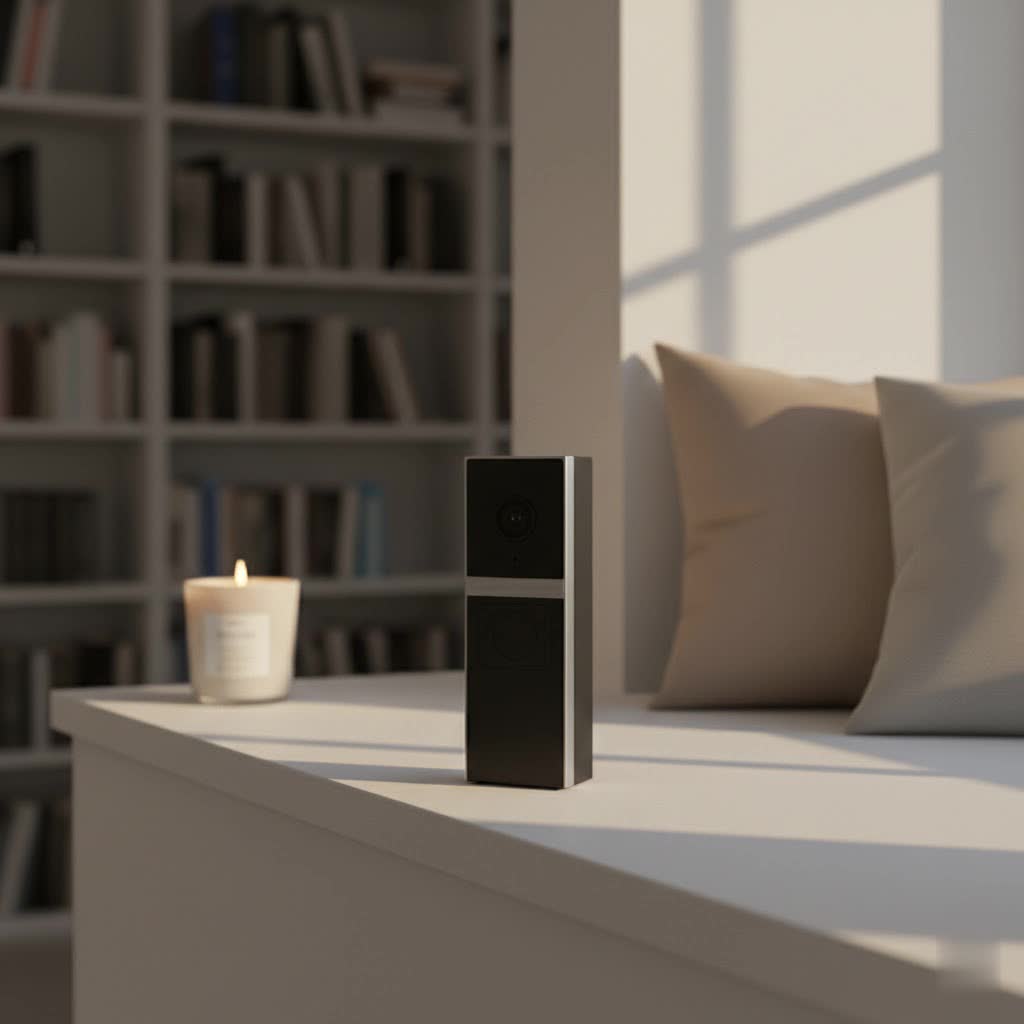
A video doorbell is a smart device equipped with a camera, microphone, and speaker, designed to replace your traditional doorbell. When a visitor presses the button or motion is detected, it sends an alert to your smartphone or other connected devices, allowing you to engage in a two-way conversation and view live video footage of your doorstep. This innovative technology offers a multitude of benefits, transforming how you interact with your home’s entry points.
The primary advantage of a video doorbell is enhanced security. It acts as an always-on surveillance camera for your front door, deterring potential intruders and recording any suspicious activity. For instance, if someone attempts to steal a package, the doorbell can capture clear evidence. Beyond security, these devices offer immense convenience. You can screen visitors, speak to delivery personnel even when you’re not home, and keep an eye on your children returning from school. Popular use cases include monitoring package deliveries, verifying identities of unexpected guests, and simply knowing who is at your door without having to open it.
Popular Types of Wireless Video Doorbells
The market for video doorbells is diverse, offering various types tailored to different needs and preferences. Understanding these classifications is crucial for selecting the right device for your home.
Connection Types: Battery-Powered vs. Hardwired (Wireless-Capable)
Wireless video doorbells primarily come in two connection types: fully battery-powered or models that offer wireless connectivity but can also be hardwired to an existing doorbell system for continuous power.
- Battery-Powered Wireless Video Doorbells: These are favored for their extreme ease of installation, as they require no existing wiring. They can be mounted almost anywhere, making them ideal for homes without traditional doorbell wiring or for renters. The main trade-off is battery life, which can vary significantly depending on usage (motion detections, live view access) and environmental factors. Users must regularly recharge or swap out batteries, typically every few weeks to several months. Devices like the Ring Battery Video Doorbell Plus or Arlo Video Doorbell excel in this category, offering months of battery life and flexible placement options.
- Hardwired Wireless-Capable Video Doorbells: These models still connect to your home Wi-Fi wirelessly for data transmission but draw power from your existing doorbell’s low-voltage wiring. This eliminates the need for battery changes, providing continuous power and often enabling more advanced features like 24/7 continuous recording (though this is not always the case for all models). Installation is slightly more involved than purely battery-powered units, requiring a connection to existing wires, but it’s generally manageable for a DIY enthusiast. Many popular brands like Google Nest and Eufy offer models with this dual power option.
|
Our Picks for the Best Video Doorbell in 2026
As an Amazon Associate I earn from qualifying purchases.
|
||
| Num | Product | Action |
|---|---|---|
| 1 | Ring Battery Doorbell (newest model), Home or business security with Head-to-Toe video, Live View with Two-Way Talk, and Motion Detection & Alerts, Venetian Bronze |

|
| 2 | Blink Mini 2 — Home Security & Pet Camera with HD video, color night view, motion detection, two-way audio, and built-in spotlight — 1 camera (White) |
|
| 3 | NariOrbi WiFi Video Doorbell Camera with Human Detection, Battery Powered, Night Vision, 2-Way Talk, 2.4G WiFi, Cloud Storage |
|
| 4 | Blink Video Doorbell (newest model) – Head-to-toe HD view, two-year battery life, and simple setup. Sync Module Core included – System (Black) |
|
| 5 | Ring Indoor Cam, Home or business security in 1080p HD video, White |
|
| 6 | Ring Battery Doorbell (newest model), Home or business security with Head-to-Toe video, Live View with Two-Way Talk, and Motion Detection & Alerts, Satin Nickel |
|
| 7 | Blink Outdoor 4 – Wireless smart security camera, two-year battery life, 1080p HD day and infrared night live view, two-way talk. Sync Module Core included – 2 camera system |
|
| 8 | Blink Video Doorbell (newest model) – Head-to-toe HD view, two-year battery life, and simple setup. Required Sync Module not included – Add-On (White) |
|
| 9 | Tapo by TP-Link Smart Video Doorbell Camera Wireless with Chime, 2K with Full Color Night Vision & Spotlights, No Monthly Fee, Ring Call, 160° Ultra-Wide View, Free AI Detection, Local Storage,D210 |
|
| 10 | Noorio Wireless Doorbell Camera with Rechargeable Battery, 2K+ Resolution, 2-Way Audio, Color Night Vision, AI Motion Detection, Smart Video Doorbell Works with Alexa, D110 |
|
Choosing between these depends on your comfort with electrical work, the presence of existing wiring, and your preference for maintenance (battery charging vs. wired setup).
Feature Sets: Basic Functionality vs. Advanced AI Integration
Beyond connectivity, video doorbells differentiate themselves through their feature sets, ranging from essential functions to sophisticated artificial intelligence capabilities.
- Basic Functionality: Most wireless video doorbells offer core features crucial for front-door monitoring. These include high-definition video recording (often 1080p), two-way audio communication, and basic motion detection that sends alerts to your smartphone when activity is detected. Many also come with infrared night vision, allowing clear visibility in low-light conditions. The XSmart Home wireless video doorbell, for example, typically provides these fundamental features at a more accessible price point, including video recording and two-way talk, though its 720p resolution can be grainy, and its app experience might be inconsistent.
- Advanced AI Integration: Higher-end models incorporate cutting-edge AI for more intelligent monitoring. This includes features like facial recognition, which can identify familiar faces versus strangers, and package detection, which alerts you when a delivery arrives or is removed. Advanced motion detection allows for customizable activity zones, reducing false alarms from passing traffic or pets. Some also offer continuous video recording (CVR) when hardwired, providing a full timeline of events, and rich notifications with thumbnail images directly on your lock screen. Brands like Eufy (with its dual cameras for comprehensive package view) and Google Nest are known for pushing the boundaries of smart, AI-powered features. These advanced functionalities often come with the option of cloud storage subscriptions for storing recorded footage and unlocking full potential.
The choice here depends on your security priorities and willingness to invest in more sophisticated technology, potentially with recurring subscription costs.
Leading Wireless Video Doorbell Brands
The smart home market is rich with video doorbell manufacturers, each bringing unique strengths to the table. From industry giants to innovative newcomers, here’s a look at some of the most reputable brands:
- Ring: A pioneer in the video doorbell space, Ring offers a wide array of battery-powered and wired options. Known for robust integration with the Amazon Alexa ecosystem, Ring doorbells provide reliable motion detection, clear video, and a user-friendly app. Many models include features like “Pre-Roll” (capturing a few seconds before a motion event) and a strong community security network via the Neighbors app. However, advanced features often require a Ring Protect subscription.
- Arlo: Arlo excels in video quality, often offering 2K or even 4K resolution options. Their doorbells seamlessly integrate with the broader Arlo security camera ecosystem, featuring robust battery life and intelligent object detection. Arlo’s focus on crisp imagery and comprehensive coverage makes them a top choice for those prioritizing video clarity.
- Eufy: A popular choice for users seeking powerful features without mandatory subscription fees, Eufy offers local storage options (via an SD card or HomeBase) and advanced AI detection. Their dual-camera models are particularly adept at package monitoring, providing both a head-to-toe view of visitors and a dedicated camera for ground-level packages.
- Google Nest: Integrating seamlessly with the Google Home ecosystem, Nest Doorbells (formerly Nest Hello) offer excellent image quality, intelligent alerts, and familiar face recognition (with a Nest Aware subscription). They are known for their sleek design and deep integration with Google Assistant, allowing users to view footage on smart displays.
- Tapo (TP-Link): Tapo offers a strong balance of features and affordability, often providing 2K video, local storage, and smart AI detection without a monthly fee. They are gaining popularity as a budget-friendly yet feature-rich alternative, compatible with both Alexa and Google Assistant.
- Philips: While newer to the video doorbell market, Philips offers competitive options like the 7000 Series, praised for sharp 2K video, ease of use, and flexibility for both wired and wireless installations, often including an indoor chime.
The XSmart Home wireless video doorbell represents a segment of the market focused on extreme affordability and ease of entry into smart home security. While it offers wireless operation, local storage via an SD card, and straightforward app connectivity for viewing and two-way communication, potential buyers should be aware of its limitations. Reviews often point to 720p video quality that can be grainy, particularly in challenging lighting, and a tendency for the device to disconnect frequently due to reliance on the often-saturated 2.4 GHz Wi-Fi band. Furthermore, the absence of an included indoor chime means reliance solely on mobile notifications, and the app itself has sometimes been described as unreliable or slow to load, potentially causing missed interactions. Its anti-theft alarm is a thoughtful addition, but the physical mounting might not be as robust as higher-end models.
Your Comprehensive Buying Guide to Wireless Video Doorbells
Choosing the ideal wireless video doorbell can seem daunting with so many options available. By systematically evaluating your needs and key features, you can narrow down the best fit for your home and budget.
Assessing Your Needs
Before diving into product specifications, consider your primary objectives for acquiring a video doorbell.
- Primary Purpose: Are you mainly looking for enhanced security to deter crime, or is convenience your top priority for screening visitors and managing deliveries? Perhaps it’s about staying connected with your children when they arrive home. Your primary goal will guide feature prioritization.
- Installation Location: Is your front door exposed to harsh weather elements, requiring a highly durable and weather-resistant model? Do you live in an apartment where hardwiring might not be an option, making a purely battery-powered unit essential? The environment will dictate power source and build quality requirements.
- Budget: Wireless video doorbells range widely in price, from under $50 for basic models like the XSmart Home to over $200 for premium devices with extensive AI and advanced features. Determine how much you’re willing to invest, keeping in mind potential recurring subscription fees for cloud storage or advanced functionalities.
Key Factors to Evaluate
Once your needs are clear, focus on these critical factors during your product research:
- Video & Audio Quality: Look for high-resolution video (1080p, 2K, or 4K) for clear identification. A wide field of view (160-180 degrees) is essential to capture the entire porch, including packages. Crisp two-way audio ensures effective communication with visitors. Good night vision, either infrared or color, is vital for security after dark.
- Connectivity & Compatibility: Ensure the doorbell supports your home’s Wi-Fi network (2.4GHz is standard, but dual-band 2.4/5GHz offers more stability). Consider its compatibility with your existing smart home ecosystem (Amazon Alexa, Google Assistant, Apple HomeKit) for seamless integration and voice control.
- Durability & Weather Resistance: Since doorbells are exposed to the elements, look for an IP (Ingress Protection) rating that indicates resistance to dust and water. A robust build quality ensures longevity.
- Storage Solutions: Decide between local storage (SD card, often found in budget-friendly options like XSmart Home and Eufy) or cloud storage (subscription-based, offered by Ring, Arlo, Nest). Cloud storage offers off-site backup, while local storage avoids recurring fees. Some brands offer both.
- App Experience & Notifications: A responsive and intuitive mobile app is paramount. It should provide quick access to live view, recorded events, and settings. Customizable notification settings can prevent alert fatigue.
- Warranty & Support: A good warranty and responsive customer support can be invaluable if you encounter issues with your device.
Installation and Usage Tips
Proper installation and smart usage can significantly enhance your video doorbell experience.
- Optimal Placement: Mount your doorbell at the recommended height (typically 48 inches from the ground) to ensure visitors’ faces and packages are within the camera’s field of view. Angle wedges can help optimize the viewing angle.
- App Setup: Follow the manufacturer’s instructions closely for initial setup. Most involve downloading an app, connecting to your Wi-Fi, and pairing the device. For XSmart Home, connecting to the 2.4 GHz Wi-Fi band and ensuring strong signal strength is crucial for stable operation.
- Battery Management/Power Options: For battery-powered units, monitor battery levels regularly and recharge proactively. If using a hardwired option, ensure your existing transformer provides adequate power.
- Troubleshooting Common Issues Proactively: Familiarize yourself with common issues (like Wi-Fi disconnection or false alerts) and their basic fixes to maintain optimal performance.
Common Issues and Troubleshooting Tips for Wireless Video Doorbells
Even the best wireless video doorbells can encounter issues. Understanding common problems and how to troubleshoot them can save you time and frustration.
- Connectivity Drops: Many wireless video doorbells, especially budget models like the XSmart Home, primarily use the 2.4 GHz Wi-Fi band. This band can be prone to interference and congestion, leading to frequent disconnections.
- Fix: Ensure your Wi-Fi router is centrally located and not obstructed. Consider a Wi-Fi extender if the doorbell is far from the router. If your router is dual-band, temporarily disable the 5 GHz band during setup for some devices, and ensure network saturation isn’t an issue. Restarting your router can also help.
- Battery Life Variations: Battery life is highly dependent on activity. Frequent motion detections, live view sessions, and extreme temperatures can drain batteries faster.
- Fix: Adjust motion detection sensitivity and zones to focus only on critical areas. Reduce live view checks if not necessary. Ensure the battery is fully charged using the recommended charger. If possible, consider models that can be trickle-charged via existing doorbell wiring.
- False Motion Alerts: Overly sensitive motion detection can lead to constant, irritating notifications.
- Fix: Utilize customizable motion zones to exclude areas with high traffic (e.g., public sidewalks). Adjust sensitivity settings within the app. Some advanced doorbells offer AI-powered person detection to minimize alerts from pets or passing vehicles.
- App Unresponsiveness/Delays: A sluggish app can defeat the purpose of a video doorbell, causing delays in answering or viewing footage. The XSmart Home app, for instance, has been noted for these issues.
- Fix: Ensure your smartphone app is updated to the latest version. Check your phone’s internet connection. If the problem persists, try clearing the app’s cache or reinstalling it. The issue might also stem from the doorbell’s connection or server-side problems.
- Poor Video Quality, Especially at Night: Grainy or unclear video, particularly after dark, can compromise security. The XSmart Home’s 720p resolution is a common culprit here.
- Fix: Ensure the camera lens is clean. Check for obstructions that might block the night vision’s infrared light. If possible, consider adding external lighting to illuminate the area at night. Upgrading to a doorbell with 2K or 4K resolution and better night vision capabilities might be necessary for improved clarity.
- No Indoor Chime: Some wireless doorbells, including the XSmart Home, do not come with a dedicated indoor chime and rely solely on smartphone notifications.
- Fix: If an indoor chime is important, look for models that include one or are compatible with third-party wireless chimes. Alternatively, integrate your doorbell with a smart speaker (like Amazon Echo or Google Nest Hub) to use it as an indoor chime.
- Physical Security Concerns: Some budget doorbells can be easily unhooked or removed.
- Fix: Ensure the doorbell is securely mounted, ideally with screws. While the XSmart Home offers an anti-theft alarm, a more robust physical attachment can deter opportunistic theft.
Conclusion
A wireless video doorbell is a powerful addition to any modern home, providing unmatched security, convenience, and peace of mind. From basic monitoring to advanced AI-driven protection, these devices empower you to stay connected to your doorstep, no matter where you are. While budget-friendly options like the XSmart Home wireless video doorbell offer an accessible entry point to this technology with its local storage and easy setup, investing in a model that aligns with your specific needs for video quality, app reliability, and advanced features will yield the most satisfying and secure experience. By considering factors such as connectivity, feature sets, brand reputation, and essential troubleshooting tips, you can confidently choose the ideal video doorbell to safeguard your home and family. What aspect of wireless video doorbells do you find most appealing for your daily life?
Frequently Asked Questions
How long do wireless video doorbell batteries typically last?
Battery life for wireless video doorbells varies significantly, ranging from a few weeks to several months. Factors like the number of motion detections, frequency of live view access, and ambient temperature all impact battery drain. Models with efficient power management and larger batteries tend to last longer.
Do I need a subscription for a wireless video doorbell?
Not always. Many brands, particularly budget-friendly options like XSmart Home and Eufy, offer local storage via an SD card, allowing you to avoid recurring subscription fees for video recording. However, premium features like cloud storage, advanced AI detection (facial recognition, package alerts), and extended video history often require a paid subscription service.
Can wireless video doorbells work without existing doorbell wiring?
Yes, fully battery-powered wireless video doorbells are specifically designed to operate without any existing doorbell wiring, offering maximum flexibility in placement and easy DIY installation. Some models also have the option to be hardwired for continuous power if wiring is available.
What Wi-Fi band do wireless video doorbells use?
Most wireless video doorbells primarily connect to the 2.4 GHz Wi-Fi band. This band offers a longer range and better penetration through walls compared to 5 GHz. However, 2.4 GHz can also be more susceptible to interference and congestion, potentially affecting connection stability for devices like the XSmart Home wireless video doorbell. Some newer or higher-end models support dual-band (2.4 GHz and 5 GHz).
Are wireless video doorbells waterproof?
Most reputable wireless video doorbells are designed to be weather-resistant, meaning they can withstand splashes of water and moderate rain. They typically carry an IP (Ingress Protection) rating to indicate their resistance to dust and water. However, they are generally not fully waterproof for submersion, and extreme weather conditions may still impact their performance or longevity.
