In an age where seamless connectivity and robust security are paramount, the traditional doorbell has evolved into a sophisticated guardian for your home. While wireless options offer convenience, a Power over Ethernet (PoE) video doorbell stands out as the definitive choice for those seeking unparalleled reliability, consistent performance, and advanced smart home integration. It’s a foundational upgrade for anyone serious about their property’s safety and connectivity.
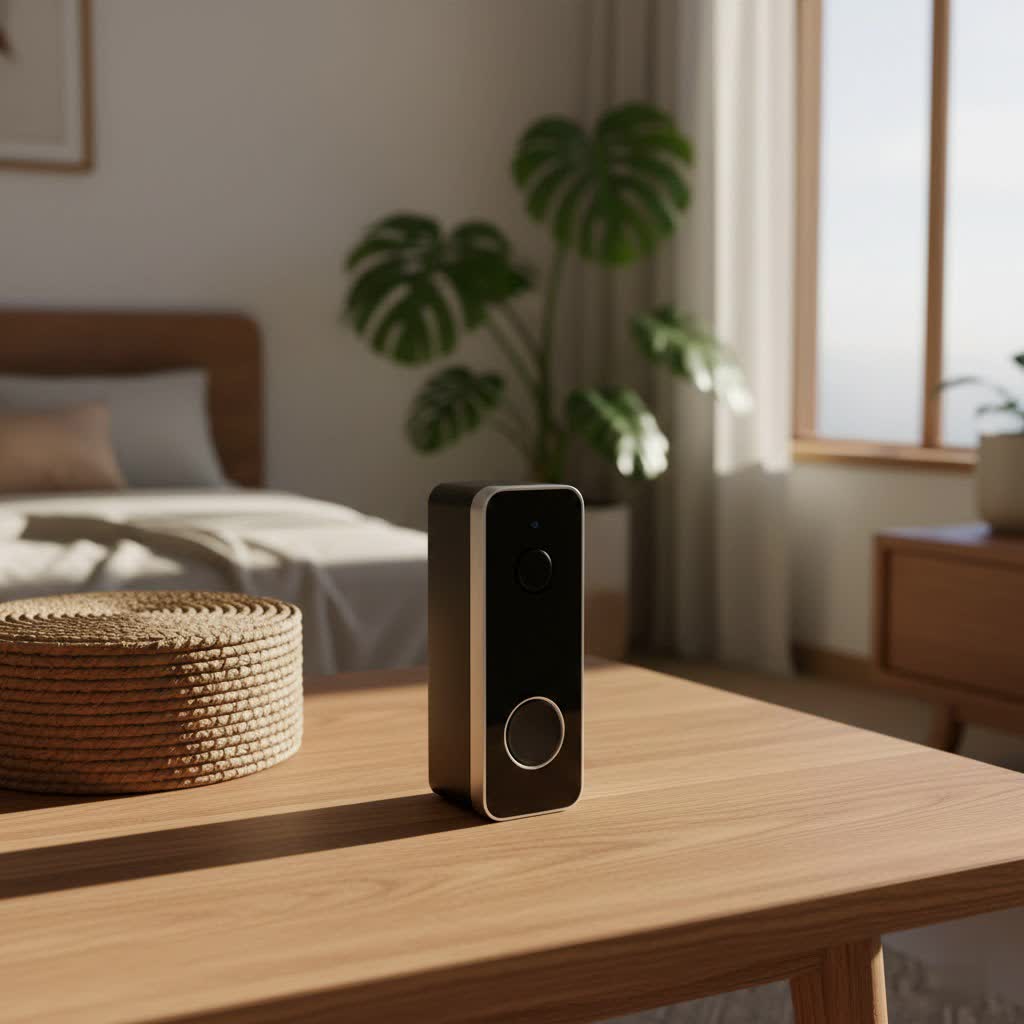
This article will delve into the world of PoE video doorbells, guiding you through their core benefits, comparing them against wireless alternatives, highlighting essential features, and showcasing top brands. You’ll gain the insights needed to select and install the perfect PoE doorbell, ensuring a secure and smart entrance for years to come.
What is a PoE Video Doorbell and Why Do You Need One?
A PoE video doorbell integrates Power over Ethernet technology, meaning it receives both electrical power and network data through a single Ethernet cable. This eliminates the need for a separate power supply or reliance on Wi-Fi, creating a robust and highly dependable connection directly to your home network.
The advantages of embracing a PoE video doorbell are significant, addressing common pain points associated with lesser technologies. First and foremost, they offer enhanced security and reliability. By being hardwired for both power and data, PoE doorbells are far less susceptible to Wi-Fi interference, signal drops, or power outages (when paired with a UPS for your network equipment). This ensures continuous monitoring and instant alerts, giving you peace of mind that your front door is always under surveillance. The consistent power supply also means no battery concerns, eliminating the hassle of recharging or replacing batteries, which can be a critical failure point for wireless devices.
Furthermore, PoE doorbells provide superior convenience and control. They enable remote monitoring from anywhere via a smartphone app, offer crystal-clear two-way audio for communication with visitors, and deliver instant notifications when motion is detected or the doorbell is pressed. Many also support local storage via microSD cards or Network Video Recorders (NVRs), allowing you to keep recordings securely on-site without incurring monthly cloud subscription fees.
Common use cases for PoE video doorbells range from new home constructions where Ethernet wiring can be easily integrated, to existing homes looking for a significant security upgrade. They are ideal for users who prioritize stability, higher bandwidth for superior video quality, and tighter integration with local smart home systems like Home Assistant.
Wired vs. Wireless: Why PoE Stands Out
When it comes to video doorbells, the fundamental choice often boils down to wired or wireless connectivity. While wireless options have gained popularity for their ease of installation, PoE wired video doorbells offer distinct advantages that make them a superior long-term solution, especially for security-conscious homeowners.
Wired (PoE) Video Doorbells
PoE doorbells leverage a single Ethernet cable for both power and data, creating an incredibly stable and efficient connection.
Pros:
- Unmatched Stability and Reliability: A wired connection is inherently more stable than Wi-Fi, preventing dropped signals, lag, and connectivity issues often experienced with wireless devices. This consistency is vital for security.
- Consistent Power Supply: Power is continuously delivered through the Ethernet cable, eliminating battery life concerns and ensuring the doorbell is always operational. This means no missed recordings due to a dead battery.
- Higher Bandwidth and Superior Video Quality: Ethernet cables provide higher bandwidth, supporting higher resolution video (e.g., 2K, 5MP) with smoother frame rates, crucial for clear identification and detailed recordings, especially at night.
- Enhanced Security: Wired connections are generally considered more secure as they are less prone to wireless hacking attempts compared to Wi-Fi-only devices.
- Local Storage and NVR Integration: Many PoE doorbells natively support local storage via microSD cards and integrate seamlessly with NVRs using standards like ONVIF and RTSP, allowing you to bypass cloud subscriptions entirely and maintain full control over your footage.
Cons:
- Installation Complexity: Requires running an Ethernet cable to the doorbell’s location, which can be more involved if existing wiring isn’t present.
- Initial Setup: May require a PoE switch or injector if your router doesn’t have PoE ports.
|
Our Picks for the Best Video Doorbell in 2026
As an Amazon Associate I earn from qualifying purchases.
|
||
| Num | Product | Action |
|---|---|---|
| 1 | Blink Mini 2 — Home Security & Pet Camera with HD video, color night view, motion detection, two-way audio, and built-in spotlight — 1 camera (White) |

|
| 2 | Blink Video Doorbell (newest model) – Head-to-toe HD view, two-year battery life, and simple setup. Sync Module Core included – System (Black) |
|
| 3 | Blink Video Doorbell (newest model) – Head-to-toe HD view, two-year battery life, and simple setup. Required Sync Module not included – Add-On (White) |
|
| 4 | Ring Battery Doorbell (newest model), Home or business security with Head-to-Toe video, Live View with Two-Way Talk, and Motion Detection & Alerts, Venetian Bronze |
|
| 5 | Blink Outdoor 4 – Wireless smart security camera, two-year battery life, 1080p HD day and infrared night live view, two-way talk. Sync Module Core included – 2 camera system |
|
| 6 | Ring Battery Doorbell (newest model), Home or business security with Head-to-Toe video, Live View with Two-Way Talk, and Motion Detection & Alerts, Satin Nickel |
|
| 7 | Noorio Wireless Doorbell Camera with Rechargeable Battery, 2K+ Resolution, 2-Way Audio, Color Night Vision, AI Motion Detection, Smart Video Doorbell Works with Alexa, D110 |
|
| 8 | NariOrbi WiFi Video Doorbell Camera with Human Detection, Battery Powered, Night Vision, 2-Way Talk, 2.4G WiFi, Cloud Storage |
|
| 9 | Ring Indoor Cam, Home or business security in 1080p HD video, White |
|
| 10 | Tapo by TP-Link Smart Video Doorbell Camera Wireless with Chime, 2K with Full Color Night Vision & Spotlights, No Monthly Fee, Ring Call, 160° Ultra-Wide View, Free AI Detection, Local Storage,D210 |
|
Wireless (Wi-Fi) Video Doorbells
Wireless doorbells connect to your home Wi-Fi network and are often battery-powered or use existing low-voltage doorbell wiring for power.
Pros:
- Easy Installation: Typically simpler to install as they don’t require running new Ethernet cables.
- Flexible Placement: Battery-powered models offer more flexibility in mounting locations.
Cons:
- Battery Life Issues: Battery-powered models require regular recharging or battery replacement, which can lead to downtime and missed events.
- Wi-Fi Interference and Connectivity Drops: Susceptible to signal interference, range limitations, and network congestion, leading to unreliable performance.
- Cloud Dependence: Many wireless doorbells heavily rely on cloud services for recording storage and advanced features, often requiring monthly subscription fees.
- Lower Bandwidth: Can impact video quality and introduce latency, especially with higher resolutions.
In summary, while wireless doorbells offer initial installation ease, PoE doorbells provide a “set it and forget it” solution with superior stability, performance, and long-term cost savings, making them the preferred choice for robust home security.
Key Features to Look for in a PoE Video Doorbell
Choosing the right PoE video doorbell involves more than just ensuring it’s wired. Several key features contribute to its effectiveness, security, and integration within your smart home ecosystem.
First, prioritize high-resolution video and a wide field of view. Look for resolutions of at least 2K (2560×1920) or 5 megapixels (MP) for crisp, clear images that allow for precise identification. A wide field of view, typically ranging from 134 to 180 degrees, ensures you capture a comprehensive perspective of your entryway, minimizing blind spots.
Exceptional night vision is also critical. Infrared (IR) LEDs provide clear black-and-white video in low-light conditions, ensuring your security doesn’t cease when the sun goes down. Some advanced models even offer color night vision in certain ambient light.
Two-way audio with noise cancellation is essential for seamless communication. This feature allows you to speak with visitors, delivery personnel, or even deter intruders directly through your doorbell’s integrated microphone and speaker.
Advanced motion detection and smart alerts are vital for proactive security. Look for doorbells that offer person detection to minimize false alarms from pets or passing vehicles. Customizable motion zones allow you to define specific areas of interest, ensuring you only receive alerts for relevant activity.
For privacy and long-term cost savings, local storage and NVR integration are paramount. A microSD card slot (supporting up to 256GB is common) provides on-device recording, while support for ONVIF and RTSP protocols allows the doorbell to integrate with Network Video Recorders (NVRs) from various manufacturers. This gives you complete control over your footage and avoids recurring cloud subscription fees.
Smart home integration capabilities are also important for a truly connected experience. Check for compatibility with platforms like Home Assistant, Google Home, or Amazon Alexa, enabling you to incorporate the doorbell into broader automation routines, view feeds on smart displays, or receive voice announcements.
Finally, consider the doorbell’s durability and weather resistance. Since it’s an outdoor device, it must withstand various environmental conditions. Look for an IP (Ingress Protection) rating, such as IP65 or IP66, indicating its resistance to dust and water, ensuring reliable operation in rain, snow, or extreme temperatures.
Top PoE Video Doorbell Brands and Models
While the market for general video doorbells is vast, the PoE segment is dominated by brands that prioritize robust, wired connectivity and often local control. Here’s a look at some of the leading contenders:
Reolink Video Doorbell PoE
The Reolink Video Doorbell PoE is frequently cited as one of the best choices for its balance of features, performance, and value.
Strengths:
- Excellent Value: Offers a comprehensive feature set at a competitive price point, making it accessible for many homeowners.
- High-Resolution Video: Typically features 2K (2560×1920) or 5MP resolution, providing sharp and detailed footage.
- Strong Home Assistant Integration: Widely praised by smart home enthusiasts for its robust integration capabilities with Home Assistant, allowing for extensive automation and local control.
- Local Storage and NVR Compatibility: Supports microSD card storage (up to 256GB) and is fully compatible with ONVIF and RTSP protocols, enabling seamless integration with NVRs and eliminating monthly fees.
- Reliable Performance: Users consistently report stable connectivity and consistent performance due to its wired nature.
- Smart Detection: Includes person detection and customizable motion zones to reduce false alarms.
Considerations:
- Model Variations: Be aware that Reolink offers different models, some with horizontal and others with vertical fields of view.
- Initial Setup: While generally straightforward, some initial setup via the Reolink mobile app might be required to enable the web interface for advanced settings.
Ubiquiti UniFi G4 Pro / G6
For those already invested in the Ubiquiti UniFi network ecosystem, their doorbell offerings, such as the G4 Pro and newer G6 models, present a premium PoE solution.
Strengths:
- High-End Ecosystem Integration: Designed to seamlessly integrate with Ubiquiti’s UniFi Protect platform, offering a unified experience for network and security management.
- Superior Video Quality: Known for excellent video quality, often featuring a dedicated package camera and advanced imaging sensors.
- Advanced Features: Includes features like a path light, fingerprint reader (on some models), NFC reader, and a small display for unique functionalities.
Considerations:
- Significantly Higher Price Point: Ubiquiti doorbells are considerably more expensive than many other options, making them a significant investment.
- Ecosystem Lock-in: Primarily suitable for users who are already using or planning to adopt the broader UniFi networking and camera ecosystem, as standalone functionality might be limited or less optimized.
Dahua / Amcrest (OEM) Doorbells
Dahua is a well-known manufacturer of security cameras, and their technology often appears under other brands like Amcrest. They offer robust PoE doorbell solutions.
Strengths:
- Reputable Camera Quality: Dahua is recognized for producing high-quality camera sensors and reliable hardware.
- Weather Resistance: Known for durable designs that stand up well to harsh weather conditions.
- VoIP Protocol Compatibility: Some models work well with VoIP protocols, offering interesting integration possibilities for advanced users.
Considerations:
- Commercial Aesthetic: Dahua models can sometimes have a more “commercial” or less residential-friendly appearance.
- Technical Expertise: May require a higher level of technical knowledge for optimal setup and integration compared to more consumer-friendly brands.
This selection highlights that while Reolink offers a fantastic balance for most users, Ubiquiti serves the premium segment, and Dahua provides a robust, technically capable alternative. Your choice will depend on your budget, existing smart home setup, and desired level of technical involvement.
Choosing the Right PoE Video Doorbell for Your Home (Buying Guide)
Selecting the ideal PoE video doorbell involves a thoughtful evaluation of your specific needs, existing infrastructure, and long-term security goals. Here’s a comprehensive guide to help you make an informed decision.
Assess Your Needs
Before diving into product specifications, take a moment to clarify what you expect from your video doorbell:
- Primary Purpose: Is security your main concern (deterring intruders, package theft prevention), or are you prioritizing convenience (seeing who’s at the door, two-way communication)?
- Installation Location: Will it be at your main entrance, a side gate, or perhaps monitoring a specific area? This influences the field of view and durability requirements.
- Budget: PoE doorbells range in price, from value-packed options to premium models. Determine a realistic budget that aligns with your expectations.
Key Factors to Consider When Selecting
Once you understand your needs, evaluate these critical factors:
- Image and Audio Quality: Look for 2K or 5MP resolution for clear video, along with effective night vision. Ensure the two-way audio offers clear sound with noise reduction. A wide field of view (134-180 degrees) is also essential to capture the full entryway.
- Connectivity and Compatibility: The primary benefit of PoE is its wired stability. Ensure your home network can support it (you’ll need a PoE switch or injector if your router lacks PoE ports). Check for compatibility with your existing smart home ecosystem (e.g., Home Assistant, Alexa, Google Home) and any NVRs you plan to use (look for ONVIF/RTSP support).
- Durability and Weather Resistance: As an outdoor device, it must withstand the elements. An IP65 or IP66 rating signifies resistance to dust and water, making it suitable for various weather conditions.
- Advanced Features: Consider features like advanced person detection (to minimize false alarms), customizable motion zones, pre-roll recording, and local storage options (microSD card support) to avoid subscription fees.
- Warranty and Technical Support: A good warranty and responsive customer support can be invaluable if you encounter issues down the line.
Important Notes on Installation and Usage
Even with a wired system, some considerations can optimize your experience:
- Optimal Placement: Install the doorbell at a height of approximately 4-5 feet (1.2-1.4 meters) off the ground. This typically provides the best angle for capturing faces clearly without distortion.
- Use a Wedge: Many PoE doorbells come with an angled wedge. Utilize this if your door is set back or if you need to adjust the horizontal field of view to better capture approaching visitors.
- Cable Quality: Use high-quality Cat5e or Cat6 Ethernet cables for reliable data and power transmission, especially for longer runs.
- Initial Setup: While the connection is wired, most modern PoE doorbells still require an initial setup via a mobile app to configure settings, create motion zones, and enable advanced features.
- NVR Integration: If you plan to use an NVR, ensure you enable ONVIF/RTSP protocols through the doorbell’s settings (often done via the mobile app or web interface) for seamless recording and management.
By carefully considering these aspects, you can confidently choose a PoE video doorbell that not only meets your security needs but also seamlessly integrates into your smart home, providing reliable performance and peace of mind.
Common Issues and Troubleshooting Tips
While PoE video doorbells are known for their reliability, occasional issues can arise. Knowing how to diagnose and resolve these common problems can save you time and ensure continuous security.
1. No Power or No Network Connection:
This is often the most frustrating issue.
- Check PoE Connection: Ensure the Ethernet cable is securely plugged into both the doorbell and your PoE switch or injector.
- Verify PoE Switch/Injector: Confirm that your PoE switch or injector is powered on and functioning correctly. Try connecting another PoE device (if available) to test the port.
- Cable Integrity: Inspect the Ethernet cable for any damage. A faulty cable can prevent both power and data transmission. Consider testing with a known good cable.
- Router/Network Status: Ensure your router and wider network are operational. Sometimes a simple power cycle of your router and PoE injector can resolve minor connectivity glitches.
2. Blurry Image or Poor Night Vision:
If your video feed isn’t clear, here’s what to check:
- Clean the Lens: Dust, dirt, or water spots on the camera lens can significantly degrade image quality. Gently clean the lens with a soft, lint-free cloth.
- Adjust Camera Angle: If the image is consistently blurry or washed out at night, especially around the edges, ensure there are no nearby walls or reflective surfaces that could be reflecting the infrared (IR) light back into the lens. The included wedge can help adjust the angle.
- Resolution Settings: Check the video resolution settings in your doorbell’s app or NVR interface. Ensure it’s set to the highest possible resolution (e.g., 2K, 5MP).
- Lighting Conditions: For night vision, ensure the area directly in front of the doorbell isn’t overly illuminated by streetlights that might interfere with the IR sensors.
3. False Motion Alerts:
Excessive notifications can be disruptive.
- Refine Motion Detection Zones: Most PoE doorbells allow you to draw specific motion detection zones. Exclude areas like busy streets, trees swaying in the wind, or public sidewalks.
- Adjust Sensitivity: Lower the motion detection sensitivity if you’re getting alerts from minor movements.
- Utilize Person Detection: If your doorbell supports it, enable person detection. This uses AI to differentiate between people and other moving objects, drastically reducing false alarms.
4. No Notifications on Phone:
If you’re not getting alerts despite motion or button presses:
- App Notification Settings: Double-check the notification settings within your doorbell’s mobile app. Ensure notifications are enabled for the specific events you want to be alerted about.
- Phone Settings: Verify that your phone’s operating system settings allow notifications from the doorbell app. Ensure “Do Not Disturb” modes aren’t preventing alerts.
- Network Connectivity: Confirm that your phone has a stable internet connection and that the doorbell itself is connected to your network.
When to Contact Manufacturer Support:
If you’ve exhausted these troubleshooting steps and the issue persists, it’s time to contact the manufacturer’s technical support. This is especially true for:
- Hardware malfunctions (e.g., button not responding, constant power cycling).
- Persistent connectivity issues despite network verification.
- Features not working as advertised (e.g., two-way audio failing consistently).
- Issues requiring advanced firmware diagnostics or replacements under warranty.
Always have your device’s model number, serial number, and a clear description of the problem ready when contacting support to expedite the resolution process.
Conclusion
Investing in a PoE video doorbell is a decisive step towards establishing a more secure, reliable, and intelligently connected home. By leveraging the power of a single Ethernet cable for both data and electricity, these devices eliminate the common frustrations of wireless connectivity, such as unreliable signals and battery limitations. They offer superior video quality, robust local storage options, and seamless integration with advanced smart home systems, empowering you with constant vigilance and control over your entryway.
Choosing a PoE video doorbell means opting for unparalleled stability and peace of mind, transforming your front door into an unbreachable point of intelligent security. With the insights provided, you’re now equipped to select, install, and optimize a system that not only meets your security needs but exceeds your expectations for smart home living.
Are you ready to experience the robust security and seamless performance of a PoE video doorbell?
