Have you ever missed an important package delivery or a visitor simply because your smartphone was on silent or out of reach? In today’s smart home landscape, a video doorbell is more than a gadget; it’s a vital component of home security and convenience. While the Ring Video Doorbell provides robust remote monitoring, pairing it with a Ring Chime ensures you never miss a beat, offering audible alerts throughout your home. This comprehensive guide will walk you through understanding, choosing, and optimizing your Ring Video Doorbell system with the perfect chime accessory, transforming your front door into a smart, secure, and always-alert entryway.
What is a Ring Video Doorbell, and Why Do You Need a Chime?
A Ring Video Doorbell is a smart device that replaces your traditional doorbell, allowing you to see, hear, and speak to visitors from anywhere using your smartphone, tablet, or PC. Equipped with a high-definition camera (often 1080p HD or higher), two-way audio with noise cancellation, and advanced motion detection, it provides real-time alerts when someone approaches your door or presses the doorbell button. This innovative device significantly boosts your home’s security, offering peace of mind through constant surveillance and instant communication. You can remotely answer your door, monitor package deliveries, and deter potential intruders.
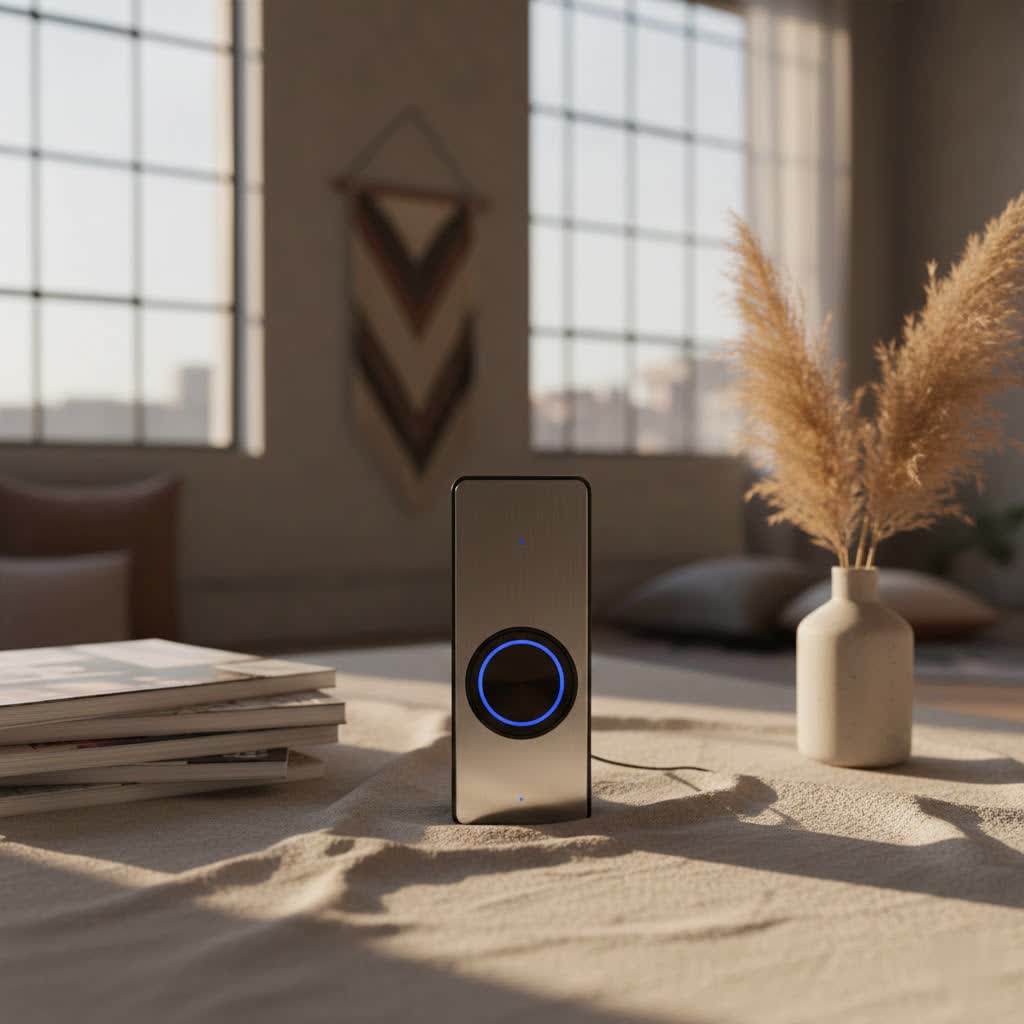
While the Ring Video Doorbell excels at sending notifications to your smart devices, relying solely on phone alerts can sometimes lead to missed events. This is where a Ring Chime becomes indispensable. A Ring Chime is a wireless, plug-in accessory that works in tandem with your Ring doorbell to provide audible notifications inside your home. It acts as an indoor doorbell, ringing out a customizable tone whenever your doorbell is pressed or motion is detected. This crucial accessory ensures that even if your phone is silent, charging in another room, or you simply prefer a traditional doorbell sound, you’ll always be aware of activity at your front door. It seamlessly integrates the convenience of smart technology with the reliability of a classic doorbell alert.
Exploring Ring Chime Options: Standard vs. Chime Pro
Ring offers two primary chime devices to complement your video doorbell system: the standard Ring Chime and the more advanced Ring Chime Pro. Understanding their differences will help you choose the best fit for your home.
Ring Chime: The Essential Indoor Companion
|
Our Picks for the Best Video Doorbell in 2026
As an Amazon Associate I earn from qualifying purchases.
|
||
| Num | Product | Action |
|---|---|---|
| 1 | Blink Mini 2 — Home Security & Pet Camera with HD video, color night view, motion detection, two-way audio, and built-in spotlight — 1 camera (White) |

|
| 2 | NariOrbi WiFi Video Doorbell Camera with Human Detection, Battery Powered, Night Vision, 2-Way Talk, 2.4G WiFi, Cloud Storage |
|
| 3 | Tapo by TP-Link Smart Video Doorbell Camera Wireless with Chime, 2K with Full Color Night Vision & Spotlights, No Monthly Fee, Ring Call, 160° Ultra-Wide View, Free AI Detection, Local Storage,D210 |
|
| 4 | Ring Battery Doorbell (newest model), Home or business security with Head-to-Toe video, Live View with Two-Way Talk, and Motion Detection & Alerts, Satin Nickel |
|
| 5 | Noorio Wireless Doorbell Camera with Rechargeable Battery, 2K+ Resolution, 2-Way Audio, Color Night Vision, AI Motion Detection, Smart Video Doorbell Works with Alexa, D110 |
|
| 6 | Blink Video Doorbell (newest model) – Head-to-toe HD view, two-year battery life, and simple setup. Required Sync Module not included – Add-On (White) |
|
| 7 | Ring Battery Doorbell (newest model), Home or business security with Head-to-Toe video, Live View with Two-Way Talk, and Motion Detection & Alerts, Venetian Bronze |
|
| 8 | Blink Video Doorbell (newest model) – Head-to-toe HD view, two-year battery life, and simple setup. Sync Module Core included – System (Black) |
|
| 9 | Blink Outdoor 4 – Wireless smart security camera, two-year battery life, 1080p HD day and infrared night live view, two-way talk. Sync Module Core included – 2 camera system |
|
| 10 | Ring Indoor Cam, Home or business security in 1080p HD video, White |
|
The standard Ring Chime is designed to provide essential audible alerts throughout your home. It’s a compact device that plugs directly into any standard electrical outlet, connecting to your home’s 2.4 GHz Wi-Fi network. Once paired with your Ring Video Doorbell via the Ring app, it will sound a chosen tone whenever a visitor presses the doorbell or motion is detected (if enabled).
The Ring Chime offers a straightforward, reliable solution for indoor notifications. Its benefits include customizable chime tones, adjustable volume control, and a simple setup process. It’s an ideal choice for smaller homes or apartments where Wi-Fi signal strength is consistently strong near both the doorbell and the chime’s placement. If your primary need is a basic, dependable indoor alert system, the standard Ring Chime is a cost-effective and efficient companion to your video doorbell.
Ring Chime Pro: More Than Just an Alert
For homes that require extended Wi-Fi coverage or additional features, the Ring Chime Pro steps up as a powerful accessory. While it delivers all the core functionalities of the standard Chime—customizable tones, volume control, and indoor alerts—it also integrates several advanced capabilities.
The most significant upgrade in the Chime Pro is its built-in Wi-Fi extender, specifically designed to boost the network signal for your Ring devices. This is particularly beneficial for video doorbells or security cameras located further from your main router, helping to improve connectivity, reduce video lag, and ensure more reliable performance. The Chime Pro supports dual-band Wi-Fi (2.4 GHz and 5 GHz), offering greater flexibility and potentially faster connections. Additionally, it features a built-in nightlight, adding a subtle, practical glow to hallways or rooms where it’s plugged in. The Chime Pro is best suited for larger homes, properties with Wi-Fi dead zones, or households with multiple Ring devices that could benefit from a dedicated Wi-Fi boost.
Top Ring Video Doorbells Compatible with Chimes
One of the great advantages of the Ring ecosystem is its broad compatibility. Essentially, all Ring Video Doorbells, regardless of model or power source, can connect and work seamlessly with a Ring Chime or Chime Pro. This means whether you opt for a wired or battery-powered doorbell, you can integrate it with an indoor chime to enhance your alert system.
Ring offers a diverse range of video doorbells to suit various needs and preferences:
- Ring Video Doorbell Wired: A compact, budget-friendly option that connects to existing doorbell wiring. It offers 1080p HD video and real-time alerts.
- Ring Video Doorbell (2nd Gen), 3, 4, Battery Doorbell Plus/Pro: These battery-powered models provide flexible installation without existing wiring. They feature removable, rechargeable battery packs and offer varying levels of advanced features like improved motion detection and pre-roll video.
- Ring Video Doorbell Pro, Pro 2, Wired Doorbell Pro (3rd Gen): These are Ring’s premium wired doorbells, offering advanced features such as 1536p HD+ video, 3D motion detection, Bird’s Eye View, and sharper night vision. They require existing doorbell wiring for constant power.
Many Ring doorbells are available in bundles that include a Ring Chime or Chime Pro, offering a convenient way to purchase your complete system. When choosing your doorbell, consider the features that matter most to you, such as video resolution, motion detection capabilities, and installation requirements, with the assurance that a compatible chime is readily available for all models.
How to Choose the Right Ring Video Doorbell and Chime for Your Home
Selecting the perfect Ring Video Doorbell and Chime combination involves evaluating several factors to ensure it meets your specific security needs and seamlessly integrates with your home.
Assess Your Connectivity Needs
The reliability of your Ring system heavily depends on your Wi-Fi network. Before making a purchase, assess the Wi-Fi signal strength at your doorbell’s intended location. If the signal is weak, especially for a doorbell placed far from your main router or in a challenging environment (like an exterior wall with dense materials), opting for a Ring Chime Pro is highly recommended. Its built-in Wi-Fi extender can significantly improve connectivity for your Ring devices, preventing dropped connections and delayed notifications. For smaller homes with strong, consistent Wi-Fi throughout, the standard Ring Chime will suffice.
Consider Your Power Source
Ring Video Doorbells come in two main power varieties:
- Wired Doorbells: These connect to your home’s existing doorbell wiring (typically 8-24 VAC). They offer continuous power, eliminating the need for battery charging and often providing advanced features like pre-roll video. If you have existing wiring, a wired Ring Video Doorbell can be a seamless upgrade.
- Battery-Powered Doorbells: Ideal for homes without existing doorbell wiring or those seeking easier installation. These run on rechargeable battery packs, offering flexibility in placement. While convenient, remember to factor in periodic battery recharging.
Your choice of doorbell won’t affect chime compatibility, but it will influence installation complexity and maintenance.
Desired Features and Budget
Ring doorbells offer a spectrum of features, from basic 1080p HD video and two-way talk to advanced capabilities like 3D Motion Detection, Bird’s Eye View, and enhanced night vision. Determine which features are essential for your security concerns. For instance, if you live on a busy street, advanced motion detection that differentiates between people and vehicles might be valuable.
Also, consider your budget. While the initial cost of a Ring Video Doorbell and Chime is a factor, remember to account for potential additional expenses like a Ring Protect subscription, which enables video recording, cloud storage, and advanced motion detection features. The standard Ring Chime is more affordable, while the Chime Pro adds to the overall investment but offers greater functionality. Balance your desired security features with what you are willing to spend to find the best value for your home.
Installation and Setup: Getting Your Ring Chime Ready
Setting up your Ring Video Doorbell and Chime system is designed to be straightforward, primarily guided by the intuitive Ring app. Here’s a general overview of the process:
Simple Plug-and-Play
The Ring Chime and Chime Pro are incredibly easy to install physically. Simply plug the device into any standard electrical outlet within your home. For optimal performance, especially with the Chime Pro’s Wi-Fi extender function, consider placing it roughly halfway between your Wi-Fi router and your Ring Video Doorbell, or in an area where you want to ensure clear audible alerts. Both Chime models are designed to be unobtrusive, often leaving the adjacent outlet free for other uses.
Ring App Integration
The true magic happens within the Ring app. After plugging in your chime:
- Open the Ring App: Ensure you have the latest version of the app installed on your smartphone or tablet.
- Add a Device: Tap on the menu icon (usually three lines) and select “Set Up a Device.”
- Choose Chimes: Select the “Chimes” option from the list of device types.
- Scan QR Code: The app will prompt you to scan the QR code found on your Ring Chime device or its packaging. Alternatively, you can choose to set it up manually.
- Follow Prompts: The app will guide you through connecting the Chime to your home’s Wi-Fi network and linking it to your existing Ring Video Doorbell. This typically involves selecting your Wi-Fi network and entering your password.
The app’s guided feedback helps ensure proper placement for Chime Pro models, indicating signal strength.
Customization
Once your Ring Chime is connected, you can personalize its settings through the Ring app:
- Chime Tones: Choose from a variety of pleasant tones for doorbell presses and distinct alerts for motion detection. Ring often updates with seasonal tones as well.
- Volume Control: Adjust the volume to your preferred level, ensuring it’s loud enough to be heard throughout your home without being disruptive.
- Motion Alerts: You can choose whether your Chime also sounds an alert for motion detected by your doorbell, providing an extra layer of awareness.
- Snooze Alerts: Temporarily disable alerts for specific periods if needed, such as during a child’s naptime.
By strategically placing your Ring Chime(s) and customizing settings within the app, you can ensure comprehensive audible coverage and enhanced peace of mind.
Common Issues and Troubleshooting for Your Ring Video Doorbell and Chime
Even with the best smart home devices, occasional issues can arise. Here are some common problems with Ring Video Doorbells and Chimes, along with troubleshooting tips:
No Sound from Chime
If your Ring Chime isn’t sounding alerts:
- Check Power: Ensure the Chime is securely plugged into a working electrical outlet. The LED indicator should be lit.
- Wi-Fi Connection: Verify that your Chime is connected to your home Wi-Fi. Check the device status in the Ring app. If it’s offline, try resetting the Chime and reconnecting it.
- App Settings: Open the Ring app and navigate to the Chime settings. Ensure the volume is turned up, and that “Chime Alerts” and “Motion Alerts” (if desired) are enabled. Accidentally muting or snoozing alerts is a common oversight.
- Device Linking: Confirm that your Chime is correctly linked to your Ring Video Doorbell within the app settings.
Connectivity Problems
Weak or inconsistent Wi-Fi can lead to delayed alerts or missed notifications:
- Chime Pro as an Extender: If you have a Ring Chime Pro, ensure it’s strategically placed to act as a Wi-Fi extender for your Ring doorbell. Check its signal strength within the app to ensure it’s effectively boosting the signal.
- Router Placement: Your main Wi-Fi router might be too far from your doorbell or Chime. Consider moving it closer or investing in a mesh Wi-Fi system to improve overall home coverage.
- Network Interference: Other electronic devices, thick walls, or even your neighbor’s Wi-Fi can interfere with your signal. Try changing your Wi-Fi channel in your router settings or repositioning your devices.
- Bandwidth: Ensure your internet plan provides sufficient bandwidth, especially if you have many smart devices or frequently stream high-definition content.
Delayed Notifications
If alerts are coming through late:
- Wi-Fi Issues: Most delays stem from poor Wi-Fi connectivity between your doorbell, Chime, and the Ring servers. Refer to the connectivity troubleshooting above.
- App Background Activity: Ensure the Ring app has permission to run in the background on your smartphone and that battery optimization settings aren’t aggressively limiting its activity.
- Ring Protect Subscription: While Chimes provide audible alerts without a subscription, a Ring Protect plan enables video recording and storage, which can affect the speed at which some features, like detailed motion events, are processed and delivered to your devices.
If these steps don’t resolve the issue, Ring’s customer support resources, including online guides and technical assistance, are available to help with more complex problems. Regularly updating your Ring app and device firmware can also prevent many common issues.
Conclusion
Integrating a Ring Video Doorbell with a compatible Chime system is a game-changer for modern home security and convenience. Beyond just seeing who’s at your door, the addition of a Ring Chime ensures that you’ll always hear when someone arrives, whether your phone is silent, charging, or simply out of reach. From the essential standard Ring Chime providing reliable indoor alerts to the advanced Ring Chime Pro with its Wi-Fi extending capabilities and nightlight, there’s a perfect solution to meet every household’s needs. By carefully considering your home’s layout, connectivity, and desired features, you can select the ideal Ring Video Doorbell with Chime to create a truly comprehensive and responsive home monitoring system. Why settle for just seeing your visitors when you can hear them too? Upgrade your home security today and enjoy the peace of mind that comes with complete awareness.
Frequently Asked Questions
Do all Ring doorbells come with a chime?
No, not all Ring Video Doorbells come with a chime included. While some bundles may offer a doorbell and chime together, most Ring doorbells are sold separately from the Ring Chime or Chime Pro accessories. It’s always best to check the product description or bundle details before purchasing.
Can I use my existing doorbell chime with a Ring Video Doorbell?
Some wired Ring Video Doorbells are designed to connect to and trigger your existing mechanical or digital doorbell chime. However, not all models support this, and compatibility can vary. Battery-powered Ring Doorbells generally do not work with existing chimes and require a separate Ring Chime or Chime Pro for indoor alerts.
How many Ring Chimes can I connect?
You can connect multiple Ring Chimes or Chime Pros to a single Ring Video Doorbell system. This allows you to place chimes in various rooms throughout your home, ensuring you hear alerts no matter where you are. Each chime is individually configurable within the Ring app.
What’s the best place to put a Ring Chime?
For the standard Ring Chime, place it in a central location within your home where you are most likely to hear it. If you have a Ring Chime Pro, consider placing it strategically between your Wi-Fi router and your Ring Video Doorbell to maximize its Wi-Fi extending capabilities, while still ensuring audible alerts are easily heard.
Do I need a Ring Protect subscription for the chime to work?
No, a Ring Protect subscription is not required for your Ring Chime to function. The chime will provide audible alerts for doorbell presses and motion detection (if enabled) regardless of whether you have a subscription. However, a subscription is needed for video recording, cloud storage, and advanced detection features.
