In an age where home security is paramount, a video doorbell stands as your frontline defender, offering peace of mind whether you’re home or away. While wireless options offer flexibility, hardwired video doorbells present a compelling case for those seeking steadfast reliability and advanced features without the hassle of battery changes. If you’re ready to fortify your entryway with a dependable smart solution, delving into the world of hardwired video doorbells is your next crucial step.
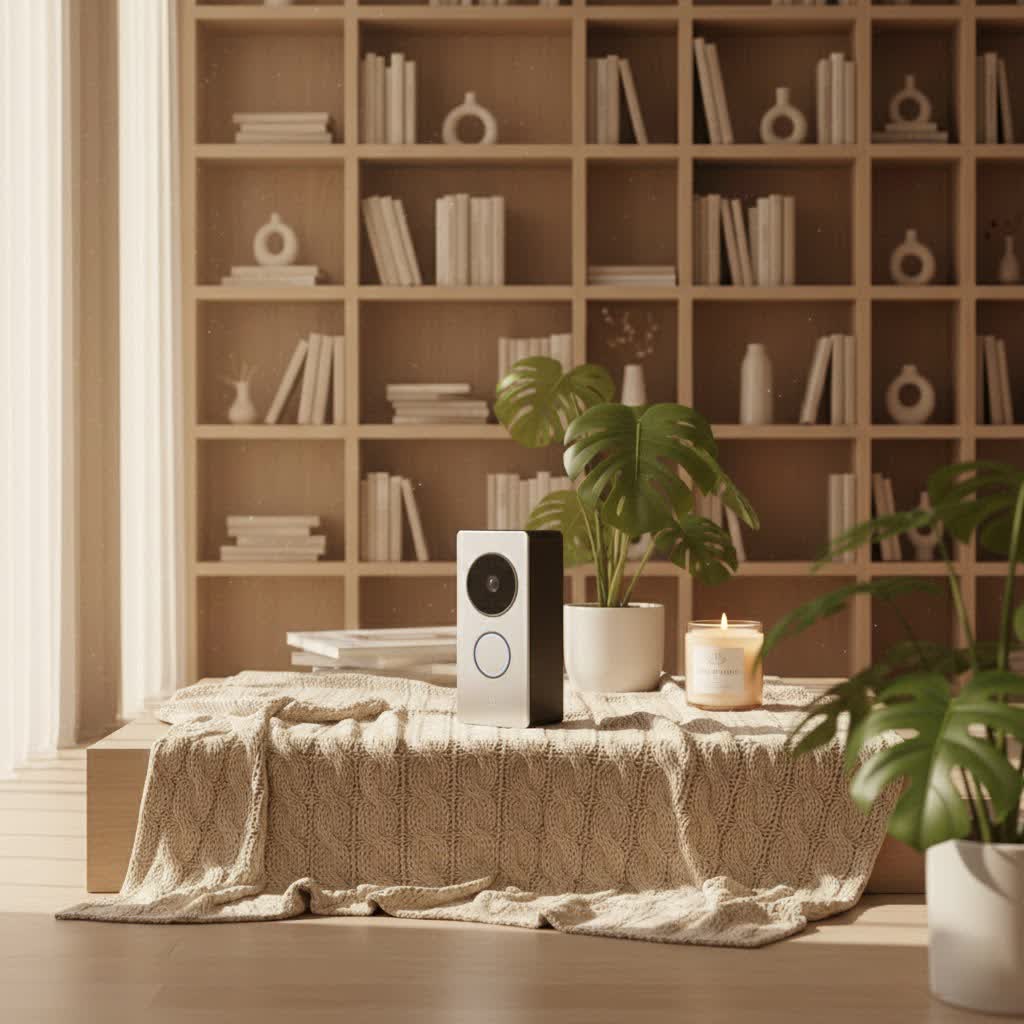
What is a Hardwired Video Doorbell and Why Do You Need One?
A hardwired video doorbell connects directly to your home’s existing electrical system, typically utilizing the low-voltage wiring of a traditional doorbell. This direct power source ensures continuous operation, eliminating the need for battery recharging and providing a consistent power supply. Unlike battery-powered counterparts, hardwired models are always “on,” ready to monitor your property and capture critical moments without interruption.
The primary appeal of a hardwired video doorbell lies in its unwavering reliability and enhanced capabilities. With a constant power feed, these devices can offer 24/7 continuous video recording, ensuring you never miss a beat. They often boast superior video resolution, wider fields of view, and more robust night vision, providing clearer images day and night. The stable power also supports advanced artificial intelligence features, such as precise person, package, animal, and vehicle detection, significantly reducing false alarms. For homeowners prioritizing consistent, high-performance security and ultimate convenience, a hardwired video doorbell is an essential upgrade.
Common use cases extend beyond simply seeing who’s at the door. Hardwired video doorbells are ideal for:
- Deterring package theft: Constant monitoring and clear package detection features keep your deliveries safe.
- Screening visitors: See and speak to guests from anywhere, deciding whether to answer in person.
- Monitoring children returning home: Receive alerts and check in on family members’ arrivals.
- Integrating with smart home ecosystems: Seamlessly connect with voice assistants and other smart devices for a cohesive security setup.
Types of Video Doorbells: Wired vs. Wireless
Understanding the core differences between wired and wireless video doorbells is crucial for making an informed decision that aligns with your home’s needs and your security priorities.
Hardwired (Wired) Video Doorbells
Hardwired video doorbells draw power directly from your home’s electrical system, offering a stable and reliable connection. Some advanced models even use Power over Ethernet (PoE) for both power and network connectivity, providing the highest level of stability.
Pros:
- Uninterrupted Power: No batteries to recharge or replace, ensuring continuous operation.
- Enhanced Performance: Capable of 24/7 continuous recording, higher video resolutions (2K, 4K), and more sophisticated AI features due to a steady power supply.
- Faster Response Times: Quicker live view access and more immediate motion alerts.
- Greater Reliability: Less susceptible to signal interference (especially PoE models) and more stable in extreme weather conditions where battery performance can degrade.
- Advanced Features: Often include better night vision, full-duplex two-way audio, and advanced motion detection with custom zones.
Cons:
- Complex Installation: Typically requires existing low-voltage doorbell wiring or professional installation, which can be costly if wiring needs to be added or modified.
- Limited Placement: Installation locations are restricted by the availability of wiring.
- Power Outage Vulnerability: Without a battery backup (which some hardwired models do include for trickle charging), the doorbell becomes non-operational during power outages, and recorded events may be lost if not saved to local storage or a functional cloud service.
|
Our Picks for the Best Video Doorbell in 2026
As an Amazon Associate I earn from qualifying purchases.
|
||
| Num | Product | Action |
|---|---|---|
| 1 | Noorio Wireless Doorbell Camera with Rechargeable Battery, 2K+ Resolution, 2-Way Audio, Color Night Vision, AI Motion Detection, Smart Video Doorbell Works with Alexa, D110 |

|
| 2 | Blink Video Doorbell (newest model) – Head-to-toe HD view, two-year battery life, and simple setup. Required Sync Module not included – Add-On (White) |
|
| 3 | Blink Outdoor 4 – Wireless smart security camera, two-year battery life, 1080p HD day and infrared night live view, two-way talk. Sync Module Core included – 2 camera system |
|
| 4 | Blink Mini 2 — Home Security & Pet Camera with HD video, color night view, motion detection, two-way audio, and built-in spotlight — 1 camera (White) |
|
| 5 | Ring Battery Doorbell (newest model), Home or business security with Head-to-Toe video, Live View with Two-Way Talk, and Motion Detection & Alerts, Venetian Bronze |
|
| 6 | Ring Battery Doorbell (newest model), Home or business security with Head-to-Toe video, Live View with Two-Way Talk, and Motion Detection & Alerts, Satin Nickel |
|
| 7 | NariOrbi WiFi Video Doorbell Camera with Human Detection, Battery Powered, Night Vision, 2-Way Talk, 2.4G WiFi, Cloud Storage |
|
| 8 | Ring Indoor Cam, Home or business security in 1080p HD video, White |
|
| 9 | Tapo by TP-Link Smart Video Doorbell Camera Wireless with Chime, 2K with Full Color Night Vision & Spotlights, No Monthly Fee, Ring Call, 160° Ultra-Wide View, Free AI Detection, Local Storage,D210 |
|
| 10 | Blink Video Doorbell (newest model) – Head-to-toe HD view, two-year battery life, and simple setup. Sync Module Core included – System (Black) |
|
Wireless (Battery-Powered) Video Doorbells
Wireless video doorbells operate on rechargeable batteries and connect to your home Wi-Fi. They are popular for their ease of installation and flexibility.
Pros:
- Easy Installation: No wiring required, making them suitable for DIY setup and homes without existing doorbell wiring.
- Flexible Placement: Can be installed almost anywhere within Wi-Fi range.
- Portability: Ideal for renters or temporary housing situations.
Cons:
- Battery Maintenance: Requires periodic recharging or battery replacement, leading to potential downtime.
- Performance Fluctuations: Battery life can affect recording length, frame rates, and responsiveness.
- Potential for Delays: May have slightly slower response times for live view and motion alerts as they “wake up” from a low-power state.
- Reliance on Wi-Fi: Performance is highly dependent on strong Wi-Fi signal strength.
Top Hardwired Video Doorbell Brands to Consider
The market for hardwired video doorbells is robust, with several leading brands offering a range of features and price points. When selecting, consider their overall ecosystem, product quality, and customer support.
- Ring: A dominant player, Ring offers several hardwired options, including the Ring Wired Doorbell Pro 2 and Ring Wired Doorbell Pro (3rd Gen). They excel in seamless integration with the Ring ecosystem and Alexa, providing excellent video quality and advanced motion detection. However, many advanced features and cloud storage require a subscription.
- Google Nest: Known for its sophisticated AI and user-friendly interface, the Google Nest Doorbell (wired) integrates well with the Google Home ecosystem. It offers intelligent alerts distinguishing between people, packages, animals, and vehicles, with some free event history. A Nest Aware subscription unlocks continuous video recording and familiar face recognition.
- Lorex: Often lauded for its high-resolution cameras and local storage options, Lorex provides robust security solutions, including 4K wired video doorbells. This can be a compelling choice for users who prefer to avoid monthly subscription fees for video storage.
- Eufy: Eufy is a strong contender for those seeking subscription-free usage due to its local storage capabilities (often via a home base). Their hardwired models deliver excellent video quality and reliable smart detection features without recurring costs.
- Ecobee: While a newer entrant, the Ecobee Smart Doorbell Camera stands out for its deep integration with Ecobee smart thermostats and support for Apple HomeKit, catering to specific smart home users.
These brands consistently deliver quality products, but their strengths vary, influencing which doorbell is the best fit for your specific needs.
Comparing the Best Hardwired Video Doorbells
Choosing the ideal hardwired video doorbell involves a close look at key specifications and features. Here’s a comparison of some top-rated models:
| Model | Resolution | Field of View (FOV) | Night Vision | AI Features | Storage Options | Subscription Required? | Price Range (Approx.) |
|---|---|---|---|---|---|---|---|
| Ring Wired Doorbell Pro 2 | 1536 x 1536 | 150° x 150° | Infrared | 3D Motion Detection, Bird’s Eye View, Package | Cloud (Ring Protect) | Yes, for full features | $150 – $260 |
| Ring Wired Doorbell Pro (3rd Gen) | 4K | 140° x 140° | Improved Infrared | Alexa+ AI, Familiar Faces, Package | Cloud (Ring Protect) | Yes, for full features | $200 – $250 |
| Google Nest Doorbell (wired, 2nd gen) | 960 x 1280 (HD) | 145° | HDR, Infrared | Person, Package, Animal, Vehicle detection, Familiar Faces (w/ sub) | 3 hrs event history free, Cloud (Nest Aware) | Yes, for 24/7 history & advanced AI | $120 – $180 |
| Ecobee Smart Doorbell Camera | 1080p | 175° vertical | Infrared | Person, Package | Cloud (Ecobee) | Yes, for video storage | $160 – $200 |
| Home Zone Security Smart Hardwired Doorbell | 1080p | 140° | Standard | Motion Detection | SD Card, Cloud | No (for basic) | $60 |
Note: Prices are approximate and subject to change. Subscription requirements vary; basic live view and alerts are often free, but advanced features and cloud video storage typically require a monthly fee.
From this comparison, the Ring Wired Doorbell Pro (3rd Gen) offers the highest video resolution, ideal for crystal-clear identification. The Google Nest Doorbell provides excellent AI detection with some free event history, a great value for basic use. For those seeking subscription-free options, the Home Zone Security Smart Hardwired Doorbell Camera offers local storage.
Your Guide to Choosing a Hardwired Video Doorbell
Selecting the perfect hardwired video doorbell requires careful consideration of your specific needs, home setup, and desired features.
Assess Your Home and Needs
Before diving into specifications, clarify your primary objectives:
- Purpose: Is your main goal enhanced security, convenient visitor screening, package monitoring, or integration into a larger smart home system?
- Installation Environment: Do you have existing low-voltage doorbell wiring? What is its voltage (typically 16-24V)? How strong is your Wi-Fi signal at the doorbell’s location? If no wiring exists, a hardwired installation will incur additional costs or require a professional.
- Budget: Determine your upfront investment and consider potential ongoing subscription costs for cloud storage or advanced AI features.
Key Factors to Evaluate
Once you’ve assessed your needs, focus on these critical attributes:
- Video and Audio Quality: Look for high resolution (1080p, 2K, or 4K) for clear images. Features like HDR (High Dynamic Range) improve visibility in varied lighting, and good night vision (infrared or color) is essential for after-dark monitoring. Full-duplex two-way audio allows for natural conversations with visitors.
- Connectivity and Integration: Most hardwired doorbells rely on Wi-Fi. Ensure your Wi-Fi signal is strong enough. For ultimate reliability, consider PoE (Power over Ethernet) models if you can run an Ethernet cable. Check compatibility with your existing smart home platforms (Alexa, Google Home, Apple HomeKit).
- Durability and Weather Resistance: Your doorbell will be exposed to the elements. Look for models with an IP weather resistance rating suitable for your climate to ensure longevity.
- Storage Options and Subscription Costs: Decide whether you prefer local storage (SD card, home base) to avoid recurring fees or cloud storage for convenient access and backup. Be aware that many advanced features like person/package detection, continuous recording, and extended video history often require a paid subscription.
- Warranty and Support: A good warranty and responsive customer support can be invaluable if you encounter issues.
Installation and Usage Tips
Even with a hardwired system, a few tips can ensure optimal performance:
- Optimal Placement: Install the doorbell at about 4 feet off the ground for the best view of faces and packages. If your doorframe is narrow, consider an angle mount to get a wider perspective.
- Wiring Considerations: Ensure your existing doorbell transformer provides sufficient voltage (typically 16-24V AC). If it’s too low, you may need an upgrade, which is a job for a qualified electrician.
- App Setup and Configuration: Take time to explore your doorbell’s mobile app. Customize motion zones to reduce unnecessary alerts from street traffic, and adjust sensitivity settings.
- Maintenance Tips: Regularly clean the camera lens to prevent dust or smudges from affecting video quality. Keep your doorbell’s firmware updated to benefit from the latest features and security patches.
“Hardwired video doorbells offer a critical advantage: consistent power, which translates directly to consistent performance and security. This uninterrupted operation is invaluable for comprehensive home monitoring.” – An Expert in Home Security Systems
Common Hardwired Video Doorbell Issues and Troubleshooting
Even with their reliability, hardwired video doorbells can sometimes encounter issues. Here are some common problems and steps to troubleshoot them:
- Connectivity Problems: If your doorbell is frequently offline or experiencing delays, first check your Wi-Fi signal strength at the doorbell’s location. A Wi-Fi extender or mesh system might be necessary for distant installations. Ensure your router is functioning correctly. If you have a Wi-Fi-only hardwired doorbell, it will cease to function if your internet is down, or if the power to your Wi-Fi router is cut.
- No Power or Intermittent Power: Confirm your doorbell transformer is providing the correct voltage (16-24V AC). A faulty transformer or loose wiring connections can cause power issues. This may require a multimeter to test or professional assistance. During a general power outage, hardwired doorbells without a battery backup will not operate or record.
- Image Quality Issues: Blurry images might be due to a dirty lens – gently clean it with a microfiber cloth. Glare from direct sunlight can often be mitigated by adjusting the camera’s angle with a wedge kit or ensuring HDR is enabled in the settings.
- Notification Delays or Failures: Check your doorbell app’s settings to ensure notifications are enabled and not restricted by your phone’s power-saving features. Verify that motion detection zones are correctly configured and sensitivity is appropriate. Outdated firmware can also cause notification issues; ensure your device is up to date.
- Chime Not Working: If your indoor chime isn’t ringing, double-check the wiring connections to the chime box and within the doorbell unit. Some smart doorbells require a power kit to be installed in your chime box for proper operation. Ensure it’s correctly installed and configured in the app.
If you’ve exhausted these troubleshooting steps and the problem persists, it’s best to consult the manufacturer’s support documentation or contact their customer service for professional guidance.
Conclusion
Hardwired video doorbells stand as a superior choice for homeowners seeking robust, reliable, and feature-rich security at their doorstep. By leveraging your home’s existing electrical system, these devices offer continuous power, enabling advanced functionalities like 24/7 recording, high-resolution video, and intelligent AI alerts without the inconvenience of battery maintenance. While installation may require a bit more effort, the long-term benefits of uninterrupted surveillance and stable performance make hardwired models an investment in unwavering peace of mind.
Ready to secure your home with a hardwired video doorbell that’s always on guard? Which feature is most important to you in a smart doorbell, and why?
Frequently Asked Questions
What is the main advantage of a hardwired video doorbell over a battery one?
The primary advantage is a continuous power supply, eliminating battery recharging. This ensures 24/7 operation, consistent performance, faster responsiveness, and often enables more advanced features like continuous video recording and higher resolutions.
Can I install a hardwired video doorbell myself?
Many hardwired video doorbells are designed for DIY installation, especially if you’re replacing an existing wired doorbell. However, if you lack existing wiring, need to upgrade your transformer, or are uncomfortable with electrical work, professional installation is recommended.
Do hardwired video doorbells work during a power outage?
No, most hardwired video doorbells will not work during a power outage as they rely on your home’s electrical system for power. Some models may have a small internal battery for temporary backup in case of brief power fluctuations, but generally, functionality ceases without electricity.
Do I need a subscription for a hardwired video doorbell?
While basic functions like live view and two-way talk are often free, many manufacturers require a subscription for advanced features such as cloud video storage, extended event history, specific AI detections (like familiar faces), and continuous recording.
What voltage does a hardwired doorbell need?
Most hardwired video doorbells are designed to operate with low-voltage AC power, typically between 16 and 24 volts (VAC) at 10-40 VA, which is standard for traditional wired doorbells. It’s crucial to check your doorbell’s specific voltage requirements before installation.
