In today’s fast-paced world, securing our homes and loved ones has become more critical than ever. The doorbell, once a simple signaling device, has evolved into a sophisticated security and communication hub: the video doorbell. This innovative technology allows you to see, hear, and speak to visitors at your door from anywhere, bringing peace of mind and unparalleled convenience. Among the many options available, the SkyBell HD Video Doorbell stands out for its robust features and reliable performance, transforming your front door into a smart security checkpoint.
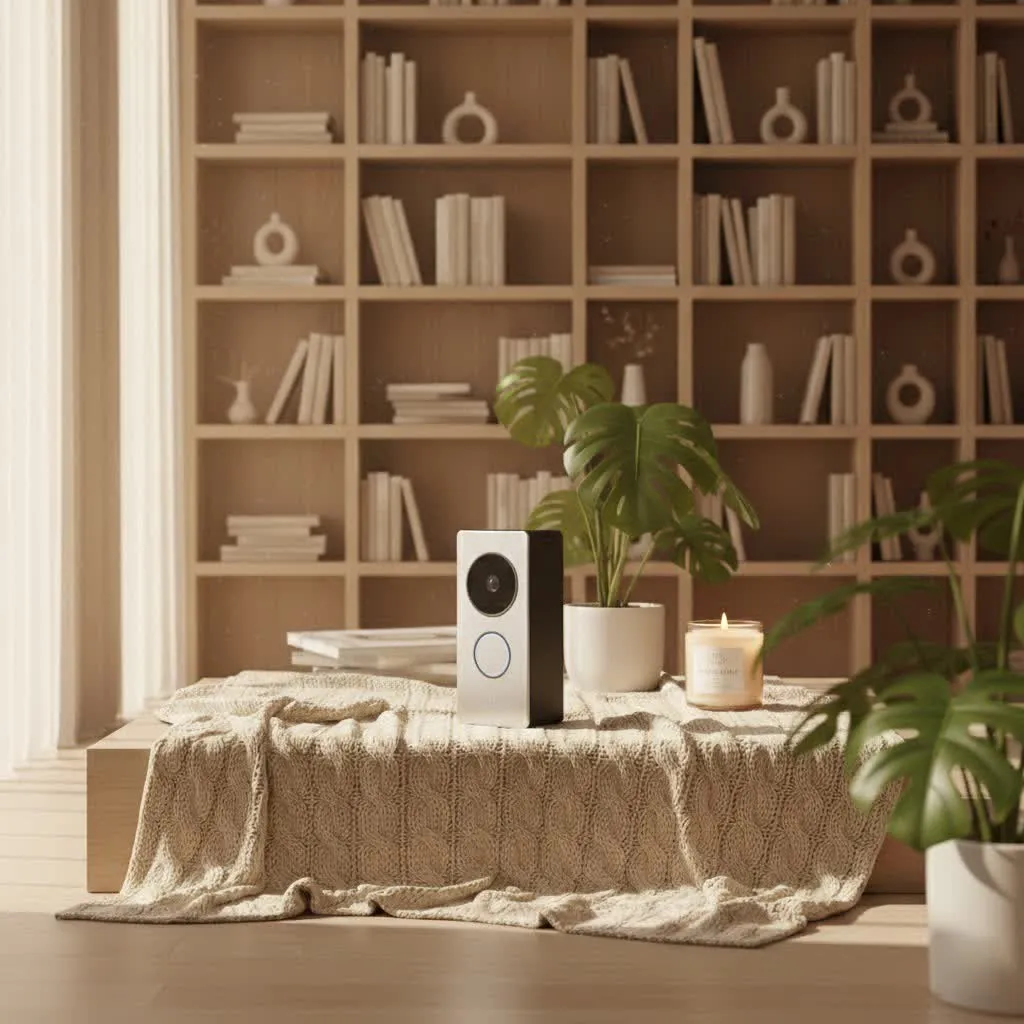
What is a Video Doorbell and Why Do You Need It?
A video doorbell is a smart device equipped with a camera, microphone, and speaker, designed to replace your traditional doorbell. When someone rings the bell or approaches your door, it sends an alert to your smartphone or tablet, allowing you to see and communicate with them in real-time, whether you’re at home, at work, or on vacation.
The benefits of integrating a video doorbell into your home security system are extensive. Primarily, it enhances security by providing visual verification of visitors, deterring potential intruders, and capturing evidence of any suspicious activity. For instance, package thieves are less likely to strike when they know they’re on camera. Beyond security, it offers immense convenience; you can screen visitors, give instructions to delivery personnel, or simply see who’s at the door without physically opening it. This level of control and awareness provides a significant upgrade to any modern home.
Common scenarios where a video doorbell proves invaluable include: monitoring package deliveries, answering the door when you’re not home, seeing who called while you were asleep, and generally keeping an eye on your property’s entryway for any unusual events. It’s a proactive layer of security that traditional doorbells simply cannot match.
Popular Types of Video Doorbells on the Market
The video doorbell market offers a diverse range of devices, primarily distinguished by their connectivity and feature sets. Understanding these differences can help you choose the right model for your specific needs, and position the SkyBell HD within this landscape.
Connectivity: Wired vs. Wireless
Video doorbells typically fall into two main categories based on their power and connectivity: wired and wireless.
- Wired Video Doorbells: These devices connect directly to your home’s existing doorbell wiring, drawing continuous power. This eliminates the need for battery recharging and generally provides a more stable, consistent connection to your home Wi-Fi network. Installation involves basic electrical work, usually replacing your old chime and connecting two wires.
- Pros: Reliable power, no battery concerns, often more stable video streaming, consistent recording capabilities.
- Cons: Requires existing doorbell wiring, more complex installation, limited placement flexibility.
- The SkyBell HD Video Doorbell is a hardwired device, leveraging your existing setup for dependable power and a continuous connection.
- Wireless (Battery-Powered) Video Doorbells: These run on rechargeable batteries and connect to your Wi-Fi wirelessly. They are much easier to install as they don’t require existing wiring, offering greater flexibility in placement.
- Pros: Easy installation, flexible placement, ideal for homes without existing doorbell wiring.
- Cons: Batteries need regular recharging, potential for power loss, may have less consistent performance or higher latency.
|
Our Picks for the Best Video Doorbell in 2026
As an Amazon Associate I earn from qualifying purchases.
|
||
| Num | Product | Action |
|---|---|---|
| 1 | Blink Video Doorbell (newest model) – Head-to-toe HD view, two-year battery life, and simple setup. Required Sync Module not included – Add-On (White) |

|
| 2 | Ring Battery Doorbell (newest model), Home or business security with Head-to-Toe video, Live View with Two-Way Talk, and Motion Detection & Alerts, Venetian Bronze |
|
| 3 | Noorio Wireless Doorbell Camera with Rechargeable Battery, 2K+ Resolution, 2-Way Audio, Color Night Vision, AI Motion Detection, Smart Video Doorbell Works with Alexa, D110 |
|
| 4 | Blink Outdoor 4 – Wireless smart security camera, two-year battery life, 1080p HD day and infrared night live view, two-way talk. Sync Module Core included – 2 camera system |
|
| 5 | Blink Mini 2 — Home Security & Pet Camera with HD video, color night view, motion detection, two-way audio, and built-in spotlight — 1 camera (White) |
|
| 6 | Tapo by TP-Link Smart Video Doorbell Camera Wireless with Chime, 2K with Full Color Night Vision & Spotlights, No Monthly Fee, Ring Call, 160° Ultra-Wide View, Free AI Detection, Local Storage,D210 |
|
| 7 | NariOrbi WiFi Video Doorbell Camera with Human Detection, Battery Powered, Night Vision, 2-Way Talk, 2.4G WiFi, Cloud Storage |
|
| 8 | Ring Indoor Cam, Home or business security in 1080p HD video, White |
|
| 9 | Blink Video Doorbell (newest model) – Head-to-toe HD view, two-year battery life, and simple setup. Sync Module Core included – System (Black) |
|
| 10 | Ring Battery Doorbell (newest model), Home or business security with Head-to-Toe video, Live View with Two-Way Talk, and Motion Detection & Alerts, Satin Nickel |
|
The SkyBell HD’s reliance on a wired connection ensures it’s always powered and ready, providing a strong foundation for its feature set without the worry of battery life.
Features: Basic vs. Advanced (AI)
Video doorbells also vary widely in their included features, from essential monitoring to cutting-edge artificial intelligence.
- Basic Features: Most video doorbells offer core functionalities such as:
- High-Definition Video Recording: Capturing clear footage of your entryway.
- Two-Way Audio: Allowing you to speak to visitors remotely.
- Motion Detection: Alerting you to activity even if the doorbell isn’t pressed.
- Night Vision: Ensuring visibility in low-light conditions.
- Smartphone Notifications: Instant alerts to your mobile device.
- The SkyBell HD excels in these fundamental areas, offering 1080p HD video with 5x zoom, full-color night vision, and robust two-way audio for clear communication. It also includes free cloud storage for recorded video clips, a significant advantage over many competitors that charge subscription fees.
- Advanced Features (AI): Newer, more sophisticated models often incorporate AI-driven functionalities, including:
- Facial Recognition: Identifying familiar faces.
- Package Detection: Notifying you when a package is delivered or picked up.
- Customizable Motion Zones: Defining specific areas for motion alerts to reduce false alarms.
- Smart Home Integrations: Seamlessly connecting with a broader ecosystem.
While the SkyBell HD offers solid motion detection and smart home integrations (like IFTTT, Amazon Alexa, and Nest), it primarily focuses on delivering a reliable and feature-rich experience without delving into the more nascent AI features like advanced facial or package recognition found in some of the latest models.
Top Reputable Video Doorbell Brands
The market is home to several leading brands that offer reliable and innovative video doorbell solutions. Understanding their general strengths helps contextualize the SkyBell HD’s position.
- Ring: Perhaps the most widely recognized brand, known for its extensive range of doorbells, cameras, and security systems. Ring products offer a user-friendly experience, customizable motion zones, and strong integration with the Amazon ecosystem. However, they typically require a subscription for video storage.
- Arlo: Specializes in entirely wire-free security cameras and doorbells, offering high-resolution video and advanced features like package detection and siren alarms. Arlo devices are popular for their flexibility and robust battery life.
- Eufy: Known for offering local storage options and no mandatory monthly fees, which appeals to privacy-conscious users. Eufy doorbells provide solid video quality and smart detection features without ongoing costs.
- Google Nest: Integrates deeply with the Google Assistant and Nest ecosystem. Nest doorbells are recognized for their intelligent alerts, facial recognition (with a subscription), and sleek designs. They generally offer excellent video quality.
The SkyBell HD positions itself as a strong contender, particularly for users prioritizing free cloud storage and a hardwired, dependable connection. While some of its motion detection features might be less granular than the latest Ring or Nest models, its color night vision and comprehensive smart home integrations (including IFTTT, Amazon Alexa, and Nest) offer considerable value. It was widely praised for delivering a premium experience at a competitive price point upon its release, and continues to be a reliable choice for core video doorbell functionalities.
Comparison Table of Popular Video Doorbells
To help you make an informed decision, let’s compare the SkyBell HD with some key competitors, highlighting their crucial specifications and features.
| Feature | SkyBell HD Video Doorbell | Ring Video Doorbell 4 | Google Nest Doorbell (wired) | Eufy Video Doorbell 2K (wired) |
|---|---|---|---|---|
| Video Resolution | 1080p HD (up to 5x zoom) | 1080p HD | 1600×1200 HD (HDR) | 2K (2560×1920) HD |
| Field of View | 130-180° | 160° horizontal, 90° vertical | 160° diagonal | 160° diagonal |
| Night Vision | Full-color | Color Night Vision | HDR with night vision | Infrared |
| Power Source | Hardwired (8-30 VAC transformer) | Rechargeable battery or Hardwired | Hardwired (16-24 VAC transformer) | Hardwired (8-24 VAC transformer) |
| Storage | Free 7-day cloud storage | Cloud storage (Ring Protect subscription required) | Cloud storage (Nest Aware subscription required) | Local storage (built-in 4GB eMMC) & Optional cloud storage |
| Two-Way Audio | Yes (with noise cancellation) | Yes (with noise cancellation) | Yes (with noise cancellation) | Yes (with noise cancellation) |
| Motion Detection | PIR sensor (180° @ 15 ft), sensitivity adjustments | Advanced motion detection, customizable motion zones | Person, package, animal, vehicle detection (Nest Aware) | Human detection, customizable motion zones |
| Smart Home Integr. | IFTTT, Amazon Alexa, Nest, Alarm.com, Honeywell | Amazon Alexa, IFTTT, select smart locks | Google Assistant, Amazon Alexa, Nest ecosystem | Amazon Alexa, Google Assistant |
| Special Features | Customizable LED color, silent mode, theft guarantee, on-demand live view | Pre-roll video, Quick Replies, Removable battery pack | Familiar face alerts, 24/7 continuous recording (Nest Aware) | No monthly fees, AI human detection, anti-theft siren |
| Pros | Free cloud storage, color night vision, strong integrations, durable | Flexible power, pre-roll feature, wide accessory range | Excellent image quality, intelligent alerts, Google ecosystem | No recurring fees, local storage, high resolution |
| Cons | Hardwired only, motion detection less advanced than newer models, some app connectivity reports | Subscription required for video storage, battery life varies | Subscription for advanced features, hardwired only | No 24/7 recording, limited smart home integrations |
Note: Pricing and exact features can vary based on model versions and promotions.
From the comparison, the SkyBell HD truly shines with its free 7-day cloud storage, a feature that remains highly appealing and sets it apart from subscription-dependent brands like Ring and Nest. Its color night vision is also a notable advantage, offering a clearer picture at night compared to standard infrared-only options. While its motion detection might not boast the advanced AI of newer devices, its foundational features and integrations provide a solid, cost-effective security solution.
Guide to Choosing a Video Doorbell
Selecting the perfect video doorbell involves a blend of understanding your specific needs and evaluating the available features against your budget. Here’s a comprehensive guide to help you make the best choice.
Determine Usage Needs
Before diving into specifications, consider what you primarily want your video doorbell to achieve:
- Main Purpose: Is your priority enhanced security, convenience in answering the door remotely, or managing deliveries? If security is paramount, look for reliable motion detection, clear video, and two-way audio. For convenience, app responsiveness and remote access are key.
- Installation Location: Where will the doorbell be installed? At a main gate, front door, or side entrance? This impacts the field of view you need and whether a wired or wireless model is more suitable. The SkyBell HD, being hardwired, is best for replacing an existing wired doorbell.
- Budget: Video doorbells range significantly in price. Factor in both the upfront cost of the device and any potential monthly subscription fees for cloud storage or advanced features. The SkyBell HD’s free cloud storage makes it a cost-effective long-term choice.
Key Factors to Consider When Choosing
Once your needs are clear, evaluate these critical aspects:
- Image and Audio Quality:
- Resolution: Aim for at least 1080p HD for clear images. The SkyBell HD’s 1080p resolution with 5x zoom delivers crisp video.
- Field of View: A wider angle (130-180 degrees) captures more of your entryway. The SkyBell HD offers a generous field of view.
- Night Vision: Essential for security after dark. SkyBell HD’s full-color night vision is a significant advantage over many infrared-only systems.
- Two-Way Audio: Look for clear sound and echo cancellation. The SkyBell HD provides effective two-way communication.
- Connectivity and Compatibility:
- Wi-Fi Strength: Your doorbell needs a strong Wi-Fi signal to function properly. Ensure your router can reach your front door.
- Smart Home Integration: Do you want it to work with Alexa, Google Assistant, or other smart home devices like smart locks or security systems? The SkyBell HD is highly compatible with major platforms like IFTTT, Alexa, and Nest, offering versatility.
- Durability and Weather Resistance: Since it’s an outdoor device, ensure it can withstand local weather conditions. The SkyBell HD is designed to operate in extreme temperatures (-40°F to 140°F) and is water-resistant.
- Storage Options:
- Cloud Storage: Many doorbells offer cloud storage, often requiring a subscription. The SkyBell HD provides free 7-day cloud storage, eliminating recurring costs.
- Local Storage: Some models offer local storage via an SD card, which is great for privacy and avoiding fees.
- Warranty and Support: Check the manufacturer’s warranty and the availability of customer support. The SkyBell HD typically includes a theft guarantee, providing extra peace of mind.
Installation and Usage Tips
Proper installation and ongoing maintenance ensure optimal performance:
- Ideal Installation Location: Mount the doorbell at eye level (around 48 inches from the ground) and ensure it has an unobstructed view of your entryway. If your doorframe is narrow or the view is angled, consider a wedge mount (often available as an accessory) to adjust the camera’s perspective.
- Wiring and Power: For hardwired doorbells like the SkyBell HD, ensure your existing transformer provides sufficient voltage (typically 8-30 VAC). If you’re unsure, consult a professional electrician. Always turn off power at the breaker before beginning installation.
- App Setup and Wi-Fi Connection: Follow the in-app instructions for connecting your SkyBell HD to your home Wi-Fi network. A strong, stable Wi-Fi connection is crucial for smooth video streaming and timely alerts. If you experience lag, try connecting the doorbell to your router’s 2.4 GHz band, which often has better range.
- Usage Tips:
- Customize Notifications: Adjust motion sensitivity and notification settings in the SkyBell HD app to avoid excessive alerts.
- Use Silent Mode: If you have sleeping babies or work from home, activate the “silent mode” in the app to temporarily disable the indoor chime.
- Regular Cleaning: Periodically clean the camera lens to ensure clear image quality.
Common Issues and Troubleshooting
Even the most reliable technology can encounter occasional hiccups. Here are some common issues users might face with video doorbells, specifically the SkyBell HD, and how to troubleshoot them.
No Power / No LED Activity
If your SkyBell HD shows no signs of life, it’s usually a power issue.
- Check Wiring: Ensure the doorbell wires are securely fastened to the mounting plate’s terminals and are not touching each other.
- Verify Transformer: Use a multimeter to confirm your transformer is supplying 8-30 VAC. If voltage is low or absent, the transformer might need replacing.
- Breaker Check: Make sure the circuit breaker for your doorbell is in the “On” position.
- Reattach Unit: Unclip the SkyBell HD from its mounting plate, wait a few minutes, then reattach it firmly. Sometimes a loose connection is the culprit.
Connectivity Problems / No Live View / Delayed Alerts
These often stem from Wi-Fi issues. The SkyBell HD’s LED pattern can indicate the problem:
- Flashing Blue/White: SkyBell is trying to connect to Wi-Fi. Wait a few minutes. If it persists, try re-running the Wi-Fi setup in the app.
- Flashing White: Failed to connect to Wi-Fi. Ensure you’ve entered the correct Wi-Fi password and that your router is within range. Re-run Wi-Fi setup through the SkyBell HD app.
- Solid Green but No Live View: Your SkyBell is online, but the network might be weak.
- Improve Wi-Fi: Try moving your Wi-Fi router closer, adding a Wi-Fi extender, or ensuring the doorbell is connected to a 2.4 GHz band (which has better range than 5 GHz).
- Test Upload Speed: Weak internet upload speeds can affect live view. Test your home’s internet speed.
- Laggy Video/Audio: This is often a symptom of poor Wi-Fi strength or network congestion. Reduce video quality settings in the app if available, or improve your Wi-Fi signal. Some older reviews noted a slight audio delay with the SkyBell HD, which can sometimes be mitigated by optimizing your network.
Night Vision Not Working
If night-time images are dark or unclear:
- Ambient Light Interference: Turn off any nearby porch lights or streetlights temporarily to see if they’re overexposing the camera.
- Check IR Emitters: In complete darkness, look for a faint red glow around the lens, indicating the infrared (IR) emitters are active.
- Obstructions: Ensure there are no reflective surfaces (like a shiny wall close by) that could be reflecting IR light back into the lens, causing overexposure.
- Restart Device: Unclip the SkyBell HD, wait a few minutes, then reattach it to reboot the system.
Motion Detection Issues
- Too Many/Too Few Alerts: Adjust the motion sensitivity settings in the SkyBell HD app. If faces are too dark or partially out of view, consider installing a wedge mount to adjust the camera angle or adding a Z-Wave light source for better illumination.
- False Alarms: Ensure the camera is not angled towards busy streets, moving trees, or strong light sources that could trigger unwanted alerts.
When to Contact Support
If you’ve tried all troubleshooting steps and your SkyBell HD is still not functioning correctly (e.g., constant rebooting, device overheating, physical damage, persistent failure to connect), it might indicate a hardware failure. In such cases, it’s best to contact SkyBell or your installer’s customer support for further assistance or a potential replacement.
Conclusion
The SkyBell HD Video Doorbell offers a robust and feature-rich solution for modern home security and convenience. With its sharp 1080p HD video, pioneering full-color night vision, reliable two-way audio, and the highly desirable benefit of free cloud storage, it presents an excellent value proposition for homeowners looking to upgrade their entryway. While newer competitors may boast more advanced AI features, the SkyBell HD’s foundational strengths, durable design, and seamless smart home integrations ensure a dependable and secure experience. By carefully considering your home’s specific needs and leveraging the insights into its capabilities, the SkyBell HD can transform your front door into a vigilant guardian, keeping you connected and informed wherever you are. What aspect of the SkyBell HD’s features do you find most compelling for your home?
Frequently Asked Questions
Does the SkyBell HD require a monthly subscription?
No, one of the significant advantages of the SkyBell HD is that it offers free 7-day cloud storage for your recorded video clips, meaning you do not need to pay recurring monthly subscription fees to access your footage.
Is the SkyBell HD Video Doorbell battery-powered or wired?
The SkyBell HD Video Doorbell is a hardwired device. It connects to your existing doorbell wiring (typically 8-30 VAC) for continuous power, eliminating the need for battery replacements or recharging.
Can the SkyBell HD integrate with my existing smart home system?
Yes, the SkyBell HD is designed with strong smart home integration capabilities. It works with platforms like IFTTT, Amazon Alexa, Google Nest, Alarm.com, and Honeywell Total Connect 2.0, allowing you to incorporate it into your broader smart home ecosystem.
What is the video quality of the SkyBell HD?
The SkyBell HD captures video in 1080p high definition, allowing for clear and detailed footage of your front door. It also features a 5x zoom capability and full-color night vision for enhanced visibility in various lighting conditions.
What should I do if my SkyBell HD loses Wi-Fi connection?
If your SkyBell HD loses its Wi-Fi connection (often indicated by a flashing white or blue/white LED), first check your router and internet connection. Then, use the SkyBell HD app to re-run the Wi-Fi setup process, ensuring you enter the correct password and your device is within strong Wi-Fi range.
Does SkyBell HD offer a theft guarantee?
Yes, SkyBell HD typically comes with a theft guarantee. If your SkyBell HD Video Doorbell is stolen, the company will usually replace it for free, providing an added layer of security and peace of mind for your investment.
Can I turn off the indoor chime sound of the SkyBell HD?
Yes, the SkyBell HD app includes a “silent mode” feature that allows you to turn off the sound of your indoor chime. This is particularly useful for times when you don’t want to be disturbed, such as during a baby’s nap time or important meetings.
