Imagine a world where you never miss a visitor, a package delivery, or a suspicious activity at your doorstep. That world is here, thanks to smart home technology, and Google Nest Video Doorbells are at the forefront, offering a blend of security, convenience, and seamless integration. Whether you’re a seasoned smart home enthusiast or just beginning your journey, understanding the capabilities of these innovative devices can transform your home security. This guide will delve into everything you need to know about Google Nest Video Doorbells, helping you choose the perfect model to safeguard your home and simplify your life.
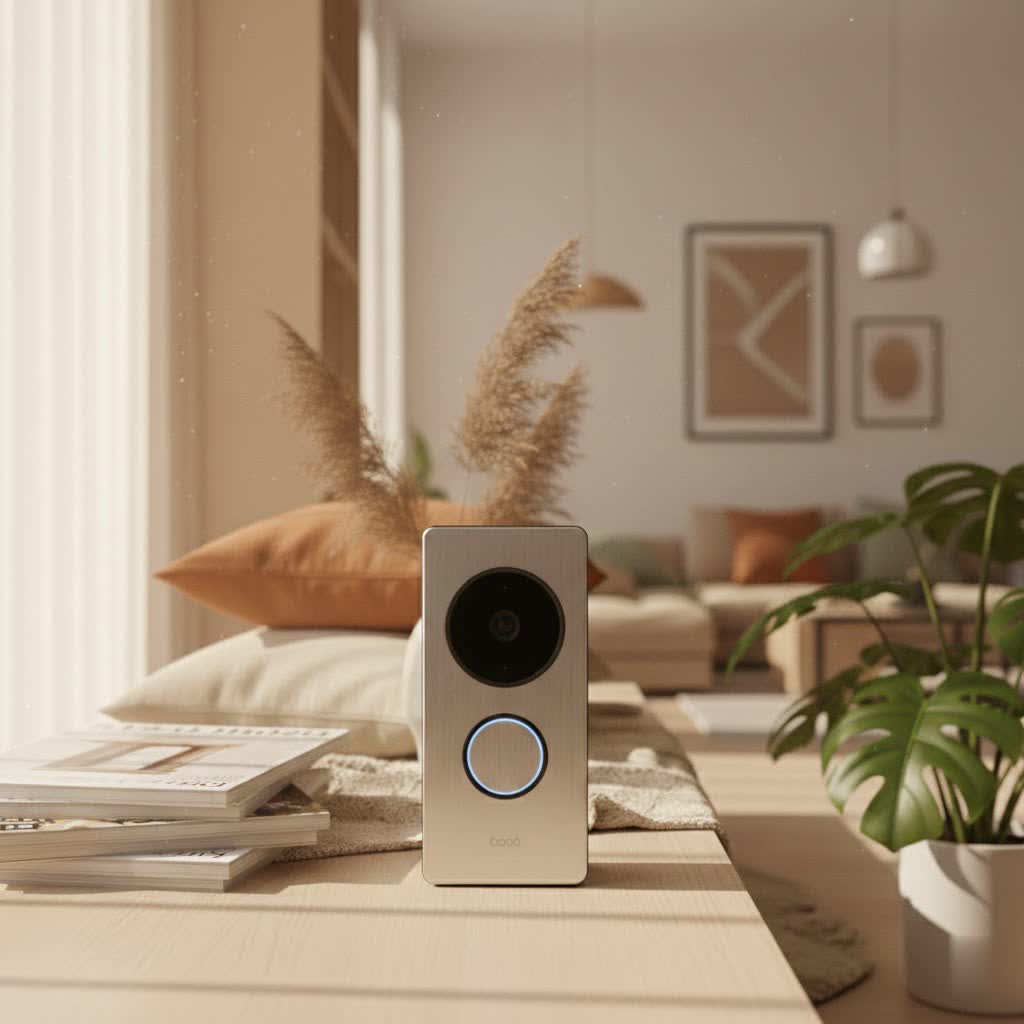
What is a Google Nest Video Doorbell and Why Do You Need One?
A Google Nest Video Doorbell is more than just a doorbell; it’s a smart security device that provides live video, two-way audio communication, and intelligent alerts directly to your smartphone or other connected devices. It replaces your traditional doorbell, giving you a constant watchful eye over your entryway, even when you’re away from home.
The primary benefits of integrating a Google Nest Video Doorbell into your home are multifold. Firstly, enhanced security is paramount. These doorbells act as a deterrent to potential intruders and allow you to see and speak with visitors before opening your door, adding a crucial layer of safety. Secondly, they offer unparalleled convenience. No more missing package deliveries or wondering who rang the bell when you weren’t home. You can answer your door from anywhere, communicate with couriers, or greet family members. Lastly, they provide greater control and peace of mind, allowing you to monitor activity, receive smart alerts, and review video history to stay informed about everything happening at your front door. Common scenarios include monitoring children arriving home from school, verifying package deliveries, or simply knowing when friends or family stop by.
Types of Google Nest Video Doorbells on the Market
Google offers a streamlined selection of Nest Video Doorbells, primarily differentiated by their power source, catering to various home setups and preferences.
Wired vs. Wireless (Battery-powered)
The core distinction between Nest Doorbell models lies in their power connection:
- Wired Video Doorbells (e.g., Nest Doorbell (wired, 2nd Gen))
- Pros: Offer continuous 24/7 video recording with a Nest Aware Plus subscription, eliminating the need for battery charging. They leverage your home’s existing doorbell wiring for constant power, ensuring reliable operation.
- Cons: Requires existing compatible doorbell wiring (typically 8 to 24 V AC), which might limit installation locations for some users or necessitate professional installation.
- Comparison: Wired models provide superior stability and uninterrupted recording, making them ideal for those who prioritize comprehensive surveillance and have suitable wiring in place.
- Wireless (Battery-powered) Video Doorbells (e.g., Nest Doorbell (battery))
- Pros: Extremely easy to install as they don’t require any existing wiring. This offers flexibility in placement, allowing you to install it virtually anywhere within Wi-Fi range. They can also record footage even during power outages.
- Cons: Requires periodic recharging of the battery, typically every one to six months depending on activity. Even when hardwired, battery models do not offer 24/7 continuous video history, focusing instead on event-based recording to conserve battery life. They may also be slightly bulkier to accommodate the battery.
- Comparison: Battery-powered models excel in ease of installation and versatility, perfect for renters or homes without existing doorbell wiring. However, the trade-off is the lack of continuous recording and the need for occasional recharging.
|
Our Picks for the Best Video Doorbell in 2026
As an Amazon Associate I earn from qualifying purchases.
|
||
| Num | Product | Action |
|---|---|---|
| 1 | Blink Video Doorbell (newest model) – Head-to-toe HD view, two-year battery life, and simple setup. Required Sync Module not included – Add-On (White) |

|
| 2 | NariOrbi WiFi Video Doorbell Camera with Human Detection, Battery Powered, Night Vision, 2-Way Talk, 2.4G WiFi, Cloud Storage |
|
| 3 | Ring Indoor Cam, Home or business security in 1080p HD video, White |
|
| 4 | Noorio Wireless Doorbell Camera with Rechargeable Battery, 2K+ Resolution, 2-Way Audio, Color Night Vision, AI Motion Detection, Smart Video Doorbell Works with Alexa, D110 |
|
| 5 | Blink Video Doorbell (newest model) – Head-to-toe HD view, two-year battery life, and simple setup. Sync Module Core included – System (Black) |
|
| 6 | Ring Battery Doorbell (newest model), Home or business security with Head-to-Toe video, Live View with Two-Way Talk, and Motion Detection & Alerts, Satin Nickel |
|
| 7 | Ring Battery Doorbell (newest model), Home or business security with Head-to-Toe video, Live View with Two-Way Talk, and Motion Detection & Alerts, Venetian Bronze |
|
| 8 | Blink Outdoor 4 – Wireless smart security camera, two-year battery life, 1080p HD day and infrared night live view, two-way talk. Sync Module Core included – 2 camera system |
|
| 9 | Blink Mini 2 — Home Security & Pet Camera with HD video, color night view, motion detection, two-way audio, and built-in spotlight — 1 camera (White) |
|
| 10 | Tapo by TP-Link Smart Video Doorbell Camera Wireless with Chime, 2K with Full Color Night Vision & Spotlights, No Monthly Fee, Ring Call, 160° Ultra-Wide View, Free AI Detection, Local Storage,D210 |
|
Basic vs. Advanced Features (AI)
Both wired and battery Nest Doorbells share a robust set of features, with advanced AI capabilities enhancing their functionality, particularly with a Nest Aware subscription.
-
Basic Features:
- High-quality video recording: Most Nest Doorbells feature a 1280×960-pixel resolution with HDR and clear night vision, providing detailed footage day and night. The 3:4 aspect ratio is designed to show a person from head to toe, as well as packages on the ground.
- Two-way talk: Communicate directly with visitors through the Google Home app.
- Notifications: Receive alerts on your phone when the doorbell is pressed or motion is detected.
- Activity Zones: Customize specific areas within the camera’s view to focus on, reducing unwanted alerts.
- 3-hour free event video history: Both wired and battery models offer three hours of stored event footage without a subscription.
-
Advanced Features (Enhanced with Nest Aware subscription):
- Smart Object Recognition: The doorbell can differentiate between people, packages, animals, and vehicles, reducing false alarms and providing more relevant notifications.
- Familiar Face Recognition: With a Nest Aware subscription, the doorbell can identify familiar faces and send personalized alerts, informing you exactly who is at your door. This feature requires a subscription and is one of the more contentious capabilities offered by Google.
- Extended Video History: Nest Aware subscriptions extend your event video history to 30 or 60 days, and Nest Aware Plus enables 10 days of 24/7 continuous video recording for wired models.
- Sound Detection: Advanced Nest Aware features can detect specific sounds like glass breaking, further enhancing security monitoring.
- Google Home and Alexa compatibility: Nest Doorbells seamlessly integrate with the Google Home ecosystem and are also compatible with Amazon Alexa devices, allowing for voice control and displaying video feeds on smart displays.
Top Google Nest Video Doorbell Models
Google offers a focused lineup, emphasizing quality and smart features over a wide array of models. The primary current models are the Google Nest Doorbell (battery) and the Google Nest Doorbell (wired, 2nd Gen), which replaced the original Nest Hello.
- Google Nest Doorbell (battery): This model offers exceptional flexibility due to its wireless nature, allowing installation almost anywhere. It’s praised for its easy setup and smart alerts for people, packages, animals, and vehicles.
- Google Nest Doorbell (wired, 2nd Gen): Designed for those with existing doorbell wiring, this model provides constant power and the option for 24/7 continuous recording with a Nest Aware Plus subscription. It generally offers a slightly more compact design compared to its battery counterpart.
Both models boast high-quality video with HDR and night vision, two-way audio, and robust smart home integration. They are managed through the Google Home app, known for its user-friendly interface. While they might not be the cheapest options on the market, their advanced features and integration with the Google ecosystem often justify the cost for users looking for a premium smart doorbell experience.
Google Nest Video Doorbell Comparison Table
To help you decide between the main Google Nest Doorbell options, here’s a comparison of their key specifications and features:
| Feature | Google Nest Doorbell (battery) | Google Nest Doorbell (wired, 2nd Gen) |
|---|---|---|
| Power Source | Rechargeable battery (can be hardwired for trickle charge) | Hardwired (requires existing doorbell wiring) |
| Video Resolution | 1280×960 pixels at 30fps with HDR | 1280×960 pixels at 30fps with HDR |
| Field of View (Diagonal) | 145 degrees (3:4 aspect ratio) | 145 degrees (3:4 aspect ratio) |
| Night Vision | Clear IR night vision | Clear IR night vision |
| Continuous Recording | No (even when hardwired) | Yes, with Nest Aware Plus subscription (up to 10 days 24/7) |
| Free Video History | 3 hours of event video history | 3 hours of event video history |
| Smart Alerts | People, packages, animals, vehicles, general motion | People, packages, animals, vehicles, general motion |
| Familiar Face Alerts | Yes, with Nest Aware subscription | Yes, with Nest Aware subscription |
| Two-Way Talk | Yes, with pre-recorded quick responses | Yes, with pre-recorded quick responses |
| Smart Home Integration | Google Assistant, Alexa, Google Home app | Google Assistant, Alexa, Google Home app |
| Design | Slightly bulkier (to accommodate battery) | More compact |
| Installation | Wire-free (easy), or wired for trickle charge | Wired (requires existing doorbell wiring and chime connector) |
| Price Point | Generally around $180 | Generally around $180 |
Note: The Nest Doorbell (wired, 3rd Gen) has been noted in recent searches with 2K HDR video and 166-degree field of view, and Gemini features, indicating a potential new premium wired option. However, the 2nd Gen wired and the battery model remain common options discussed in reviews.
For those seeking the ultimate in constant monitoring and have existing wiring, the Nest Doorbell (wired, 2nd Gen) with a Nest Aware Plus subscription is the superior choice for 24/7 recording. If ease of installation and flexibility are your top priorities, and you’re comfortable with event-based recording and periodic recharges, the Nest Doorbell (battery) is an excellent fit. Both offer impressive smart features and reliable performance.
Google Nest Video Doorbell Buying Guide
Choosing the right Google Nest Video Doorbell involves a few key considerations to ensure it perfectly matches your home and lifestyle.
Identify Your Needs
Before diving into specifications, consider what you truly need from a video doorbell:
- Primary Purpose: Are you mainly looking for enhanced security to monitor for intruders, or is convenience, like answering your door remotely, a higher priority? Perhaps you want to manage package deliveries more effectively?
- Installation Location: Where do you plan to install the doorbell? Do you have existing wiring at your front door, or do you need a completely wireless solution for a gate or a spot without power?
- Budget: Google Nest Doorbells are premium devices. While the initial cost is a factor, also consider the ongoing cost of a Nest Aware subscription if you desire advanced features like extended video history or familiar face recognition.
Factors to Consider When Choosing
Once you’ve identified your core needs, evaluate these technical and practical aspects:
- Image and Sound Quality: Both Nest models offer excellent 1280×960 HD resolution with HDR and night vision, ensuring clear visuals. The 3:4 aspect ratio is praised for showing a full view of people and packages. Good two-way audio is crucial for clear communication.
- Connectivity and Smart Home Compatibility: Ensure your Wi-Fi signal is strong at the installation location. Google Nest Doorbells integrate seamlessly with the Google Home app and ecosystem, as well as Google Assistant and Amazon Alexa, allowing you to view feeds on smart displays and use voice commands.
- Durability and Weather Resistance: Video doorbells are outdoor devices and must withstand various weather conditions. Google Nest Doorbells are designed for outdoor use and are built to be robust.
- Subscription Costs and Features: Remember that features like 24/7 recording (wired model only), extended video history, and familiar face recognition require a paid Nest Aware subscription. Factor this into your long-term budget.
- Warranty and Technical Support: Google provides support for its Nest products. It’s always wise to check warranty details and the availability of technical assistance in your region.
Installation and Usage Tips
Proper installation and smart usage can significantly enhance your Google Nest Doorbell experience:
- Optimal Installation Position: For the best view, position your doorbell where it can capture a clear view of your entryway, including any areas where packages might be left. Google often includes a wedge mount to help angle the camera for a better field of view, especially horizontally.
- Connecting and Setting Up the App: The Google Home app guides you through a step-by-step installation process. Ensure your smartphone is connected to the same Wi-Fi network you intend for your doorbell. The app allows you to customize settings, set activity zones, and manage notifications.
- Tips for Battery Life (for battery models):
- Optimize Activity Zones: By setting precise activity zones, you can reduce unnecessary recordings and notifications, thus conserving battery.
- Adjust Sensitivity: Lowering motion detection sensitivity in high-traffic areas can also help extend battery life.
- Cold Weather Considerations: In extremely cold climates (below 32°F / 0°C), even hardwired battery models might struggle to charge and may need to be brought indoors to recharge.
Common Issues and Troubleshooting for Google Nest Video Doorbells
Even with advanced technology, you might encounter occasional issues with your Google Nest Video Doorbell. Here are some common problems and straightforward troubleshooting steps:
- Loss of Connection (Offline Status):
- Check Wi-Fi: Ensure your home Wi-Fi network is active and functioning correctly.
- Router Location: The doorbell might be too far from your Wi-Fi router. Consider a Wi-Fi extender if the signal is weak at your door.
- Reboot: Try restarting your Wi-Fi router and then rebooting your Nest Doorbell (usually through the Google Home app or by pressing a reset button if available).
- Blurry or Distorted Image:
- Clean Lens: The camera lens might be dirty. Gently clean it with a soft, dry cloth.
- Network Bandwidth: High-resolution streaming can consume significant bandwidth. If other devices are heavily using your Wi-Fi, it might impact video quality. Consider reducing the video quality setting in the Google Home app if issues persist.
- Lighting: Extreme backlighting or poor lighting conditions can affect image clarity. Ensure the area is adequately lit, especially at night.
- Not Receiving Notifications:
- App Settings: Check your notification settings in the Google Home app. Ensure alerts are enabled for the types of events you want to be notified about (people, packages, motion).
- Phone Settings: Verify that notifications are enabled for the Google Home app in your phone’s operating system settings.
- Do Not Disturb: Ensure your phone is not in “Do Not Disturb” mode or a similar setting that silences notifications.
- Battery Draining Quickly (for battery models):
- High Activity: If your doorbell is in a very high-traffic area, it will record more often, leading to faster battery drain. Adjusting activity zones and sensitivity can help.
- Cold Weather: Batteries perform less efficiently in cold temperatures, which can reduce overall battery life and charging capacity.
- Settings: Review your camera settings in the Google Home app. Frequent live viewing or continuous recording (if applicable) will consume more power.
If these simple troubleshooting steps don’t resolve the issue, it may be time to consult Google Nest’s official support resources or contact customer service. They can offer more advanced diagnostics and potential solutions.
Conclusion
Google Nest Video Doorbells offer a compelling blend of security, convenience, and smart home integration, making them a valuable addition to any modern home. From their crisp video quality and two-way audio to intelligent AI-powered alerts and seamless Google Home integration, these devices provide an unparalleled sense of security and control over your entryway. Whether you opt for the flexible battery-powered model or the constantly vigilant wired version, investing in a Google Nest Video Doorbell means investing in peace of mind.
Ultimately, the best Google Nest Video Doorbell for you depends on your specific needs, existing wiring, and desired features. By carefully considering your priorities and understanding the capabilities of each model, you can confidently choose a device that keeps you connected to your home, no matter where you are. Are you ready to transform your front door into a smart, secure gateway?
Frequently Asked Questions
What is the main difference between the Google Nest Doorbell (battery) and the Google Nest Doorbell (wired, 2nd Gen)?
The primary difference is the power source and continuous recording capability. The battery model offers wire-free installation flexibility but requires recharging and only provides event-based recording. The wired model connects to existing doorbell wiring, offering constant power and the option for 24/7 continuous video history with a Nest Aware Plus subscription.
Does a Google Nest Video Doorbell require a subscription?
No, a Google Nest Video Doorbell does not require a subscription to function. It offers essential features like live view, two-way talk, and three hours of event video history for free. However, a Nest Aware subscription unlocks advanced features such as extended video history, familiar face recognition, and enhanced sound detection.
Can I install a Google Nest Doorbell myself?
Yes, both Google Nest Doorbell models are designed for relatively easy DIY installation. The Google Home app provides step-by-step instructions. The battery model is particularly simple to install due to its wire-free nature. The wired model requires connecting to existing doorbell wires, which might be slightly more involved but still manageable for most homeowners.
Is the Google Nest Doorbell compatible with Amazon Alexa?
Yes, Google Nest Video Doorbells are compatible with both Google Assistant and Amazon Alexa. This allows you to integrate the doorbell into your preferred smart home ecosystem, enabling features like viewing the live feed on smart displays or receiving announcements through your Alexa-enabled devices.
What is the typical battery life of a Google Nest Doorbell (battery)?
The battery life of a Google Nest Doorbell (battery) can vary significantly depending on factors like activity levels, temperature, and settings. Google estimates it can last between one to six months on a single charge. High traffic and cold weather tend to reduce battery life.
