In an age where home security is paramount, a video doorbell offers more than just a convenient way to greet guests; it’s a critical component of a robust home protection system. As packages arrive and unexpected visitors knock, having eyes and ears at your front door provides invaluable peace of mind. The SimpliSafe Video Doorbell Pro, with its blend of core security features and seamless integration into the broader SimpliSafe ecosystem, positions itself as a strong contender for homeowners seeking reliable entryway monitoring. This comprehensive guide will delve into its functionalities, compare it with market alternatives, detail installation steps, and address common user concerns, helping you determine if it’s the right choice for securing your home.
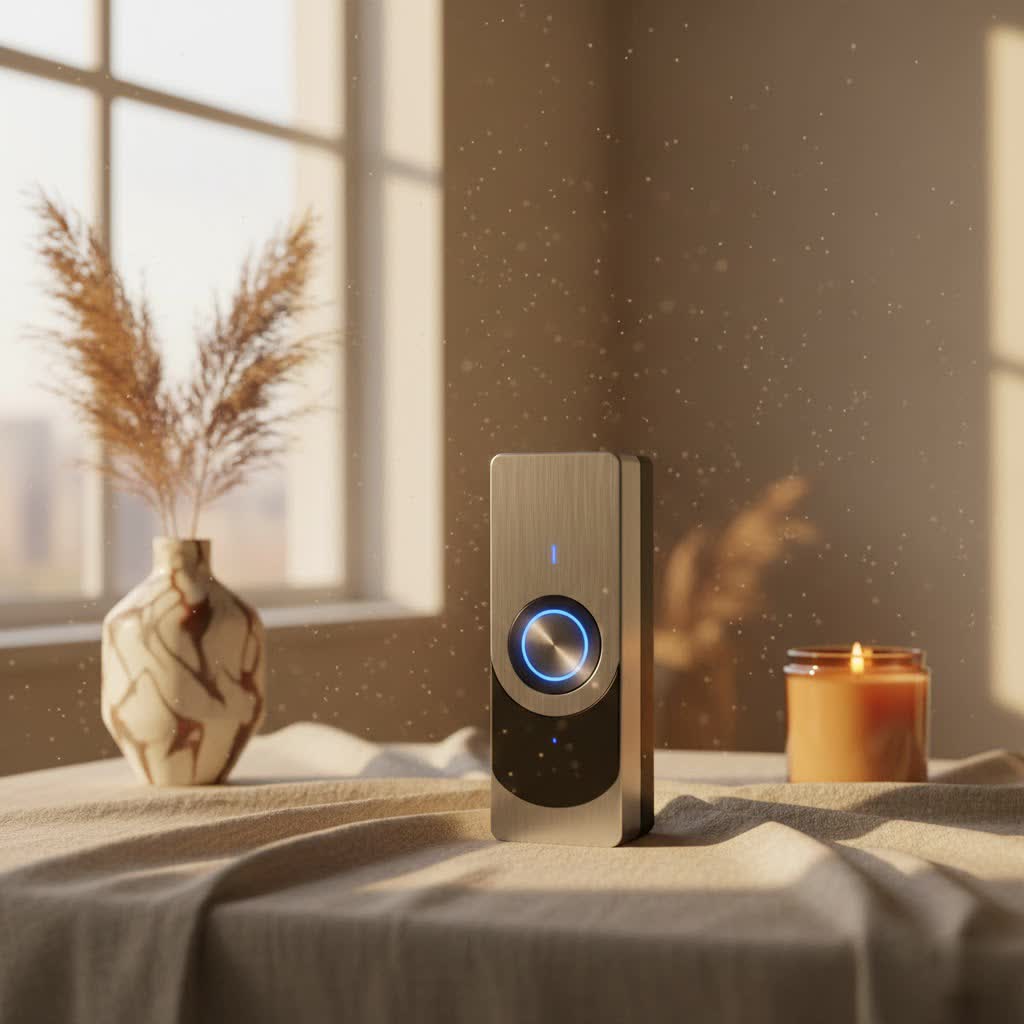
What is a Video Doorbell and Why Do You Need One?
A video doorbell is an internet-connected device with a camera, microphone, and speaker, replacing your traditional doorbell. When someone presses the button or motion is detected, it sends an alert to your smartphone, allowing you to see, hear, and speak to the person at your door from anywhere, whether you’re at home or thousands of miles away.
The benefits of integrating a video doorbell into your home are numerous. Firstly, they significantly enhance security by acting as a deterrent to potential intruders and providing recorded evidence of any suspicious activity. You can monitor package deliveries, identify porch pirates, and capture faces of anyone approaching your property. Secondly, they offer unparalleled convenience, transforming your smartphone into a portable intercom. You no longer need to rush to the door, and you can screen visitors without physically opening your entryway. This means you can answer the door for a delivery driver even when you’re at the office, or instruct a neighbor on where to find a spare key. Ultimately, a video doorbell gives you greater control over your home’s entry points, empowering you to manage access and respond to events in real-time, anytime. Common scenarios include monitoring children arriving home from school, verifying service providers, or simply ensuring your front porch remains secure.
Understanding the SimpliSafe Video Doorbell Pro
The SimpliSafe Video Doorbell Pro is designed to provide clear vision and smart detection for your home’s entryway. This wired video doorbell is packed with essential features that contribute to a safer and more connected home environment.
At its core, the Video Doorbell Pro captures crisp 1080p HD video, ensuring you get a clear view of who’s at your door. It boasts HDR (High Dynamic Range) capabilities, which are particularly useful for preventing glares and shadows from obscuring important details, especially on bright, sunny days or in shaded doorways. With a 162-degree field of view, the camera offers a wide perspective, allowing you to see visitors from head to toe and even monitor a broader area of your front porch and yard.
Two-way audio is a standard yet vital feature, enabling seamless communication with visitors through the doorbell’s built-in microphone and speaker. You can verbally greet guests, instruct delivery personnel, or politely deter unwanted solicitors. For nighttime monitoring, the doorbell is equipped with infrared night vision, providing clear black-and-white footage even in complete darkness, extending visibility up to 30 feet.
One of its standout features is Smart Person Detection, powered by a dual-sensor setup. This intelligent system differentiates between people, animals, and vehicles, significantly reducing false alarms from passing cars or swaying branches. You can also customize motion sensitivity within the SimpliSafe app to further refine what triggers an alert. While it offers pan and zoom for a closer look, it operates as a wired device, requiring connection to existing doorbell wiring (8-24VAC transformer and a mechanical chime are necessary). This ensures continuous power and eliminates the need for battery changes. The Video Doorbell Pro can function as a standalone unit or seamlessly integrate into a complete SimpliSafe home security system, offering enhanced functionality such as triggering recordings when other SimpliSafe sensors are activated.
Pros and Cons of the SimpliSafe Video Doorbell Pro
While the SimpliSafe Video Doorbell Pro offers robust features, it also has certain limitations worth considering.
Pros:
- High-Quality Video: 1080p HD with HDR delivers clear, glare-free images day and night.
- Effective Smart Detection: Dual-sensor person detection minimizes false alarms from non-human movement.
- Wide Field of View: A 162-degree angle captures a broad area of your entryway.
- Two-Way Audio: Enables clear communication with visitors.
- DIY-Friendly Installation: Generally straightforward for those with existing doorbell wiring.
- Seamless SimpliSafe Integration: Works exceptionally well as part of a larger SimpliSafe security system.
Cons:
- Subscription Required for Recorded Video: While live streaming and motion alerts are free, accessing recorded footage necessitates a monthly plan (starting at $9.99/month for unlimited camera storage).
- Limited Smart Home Integration: Lacks broad compatibility with third-party smart home ecosystems like extensive Alexa or Google Assistant voice commands and IFTTT applets.
- No Advanced AI Features: Does not include features like facial recognition (found in Nest) or active deterrents (like sirens/lights in Vivint).
- Wired Only: Requires existing doorbell wiring; no battery-powered alternative.
- No Customizable Detection Zones: Instead, it relies on general motion sensitivity adjustments rather than specific activity zones.
- App Limitations: Some users report the app could be more robust with additional customizable settings.
|
Our Picks for the Best Video Doorbell in 2026
As an Amazon Associate I earn from qualifying purchases.
|
||
| Num | Product | Action |
|---|---|---|
| 1 | Noorio Wireless Doorbell Camera with Rechargeable Battery, 2K+ Resolution, 2-Way Audio, Color Night Vision, AI Motion Detection, Smart Video Doorbell Works with Alexa, D110 |

|
| 2 | Tapo by TP-Link Smart Video Doorbell Camera Wireless with Chime, 2K with Full Color Night Vision & Spotlights, No Monthly Fee, Ring Call, 160° Ultra-Wide View, Free AI Detection, Local Storage,D210 |
|
| 3 | Blink Outdoor 4 – Wireless smart security camera, two-year battery life, 1080p HD day and infrared night live view, two-way talk. Sync Module Core included – 2 camera system |
|
| 4 | Blink Video Doorbell (newest model) – Head-to-toe HD view, two-year battery life, and simple setup. Required Sync Module not included – Add-On (White) |
|
| 5 | Ring Indoor Cam, Home or business security in 1080p HD video, White |
|
| 6 | Ring Battery Doorbell (newest model), Home or business security with Head-to-Toe video, Live View with Two-Way Talk, and Motion Detection & Alerts, Satin Nickel |
|
| 7 | Blink Video Doorbell (newest model) – Head-to-toe HD view, two-year battery life, and simple setup. Sync Module Core included – System (Black) |
|
| 8 | NariOrbi WiFi Video Doorbell Camera with Human Detection, Battery Powered, Night Vision, 2-Way Talk, 2.4G WiFi, Cloud Storage |
|
| 9 | Blink Mini 2 — Home Security & Pet Camera with HD video, color night view, motion detection, two-way audio, and built-in spotlight — 1 camera (White) |
|
| 10 | Ring Battery Doorbell (newest model), Home or business security with Head-to-Toe video, Live View with Two-Way Talk, and Motion Detection & Alerts, Venetian Bronze |
|
The SimpliSafe Video Doorbell Pro is typically priced around $169, offering a competitive option within the wired video doorbell market.
SimpliSafe Video Doorbell Pro vs. Competitors
When considering a video doorbell, understanding how the SimpliSafe Video Doorbell Pro stacks up against its rivals is crucial. The market is saturated with options, each with its unique strengths and weaknesses.
SimpliSafe vs. Ring
SimpliSafe generally offers an easier DIY installation process and has a strong reputation for user privacy. Its core strength lies in its integration with the SimpliSafe security system, providing a unified security experience. However, its doorbell camera offers less extensive smart home integration with platforms like Alexa and Google Assistant compared to Ring, and it lacks advanced features such as facial recognition. Being a wired-only device, it requires an existing doorbell setup.
Ring, owned by Amazon, typically offers more comprehensive smart home integration and broader compatibility with third-party devices and IFTTT. Ring provides a wider range of doorbell models, including both wired and battery-powered options, catering to different installation needs. Their subscription plans can sometimes offer more flexible storage options or come at a slightly lower monthly cost for similar features. However, some users have expressed concerns regarding Ring’s privacy practices due to its ties with Amazon.
SimpliSafe vs. Arlo
SimpliSafe focuses on delivering a complete home security system where the video doorbell is one component. Its dual-sensor technology for person detection is a key advantage for reducing false alarms.
Arlo places a heavy emphasis on advanced camera technology, often featuring superior video quality (some models offer 2K or 4K resolution), color night vision, and more refined object detection capabilities. Arlo’s cameras, including their doorbells, often come with highly customizable activity zones, allowing for precise monitoring. Many Arlo cameras are battery-powered, offering greater flexibility in placement, though this means periodic recharging. For users prioritizing cutting-edge video surveillance features, Arlo might be a stronger choice.
SimpliSafe vs. Eufy and Google Nest
Comparing the SimpliSafe Video Doorbell Pro to brands like Eufy and Google Nest highlights differences in advanced AI and smart features.
Google Nest Doorbells, for example, are renowned for their advanced AI capabilities, including facial recognition, which can identify familiar faces. They often boast higher resolutions and deep integration with the Google Assistant ecosystem.
Similarly, other brands might offer active deterrents, such as built-in sirens or bright lights, to actively scare off intruders, a feature not present in the SimpliSafe Video Doorbell Pro. Eufy often offers competitive features with the added benefit of local storage options, reducing reliance on cloud subscriptions.
In summary, the SimpliSafe Video Doorbell Pro excels at providing reliable, high-quality basic video doorbell functionality, particularly for those already invested in or planning to invest in the SimpliSafe security ecosystem. It’s a solid, straightforward choice that prioritizes core security over extensive smart home interoperability or cutting-edge AI features.
Choosing and Installing Your SimpliSafe Video Doorbell Pro
Selecting and installing the SimpliSafe Video Doorbell Pro is a manageable DIY project, but it requires careful preparation and adherence to specific steps to ensure optimal performance.
Xác định nhu cầu sử dụng (Determining Your Usage Needs)
Before purchasing, consider what you primarily need from a video doorbell. Are you looking for enhanced security to deter package theft, the convenience of answering your door remotely, or comprehensive monitoring as part of a larger security system? The SimpliSafe Video Doorbell Pro excels in all these areas, especially when integrated with its security system. Its wired nature ensures continuous power, ideal for consistent surveillance without battery concerns.
Pre-installation Checks
To ensure a smooth installation, verify the following requirements:
- Existing Doorbell Wiring: The SimpliSafe Video Doorbell Pro is hardwired, so you need existing doorbell wiring.
- Mechanical Chime: It is compatible only with mechanical chimes, not digital chimes.
- Transformer Requirements: Your existing doorbell transformer must be between 8-24VAC, 10-30VA. If you’re unsure, consult a licensed electrician or test with a multimeter.
- Strong Wi-Fi Signal: Ensure a robust 2.4GHz Wi-Fi signal at your front door for reliable connectivity. You can test this with your smartphone.
- Tools You’ll Need: Gather a Phillips and flathead screwdriver, a drill (with a masonry bit if installing on brick or stone), a level, wire strippers or a knife, electrical tape for safety, and your smartphone for the app setup. An angled mount may be useful if your doorbell’s current position doesn’t offer the best view; SimpliSafe support can often provide a left-right angled bracket if needed.
Step-by-Step Installation Guide
Installing your SimpliSafe Video Doorbell Pro typically follows these steps:
- Safety First: Turn Off Power. Locate your home’s circuit breaker panel and switch off the power to your doorbell circuit. This is a critical safety step to prevent electrical shock.
- Remove Your Old Doorbell. Unscrew your existing doorbell from the wall. Carefully disconnect the wires, ensuring they don’t fall back into the wall opening. You might tape them to the wall temporarily.
- Attach the Mounting Bracket. Thread the existing doorbell wires through the center hole of the SimpliSafe mounting bracket. Position the bracket, use a level to ensure it’s straight, and mark the screw holes. Drill pilot holes if necessary (especially for brick or stucco, using the masonry bit), then secure the bracket to the wall with the provided screws and anchors.
- Connect the Wires. Connect your doorbell wires to the two terminals on the SimpliSafe mounting bracket. The SimpliSafe doorbell is designed so that wire polarity doesn’t typically matter, meaning you can connect either wire to either terminal. Ensure the connections are snug and tight.
- Mount the Doorbell. Slide the SimpliSafe Video Doorbell Pro onto the mounting bracket. Push it down firmly until you hear and feel it click securely into place. This indicates it’s properly seated and locked.
- Restore Power & App Setup. Return to your circuit breaker panel and restore power to your doorbell circuit. Once power is restored, open the SimpliSafe app on your smartphone. Follow the on-screen prompts to add the doorbell to your system. This will involve scanning a QR code and entering your Wi-Fi credentials (ensure you connect to your 2.4GHz network).
- Test the Doorbell. Press the doorbell button to confirm your indoor chime rings. Also, check your SimpliSafe app to ensure you receive notifications and can view the live feed and two-way audio functionality.
Tips for Best Performance
To get the most out of your SimpliSafe Video Doorbell Pro:
- Maintain Strong Wi-Fi: A stable 2.4GHz Wi-Fi connection is crucial for consistent performance. If your signal is weak at the door, consider a Wi-Fi extender.
- Adjust Motion Sensitivity: Experiment with the motion sensitivity settings in the SimpliSafe app to find the right balance, minimizing false alerts while still capturing important events.
- Clean the Lens: Periodically wipe the camera lens to ensure clear image quality.
Common Issues and Troubleshooting for SimpliSafe Video Doorbells
Even with the most reliable technology, you might encounter occasional hiccups. Here are some common issues with the SimpliSafe Video Doorbell Pro and how to address them:
No Chime or Incorrect Chime Behavior
If your indoor chime isn’t ringing or behaves erratically after installation, first check your wiring connections at both the doorbell and the chime unit to ensure they are secure. Confirm that the power is fully restored at your circuit breaker. Remember, the SimpliSafe Video Doorbell Pro is only compatible with mechanical chimes, not digital ones. If you have a digital chime, it will not function correctly. Ensure the chime connector, if provided and installed, is correctly wired.
No Power or Device Not Turning On
If the doorbell appears to have no power or won’t turn on, start by verifying that the circuit breaker is flipped to the “on” position for your doorbell circuit. Next, double-check that your existing doorbell transformer meets the required 8-24VAC, 10-30VA specifications. An undersized transformer may not provide enough power. Ensure all wire connections are solid and free from corrosion.
Offline or Connectivity Issues
Connectivity problems are often Wi-Fi related.
- Check Wi-Fi Signal Strength: Use your smartphone to assess the Wi-Fi signal strength at your front door. If it’s weak, consider repositioning your router or installing a Wi-Fi extender.
- 2.4GHz Network: Ensure your doorbell is connected to your 2.4GHz Wi-Fi network, as the SimpliSafe Video Doorbell Pro is not compatible with 5GHz networks.
- Router Issues: Restart your router to resolve any temporary network glitches.
Excessive False Motion Alerts
If you’re constantly receiving alerts from passing cars, pets, or swaying trees, you can adjust the motion sensitivity settings within the SimpliSafe app. The dual-sensor technology is designed to reduce false alarms by distinguishing between people and other movement, but fine-tuning the sensitivity can further optimize its performance for your specific environment. Unfortunately, the SimpliSafe doorbell does not offer customizable motion zones, so adjusting overall sensitivity is key.
Image Quality Issues (Blurry, Glare, Poor Night Vision)
Ensure the camera lens is clean and free from dust, smudges, or condensation. While HDR helps with glare, extreme lighting conditions can still be challenging. For night vision, confirm there are no nearby reflective surfaces that could interfere with the infrared LEDs. If issues persist, verifying a strong Wi-Fi connection is important, as poor connectivity can impact video streaming quality.
App Lag or Delays in Notifications
Some users occasionally report minor app lag or delays in receiving notifications. While a strong, stable Wi-Fi connection is the best defense against this, occasional delays can occur depending on network traffic or server load. Ensure your SimpliSafe app is updated to the latest version.
Lack of Recorded Video
It’s important to remember that while live streaming and motion alerts are free, access to recorded video clips requires a SimpliSafe subscription plan (the Standard or Interactive Monitoring plans, or the Camera Only plan for $9.99/month). If you’re not seeing recordings, verify your subscription status.
Limited Smart Home Integration
The SimpliSafe Video Doorbell Pro integrates well within the SimpliSafe ecosystem, but its direct integration with external smart home platforms like Amazon Alexa or Google Assistant is less extensive compared to some competitors. It also lacks IFTTT support. This is a design characteristic rather than a malfunction; if broad smart home interoperability is a top priority, you might consider other brands. When an issue seems more complex or persistent, consulting SimpliSafe’s customer support can provide expert guidance and specific troubleshooting steps.
Conclusion
The SimpliSafe Video Doorbell Pro stands as a reliable and effective solution for enhancing your home’s security, particularly for those who value seamless integration within a comprehensive SimpliSafe security system. With its clear 1080p HDR video, wide 162-degree field of view, crisp two-way audio, and intelligent dual-sensor person detection, it offers robust front-door monitoring capabilities. While it requires a wired installation and a subscription for recorded video, its user-friendly nature and focus on core security functions make it an appealing choice. It might not boast every cutting-edge AI feature or extensive third-party smart home integration found in some competitors, but its straightforward design and dependable performance provide a solid foundation for peace of mind. For homeowners seeking a dependable entryway guardian that integrates effortlessly into an existing or planned SimpliSafe setup, the Video Doorbell Pro offers substantial value. Are you ready to bring intelligent front-door protection to your home?
Frequently Asked Questions
Does SimpliSafe Video Doorbell Pro require a subscription?
Live streaming and instant motion alerts are free with the SimpliSafe Video Doorbell Pro. However, to access recorded video history and cloud storage, you will need a SimpliSafe subscription plan, such as the Camera Only plan for $9.99 per month.
Is SimpliSafe Video Doorbell Pro battery-powered?
No, the SimpliSafe Video Doorbell Pro is a hardwired device. It requires connection to your existing doorbell wiring (8-24VAC transformer) and a mechanical chime for continuous power and operation.
Does the SimpliSafe Video Doorbell Pro work with Alexa or Google Assistant?
While the broader SimpliSafe security system can integrate with Alexa and Google Assistant for certain commands, the Video Doorbell Pro itself has more limited smart home integration capabilities compared to some other brands, lacking extensive voice command support or IFTTT applets directly for the doorbell.
What is the field of view of the SimpliSafe Video Doorbell Pro?
The SimpliSafe Video Doorbell Pro offers a wide 162-degree field of view, allowing you to capture a broad perspective of your front door and the immediate surrounding area, helping you see visitors from head to toe.
