In today’s fast-paced world, maintaining peace of mind about your home’s security is more crucial than ever. The modern homeowner seeks not just protection, but also convenience and smart integration. Enter the video doorbell, a revolutionary device that transforms your entryway into an intelligent monitoring hub. Among the leading innovators in this space, the Google Nest Video Doorbell stands out as a sophisticated solution, blending cutting-edge technology with user-friendly design to keep your home safe and connected.
What is a Video Doorbell and Why Do You Need It?
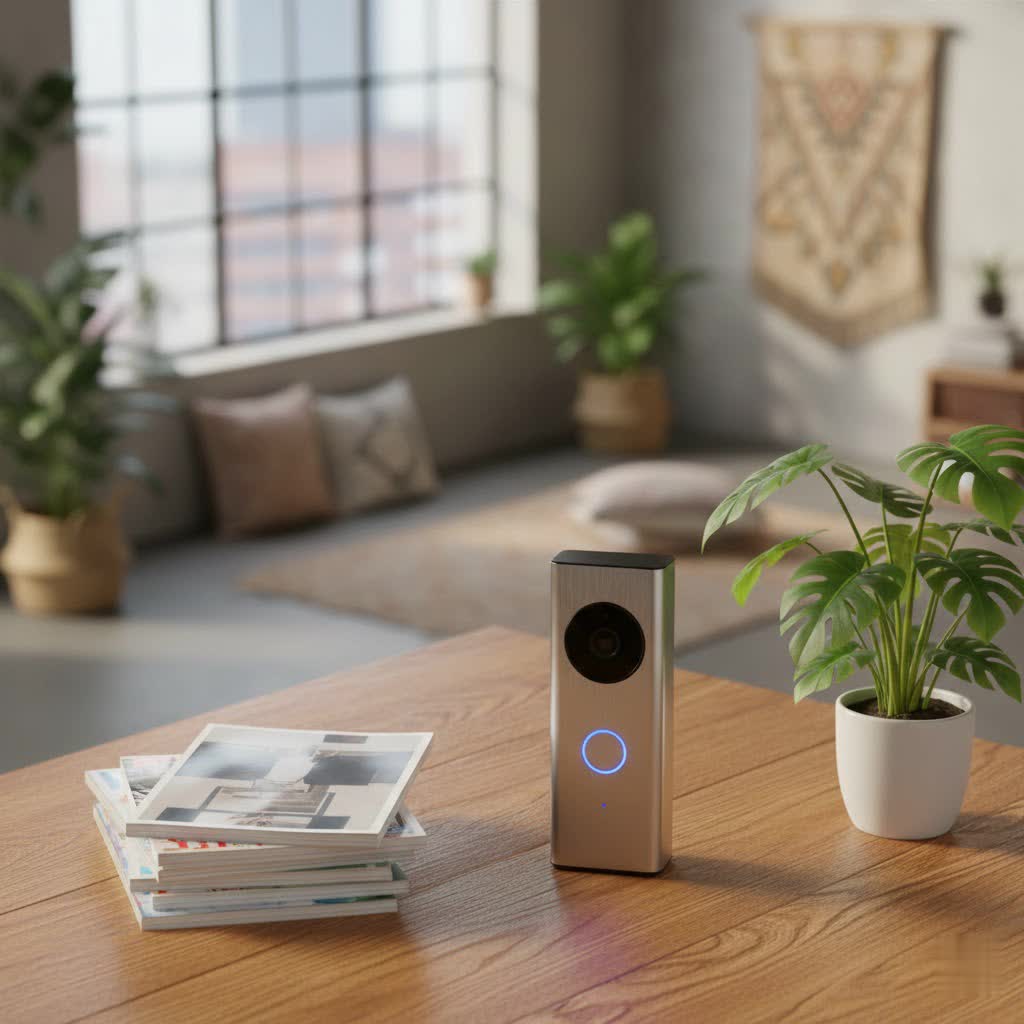
A video doorbell is a smart device equipped with a camera, microphone, and speaker, designed to replace your traditional doorbell. When someone approaches or rings your door, it sends an alert to your smartphone or smart display, allowing you to see, hear, and speak to visitors from anywhere. This connectivity offers an unparalleled layer of security, convenience, and control over your home.
The primary benefit of a video doorbell is enhanced security. It acts as a vigilant sentry, recording suspicious activity and deterring potential intruders or porch pirates. You can monitor deliveries, keep an eye on children arriving home from school, or simply avoid unwanted solicitors without opening the door. For busy families or those frequently away from home, a video doorbell provides crucial remote monitoring capabilities, ensuring you’re always aware of what’s happening at your doorstep. Common usage scenarios include package monitoring, screening visitors, or even just checking on your pets in the yard.
Popular Video Doorbell Types
The market offers a variety of video doorbells, primarily categorized by their connectivity and features. Understanding these distinctions is key to choosing the right device for your home.
Connectivity: Wired vs. Wireless
- Wired Video Doorbells: These models connect to your home’s existing doorbell wiring, providing continuous power and reliable internet connectivity.
- Pros: Offer consistent power, eliminating the need for battery recharges. They often support 24/7 continuous video recording with a subscription. Generally, they provide a more stable connection and faster response times.
- Cons: Installation can be more complex, requiring some familiarity with electrical wiring. Their placement is limited by existing wiring.
- Comparison: Wired doorbells are ideal for homeowners seeking maximum reliability and continuous monitoring without maintenance.
- Wireless (Battery-Powered) Video Doorbells: These operate on rechargeable batteries and connect to your home Wi-Fi.
- Pros: Offer significant installation flexibility, as they can be mounted almost anywhere without wiring constraints. Installation is typically simpler.
- Cons: Batteries require periodic recharging (typically every few months), and continuous recording may not be available or will drain the battery quickly. Response times can sometimes be slightly slower than wired models.
- Comparison: Battery-powered doorbells are perfect for renters, those without existing doorbell wiring, or anyone prioritizing easy, flexible installation.
|
Our Picks for the Best Video Doorbell in 2026
As an Amazon Associate I earn from qualifying purchases.
|
||
| Num | Product | Action |
|---|---|---|
| 1 | Blink Video Doorbell (newest model) – Head-to-toe HD view, two-year battery life, and simple setup. Required Sync Module not included – Add-On (White) |

|
| 2 | Blink Outdoor 4 – Wireless smart security camera, two-year battery life, 1080p HD day and infrared night live view, two-way talk. Sync Module Core included – 2 camera system |
|
| 3 | Noorio Wireless Doorbell Camera with Rechargeable Battery, 2K+ Resolution, 2-Way Audio, Color Night Vision, AI Motion Detection, Smart Video Doorbell Works with Alexa, D110 |
|
| 4 | Blink Video Doorbell (newest model) – Head-to-toe HD view, two-year battery life, and simple setup. Sync Module Core included – System (Black) |
|
| 5 | NariOrbi WiFi Video Doorbell Camera with Human Detection, Battery Powered, Night Vision, 2-Way Talk, 2.4G WiFi, Cloud Storage |
|
| 6 | Ring Battery Doorbell (newest model), Home or business security with Head-to-Toe video, Live View with Two-Way Talk, and Motion Detection & Alerts, Satin Nickel |
|
| 7 | Ring Battery Doorbell (newest model), Home or business security with Head-to-Toe video, Live View with Two-Way Talk, and Motion Detection & Alerts, Venetian Bronze |
|
| 8 | Ring Indoor Cam, Home or business security in 1080p HD video, White |
|
| 9 | Blink Mini 2 — Home Security & Pet Camera with HD video, color night view, motion detection, two-way audio, and built-in spotlight — 1 camera (White) |
|
| 10 | Tapo by TP-Link Smart Video Doorbell Camera Wireless with Chime, 2K with Full Color Night Vision & Spotlights, No Monthly Fee, Ring Call, 160° Ultra-Wide View, Free AI Detection, Local Storage,D210 |
|
Features: Basic vs. Advanced (AI)
- Basic Features: Most video doorbells come with essential functionalities that form the foundation of their security capabilities.
- Video Recording: Captures footage when motion is detected or the doorbell is pressed.
- Two-Way Talk: Allows you to speak with visitors through the doorbell’s speaker and microphone using your smartphone.
- Notifications: Sends alerts to your device when activity is detected.
- Advanced Features (AI-Powered): Modern video doorbells, like the Google Nest, leverage artificial intelligence for more intelligent and useful alerts.
- Person Detection: Distinguishes between people and other moving objects, reducing false alarms.
- Package Detection: Notifies you specifically when a package is delivered to or removed from your doorstep.
- Familiar Face Detection: (Requires subscription) Recognizes known individuals, sending personalized alerts.
- Activity Zones: Allows you to define specific areas within the camera’s view for motion detection, ignoring irrelevant areas like busy streets.
- Quick Responses: Pre-recorded messages that you can play through the doorbell speaker when you’re unable to speak directly.
Top Video Doorbell Brands: Google Nest in Focus
While the market boasts several reputable video doorbell brands, Google Nest has carved out a significant niche, particularly for users integrated into the Google smart home ecosystem. Other notable brands include Ring, Arlo, and Eufy.
- Google Nest: Known for its sleek design, robust AI features, and seamless integration with Google Assistant and Google Home devices. Nest doorbells excel in intelligent detection and offer a strong suite of features, both free and subscription-based.
- Ring: An Amazon-owned brand, Ring offers a wide array of models and strong integration with Alexa devices. They are known for their user-friendly app and extensive product ecosystem.
- Arlo: Specializes in wire-free cameras and doorbells, offering excellent video quality and local storage options in some models.
- Eufy: Provides strong privacy features, including local storage to avoid monthly fees, and competitive video quality.
The Google Nest Video Doorbell, particularly the second-generation wired and battery models, has been praised for its smart capabilities and design. It builds upon the legacy of the Nest Hello, offering enhanced detection and integration.
Google Nest Video Doorbell: Key Features and Performance
The Google Nest Video Doorbell is a standout choice for those seeking a smart, reliable, and integrated home security solution. Let’s delve into its specifics.
Models: Wired vs. Battery
Google offers two main current models: the Nest Doorbell (battery) and the Nest Doorbell (wired), often referred to as the 2nd Gen wired model, succeeding the original Nest Hello. While both offer similar smart features, their power source dictates certain functionalities and installation requirements.
- Nest Doorbell (Battery): Offers unparalleled installation flexibility as it doesn’t require existing wiring. Its battery typically lasts several months between charges, depending on usage.
- Nest Doorbell (Wired / 2nd Gen): Connects to your existing doorbell wiring, providing continuous power. This model can support 24/7 continuous video history with a Nest Aware subscription, a feature not typically available on the battery model due to power constraints.
Video and Audio Quality
The Nest Doorbell records video at 960 x 1280 pixels with HDR (High Dynamic Range) at 30 frames per second. While not 4K, the image quality is generally considered good, providing clear detail day and night. The 3:4 aspect ratio offers a “tall” field of view, which is particularly effective for seeing packages left directly below the doorbell, as well as visitors from head to toe. Night vision is provided by traditional infrared (IR), resulting in clear black and white footage in low light.
For audio, the Nest Doorbell features high-quality two-way talk with low latency, ensuring smooth communication with visitors. It also offers convenient quick responses, allowing you to select pre-recorded messages if you’re unable to speak directly. Background noise suppression helps maintain clear audio even in windy or busy environments.
Smart Alerts and Detection Capabilities
One of the Nest Doorbell’s strongest assets is its intelligent detection. Out of the box, it can differentiate between people, packages, animals, and vehicles, sending specific notifications for each. This significantly reduces irrelevant alerts. You can also define custom “Activity Zones” to focus monitoring on critical areas and ignore others, further enhancing alert accuracy.
For advanced detection, a Nest Aware subscription unlocks “Familiar Face Detection,” allowing the doorbell to recognize specific individuals and notify you by name. This adds a personalized touch to your security alerts, informing you if a family member or regular visitor is at the door.
Integration with Smart Home Ecosystems
As a Google product, the Nest Doorbell seamlessly integrates with the Google Home ecosystem. You can view live feeds on Nest Hub smart displays, receive announcements on Google Assistant-enabled speakers, and even cast video to Chromecast-equipped TVs. It also offers compatibility with Amazon Alexa devices, allowing for broader smart home control and notifications.
Choosing the Best Nest Video Doorbell for Your Home
Selecting the right Google Nest Video Doorbell involves considering your specific needs, existing setup, and desired features.
Determine Your Usage Needs
- Primary Purpose: Are you mainly focused on security, convenience, or managing deliveries? If continuous monitoring and advanced AI are paramount, the wired version with a Nest Aware subscription is ideal. For basic alerts and flexible placement, the battery model might suffice.
- Installation Location: Do you have existing doorbell wiring, or do you need a completely wireless solution? This will be the deciding factor between the wired and battery models.
- Budget: Nest Doorbells are a premium offering, typically starting around $179.99. Factor in the optional Nest Aware subscription cost if you desire advanced features.
Key Factors to Consider
- Image and Sound Quality: The Nest Doorbell offers good resolution (960p with HDR) and clear two-way audio. While some competitors offer 1080p or even 2K, Nest’s 3:4 aspect ratio is often preferred for doorbell applications, as it provides a better view of people and packages on the ground.
- Connectivity and Compatibility: Ensure your home Wi-Fi is strong enough to support the doorbell. If you already use Google Home or other Nest devices, the seamless integration of a Nest Doorbell will be a significant advantage. It also works with Alexa.
- Durability and Weather Resistance: Nest Doorbells are designed for outdoor use and can withstand various weather conditions.
- Subscription Model (Nest Aware): While basic alerts and 3 hours of event video history are free, features like Familiar Face Detection, longer video history (30-60 days), and 24/7 continuous recording (wired only) require a Nest Aware subscription ($8-$20/month). Decide if these premium features are essential for your security needs.
Installation and Usage Tips
- Placement: For optimal viewing, install the doorbell approximately four feet off the ground. The included 20-degree wedge mount can help angle the camera for a better view of your porch.
- App Setup: Use the Google Home app for straightforward step-by-step installation and configuration. Ensure you have a Google account.
- Battery Management (for battery model): Charge the battery overnight for a full charge before installation. Optimize settings to extend battery life, balancing video quality and recording frequency.
- Wi-Fi Bandwidth: Video doorbells can consume significant Wi-Fi bandwidth, especially with continuous recording. A robust mesh Wi-Fi system might be beneficial for optimal performance.
Common Issues and Troubleshooting
Like any smart device, you might encounter occasional issues with your Nest Video Doorbell. Here are some common problems and their solutions:
- Loss of Connection:
- Check Wi-Fi: Ensure your Wi-Fi network is active and strong at the doorbell’s location.
- Router Reboot: Try restarting your Wi-Fi router.
- Doorbell Reboot: In the Google Home app, restart your doorbell. For battery models, temporarily remove and reinsert the battery.
- Blurred or Poor Image Quality:
- Clean Lens: Gently clean the camera lens with a soft cloth to remove dust or smudges.
- Resolution Settings: Check the video quality settings in the Google Home app; higher resolution uses more bandwidth but provides clearer images.
- Lighting: Ensure adequate lighting. While Nest has night vision, extreme low light can impact clarity.
- Notifications Not Received:
- App Settings: Verify notification settings are enabled in both the Google Home app and your phone’s system settings.
- Activity Zones: Ensure activity zones are correctly configured and not excluding areas you wish to monitor.
- Do Not Disturb: Check if your phone is in “Do Not Disturb” mode.
- Battery Draining Quickly (battery model):
- Activity Level: High traffic areas or frequent detections will drain the battery faster. Adjust sensitivity or activity zones.
- Temperature: Extreme cold can reduce battery performance.
- Video Quality: Lowering video quality settings can extend battery life.
If issues persist after basic troubleshooting, consult the Google Nest help center or contact Google support for further assistance.
Conclusion
The Google Nest Video Doorbell offers a compelling blend of security, convenience, and smart technology for any modern home. With its intelligent AI detection, clear video and audio, and seamless integration into the Google ecosystem, it provides unparalleled peace of mind. Whether you choose the flexible battery-powered model or the robust wired version with continuous recording capabilities, the Nest Doorbell elevates your front door to a smart sentinel. While subscription fees unlock its full potential, the core free features offer significant value.
Investing in a Google Nest Video Doorbell means more than just adding a gadget; it’s about upgrading your home’s intelligence and your family’s safety. Are you ready to transform your doorstep into a smarter, more secure gateway?
Frequently Asked Questions
What is the difference between the Nest Doorbell (wired) and Nest Doorbell (battery)?
The Nest Doorbell (wired) connects to your home’s existing doorbell wires for continuous power and supports 24/7 continuous video recording with a Nest Aware subscription. The Nest Doorbell (battery) is wire-free, offering flexible installation, but requires periodic recharging and does not support 24/7 continuous recording. Both offer similar smart detection features.
Do I need a subscription for the Google Nest Doorbell?
A Nest Aware subscription is optional but highly recommended to unlock the full potential of your Nest Doorbell. Without a subscription, you get 3 hours of event video history and basic smart alerts (person, package, animal, vehicle detection). Nest Aware adds longer video history, Familiar Face Detection, and 24/7 continuous recording for the wired model.
Can the Nest Doorbell integrate with other smart home devices?
Yes, the Google Nest Doorbell integrates seamlessly with the Google Home ecosystem, allowing you to view live feeds on Nest Hub displays and receive alerts on Google Assistant devices. It also offers compatibility with Amazon Alexa, expanding its integration capabilities across popular smart home platforms.
What is the video resolution of the Nest Doorbell?
The Google Nest Doorbell records video at 960 x 1280 pixels with HDR (High Dynamic Range) at 30 frames per second. This resolution, combined with its 3:4 aspect ratio, provides a clear and tall view that is optimized for monitoring visitors and packages at your doorstep.
