In an increasingly connected world, the front door has become the first line of defense for our homes. The constant flow of packages, unexpected visitors, and the general need for increased awareness around our property underscore the importance of robust home security. This is where a video doorbell, like those offered by SkyBell, steps in as an indispensable smart home device. With its blend of advanced features and user-friendly design, a SkyBell video doorbell offers a compelling solution to enhance your peace of mind and simplify your daily life.
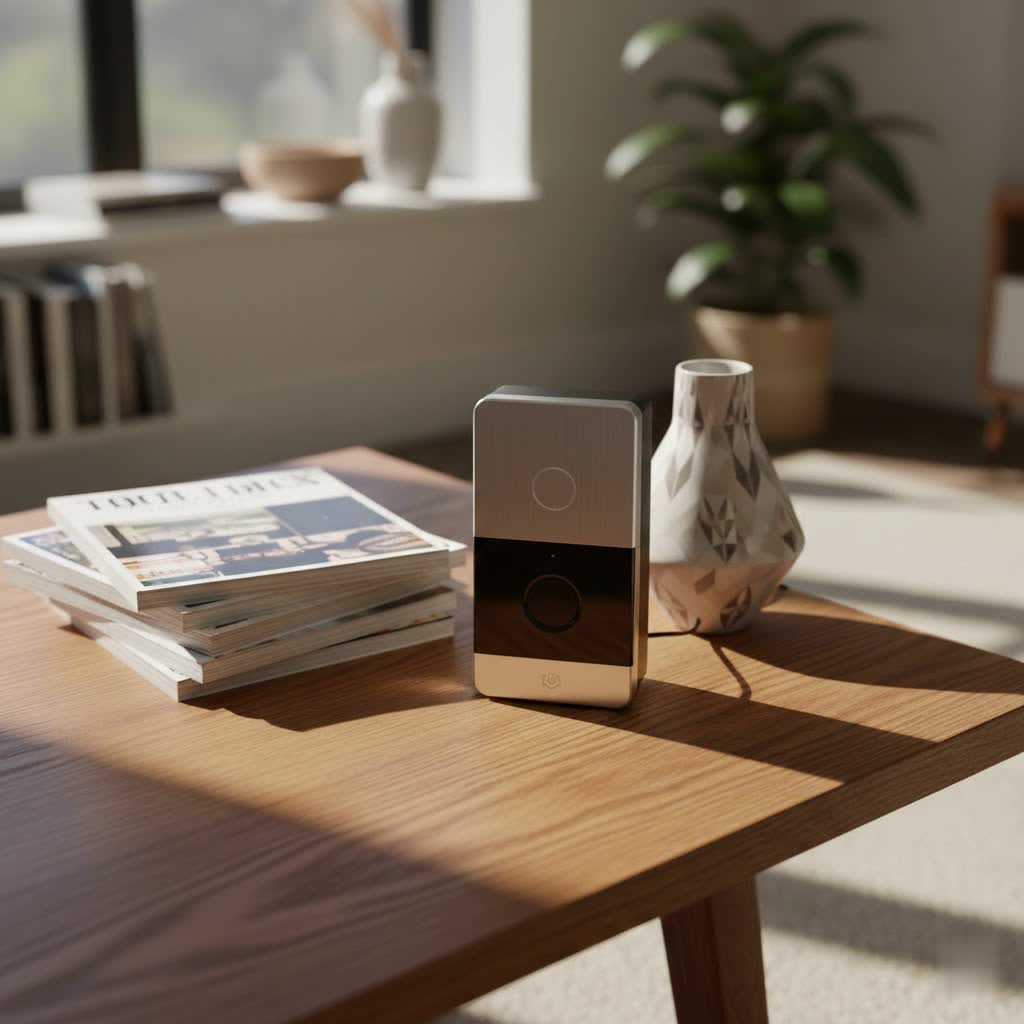
What is a Video Doorbell and Why You Need One?
A video doorbell is a smart device that integrates a camera, microphone, and speaker into a traditional doorbell, connecting to your home’s Wi-Fi network. When someone approaches your door or presses the doorbell button, it sends an alert to your smartphone or tablet, allowing you to see, hear, and speak to visitors from anywhere, even if you’re not home.
The benefits of integrating a video doorbell into your home security system are numerous and transformative. Primarily, it offers enhanced security by providing visual monitoring of your entryway, acting as a deterrent to potential intruders and package thieves. You gain unparalleled convenience, answering your door remotely whether you’re in the backyard or across the globe. For families, it provides better control and awareness, allowing you to see when children arrive home from school or who is visiting when you’re busy. Common situations where a video doorbell proves invaluable include receiving deliveries, screening solicitors, monitoring for suspicious activity, or simply communicating with friends and family without physically opening the door.
Exploring SkyBell Video Doorbells: Models and Core Features
SkyBell has been a significant innovator in the video doorbell market, initially pioneering some of the features now considered standard. While they have traditionally focused on partnerships with home security providers, their devices remain robust and feature-rich, often integrated into professional monitoring systems like Alarm.com and Total Connect.
SkyBell offers a focused lineup, primarily featuring two main design approaches with some generational updates:
-
SkyBell HD: This model, while an earlier iteration, set a high standard. It delivers crisp 1080p HD video at 30 frames per second, ensuring smooth footage. Its standout feature is a 180-degree field of view, allowing you to see virtually everything at your doorstep. It also boasts excellent color night vision and clear two-way audio. The SkyBell HD is typically a wired installation, replacing your existing doorbell.
-
SkyBell Trim Plus / Slimline: Designed with aesthetics and narrower doorframes in mind, the Trim Plus offers a slimmer profile. It also provides 1080p HD video, though some earlier versions had a lower frame rate of 15fps compared to the HD model. Like the HD, it includes a 180-degree field of view, color night vision, and two-way audio. The Trim Plus is often hardwired but some variants offer battery power, providing more flexible installation options for homes without existing doorbell wiring or those seeking simpler setup.
-
SkyBell Trim II Pro: This represents the latest advancements, building on the Trim Plus design. It enhances connectivity with dual-band Wi-Fi (2.4 and 5.0 GHz) for more reliable performance. Motion detection receives an upgrade, capable of detecting human bodies and faces, and offering more granular control over motion zones to reduce false alerts. It is primarily a wired device, ensuring consistent power.
Core Features Across SkyBell Models:
Regardless of the specific model, SkyBell video doorbells consistently deliver a strong set of core functionalities:
- High-Quality HD Video: All models offer 1080p HD resolution, providing clear and detailed images of your front door activity. Many also include up to 5x digital zoom to scrutinize details.
- Expansive 180-Degree Field of View: This wide-angle lens ensures you capture a broad perspective, from head-to-toe visitors to packages placed on the ground.
- Advanced Color Night Vision: A significant differentiator, SkyBell excels in providing full-color night vision, allowing for better identification of people and objects in low-light conditions compared to standard black-and-white infrared.
- Crystal-Clear Two-Way Audio: Equipped with omnidirectional microphones, SkyBell doorbells enable natural, lag-free conversations with visitors, often praised for their superior audio quality and noise suppression.
- Intelligent Motion Detection: These devices are programmed to detect movement at your door, triggering recordings and sending instant alerts to your smartphone, even if the bell isn’t rung. Newer models like the Trim II Pro offer more advanced human/face detection.
- Generous Free Cloud Storage: A major advantage for many users, SkyBell offers 7 days of free cloud storage for recorded video clips, eliminating the need for mandatory monthly subscription fees for basic video history access.
- Seamless Smart Home Integrations: SkyBell devices are designed to fit into your smart home ecosystem, integrating with platforms like Amazon Alexa and Google Assistant for voice control and alerts. They also support IFTTT for custom automations and are frequently part of security systems like Alarm.com and Total Connect 2.0.
- Durable and Weatherproof Design: Built to withstand the elements, SkyBell doorbells are designed for outdoor installation and reliable operation in various weather conditions.
- Quiet Mode: A convenient feature that allows users to silence the indoor chime from the app, perfect for napping babies or sensitive pets.
SkyBell vs. The Competition: A Head-to-Head Comparison
While SkyBell offers robust performance, the video doorbell market is competitive, with major players like Ring, Arlo, Eufy, and Google Nest each bringing unique strengths. Understanding these differences can help you make an informed decision.
SkyBell’s Key Differentiators:
- Free Cloud Storage: This is arguably SkyBell’s most compelling advantage. While most competitors require a monthly subscription for recorded video access, SkyBell provides 7 days of cloud storage at no additional cost. This offers significant long-term savings.
- Exceptional Color Night Vision: SkyBell’s ability to provide clear, full-color video even in complete darkness is often superior to many rivals that rely on monochromatic infrared night vision.
- Superior Two-Way Audio: Many users find SkyBell’s two-way audio quality to be crystal clear and highly reliable, making conversations more natural and effective.
- Slim Design: Models like the Trim Plus are specifically designed for narrower doorframes, offering an aesthetic advantage and easier fit in confined spaces where bulkier doorbells may not work.
Where Competitors May Excel (and how SkyBell compares):
- Variety of Models and Power Options: Brands like Ring and Eufy offer a broader range of battery-powered models, providing more flexibility for homes without existing doorbell wiring. While SkyBell’s Trim Plus offers a battery option, many SkyBell units are primarily hardwired.
- Advanced AI Features: Google Nest, Ring (with subscription), and Eufy (often without subscription) frequently boast more sophisticated AI, such as highly refined person, package, and even facial detection. While the SkyBell Trim II Pro is catching up with human/face detection and customizable zones, these features might be more mature or widely available in competitors’ ecosystems.
- App Experience and Ecosystem: Ring and Google Nest have vast, deeply integrated smart home ecosystems and highly polished apps, which can offer a more seamless experience for users already invested in those brands. SkyBell’s app, while functional, might feel less intuitive to some compared to these market giants.
Comparison Table: SkyBell HD vs. SkyBell Trim II Pro vs. Key Competitors
| Feature | SkyBell HD | SkyBell Trim II Pro | Ring Video Doorbell 4 | Eufy Video Doorbell 2K (Wired) |
|---|---|---|---|---|
| Resolution | 1080p HD | 1080p HD | 1080p HD | 2K HD |
| Field of View | 180° | 180° | 160° horizontal, 84° vertical | 160° horizontal, 90° vertical |
| Night Vision | Full Color | Full Color | Color (with spotlight) | Black & White (with spotlight) |
| Power Source | Wired (10-36 VAC) | Wired (10-36 VAC) | Battery or Wired | Wired (16-24 VAC) |
| Cloud Storage | 7 Days Free | 7 Days Free | Subscription Required | Local (via HomeBase) |
| Key AI Features | Motion Detection | Human/Face Detection, Motion Zones | Advanced Motion Detection, Custom Zones | Human Detection, Activity Zones |
| Integrations | Alexa, Google, IFTTT, Alarm.com | Alexa, Google, IFTTT, Alarm.com | Alexa, Ring Ecosystem | Google, Alexa, HomeKit (via HomeBase) |
| Design | Puck-shaped, larger | Slim, sleek | Standard doorbell size | Slim, modern |
Note: Features and pricing are subject to change by manufacturers. This table provides a general comparison based on typical models.
Choosing Your SkyBell Video Doorbell: A Comprehensive Buying Guide
Selecting the right video doorbell involves more than just picking a brand. It’s about matching a device’s capabilities to your unique home, lifestyle, and security priorities.
1. Identify Your Usage Needs
Start by asking yourself what your primary motivation is for getting a video doorbell:
- Enhanced Security: Are you concerned about package theft, potential intruders, or simply wanting to monitor your front door? SkyBell’s high-quality video, color night vision, and motion alerts are strong for this.
- Convenience: Do you want to screen visitors, communicate with delivery people, or answer the door when you’re not home? Two-way audio and remote access are key.
- Guest Management: Do you frequently have visitors, or need to manage access for service providers? Integration with smart locks could be beneficial.
- Location: Where will the doorbell be installed? If you have a narrow doorframe, a slim model like the SkyBell Trim Plus or Trim II Pro is crucial.
|
Our Picks for the Best Video Doorbell in 2026
As an Amazon Associate I earn from qualifying purchases.
|
||
| Num | Product | Action |
|---|---|---|
| 1 | Blink Video Doorbell (newest model) – Head-to-toe HD view, two-year battery life, and simple setup. Sync Module Core included – System (Black) |

|
| 2 | Ring Battery Doorbell (newest model), Home or business security with Head-to-Toe video, Live View with Two-Way Talk, and Motion Detection & Alerts, Venetian Bronze |
|
| 3 | Tapo by TP-Link Smart Video Doorbell Camera Wireless with Chime, 2K with Full Color Night Vision & Spotlights, No Monthly Fee, Ring Call, 160° Ultra-Wide View, Free AI Detection, Local Storage,D210 |
|
| 4 | Ring Indoor Cam, Home or business security in 1080p HD video, White |
|
| 5 | Blink Outdoor 4 – Wireless smart security camera, two-year battery life, 1080p HD day and infrared night live view, two-way talk. Sync Module Core included – 2 camera system |
|
| 6 | Blink Video Doorbell (newest model) – Head-to-toe HD view, two-year battery life, and simple setup. Required Sync Module not included – Add-On (White) |
|
| 7 | Noorio Wireless Doorbell Camera with Rechargeable Battery, 2K+ Resolution, 2-Way Audio, Color Night Vision, AI Motion Detection, Smart Video Doorbell Works with Alexa, D110 |
|
| 8 | Ring Battery Doorbell (newest model), Home or business security with Head-to-Toe video, Live View with Two-Way Talk, and Motion Detection & Alerts, Satin Nickel |
|
| 9 | Blink Mini 2 — Home Security & Pet Camera with HD video, color night view, motion detection, two-way audio, and built-in spotlight — 1 camera (White) |
|
| 10 | NariOrbi WiFi Video Doorbell Camera with Human Detection, Battery Powered, Night Vision, 2-Way Talk, 2.4G WiFi, Cloud Storage |
|
2. Key Factors to Consider When Selecting
Once you know your needs, evaluate these technical aspects:
- Video and Audio Quality:
- Resolution: 1080p HD (standard for SkyBell) is excellent for clear identification.
- Field of View: SkyBell’s 180-degree view is ideal for comprehensive coverage.
- Night Vision: SkyBell’s color night vision is a significant advantage over black-and-white.
- Two-Way Talk: Ensure clear, lag-free audio. SkyBell generally performs well here.
- Connectivity and Compatibility:
- Wi-Fi Stability: Look for models with dual-band Wi-Fi (like Trim II Pro) for better connectivity. Ensure your home Wi-Fi signal is strong at the installation point.
- Smart Home Ecosystem: Does it integrate with your existing smart devices (Alexa, Google Assistant, IFTTT, specific security systems)? SkyBell is well-connected.
- Power Source:
- Wired: Most SkyBell models are hardwired, requiring existing doorbell wiring (10-36 VAC). This provides continuous power and reliable operation without battery worries.
- Battery: If you don’t have existing wiring or prefer easier installation, confirm if a specific model (like some Trim Plus variants) offers a battery option.
- Durability and Weather Resistance: Choose a model designed to withstand your local climate. All SkyBell doorbells are built for outdoor use.
- Storage Options: SkyBell’s 7 days of free cloud storage is a major selling point, saving you recurring subscription costs.
- Advanced Features: Consider if features like customizable motion zones, human/face detection, or pre-buffered recording (capturing moments before a trigger) are important to you.
- Design and Aesthetics: The physical size and finish (e.g., silver, bronze) should complement your home’s exterior. The Trim series offers a sleek, modern look.
3. Installation and Usage Tips
Proper installation and ongoing maintenance are crucial for optimal performance:
- Optimal Placement: Mount your SkyBell at a height and angle that provides the best view of your visitors’ faces and any packages on the ground, typically around 48 inches from the ground. Consider wedge kits if your door is at an angle.
- Wiring Check: Before purchasing, verify your existing doorbell wiring’s voltage (typically 10-36 VAC) to ensure compatibility with wired SkyBell models.
- Wi-Fi Strength: A strong, stable Wi-Fi connection is paramount. Test the signal strength at your doorbell’s location before installation. If weak, consider a Wi-Fi extender.
- App Setup: Follow the in-app instructions for setup. Link your SkyBell to your smart home hubs and voice assistants for maximum convenience.
- Motion Sensitivity: Adjust motion detection sensitivity and define activity zones (if available on your model) to minimize false alerts from passing cars or swaying trees, while still capturing important events.
- Regular Cleaning: Periodically clean the camera lens and motion sensor with a soft cloth to ensure clear video quality and accurate detection.
- Firmware Updates: Keep your SkyBell’s firmware updated through the app to benefit from new features, performance improvements, and security patches.
- Utilize Quiet Mode: If you have children or pets sensitive to the chime, use the app’s quiet mode to silence the indoor bell, relying on phone notifications instead.
Troubleshooting Common SkyBell Video Doorbell Issues
Even with high-quality devices like SkyBell, occasional issues can arise. Here are some common problems and straightforward solutions:
- Connectivity Problems (Wi-Fi Drops, App Lag):
- Issue: Your SkyBell frequently disconnects from Wi-Fi or the live feed experiences significant delay. This was more common with older SkyBell HD models.
- Solutions:
- Check Wi-Fi Signal: Use a Wi-Fi analyzer app on your phone at the doorbell’s location. If the signal is poor, consider repositioning your router or adding a Wi-Fi extender.
- Router Interference: Other devices on your network or neighboring Wi-Fi networks can cause interference. Try changing your router’s Wi-Fi channel.
- Power Cycle: Power cycle your router, modem, and the SkyBell doorbell (usually by toggling its breaker or disconnecting power for a minute).
- Firmware/App Updates: Ensure both your SkyBell’s firmware and the mobile app are updated to the latest versions.
- Motion Detection Sensitivity Issues (False Alerts or Missing Events):
- Issue: The doorbell sends too many notifications for non-threats (cars, pets, swaying branches) or fails to detect actual visitors.
- Solutions:
- Adjust Sensitivity: In the SkyBell app settings, reduce the motion detection sensitivity.
- Define Activity Zones: If your model (like Trim II Pro) supports it, set up specific motion zones to ignore high-traffic areas outside your property line.
- Clear Obstructions: Ensure no trees, bushes, or other objects are directly in the motion sensor’s field of view that could trigger false alerts.
- Check Placement: If missing events, ensure the doorbell is mounted at an optimal height and angle to capture people approaching.
- Video Quality Problems (Blurry Footage, Poor Night Vision):
- Issue: Video appears unclear, grainy, or night vision isn’t performing as expected.
- Solutions:
- Clean the Lens: Dust, dirt, or water spots on the camera lens can significantly impact image quality. Gently clean it with a microfiber cloth.
- Check Internet Bandwidth: Low upload speeds can affect video streaming quality. Test your internet speed, especially upload.
- Power Supply: For wired models, an inadequate power supply can sometimes affect camera performance. Ensure correct voltage.
- App Settings: Verify video quality settings in the app; ensure it’s not set to a lower resolution to save bandwidth.
- Audio Problems (Muffled Sound, One-Way Talk):
- Issue: Visitors can’t hear you clearly, or you can’t hear them, or audio is distorted.
- Solutions:
- App Volume: Check the volume settings within the SkyBell app.
- Microphone/Speaker Obstructions: Ensure no debris is blocking the microphone or speaker on the doorbell unit.
- Network Latency: Audio issues can sometimes be related to network lag, similar to video connectivity problems.
- Test on Different Device: Try communicating through the doorbell using a different smartphone or tablet to rule out device-specific issues.
- When to Contact Support:
- If you’ve exhausted all basic troubleshooting steps and the problem persists, or if you suspect a hardware malfunction, it’s time to contact SkyBell customer support or your security system provider for further assistance.
The SkyBell video doorbell stands out for its robust hardware, excellent video and audio capabilities, and the significant value proposition of its free cloud storage. While its market presence has evolved, its core strengths make it a compelling choice for enhancing your home’s security and convenience. By understanding its features, comparing it with alternatives, and applying smart usage practices, you can confidently choose a SkyBell model that perfectly integrates into your smart home and provides enduring peace of mind.
Frequently Asked Questions
Is SkyBell better than Ring?
“Better” is subjective and depends on your needs. SkyBell often excels with its superior color night vision and 7 days of free cloud storage, making it cost-effective for video history. Ring offers a wider product range and a more extensive smart home ecosystem, though often requires a subscription for full features.
Does SkyBell require a monthly subscription?
No, SkyBell does not require a monthly subscription for its core features, including live streaming, two-way audio, and 7 days of recorded video cloud storage. This is a significant advantage over many competitors who charge recurring fees for these services.
Can SkyBell record 24/7?
SkyBell doorbells typically record events triggered by motion or a button press. They do not generally offer continuous 24/7 recording like some premium wired doorbells (e.g., Google Nest Doorbell with a subscription). However, the pre-buffering feature helps capture activity just before an event.
How easy is it to install a SkyBell video doorbell?
Installation for wired SkyBell models is generally straightforward if you have existing doorbell wiring and some basic DIY skills. It involves replacing your old doorbell. Some Trim Plus variants offer battery power, simplifying installation further as they don’t require existing wiring.
Does SkyBell have color night vision?
Yes, all SkyBell video doorbell models feature full-color night vision. This allows you to see visitors and surroundings in vivid color, even in low-light conditions, providing a clearer and more detailed picture than traditional black-and-white infrared night vision.
What smart home systems work with SkyBell?
SkyBell video doorbells integrate with popular smart home platforms like Amazon Alexa and Google Assistant for voice control and alerts. They also support IFTTT for custom automations and are frequently integrated into professional home security systems such as Alarm.com and Total Connect 2.0.
What is the difference between SkyBell HD and Trim Plus?
The SkyBell HD is typically a larger, puck-shaped wired device, known for its 1080p video at 30 frames per second. The SkyBell Trim Plus (or Slimline) features a slimmer design, making it suitable for narrower doorframes. While both offer 1080p video and color night vision, some earlier Trim Plus models had a lower frame rate of 15fps, and it sometimes offers a battery-powered option alongside wired installation.
