The quest for a truly secure and convenient front door experience often leads homeowners to the sophisticated world of video doorbells. Among the myriad options, the Ring Video Doorbell Pro 2 stands out as a premium choice, promising cutting-edge features and unparalleled peace of mind. But with a higher price tag and specific installation requirements, understanding its capabilities and whether it aligns with your home’s needs is crucial. This comprehensive guide will delve deep into the Ring Video Doorbell Pro 2, helping you navigate its advanced functionalities, compare it with other models, and determine if it’s the right fit to safeguard your entryway.
What is a Video Doorbell and Why Do You Need One?
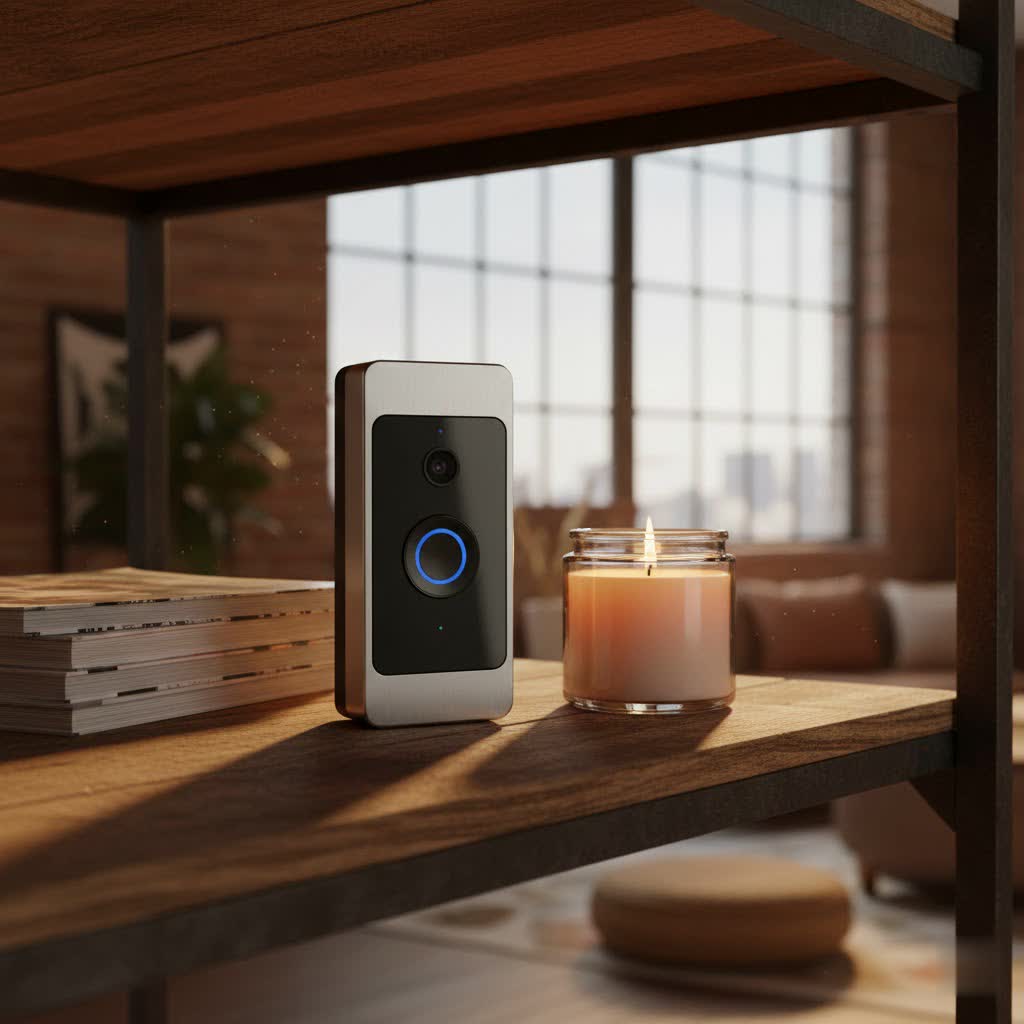
A video doorbell is a smart home device equipped with a camera, microphone, and speaker, allowing you to see, hear, and speak to visitors at your door from anywhere using a smartphone, tablet, or PC. It effectively transforms your traditional doorbell into a vigilant security guard, providing real-time alerts and recordings of activity on your property.
The benefits of integrating a video doorbell into your home security system are manifold. Primarily, it significantly enhances security by allowing you to screen visitors remotely, deter potential package thieves, and monitor your entryway 24/7. This visual verification can be invaluable for identifying suspicious activity or verifying callers without opening your door. Beyond security, a video doorbell offers immense convenience. Whether you’re at work, on vacation, or simply in another room, you can answer the door, communicate with delivery drivers, or provide instructions to guests. This level of control empowers you to manage your home’s access and monitor activity effortlessly, ensuring you never miss an important visitor or a crucial delivery. Common use cases include receiving package drop-off notifications, monitoring children arriving home from school, and even catching unexpected wildlife visitors.
Exploring the Ring Video Doorbell Pro 2: Features and Innovations
The Ring Video Doorbell Pro 2 is engineered to offer a superior front-door monitoring experience, packed with several industry-leading features that distinguish it from its predecessors and competitors.
One of its most compelling advancements is the 1536p HD Head-to-Toe Video with Color Night Vision. Unlike many doorbells that offer a limited horizontal view, the Pro 2’s unique 1:1 aspect ratio and expansive 150-degree horizontal and vertical field of view capture a complete picture, from packages on your doorstep to the top of a tall visitor’s head. This comprehensive view ensures you don’t miss crucial details. When darkness falls, its color night vision activates, providing clearer, more detailed footage than traditional black-and-white night vision, which is vital for identifying individuals or objects in low-light conditions. The 6-second advanced pre-roll feature also captures video before a motion event is even triggered, giving you full context of what led to an alert.
The Pro 2 introduces revolutionary 3D Motion Detection and Bird’s Eye View. Utilizing radar technology, 3D Motion Detection accurately senses the distance and trajectory of visitors, allowing for more precise motion alerts and significantly reducing false alarms caused by passing cars or distant movements. Complementing this, the Bird’s Eye View feature provides an aerial map of your property within the Ring app, showing the exact path a visitor took before approaching your door. This innovative perspective adds an extra layer of context to motion events, offering unparalleled insights into activity around your home.
Enhanced Two-Way Talk with Noise Cancellation and Alexa Greetings elevate communication. The improved audio system filters out background noise and distortion, ensuring crystal-clear conversations with visitors through the Ring app. Furthermore, Alexa Greetings allows you to set pre-recorded messages for your doorbell to deliver when you can’t answer, perfect for directing delivery drivers or greeting guests with personalized instructions. This hands-free interaction adds a layer of convenience and professionalism.
The Ring Video Doorbell Pro 2 is a hardwired device, meaning it requires existing doorbell wiring for power. This design choice provides continuous power, eliminating the need for battery recharging and ensuring consistent, reliable performance. You’ll never have to worry about a dead battery compromising your security. Additionally, its Dual-Band Wi-Fi (supporting both 2.4GHz and 5GHz networks) ensures a more stable and faster connection to your home network, reducing latency and improving live view quality. Its seamless integration with the Alexa ecosystem means you can view live feeds on Echo Show devices, receive announcements, and incorporate it into smart home routines, making your home truly interconnected.
Ring Video Doorbell Pro 2 vs. Other Popular Models
Choosing a video doorbell can be daunting, given the variety of options available. The Ring Video Doorbell Pro 2 carves out a niche with its premium features, but understanding how it stacks up against other Ring models, particularly wired versus battery options, is essential.
Wired vs. Battery: Ring’s Approach
Ring offers a mix of wired and battery-powered video doorbells, each catering to different installation preferences and performance expectations. The Ring Video Doorbell Pro 2 is strictly a hardwired device.
- Pros of Wired (Pro 2): Hardwiring provides continuous power, meaning no battery changes or recharging downtime. This results in more reliable performance with features like 24/7 recording (with a subscription) and instant alerts. Wired connections typically offer more stable Wi-Fi connectivity and can support more advanced features requiring consistent power. The Pro 2’s slim design is also a direct benefit of its hardwired nature.
- Cons of Wired (Pro 2): The primary drawback is the installation requirement. You must have existing doorbell wiring (16-24VAC), which might not be present in all homes, or may require professional electrical work. This limits placement flexibility.
- Pros of Battery Models (e.g., Ring Battery Doorbell Plus): These offer significant installation flexibility, as they don’t require existing wiring and can be mounted almost anywhere. Their quick-release battery packs make recharging relatively easy.
- Cons of Battery Models: While convenient, battery-powered doorbells generally offer less consistent performance compared to wired ones. Battery life needs regular monitoring and recharging, which can lead to downtime. They might also lack some of the most advanced, power-intensive features found in wired models, though newer battery models are closing the gap in video resolution.
|
Our Picks for the Best Video Doorbell in 2026
As an Amazon Associate I earn from qualifying purchases.
|
||
| Num | Product | Action |
|---|---|---|
| 1 | Ring Battery Doorbell (newest model), Home or business security with Head-to-Toe video, Live View with Two-Way Talk, and Motion Detection & Alerts, Satin Nickel |

|
| 2 | Blink Outdoor 4 – Wireless smart security camera, two-year battery life, 1080p HD day and infrared night live view, two-way talk. Sync Module Core included – 2 camera system |
|
| 3 | Blink Mini 2 — Home Security & Pet Camera with HD video, color night view, motion detection, two-way audio, and built-in spotlight — 1 camera (White) |
|
| 4 | Noorio Wireless Doorbell Camera with Rechargeable Battery, 2K+ Resolution, 2-Way Audio, Color Night Vision, AI Motion Detection, Smart Video Doorbell Works with Alexa, D110 |
|
| 5 | Ring Battery Doorbell (newest model), Home or business security with Head-to-Toe video, Live View with Two-Way Talk, and Motion Detection & Alerts, Venetian Bronze |
|
| 6 | Ring Indoor Cam, Home or business security in 1080p HD video, White |
|
| 7 | Blink Video Doorbell (newest model) – Head-to-toe HD view, two-year battery life, and simple setup. Sync Module Core included – System (Black) |
|
| 8 | Tapo by TP-Link Smart Video Doorbell Camera Wireless with Chime, 2K with Full Color Night Vision & Spotlights, No Monthly Fee, Ring Call, 160° Ultra-Wide View, Free AI Detection, Local Storage,D210 |
|
| 9 | Blink Video Doorbell (newest model) – Head-to-toe HD view, two-year battery life, and simple setup. Required Sync Module not included – Add-On (White) |
|
| 10 | NariOrbi WiFi Video Doorbell Camera with Human Detection, Battery Powered, Night Vision, 2-Way Talk, 2.4G WiFi, Cloud Storage |
|
While some newer battery-powered Ring doorbells, like the Ring Battery Doorbell Pro, now offer 1536p video, they often still lack the radar-powered 3D Motion Detection and Bird’s Eye View that are exclusive to the Pro 2, which requires the consistent power of a wired connection.
Pro 2 vs. Previous Generations (Ring Video Doorbell Pro)
The Ring Video Doorbell Pro 2 serves as a significant upgrade to its predecessor, the original Ring Video Doorbell Pro. While both are hardwired and share the core functionality of smart doorbells, the Pro 2 introduces several enhancements:
- Resolution: The Pro 2 boasts 1536p HD video, a notable jump from the original Pro’s 1080p. This higher resolution provides a sharper, more detailed image.
- Field of View: The Pro 2 offers a 1:1 aspect ratio with a 150×150-degree field of view, providing crucial head-to-toe coverage that the older Pro lacked. This means you’re more likely to see packages directly below the doorbell.
- Motion Detection: The Pro 2’s radar-powered 3D Motion Detection and Bird’s Eye View are entirely new, offering superior accuracy and context compared to the standard customizable motion zones of the original Pro.
- Audio Quality: The Pro 2 features enhanced audio with noise and distortion cancellation, improving two-way conversations.
- Connectivity: The Pro 2 includes dual-band Wi-Fi (2.4GHz and 5GHz) for more stable connections.
Why Upgrade? For users prioritizing the absolute best in video clarity, comprehensive viewing angles, and the most advanced, precise motion detection technology, the Pro 2 offers a compelling upgrade. The ability to see packages at your feet and track visitor paths with Bird’s Eye View adds significant value for enhanced security and awareness. If you are deeply integrated into the Alexa ecosystem and desire the latest smart features, the Pro 2 provides a more robust and future-proof experience.
Installation Guide: Setting Up Your Ring Video Doorbell Pro 2
Installing the Ring Video Doorbell Pro 2 requires a bit of DIY aptitude, mainly because it’s a hardwired device. However, with the right preparation and steps, it’s a manageable task.
Pre-installation Checklist
Before you begin, ensure you have the following:
- Existing Doorbell Wiring: The Pro 2 requires a transformer supplying 16-24VAC. Confirm your existing doorbell system meets these specifications. If you’re unsure, consulting an electrician is recommended.
- Tools: A screwdriver (Phillips and flathead), a drill (if mounting on masonry), and potentially wire nuts and extenders.
- Ring App: Download the Ring app on your smartphone or tablet.
- Wi-Fi Network: A stable 2.4GHz or 5GHz Wi-Fi network at your installation location.
The most critical safety step is to turn off the power to your existing doorbell at the circuit breaker. This prevents electrical shock during installation. Test your existing doorbell button after flipping the breaker to confirm the power is off.
Step-by-Step Installation
- Locate Your Chime: Find your existing doorbell chime inside your home.
- Install the Pro Power Kit: Turn off power at the breaker. Open your chime cover and install the included Pro Power Kit. This small device connects to your chime’s “Front” and “Trans” terminals, ensuring the Pro 2 receives consistent power. Re-tighten terminals and replace the chime cover, positioning the power kit inside without interfering with the cover.
- Remove Your Old Doorbell: Uninstall your existing doorbell button from the wall. Disconnect its wires, making sure they don’t fall back into the wall.
- Connect the Ring Video Doorbell Pro 2: Remove the faceplate from your Pro 2. Connect the wires from your wall to the two terminals on the back of the Pro 2. The wiring order typically doesn’t matter for these two wires.
- Mount the Doorbell: Secure the Pro 2 to your wall or door frame using the provided screws. Ensure it’s level and tightly affixed.
- Restore Power: Go back to your circuit breaker and turn the power back on. The Pro 2 should light up and may begin a voice prompt indicating it’s powering on.
- In-App Setup: Open the Ring app, select “Set Up a Device,” and scan the QR code located on the side of your Pro 2 (under the faceplate) or on its packaging. Follow the on-screen instructions to connect the Pro 2 to your Wi-Fi network and customize its initial settings.
Important Considerations
- Corner Mount: The Pro 2 includes an optional corner mount. If your doorbell is positioned in a way that limits its view, installing the corner mount can angle the device for a better field of view and improved motion detection.
- Professional Help: If you are uncomfortable working with electrical wiring, it’s highly recommended to hire a qualified electrician for the installation to ensure safety and proper functionality. Ring also offers customer support to guide you through the process.
Maximizing Your Ring Video Doorbell Pro 2 Experience
The true power of the Ring Video Doorbell Pro 2 unfolds when you leverage its smart features and integrate it seamlessly into your daily life.
Understanding the Ring Protect Plan
While the Ring Video Doorbell Pro 2 offers live view and two-way talk functionality out of the box, accessing its full suite of features requires a Ring Protect subscription. This plan is essential for:
- Video History: Stores recorded videos from your doorbell in the cloud for up to 180 days, allowing you to review, download, and share events anytime. Without it, you only get live viewing.
- Smart Alerts: Enables advanced features like person-only mode (minimizing false alerts from vehicles or animals), rich notifications (snapshot previews directly in your phone notification), and package detection.
- Alexa Greetings & Quick Replies: Unlocks the ability for Alexa to greet visitors or for you to use pre-set quick replies.
The Ring Protect Basic plan typically covers one device for a monthly or annual fee, while the Ring Protect Plus plan covers all Ring devices at a single location and often includes professional monitoring for Ring Alarm systems. Weighing the cost against these advanced functionalities is key to getting the most out from your Pro 2.
Customizing Settings for Optimal Performance
The Ring app offers extensive customization options to fine-tune your Pro 2’s performance:
- Motion Zones: Precisely define specific areas within your camera’s field of view where you want motion detected. This helps reduce unwanted alerts from public sidewalks or neighboring properties.
- Motion Sensitivity: Adjust the sensitivity of the motion detection to catch more or fewer events.
- Privacy Zones: Designate areas within the camera’s view that should be excluded from recording to protect your neighbors’ privacy or specific parts of your property.
- Bird’s Eye Zones: Customize the aerial view area for the Bird’s Eye View feature to focus on relevant approach paths.
Spending time in the app to configure these settings will significantly enhance the accuracy of your alerts and streamline your monitoring experience.
Integration with Your Smart Home
The Ring Video Doorbell Pro 2 excels in integration, particularly within the Alexa ecosystem. You can:
- View Live Feed: Ask your Echo Show device to “Show me the front door” to instantly see a live video feed.
- Receive Announcements: Have Alexa announce when someone is at the door or when motion is detected.
- Smart Home Routines: Incorporate your Pro 2 into custom Alexa routines. For example, when motion is detected, have your smart lights turn on, or a specific message play. This seamless connectivity enhances both convenience and security throughout your smart home.
Common Issues and Troubleshooting for Ring Video Doorbell Pro 2
Even with advanced technology, you might encounter occasional issues with your Ring Video Doorbell Pro 2. Here are some common problems and how to troubleshoot them:
- Connectivity Issues (Wi-Fi): If your doorbell frequently disconnects or has poor live view quality, check your Wi-Fi signal strength in the Ring app (Device Health). Ensure your router is within range, and consider moving it or using a Wi-Fi extender. Dual-band Wi-Fi helps, but interference can still occur.
- False Motion Alerts: This is a common concern. Revisit your motion zone settings in the Ring app. Refine your detection zones to exclude areas with high traffic or moving trees. Adjusting motion sensitivity and enabling “Person Only” mode (with a Ring Protect plan) can significantly reduce unwanted notifications.
- Image or Audio Quality Problems: Ensure your lens is clean and free of smudges or cobwebs. For audio, check the volume settings in the app and ensure no obstructions are near the microphone or speaker. If the issue persists, a poor Wi-Fi connection can also impact streaming quality.
- No Power/Doorbell Not Working: Double-check that the power is on at your circuit breaker. Verify the Pro Power Kit is correctly installed at your chime and that all wiring connections at the doorbell and chime are secure. If your transformer isn’t providing sufficient voltage (16-24VAC), the doorbell may not function properly.
For more complex issues, Ring’s customer support is a valuable resource. They can often diagnose problems remotely or guide you through advanced troubleshooting steps. When simple fixes don’t work, don’t hesitate to reach out to them for expert assistance.
Conclusion
The Ring Video Doorbell Pro 2 stands as a testament to advanced home security, offering an impressive array of features designed to provide unparalleled awareness and control over your front door. Its 1536p HD head-to-toe video, radar-powered 3D Motion Detection, and seamless integration with the Alexa ecosystem position it as a top-tier choice for homeowners seeking robust protection and smart convenience. While its hardwired requirement and reliance on a Ring Protect subscription for full functionality are important considerations, the Pro 2 delivers consistent reliability and a truly immersive monitoring experience. For those ready to invest in premium security technology that offers a crystal-clear view and intelligent alerts, the Ring Video Doorbell Pro 2 justifies its position at the forefront of the market. Will this advanced guardian be the next smart addition to your home?
Frequently Asked Questions
Is Ring Video Doorbell Pro 2 wireless?
No, the Ring Video Doorbell Pro 2 is not wireless in terms of power. It is a hardwired device that requires existing doorbell wiring (16-24VAC) for continuous power. It does, however, connect to your home’s Wi-Fi network for data transmission and remote access.
Do I need a subscription for Ring Video Doorbell Pro 2?
While the Ring Video Doorbell Pro 2 can function without a subscription, a Ring Protect plan is necessary to unlock its full potential. Without it, you will only have access to live view and two-way talk, missing out on video recording history, smart alerts (like person detection), and features like Alexa Greetings.
What is 3D Motion Detection on the Pro 2?
3D Motion Detection uses radar technology to accurately detect motion by measuring the distance and trajectory of objects. This allows the Ring Video Doorbell Pro 2 to provide more precise alerts and significantly reduce false alarms caused by distant movements, offering a higher level of security intelligence.
What is the video resolution of the Ring Video Doorbell Pro 2?
The Ring Video Doorbell Pro 2 records in 1536p HD video, which provides exceptionally clear and detailed footage. It also features a 1:1 aspect ratio and a 150-degree horizontal and vertical field of view, ensuring you capture a complete head-to-toe perspective of your entryway.
Can I install Ring Video Doorbell Pro 2 myself?
Yes, many users can install the Ring Video Doorbell Pro 2 themselves if they have existing doorbell wiring and basic DIY skills. The Ring app provides step-by-step guidance. However, if you are uncomfortable with electrical wiring or lack existing compatible wiring, it is recommended to hire a professional electrician for a safe and proper installation.
