In today’s fast-paced world, securing your home’s entry point has never been more crucial. With a myriad of options flooding the market, choosing the right video doorbell can feel overwhelming. The Wyze Video Doorbell Pro emerges as a compelling contender, offering a rich blend of advanced features, flexible installation, and remarkable affordability. Designed to keep you connected and your home safe, this device transforms the traditional doorbell into a comprehensive smart security tool. Whether you’re looking to monitor deliveries, screen visitors, or simply enhance your peace of mind, the Wyze Video Doorbell Pro promises an intelligent and accessible solution.
What is a Video Doorbell and Why Do You Need One?
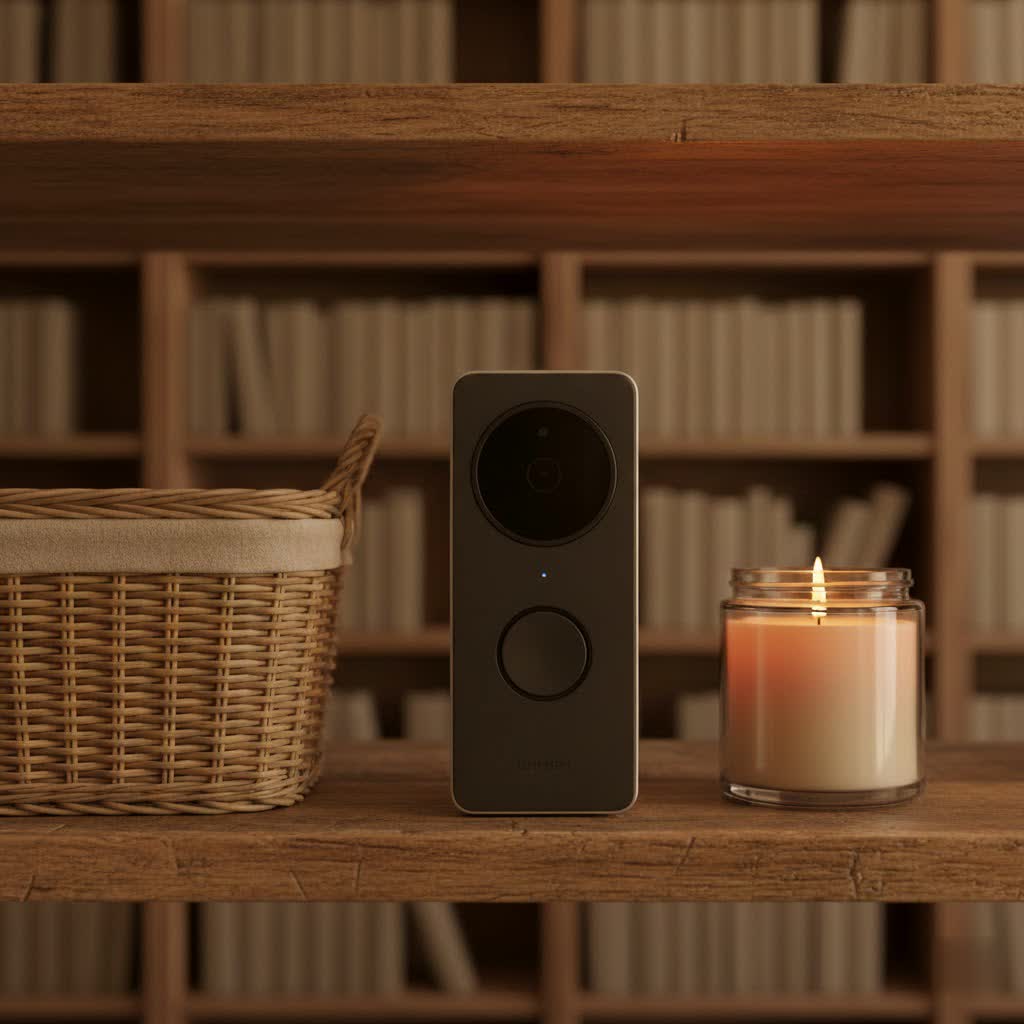
A video doorbell is a smart device equipped with a camera, microphone, and speaker, allowing you to see, hear, and speak to visitors at your front door from anywhere using your smartphone. It acts as a vigilant guardian, providing real-time alerts and recordings of activity outside your home, even when you’re not there.
The benefits of integrating a video doorbell into your home security setup are extensive. Primarily, it significantly enhances security by deterring potential intruders, recording suspicious activities, and allowing you to respond to unexpected guests remotely. This offers immense convenience, letting you manage deliveries, greet friends, or politely turn away unwanted solicitors without ever opening your door. Ultimately, a video doorbell provides unparalleled control over your entryway, giving you a clear view of who’s there and peace of mind knowing your home is monitored. Common usage scenarios range from identifying package thieves to verifying the identity of service personnel or simply keeping an eye on children arriving home from school.
Popular Types of Video Doorbells on the Market
The video doorbell landscape offers diverse options, primarily categorized by their connectivity and feature sets. Understanding these distinctions helps you pinpoint the best fit for your home.
Connectivity: Wired vs. Wireless Video Doorbells
Video doorbells are broadly classified by how they receive power and connect to your network.
- Wired Video Doorbells: These connect to your home’s existing doorbell wiring, drawing continuous power. They typically offer consistent performance without battery concerns and often provide advanced features like continuous recording or pre-roll (recording a few seconds before a detected event). However, installation can be more complex, sometimes requiring a compatible transformer, and they are limited to locations with existing wiring.
- Wireless Video Doorbells: Powered by rechargeable batteries, these devices offer maximum installation flexibility, as they don’t require existing wiring. This makes them ideal for homes without traditional doorbells or for mounting in unconventional spots. The main trade-off can be battery life management and potentially slower notification times compared to hardwired options.
|
Our Picks for the Best Video Doorbell in 2026
As an Amazon Associate I earn from qualifying purchases.
|
||
| Num | Product | Action |
|---|---|---|
| 1 | Blink Outdoor 4 – Wireless smart security camera, two-year battery life, 1080p HD day and infrared night live view, two-way talk. Sync Module Core included – 2 camera system |

|
| 2 | Ring Battery Doorbell (newest model), Home or business security with Head-to-Toe video, Live View with Two-Way Talk, and Motion Detection & Alerts, Venetian Bronze |
|
| 3 | Blink Video Doorbell (newest model) – Head-to-toe HD view, two-year battery life, and simple setup. Required Sync Module not included – Add-On (White) |
|
| 4 | NariOrbi WiFi Video Doorbell Camera with Human Detection, Battery Powered, Night Vision, 2-Way Talk, 2.4G WiFi, Cloud Storage |
|
| 5 | Blink Mini 2 — Home Security & Pet Camera with HD video, color night view, motion detection, two-way audio, and built-in spotlight — 1 camera (White) |
|
| 6 | Ring Battery Doorbell (newest model), Home or business security with Head-to-Toe video, Live View with Two-Way Talk, and Motion Detection & Alerts, Satin Nickel |
|
| 7 | Noorio Wireless Doorbell Camera with Rechargeable Battery, 2K+ Resolution, 2-Way Audio, Color Night Vision, AI Motion Detection, Smart Video Doorbell Works with Alexa, D110 |
|
| 8 | Tapo by TP-Link Smart Video Doorbell Camera Wireless with Chime, 2K with Full Color Night Vision & Spotlights, No Monthly Fee, Ring Call, 160° Ultra-Wide View, Free AI Detection, Local Storage,D210 |
|
| 9 | Blink Video Doorbell (newest model) – Head-to-toe HD view, two-year battery life, and simple setup. Sync Module Core included – System (Black) |
|
| 10 | Ring Indoor Cam, Home or business security in 1080p HD video, White |
|
The Wyze Video Doorbell Pro offers the best of both worlds, providing the convenience of wire-free installation with a long-lasting battery, alongside the option to hardwire it for continuous power and enhanced features like pre-roll recording. This adaptability makes it suitable for nearly any home setup.
Features: Basic vs. Advanced (AI) Video Doorbells
Beyond connectivity, video doorbells vary significantly in their functionalities.
- Basic Features: Most video doorbells include fundamental capabilities such as recording video upon motion detection or a doorbell press, two-way audio for communication with visitors, and push notifications to your smartphone. These core functions provide a solid foundation for entryway monitoring.
- Advanced Features: High-end models and subscription services unlock more sophisticated capabilities. These often include person detection, package detection, vehicle detection, and even pet detection, which uses AI to distinguish between different types of activity, reducing false alerts. Features like facial recognition, customizable motion zones, and integration with other smart home devices (like smart locks or lights) further enhance security and convenience. The Wyze Video Doorbell Pro, especially with a Cam Plus subscription, brings many of these advanced AI features to an accessible price point, allowing for more precise alerts and full-length video recordings.
Top Video Doorbell Brands for Home Security
The smart home security market is competitive, with several brands vying for your front door. Here’s a brief look at some leading names and how the Wyze Video Doorbell Pro stacks up.
- Ring: A pioneer in the smart doorbell space, Ring offers a wide range of devices known for their robust build and comprehensive ecosystem. Ring doorbells often provide excellent image quality and a broad feature set, though many advanced functionalities and cloud storage require a subscription to Ring Protect, which can be pricier.
- Arlo: Arlo is recognized for its high-quality wireless cameras and doorbells, often featuring superior video resolution and a sleek design. Like Ring, Arlo’s premium features and cloud storage typically necessitate a paid plan.
- Eufy: Eufy focuses on local storage options and a no-monthly-fee approach for core features, appealing to privacy-conscious users. Their doorbells often deliver solid performance and good value.
- Google Nest: Nest doorbells integrate seamlessly into the Google Home ecosystem, offering advanced AI features like familiar face detection and tight integration with Nest Hubs. They tend to be on the higher end of the price spectrum, and many features are locked behind a Nest Aware subscription.
- Wyze: Wyze has carved out a niche by offering feature-rich smart home devices at incredibly competitive prices. The Wyze Video Doorbell Pro exemplifies this, delivering high-resolution video, flexible installation, and smart detection capabilities for significantly less than many competitors. While some features are enhanced with the optional Wyze Cam Plus subscription, the base device still provides substantial value without mandatory ongoing costs for basic functionality.
Comparing the Wyze Video Doorbell Pro to these brands often highlights its strong value proposition. It often matches or exceeds basic functionalities of more expensive models while keeping advanced features affordable.
Comparison Table: Wyze Video Doorbell Pro vs. Other Leading Models
To help you make an informed decision, here’s a detailed comparison of the Wyze Video Doorbell Pro with some key competitors, focusing on critical technical specifications and features.
| Feature | Wyze Video Doorbell Pro | Ring Video Doorbell (2nd Gen) | Arlo Essential Video Doorbell Wire-Free | Google Nest Doorbell (Battery) |
|---|---|---|---|---|
| Resolution | 1440×1440 (2K) | 1080p HD | 1536×1536 HD (2K) | 1600×1200 HD (2K) |
| Field of View | 150° H x 150° V (1:1 aspect ratio) | 160° H, 90° V | 180° Diagonal | 145° Diagonal |
| Power Options | Battery-powered (up to 6 months) / Wired | Battery-powered / Wired | Battery-powered / Wired | Battery-powered / Wired |
| Dual-Band Wi-Fi | Yes (2.4/5GHz) | No (2.4GHz only) | Yes (2.4GHz only for initial setup) | Yes (2.4/5GHz) |
| Chime Included | Yes (Wi-Fi Extender Chime) | No (Echo device or separate chime) | Yes (Hub required for wired) | No (Nest Hub or separate chime) |
| AI Detection | Person, Package, Vehicle, Pet (Cam Plus) | Person, Package (Ring Protect) | Person, Package, Vehicle, Animal (Arlo Secure) | Person, Package, Animal (Nest Aware) |
| Cloud Storage | 12-sec clips (free, 14-day) / Unlimited (Cam Plus) | 30-day history (Ring Protect) | 30-day history (Arlo Secure) | 30-day history (Nest Aware) |
| Local Storage | No (for this model) | No | No | No |
| Voice Assistant | Alexa, Google Assistant | Alexa | Alexa, Google Assistant | Google Assistant, Alexa |
| Weather Resistance | IP65 | Weather resistant | IP65 | IP54 |
| Price (approx.) | Under $100 | $99 – $120 | $199 – $249 | $179 – $229 |
The Wyze Video Doorbell Pro stands out for its impressive 1440×1440 resolution and a unique 1:1 aspect ratio, providing a head-to-toe view of your doorstep, ensuring you see packages clearly on the ground. While some competitors might offer slightly richer colors or higher resolution in certain conditions, Wyze delivers a comprehensive view at an unbeatable price point. Its dual power options and included Wi-Fi Extender chime also offer significant practical advantages.
Choosing the Right Video Doorbell: A Comprehensive Buying Guide
Selecting the ideal video doorbell involves more than just picking the cheapest option. It requires a thoughtful assessment of your specific needs, home environment, and technological preferences.
Determine Your Usage Needs
Before diving into specifications, clarify what you primarily want your video doorbell to achieve.
- Main Purpose: Is your priority security (deterring crime, capturing evidence), convenience (remote communication, package monitoring), or guest management? For robust security with AI-driven alerts, a model like the Wyze Video Doorbell Pro with Cam Plus is beneficial.
- Installation Location: Where will the doorbell be placed? If you lack existing doorbell wiring, a battery-powered model offers greater flexibility. If you prefer continuous power and no battery maintenance, ensure your home has compatible wiring. The Wyze Video Doorbell Pro supports both wire-free installation and hardwired setups.
- Budget: Video doorbells range widely in price. Determine how much you’re willing to spend initially and for any potential subscription services. Wyze products are known for their affordability without sacrificing essential features.
Key Factors to Consider When Choosing
Once your needs are clear, evaluate these critical aspects:
- Image and Audio Quality: Look for high-resolution video (1080p or higher, like the Wyze Video Doorbell Pro’s 1440p) and a wide field of view to capture as much of your entryway as possible. Clear two-way audio is essential for effective communication. Night vision performance, often powered by infrared LEDs, is also crucial for 24/7 monitoring.
- Connectivity and Compatibility: Ensure the doorbell supports your home’s Wi-Fi network (2.4 GHz or dual-band 2.4/5GHz like the Wyze Video Doorbell Pro for more stable connections). Check for compatibility with your existing smart home ecosystem (e.g., Alexa, Google Assistant).
- Durability and Weather Resistance: Your doorbell will live outdoors, so it needs to withstand the elements. An IP65 weather resistance rating, such as that of the Wyze Video Doorbell Pro, indicates protection against dust and water jets.
- Battery Life (for Wireless): If opting for a battery-powered model, consider the advertised battery life (the Wyze Video Doorbell Pro boasts up to 6 months) and ease of recharging. Hardwired options eliminate this concern.
- Subscription Model and Storage: Many doorbells offer basic features for free but require a paid subscription for advanced AI detection, full-length video recording, and extended cloud storage. Compare these costs carefully. Wyze’s Cam Plus offers competitive pricing for these premium features.
- Chime Options: Does the doorbell come with a physical chime, or does it rely solely on app notifications or smart speakers? The Wyze Video Doorbell Pro includes a dedicated Wi-Fi Extender chime, a significant advantage.
- Privacy and Security: Research the brand’s reputation for data privacy and security practices.
Installation and Usage Tips
Proper installation and smart usage can maximize your video doorbell’s effectiveness.
- Optimal Placement: Install the doorbell at eye level or slightly above, ensuring the camera captures both visitors’ faces and any packages on the ground. Angled wedges (often included or sold separately) can adjust the view if your door is set back.
- Network Strength: Place your Wi-Fi router or the included Wi-Fi Extender chime (as with the Wyze Video Doorbell Pro) close enough to the doorbell for a strong, stable connection. This is vital for timely notifications and clear video streaming.
- App Setup: Follow the in-app instructions meticulously for pairing the device, connecting to Wi-Fi, and configuring settings. Customize notification preferences to avoid being overwhelmed by alerts.
- Battery Maintenance (for Wireless): If battery-powered, establish a routine for recharging. Monitor battery levels through the app and consider hardwiring if frequent recharging becomes inconvenient.
- Maximize Subscription Benefits: If you subscribe to a service like Wyze Cam Plus, make sure to enable all relevant AI detection features (person, package, pet detection) and customize motion zones to fine-tune alerts.
- Regular Updates: Keep your doorbell’s firmware and the accompanying app updated to ensure optimal performance, security, and access to the latest features.
Common Issues and Troubleshooting for Wyze Video Doorbell Pro
Even the most advanced smart devices can encounter occasional hiccups. Here are some common issues users might face with the Wyze Video Doorbell Pro and how to address them.
- Slow Notifications or Delayed Video:
- Check Wi-Fi Strength: A weak Wi-Fi signal is a primary culprit. Ensure your Wyze Video Doorbell Pro is within range of your router or the included Wi-Fi Extender Chime.
- Network Congestion: If many devices are using your Wi-Fi, it can slow down your doorbell. Using the dual-band (2.4GHz/5GHz) capability and connecting to the less congested 5GHz band might help.
- App Settings: Verify that notifications are enabled and not restricted by your phone’s power-saving settings.
- Router Reboot: Sometimes a simple router reboot can resolve connectivity issues.
- Video Quality Issues (Blurry, Choppy, Fisheye Effect):
- Resolution Settings: Ensure the video resolution is set to its highest (1440p) in the Wyze app.
- Wi-Fi Stability: Again, a stable Wi-Fi connection is crucial for smooth, high-quality video.
- Fisheye Effect: The Wyze Video Doorbell Pro’s 1:1 aspect ratio and 150-degree field of view are designed to capture a wider area, resulting in a slight fisheye distortion at the edges. This is a design characteristic, not a flaw, enabling a comprehensive head-to-toe view.
- Doorbell Not Recording Events or Missing Clips:
- Cam Plus Subscription: For full-length recordings, person, package, or other AI detections, a Wyze Cam Plus subscription is necessary. Without it, clips are typically limited to 12 seconds with a cool-down period.
- Detection Settings: In the Wyze app, check your motion detection sensitivity and ensure specific AI detections are enabled if you have Cam Plus.
- Cool-down Period: If not on Cam Plus, the doorbell has a cool-down period between recordings to conserve battery. Wired installation or Cam Plus eliminates this.
- Battery Draining Quickly:
- Frequent Motion: High traffic areas or frequent motion detection events will consume battery faster. Adjust motion sensitivity or define narrower motion zones to reduce unnecessary recordings.
- Temperature: Extreme cold can reduce battery performance.
- Hardwiring: For a permanent solution to battery concerns, hardwiring the Wyze Video Doorbell Pro provides continuous power.
- Doorbell Not Ringing the Chime:
- Chime Pairing: Ensure the included Wi-Fi Extender Chime is properly paired with the doorbell and plugged into a working outlet.
- Volume Settings: Check the chime’s volume settings in the Wyze app.
- Distance: The chime needs to be within a reasonable range (e.g., 30 feet) of both the doorbell and your Wi-Fi router.
If these basic troubleshooting steps don’t resolve the issue, consulting the Wyze support website or contacting their customer service for more advanced diagnostics is recommended.
Conclusion
The Wyze Video Doorbell Pro stands as an exceptional choice in the crowded smart doorbell market, especially for those seeking advanced features and flexible installation without breaking the bank. With its crisp 1440p video resolution, expansive 150-degree field of view, and the versatility of both wire-free and hardwired options, it delivers robust front door security. The included Wi-Fi Extender chime enhances connectivity and notification speed, while the optional Wyze Cam Plus subscription unlocks powerful AI-driven detection for people, packages, and more, all at a remarkably affordable price.
By balancing innovation with accessibility, the Wyze Video Doorbell Pro empowers homeowners to monitor their entryways with confidence and convenience. Considering its impressive performance and competitive value, upgrading your home security with this smart device is a decision that truly pays off. What aspect of the Wyze Video Doorbell Pro are you most excited to integrate into your smart home?
Frequently Asked Questions
What is the battery life of the Wyze Video Doorbell Pro?
The Wyze Video Doorbell Pro can last up to six months on a single charge, depending on usage frequency and environmental factors. This impressive battery life provides long-lasting, wire-free convenience for most households.
Does the Wyze Video Doorbell Pro require a subscription?
While core functionalities like live viewing and 12-second event clips with a 14-day rolling cloud storage are available for free, a Wyze Cam Plus subscription (starting at $1.99/month per camera) unlocks advanced AI features, full-length video recordings, and eliminates cooldown periods between events.
Can the Wyze Video Doorbell Pro be hardwired?
Yes, the Wyze Video Doorbell Pro offers flexible installation. It can be set up completely wire-free using its internal battery, or it can be hardwired to existing doorbell wiring for continuous power and additional features like pre-roll recording.
What is the resolution and field of view of the Wyze Video Doorbell Pro?
The Wyze Video Doorbell Pro records in 1440×1440 (2K) resolution with a unique 1:1 aspect ratio, providing a wide 150-degree horizontal and 150-degree vertical field of view. This ensures you can see visitors head-to-toe and packages on the ground clearly.
Is the Wyze Video Doorbell Pro compatible with smart home ecosystems?
Yes, the Wyze Video Doorbell Pro integrates with popular smart home platforms, including Amazon Alexa and Google Assistant. This allows you to view live feeds on compatible smart displays and incorporate it into your existing smart home routines for enhanced control.
