Stepping out your front door knowing exactly who’s approaching, even when you’re miles away, offers unparalleled peace of mind. In today’s smart home landscape, a video doorbell is more than a convenience; it’s a vital component of a robust security system. Among the myriad options, the Google Video Doorbell stands out, seamlessly blending advanced technology, intelligent design, and the power of Google’s AI to keep your home safe and connected. Whether you’re a first-time smart home owner or looking to upgrade your existing setup, understanding the capabilities of a Google video doorbell can transform your entryway security.
What is a Google Video Doorbell? Why Do You Need It?
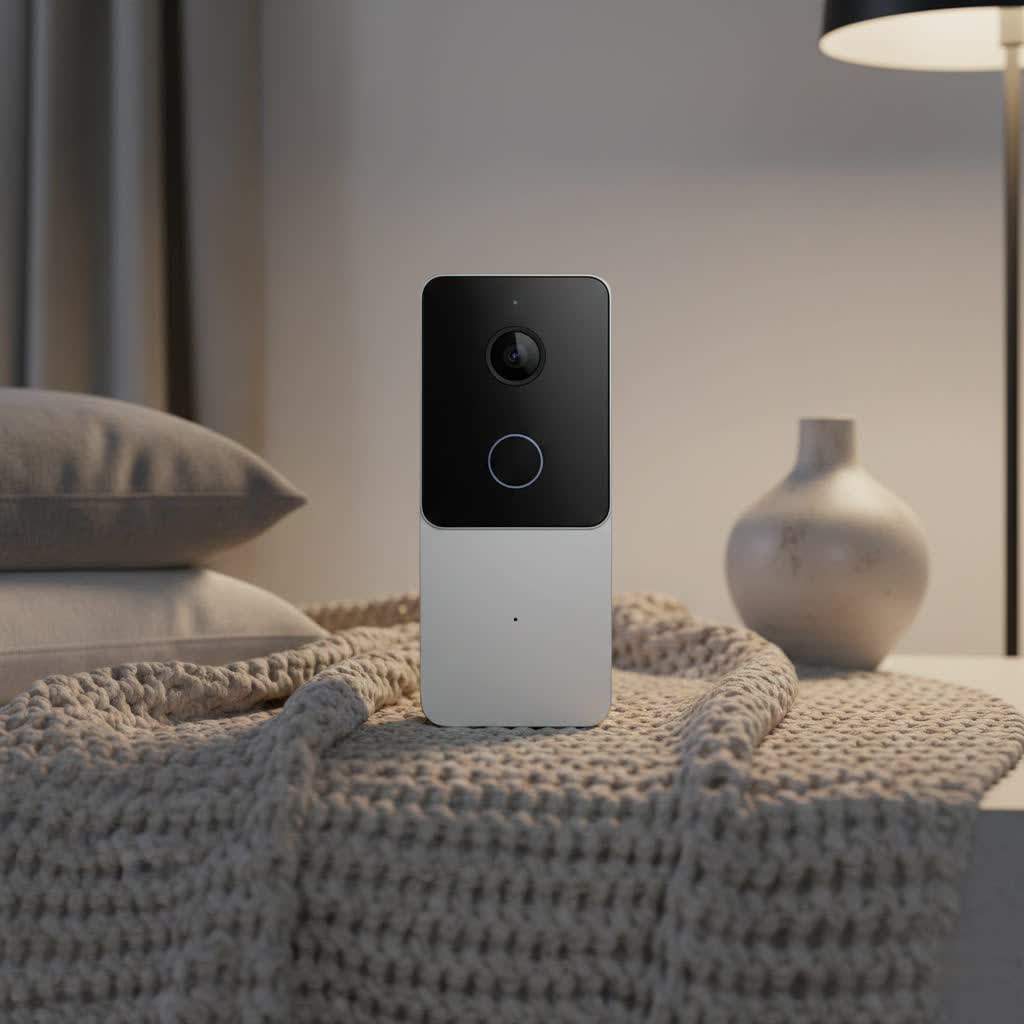
A Google Video Doorbell, typically part of the Google Nest ecosystem, is an internet-connected device with a camera, microphone, speaker, and motion sensor. It replaces your traditional doorbell, offering a window into your home’s exterior directly from your smartphone, smart display, or other compatible devices.
The necessity of a Google video doorbell stems from its multifaceted benefits, primarily enhancing security, convenience, and control over your home’s entry points.
- Enhanced Security: At its core, a Google video doorbell provides continuous surveillance of your doorstep. It detects activity, records video, and alerts you to visitors, packages, or suspicious movements. This proactive monitoring acts as a deterrent to potential intruders and provides crucial evidence if an incident occurs. With advanced features like person, animal, and vehicle detection, you receive meaningful alerts, minimizing false alarms.
- Unmatched Convenience: Imagine being able to answer your door from anywhere in the world. With two-way audio, you can speak to delivery drivers, greet guests, or deter unwanted solicitors, all through your phone. Google Nest Doorbells also integrate with Google Assistant-enabled speakers and displays, allowing visitor announcements and live video feeds directly on your smart screen.
- Complete Control and Monitoring: Whether you’re at work, on vacation, or simply in another room, a Google video doorbell keeps you informed. You can check live video feeds, review recorded event history, and customize detection zones and notification preferences through the intuitive Google Home app. This level of control empowers you to manage your home’s security on your terms.
Common usage scenarios include monitoring package deliveries, ensuring children arrive home safely from school, identifying unexpected visitors, or simply knowing when a friend stops by. It’s an indispensable tool for modern living, providing a watchful eye over your most important asset.
Popular Google Video Doorbell Models
Google offers several video doorbell models, primarily under the Nest brand, catering to different installation preferences and feature requirements. The main distinction lies between wired and battery-powered versions, each with unique advantages.
Wired vs. Battery: Connectivity and Installation
Choosing between a wired and battery-powered Google video doorbell significantly impacts installation, power reliability, and continuous recording capabilities.
- Wired Google Video Doorbells: These models connect to your home’s existing doorbell wiring (typically 16-24 VAC).
- Pros:
- Continuous Power: Never worry about charging the battery.
- 24/7 Continuous Video History: With a Google Home Premium subscription, wired models can record continuously, providing a comprehensive timeline of events. This is a significant advantage for detailed security monitoring.
- Consistent Performance: Direct power supply often ensures more stable operation, especially in extreme temperatures that can affect battery life.
- Existing Chime Integration: Can typically utilize your home’s existing indoor chime.
- Cons:
- Installation Complexity: Requires existing compatible wiring, and installation may be more involved for those unfamiliar with low-voltage electrical work. Professional installation might be needed if wiring is absent or incompatible.
- No Power Outage Functionality: If your home loses power, the doorbell will cease to function, though some models may offer a brief internal battery backup for event recording if Wi-Fi remains active.
- Pros:
- Battery-Powered Google Video Doorbells: Designed for flexibility, these models run on a rechargeable battery, though they often have the option to be wired for trickle charging.
- Pros:
- Easy Installation: Ideal for renters or homes without existing doorbell wiring. Installation is typically quick and straightforward, requiring minimal DIY skills.
- Flexible Placement: Can be installed virtually anywhere within Wi-Fi range.
- Continues During Power Outages: If wired for power, it will switch to battery backup if the main power goes out, ensuring continued operation (though Wi-Fi is still required for cloud features).
- Cons:
- Battery Recharging: Requires periodic recharging (typically every 1-6 months depending on activity), which means temporary downtime. Wiring it can provide a trickle charge, but heavy usage may still necessitate manual charging.
- No 24/7 Continuous Video History: Even when wired, battery models do not support 24/7 continuous recording; they only record event-based history.
- Larger Form Factor: Often slightly larger than their wired counterparts to accommodate the battery.
- Temperature Sensitivity: Cold weather can significantly impact battery performance and charging capabilities.
- Pros:
|
Our Picks for the Best Video Doorbell in 2026
As an Amazon Associate I earn from qualifying purchases.
|
||
| Num | Product | Action |
|---|---|---|
| 1 | Blink Video Doorbell (newest model) – Head-to-toe HD view, two-year battery life, and simple setup. Sync Module Core included – System (Black) |

|
| 2 | Blink Outdoor 4 – Wireless smart security camera, two-year battery life, 1080p HD day and infrared night live view, two-way talk. Sync Module Core included – 2 camera system |
|
| 3 | Noorio Wireless Doorbell Camera with Rechargeable Battery, 2K+ Resolution, 2-Way Audio, Color Night Vision, AI Motion Detection, Smart Video Doorbell Works with Alexa, D110 |
|
| 4 | Ring Battery Doorbell (newest model), Home or business security with Head-to-Toe video, Live View with Two-Way Talk, and Motion Detection & Alerts, Satin Nickel |
|
| 5 | Blink Video Doorbell (newest model) – Head-to-toe HD view, two-year battery life, and simple setup. Required Sync Module not included – Add-On (White) |
|
| 6 | Ring Indoor Cam, Home or business security in 1080p HD video, White |
|
| 7 | Ring Battery Doorbell (newest model), Home or business security with Head-to-Toe video, Live View with Two-Way Talk, and Motion Detection & Alerts, Venetian Bronze |
|
| 8 | NariOrbi WiFi Video Doorbell Camera with Human Detection, Battery Powered, Night Vision, 2-Way Talk, 2.4G WiFi, Cloud Storage |
|
| 9 | Tapo by TP-Link Smart Video Doorbell Camera Wireless with Chime, 2K with Full Color Night Vision & Spotlights, No Monthly Fee, Ring Call, 160° Ultra-Wide View, Free AI Detection, Local Storage,D210 |
|
| 10 | Blink Mini 2 — Home Security & Pet Camera with HD video, color night view, motion detection, two-way audio, and built-in spotlight — 1 camera (White) |
|
The choice between wired and battery depends heavily on your home’s infrastructure and your priority for features like continuous recording versus ease of installation.
Feature Classification: Basic vs. Advanced (AI)
Google Nest Doorbells offer a compelling suite of features, ranging from essential security functions to sophisticated AI-powered intelligence.
- Basic Features: These are the foundational elements expected from any modern video doorbell.
- HD Video Recording: Captures clear footage of your entryway. Newer models offer higher resolutions like 960×1280 or even 2K.
- Two-Way Talk: Allows you to converse with visitors in real-time through the doorbell’s built-in speaker and microphone, managed via the Google Home app.
- Motion Detection & Notifications: Alerts your smartphone when activity is detected. The doorbell can often differentiate between general motion, people, animals, and vehicles, reducing irrelevant notifications.
- Night Vision: Infrared LEDs enable clear black-and-white video recording even in low-light or complete darkness, ensuring round-the-clock visibility up to 10 feet.
- Event Video History: Free access typically includes a few hours (e.g., 3 hours for battery, 6 hours for wired) of event-based video clips.
- Advanced Features (AI-Powered): Leveraging Google’s expertise in artificial intelligence, Nest Doorbells offer intelligent capabilities, often unlocked with a Google Home Premium subscription.
- Familiar Face Detection: This AI-driven feature learns to recognize frequent visitors (friends, family, delivery persons) and can send more specific alerts, even announcing their names on compatible Google Assistant devices.
- Package Detection: Notifies you when a package is delivered to your doorstep and can even alert you if it’s subsequently picked up.
- Activity Zones: Allows you to define specific areas within the camera’s field of view that you want to monitor for alerts, further minimizing false notifications from busy streets or public pathways.
- Detailed Event Descriptions & Search (with Gemini): The latest Google Nest Doorbells, integrated with the Gemini for Home platform, can generate natural language descriptions of captured events and allow you to search through video history using conversational queries (e.g., “Show me when the delivery person came yesterday”).
- Extended Video History: With a Google Home Premium subscription, you gain access to 30 or 60 days of event video history, and for wired models, 10 days of 24/7 continuous video recording.
- Quick Responses: Pre-recorded messages allow you to quickly communicate with visitors without needing to speak live.
The integration of these advanced, AI-powered features is a key differentiator for Google video doorbells, providing not just surveillance but intelligent, contextual insights into your home’s activity.
Top Google Video Doorbell Models
While Google has iterated on its Nest Doorbell line, the most prominent models you’ll consider are the Nest Doorbell (wired, 2nd Gen/3rd Gen) and the Nest Doorbell (battery). These devices embody Google’s commitment to smart home security, offering robust features and seamless integration within the Google ecosystem.
-
Google Nest Doorbell (Wired, 2nd Gen / 3rd Gen):
- Overview: This is Google’s flagship wired video doorbell, designed for those with existing doorbell wiring. The latest 3rd Gen model features a higher 2K resolution camera and enhanced AI capabilities powered by Gemini.
- Strengths:
- Reliable 24/7 Recording: Offers continuous video history with a Google Home Premium subscription, making it ideal for comprehensive surveillance.
- Superior Video Quality: The 3rd Gen provides sharp 2K video, ensuring clear identification and detailed footage, even when zooming in.
- Advanced AI: Full access to Gemini-powered features like natural language event descriptions and intelligent video search, providing deeper insights into doorstep activity.
- Sleek Design: Modern, premium aesthetic that blends well with various home exteriors.
- Weaknesses:
- Wired-Only: Requires existing doorbell wiring for installation, which might be a barrier for some. No battery backup for power outages beyond a very short buffer for event recording.
- Subscription Dependent: Many of the most compelling AI and extended storage features require a Google Home Premium subscription.
- Fisheye Effect: The wide 166-degree field of view can result in a noticeable fisheye distortion in footage.
-
Google Nest Doorbell (Battery):
- Overview: This versatile model offers the flexibility of battery power for easy installation, with the option to wire it for continuous power (though not for 24/7 continuous recording).
- Strengths:
- Flexible Installation: Perfect for homes without existing doorbell wiring or for renters, allowing installation almost anywhere.
- Event Recording During Power Outages: The battery allows it to continue recording events even if home power goes out, provided Wi-Fi is still available.
- Smart Detection: Offers free person, package, animal, and vehicle detection, a significant value without a subscription.
- Portrait Aspect Ratio: The 3:4 aspect ratio provides a head-to-toe view of visitors and clear visibility of packages on the ground.
- Weaknesses:
- Battery Recharging: Requires periodic removal and recharging, which can be inconvenient. Cold weather can significantly reduce battery life.
- No 24/7 Continuous Recording: Even when hardwired, this model does not support 24/7 continuous video history, limiting its comprehensive surveillance capabilities compared to wired-only models.
- Lower Resolution: Typically offers 960×1280 resolution, which is lower than the latest wired counterpart’s 2K.
Both models integrate seamlessly with the Google Home app and Google Assistant, allowing for a cohesive smart home experience. The choice largely hinges on your installation preference and whether 24/7 continuous recording is a priority for your home security strategy.
Comparison of Google Video Doorbell Models
To help you make an informed decision, here’s a detailed comparison of the key specifications and features of the main Google Nest Doorbell models.
| Feature | Google Nest Doorbell (Wired, 2nd/3rd Gen) | Google Nest Doorbell (Battery) |
|---|---|---|
| Power Source | Wired (16-24VAC) | Battery (rechargeable, can be wired for trickle charge) |
| Video Resolution | 2K (3rd Gen), 960×1280 (2nd Gen) | 960×1280 |
| Field of View | 166° diagonal | 145° diagonal |
| Aspect Ratio | 3:4 | 3:4 |
| Night Vision | Infrared (up to 10 feet), black and white | Infrared (up to 10 feet), black and white |
| HDR | Yes | Yes |
| Two-Way Talk | Yes (full-duplex with noise cancellation) | Yes (full-duplex with noise cancellation) |
| Motion Detection | People, packages, animals, vehicles, general motion (free) | People, packages, animals, vehicles, general motion (free) |
| Familiar Faces | Yes (with Google Home Premium) | Yes (with Google Home Premium) |
| Event Video History | 6 hours free, 30/60 days with Google Home Premium | 3 hours free, 30/60 days with Google Home Premium |
| 24/7 Continuous Recording | Yes, up to 10 days (with Google Home Premium Advanced) | No (even when wired) |
| Local Storage | No | Up to 60 minutes if Wi-Fi goes down (uploads when back online) |
| Chime Support | Existing mechanical chime or Google smart speakers | Existing wired chime (if wired) or Google smart speakers |
| Dimensions | Slightly smaller (e.g., 5.2 x 1.7 x 1.1 inches) | Slightly larger (e.g., 6.3 x 1.8 x 0.95 inches) |
| Weather Rating | IP65 | IP54 |
| AI Integration | Gemini for Home (event descriptions, video search with Premium) | Basic AI detection (people, packages, etc.) |
| Subscription Cost | Google Home Premium (starts at $10/month) for advanced features | Google Home Premium (starts at $10/month) for advanced features |
“The integration of advanced AI, especially with Gemini, pushes the Google Nest wired doorbell into a category of its own for proactive security intelligence. For those seeking comprehensive, uninterrupted monitoring, it’s an undeniable frontrunner.” – Dr. Elena Petrova, Smart Home Technology Analyst.
Buying Guide: How to Choose Your Google Video Doorbell
Selecting the right Google video doorbell involves assessing your needs, home setup, and desired features. Here’s a comprehensive guide to help you make the best choice.
1. Determine Your Usage Needs
Start by clarifying your primary objectives for a video doorbell.
- Main Purpose: Are you primarily concerned with security (deterring crime, monitoring activity), convenience (answering the door remotely, package alerts), or simply managing guests and deliveries?
- Installation Location: Do you have existing doorbell wiring at your front door? Is the area exposed to extreme weather? The presence or absence of wiring will be a major factor in choosing between a wired or battery model.
- Budget: Google Nest Doorbells are a premium option, and while the devices themselves have a set cost, factoring in a potential Google Home Premium subscription for enhanced features is crucial for your overall budget.
2. Key Factors to Consider When Choosing
Once you’ve identified your core needs, evaluate these technical and practical considerations.
- Image and Audio Quality:
- Resolution: Higher resolution (e.g., 2K on the latest wired models) means clearer images and more detail, especially when zooming.
- Field of View: A wider diagonal view (145-166 degrees) and a 3:4 aspect ratio (common in Nest Doorbells) are ideal for seeing visitors head-to-toe and packages on the ground.
- HDR and Night Vision: Ensure the doorbell performs well in challenging lighting conditions, from bright sunlight to complete darkness.
- Two-Way Audio: Look for full-duplex audio with noise cancellation for clear conversations.
- Connectivity and Smart Home Compatibility:
- Wi-Fi Reliability: Ensure your home Wi-Fi signal is strong at the installation point. Google Nest Doorbells operate on both 2.4 GHz and 5 GHz Wi-Fi bands.
- Ecosystem Integration: Google Nest Doorbells are deeply integrated with the Google Home app and Google Assistant. If you have other Google smart devices (Nest Hubs, Google Home speakers), they will work together seamlessly for announcements and video display. Limited basic functionality with Alexa may exist, but full features are best experienced within the Google ecosystem.
- Durability and Weather Resistance:
- Look for an IP rating (e.g., IP54 or IP65) to indicate resistance to dust and water, ensuring the doorbell can withstand various weather conditions.
- Subscription Services (Google Home Premium/Nest Aware):
- Free Features: Understand what’s included without a subscription (e.g., 3-6 hours of event history, basic detection).
- Paid Features: Decide if features like extended video history (30/60 days), 24/7 continuous recording (wired only), familiar face detection, and Gemini AI-powered search are worth the monthly or annual fee. These subscriptions significantly enhance the doorbell’s capabilities.
- Warranty and Support:
- Check Google’s warranty policy and the availability of customer support in case you encounter any issues.
3. Installation and Usage Tips
Proper installation and smart usage can maximize your Google video doorbell’s effectiveness and longevity.
- Optimal Placement: Install the doorbell at a height that allows for a clear head-to-toe view of visitors and any packages. Use an angled mounting wedge (often included) if your door or wall position limits the view.
- Wi-Fi Connection: Ensure a strong and stable Wi-Fi connection. If your signal is weak, consider a Wi-Fi extender or mesh system.
- App Configuration: Spend time customizing settings in the Google Home app, including activity zones, notification types (people, packages, etc.), and quiet times to avoid unwanted alerts.
- Battery Management (for battery models): Monitor battery levels regularly, especially in cold weather, as low temperatures can drain the battery faster. Charge it proactively using the provided USB-C cable. If wired for trickle charging, understand that heavy activity might still require occasional manual charging.
- Software Updates: Keep your Google Home app and doorbell firmware updated to ensure optimal performance, security patches, and access to new features.
Common Issues and Troubleshooting for Google Video Doorbells
Even the most advanced smart devices can encounter occasional hiccups. Here are some common issues users face with Google Video Doorbells and practical troubleshooting steps.
- Lost Wi-Fi Connection / Offline Status:
- Symptom: Your doorbell appears offline in the Google Home app, can’t stream live video, or notifications are delayed.
- Fixes:
- Check Home Wi-Fi: Ensure your home Wi-Fi is working for other devices.
- Restart Doorbell: Power cycle your doorbell (for battery, remove and reinsert; for wired, turn off power at the breaker for 30 seconds).
- Check Signal Strength: Use the Google Home app to check the Wi-Fi signal strength at the doorbell’s location. If weak, move your router closer or use a Wi-Fi extender.
- Reduce Interference: Move other electronics (microwaves, cordless phones) away from the doorbell or router.
- Restart Router/Modem: Unplug your router and modem for 30 seconds, then plug them back in.
- Update App/Firmware: Ensure your Google Home app and doorbell firmware are up to date.
- Router Settings: Some Wi-Fi 6 router settings (like Wi-Fi Agile Multiband or AX Smart Connect) can cause issues; try disabling them or forcing the doorbell to connect to the 2.4 GHz band.
- Factory Reset: As a last resort, factory reset the doorbell and set it up again. (Remember to save any important video history first).
- Doorbell Not Ringing or Weak Chime:
- Symptom: You don’t hear a chime when the doorbell button is pressed, or the sound is very faint.
- Fixes:
- Check Battery (Battery Model): A low battery can affect chime functionality. Charge the doorbell.
- App Chime Settings: In the Google Home app, verify that “Ring indoor chime” is turned on and that “Quiet Time” is not active.
- Speaker/Display Connection: If using Google smart speakers or displays as a chime, ensure they are connected to Wi-Fi and properly configured in the app.
- Wiring (Wired Model): For wired installations, check that wires are securely connected to the doorbell and the chime connector. Ensure the transformer meets the required voltage (16-24VAC).
- Extreme Weather: In very hot or cold conditions, the doorbell’s internal circuitry might temporarily disable the chime for protection. It should resume once temperatures normalize.
- Blurred or Poor Video Quality:
- Symptom: Video footage appears grainy, blurry, or lacks detail.
- Fixes:
- Clean Lens: Gently clean the camera lens with a soft, dry cloth to remove dust or smudges.
- Wi-Fi Bandwidth: Ensure your internet speed is sufficient for video streaming. If other devices are consuming bandwidth, temporarily turn them off or lower your doorbell’s video quality settings in the app.
- Lighting: While HDR helps, ensure the installation area has adequate lighting. Adjusting the angle can sometimes reduce glare or deep shadows.
- Delayed or Missing Notifications:
- Symptom: You receive alerts late, or not at all, when activity occurs.
- Fixes:
- App Settings: Check notification settings in the Google Home app to ensure alerts for desired activity types (people, packages) are enabled.
- Away-Only Mode: Verify if “Away-only notifications” is enabled, which would prevent alerts when your phone thinks you are home.
- Device Status: Ensure your doorbell is online and has a stable Wi-Fi connection.
- Do Not Disturb: Check your phone’s “Do Not Disturb” settings, as they might suppress notifications from the Google Home app.
- Google Servers: Occasionally, the issue might be on Google’s end. Check online for any reported service outages.
If these troubleshooting steps don’t resolve the issue, it’s advisable to contact Google Nest support for personalized assistance. They can provide advanced diagnostics and determine if a hardware replacement is necessary, especially for older models experiencing battery degradation.
Conclusion
The Google Video Doorbell, whether wired or battery-powered, represents a significant leap in home security and smart convenience. By offering sharp video quality, intelligent AI detection, seamless integration with the Google Home ecosystem, and versatile installation options, these devices provide more than just a doorbell—they offer a comprehensive guardian for your entryway. While advanced features often rely on a Google Home Premium subscription, the core functionalities provide substantial value, even for basic users.
Making the right choice involves weighing the benefits of 24/7 continuous recording (exclusive to wired models with a subscription) against the flexibility of battery-powered installation. Ultimately, a Google video doorbell empowers you with awareness and control, allowing you to monitor your home, communicate with visitors, and protect your loved ones with unprecedented ease. Are you ready to transform your front door into a smarter, safer entryway with a Google video doorbell?
Frequently Asked Questions
Which Google Nest Doorbell is better, wired or battery?
The “better” Google Nest Doorbell depends on your specific needs. The wired model (e.g., 3rd Gen) offers 24/7 continuous recording with a Google Home Premium subscription and typically higher resolution (2K), making it ideal for comprehensive, uninterrupted surveillance. The battery model provides flexible installation without existing wiring and still offers smart event detection, making it perfect for renters or those seeking easier setup, though it lacks 24/7 recording.
Do Google Nest Doorbells require a subscription?
Google Nest Doorbells function with basic features without a subscription, including live view, two-way talk, and a limited event video history (e.g., 3-6 hours). However, a Google Home Premium subscription unlocks advanced features like extended video history (30/60 days), 24/7 continuous recording (wired models only), familiar face detection, and AI-powered event summaries.
Can I install a Google Video Doorbell myself?
Yes, most Google Video Doorbells are designed for DIY installation. The battery-powered models are particularly easy to install, often requiring just a few screws. Wired models require connecting to existing doorbell wiring, which can be simple for those comfortable with basic electrical work, but professional installation is recommended if you lack experience or compatible wiring.
Do Google Nest Doorbells work with other smart home systems like Alexa?
Google Nest Doorbells are primarily designed for the Google Home ecosystem and integrate seamlessly with Google Assistant-enabled devices. They may offer limited compatibility with other smart home systems like Amazon Alexa for basic functions, such as viewing live feeds, but full AI features and advanced controls are best experienced within the Google Home app.
How long does the battery last on a Google Nest Doorbell (battery)?
The battery life of a Google Nest Doorbell (battery) varies significantly based on activity levels and environmental factors. Google estimates a battery life of 1 to 6 months per charge, with higher activity (more recorded events, live views) leading to faster drainage. Cold weather can also significantly reduce battery performance, requiring more frequent recharging.
