The entryway to your home is more than just a door; it’s the first line of defense, a welcoming point for guests, and a window into your property’s security. In an era where smart home technology enhances every aspect of our lives, the video doorbell has emerged as a crucial device, offering peace of mind and unparalleled convenience. Among the myriad options available, the Ring Video Doorbell 3 stands out as a robust and reliable solution, blending advanced features with user-friendly design to redefine how you interact with your front door. Whether you’re a seasoned smart home enthusiast or new to the world of connected living, understanding the capabilities of devices like the Ring Video Doorbell 3 can transform your home security and daily routines. This comprehensive guide will delve into what makes video doorbells indispensable, explore the various types, highlight top brands, and provide an in-depth look at the Ring Video Doorbell 3, ensuring you make an informed decision for your home.
What is a Video Doorbell? Why Do You Need It?
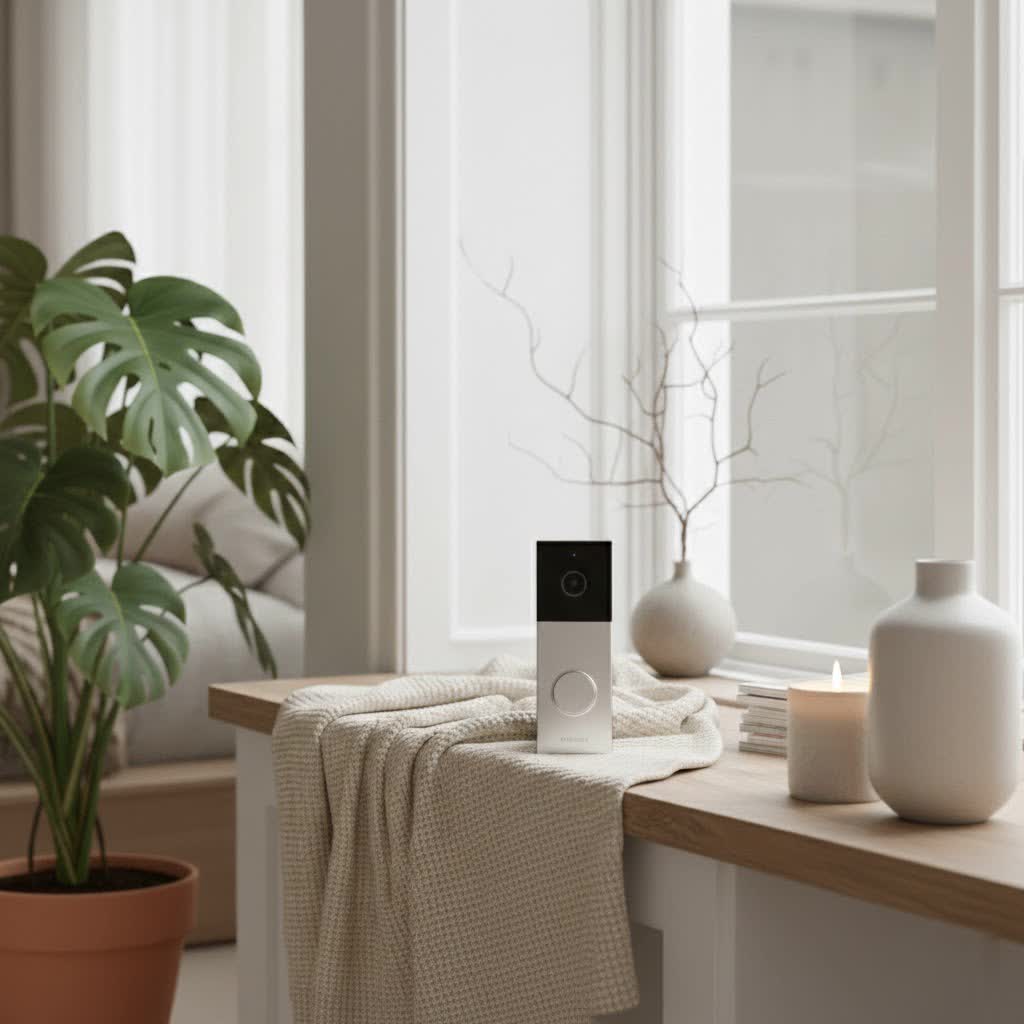
A video doorbell is a smart device that combines a doorbell, a camera, and a two-way audio system, allowing you to see, hear, and speak to visitors at your door from anywhere using your smartphone or tablet. Essentially, it puts your front door within reach, even when you’re miles away.
The reasons to integrate a video doorbell into your home are compelling, primarily revolving around enhanced security, unparalleled convenience, and greater control over your property. For instance, the Ring Video Doorbell 3, a prime example of this technology, offers advanced features that significantly bolster home protection. It detects motion, records video, and sends instant alerts to your phone, enabling you to monitor package deliveries, greet friends, or deter potential intruders, all without physically being present at the door. Imagine being able to answer your door from your office, on vacation, or even just from another room in your house – that’s the power of a video doorbell.
Common situations where a video doorbell proves invaluable include:
- Package Protection: Receive notifications when a delivery arrives and speak to the delivery person, ensuring your packages are left safely.
- Deterring Crime: Visible cameras act as a strong deterrent to burglars and porch pirates.
- Guest Management: Screen visitors before opening the door, or simply let a friend know you’ll be right there.
- Monitoring Children: Keep an eye on kids arriving home from school, providing an extra layer of supervision.
- Emergency Response: In an emergency, you can use the two-way talk feature to communicate with emergency services or neighbors.
Popular Video Doorbell Types on the Market
The video doorbell market offers a diverse range of products, categorized mainly by their connection type and the sophistication of their features. Understanding these distinctions is key to selecting a device that aligns with your specific needs.
By Connection: Wired vs. Wireless
Video doorbells are broadly divided into two main categories based on how they draw power and transmit data:
- Wireless (Battery-Powered) Video Doorbells: These devices run on rechargeable batteries and connect to your home Wi-Fi network. They offer immense flexibility in installation, as they don’t require existing doorbell wiring.
- Pros: Extremely easy to install, no electrical wiring needed, can be placed almost anywhere.
- Cons: Battery needs periodic recharging (taking the device offline), potential for slightly slower response times depending on Wi-Fi signal.
- The Ring Video Doorbell 3 is a prime example of a wireless model, offering the convenience of a removable, rechargeable battery. It also includes an option to hardwire it to existing doorbell wiring for continuous power.
- Wired Video Doorbells: These connect to your home’s existing doorbell wiring, drawing continuous power and often offering more reliable performance and advanced features.
- Pros: Constant power supply (no battery recharging), often higher resolution, lower latency, and more advanced features.
- Cons: Requires existing doorbell wiring, installation can be more complex for those without electrical experience.
- Comparison: While wired doorbells offer superior stability and no battery maintenance, wireless models like the Ring Video Doorbell 3 provide unmatched ease of installation, making them ideal for renters or homes without suitable wiring. The Ring Video Doorbell 3’s dual power options make it a versatile choice for many homeowners.
|
Our Picks for the Best Video Doorbell in 2026
As an Amazon Associate I earn from qualifying purchases.
|
||
| Num | Product | Action |
|---|---|---|
| 1 | Tapo by TP-Link Smart Video Doorbell Camera Wireless with Chime, 2K with Full Color Night Vision & Spotlights, No Monthly Fee, Ring Call, 160° Ultra-Wide View, Free AI Detection, Local Storage,D210 |

|
| 2 | Noorio Wireless Doorbell Camera with Rechargeable Battery, 2K+ Resolution, 2-Way Audio, Color Night Vision, AI Motion Detection, Smart Video Doorbell Works with Alexa, D110 |
|
| 3 | Ring Indoor Cam, Home or business security in 1080p HD video, White |
|
| 4 | Blink Video Doorbell (newest model) – Head-to-toe HD view, two-year battery life, and simple setup. Required Sync Module not included – Add-On (White) |
|
| 5 | Blink Video Doorbell (newest model) – Head-to-toe HD view, two-year battery life, and simple setup. Sync Module Core included – System (Black) |
|
| 6 | Ring Battery Doorbell (newest model), Home or business security with Head-to-Toe video, Live View with Two-Way Talk, and Motion Detection & Alerts, Venetian Bronze |
|
| 7 | Blink Outdoor 4 – Wireless smart security camera, two-year battery life, 1080p HD day and infrared night live view, two-way talk. Sync Module Core included – 2 camera system |
|
| 8 | Blink Mini 2 — Home Security & Pet Camera with HD video, color night view, motion detection, two-way audio, and built-in spotlight — 1 camera (White) |
|
| 9 | Ring Battery Doorbell (newest model), Home or business security with Head-to-Toe video, Live View with Two-Way Talk, and Motion Detection & Alerts, Satin Nickel |
|
| 10 | NariOrbi WiFi Video Doorbell Camera with Human Detection, Battery Powered, Night Vision, 2-Way Talk, 2.4G WiFi, Cloud Storage |
|
By Features: Basic vs. Advanced (AI)
Beyond connectivity, video doorbells vary significantly in their feature sets, from fundamental monitoring to cutting-edge artificial intelligence.
- Basic Features: Most modern video doorbells, including the Ring Video Doorbell 3, come equipped with essential functionalities:
- High-Definition Recording: Captures clear video footage of your doorstep. The Ring Video Doorbell 3 records in crisp 1080p HD, ensuring visitors’ faces are easily discernible.
- Two-Way Talk: Allows you to converse with visitors in real-time through your smartphone app, as offered by the Ring Video Doorbell 3 with its clear audio.
- Motion Detection and Notifications: Sensors detect movement at your door and send instant alerts to your phone.
- Advanced Features (AI-Enhanced): Higher-end models or newer generations often integrate AI for more sophisticated monitoring:
- Enhanced Motion Detection: Features like the Ring Video Doorbell 3’s “Near Motion Zone” allow you to define specific areas to monitor, reducing false notifications from distant traffic or passing pedestrians. Its advanced motion detection ensures you only get alerts for what truly matters.
- Dual-Band Wi-Fi: The Ring Video Doorbell 3’s inclusion of dual-band (2.4 and 5.0 GHz) Wi-Fi connectivity improves signal stability and speed, which is crucial for reliable video streaming and notifications.
- Cloud Storage: Most smart doorbells offer subscription plans for storing video recordings in the cloud, allowing you to review past events.
- Customizable Privacy Zones: Define areas within the camera’s view that should be excluded from recording for privacy.
- Integration with Smart Home Ecosystems: Seamlessly connect with other smart devices like smart locks, lighting, or voice assistants.
Top Reputable Video Doorbell Brands
The market for video doorbells is dominated by several key players known for their innovation, reliability, and comprehensive smart home ecosystems.
- Ring: Often considered the pioneer of the video doorbell industry, Ring, now an Amazon company, offers a wide range of devices catering to various needs and budgets. Their ecosystem is vast, integrating doorbells with security cameras, alarms, and smart lighting. The Ring Video Doorbell 3 is a testament to their commitment to user-friendly design and robust features, making it one of the most popular choices for homeowners seeking reliable front-door security.
- Arlo: Renowned for its wire-free security cameras, Arlo also provides high-quality video doorbells that integrate seamlessly into its smart security ecosystem. Arlo doorbells often boast superior video quality and advanced features.
- Eufy: Eufy, part of Anker Innovations, focuses on privacy and local storage options, often without mandatory monthly subscriptions. Their doorbells are known for sharp image quality and reliable performance, appealing to users who prefer to keep their data local.
- Google Nest: Google’s Nest line offers aesthetically pleasing and intelligently designed video doorbells that integrate deeply with the Google Assistant ecosystem. Nest doorbells often excel in smart alerts and facial recognition, although these features typically come with a subscription.
When considering the Ring Video Doorbell 3, its integration within the broader Ring ecosystem is a significant advantage. It allows for a unified security experience where multiple devices work together to provide comprehensive home monitoring.
Comparison Table of the Best Video Doorbell Models
Choosing the “best” video doorbell depends heavily on individual needs, existing smart home setups, and budget. Here’s a comparison focusing on key specifications, with the Ring Video Doorbell 3 as a central point of reference, alongside other popular models.
| Feature | Ring Video Doorbell 3 | Ring Video Doorbell 4 | Ring Video Doorbell Wired | Eufy Video Doorbell 2K (Battery) | Google Nest Doorbell (Battery) |
|---|---|---|---|---|---|
| Resolution | 1080p HD | 1080p HD | 1080p HD | 2K (2560 x 1920) | 960p (1600 x 1200) |
| Field of View | 160° horizontal | 160° horizontal | 155° horizontal, 90° vertical | 160° horizontal, 120° vertical | 145° diagonal |
| Power Source | Removable Battery / Hardwired | Removable Battery / Hardwired | Hardwired (existing wiring) | Battery (rechargeable) | Battery (rechargeable) / Hardwired |
| Connectivity | Dual-band Wi-Fi (2.4 & 5GHz) | Dual-band Wi-Fi (2.4 & 5GHz) | 2.4GHz Wi-Fi | 2.4GHz Wi-Fi (with HomeBase) | 2.4GHz / 5GHz Wi-Fi |
| Advanced Motion | Yes (Near Motion Zone) | Yes (Color Pre-Roll) | Yes | AI Human Detection | Person/Package Detection |
| Pre-Roll Video | Standard (B&W, 4s) | Color (4s) | Color (4s) | No | Yes (3s) |
| Two-Way Talk | Yes | Yes | Yes | Yes | Yes |
| Local Storage | No (Cloud only) | No (Cloud only) | No (Cloud only) | Yes (via HomeBase 2) | No (Cloud only) |
| Key Advantage | Versatile power, dual-band Wi-Fi | Color Pre-Roll | Affordable, continuous power | Local storage, 2K resolution | Smart alerts, Google ecosystem |
| Typical Cost | Mid-range | Mid-to-high range | Entry-level | Mid-range | Mid-to-high range |
Note: Pricing is subject to change and may vary by retailer and region.
The Ring Video Doorbell 3 offers a compelling balance of features for its price point. Its dual-band Wi-Fi provides more reliable connectivity than some competitors, and the option for both battery and hardwired installation ensures flexibility. While its 1080p resolution is standard, it delivers clear images for identifying visitors. Compared to its successor, the Ring Video Doorbell 4, the primary difference for many users might be the lack of Color Pre-Roll on the 3. However, for everyday use and robust security, the Video Doorbell 3 remains a highly capable device.
How to Choose a Video Doorbell (Buying Guide)
Selecting the perfect video doorbell involves a thoughtful assessment of your personal needs, home environment, and technological preferences.
Determine Usage Needs
Before diving into specifications, consider what you primarily want your video doorbell to achieve:
- Main Purpose: Is security your top priority, or is it more about convenience (e.g., answering the door remotely)? The Ring Video Doorbell 3 excels in both, offering comprehensive security features and seamless remote access.
- Installation Location: Will it be on your front porch, a side gate, or perhaps even in an apartment hallway? Consider lighting conditions and potential obstructions.
- Budget: Video doorbells range widely in price. Establish a realistic budget that balances desired features with affordability. The Ring Video Doorbell 3 typically falls into a mid-range budget, offering excellent value.
Key Factors to Consider When Choosing
Once your needs are clear, evaluate these critical aspects:
- Image and Audio Quality: Look for at least 1080p HD resolution for clear video, like that offered by the Ring Video Doorbell 3. A wide field of view (e.g., 160° horizontal) is also crucial. Ensure the two-way audio is clear and responsive.
- Connectivity and Compatibility: Dual-band Wi-Fi (2.4 GHz and 5 GHz), as found in the Ring Video Doorbell 3, typically offers more stable connections. Check if the doorbell integrates with your existing smart home ecosystem (e.g., Amazon Alexa, Google Assistant).
- Durability and Weather Resistance: Your doorbell will be exposed to the elements. Ensure it’s built to withstand varying weather conditions (rain, snow, extreme temperatures).
- Battery Life (for wireless models): If opting for a battery-powered unit like the Ring Video Doorbell 3, inquire about average battery life and recharging time. The Ring Video Doorbell 3’s removable battery simplifies recharging, though you might consider a spare battery or a solar charger to avoid downtime.
- Storage Options: Decide if you prefer cloud storage (often subscription-based) or local storage. Most Ring devices, including the Video Doorbell 3, rely on cloud storage via Ring Protect plans.
- Advanced Features: Do you need features like advanced motion detection zones (like the Near Motion Zone on the Ring Video Doorbell 3), facial recognition, or package detection?
- Warranty and Technical Support: Research the brand’s reputation for customer service and the warranty period offered.
Important Notes on Installation and Usage
Proper installation and ongoing maintenance will maximize your video doorbell’s performance:
- Optimal Placement: Install the doorbell at a height that provides the best view of visitors’ faces and the surrounding area. Avoid direct sunlight if possible, or choose a model that handles glare well. For devices like the Ring Video Doorbell 3, consider using an angled wedge kit if your door is set back or if you need to adjust the viewing angle.
- Connection and App Setup: Follow the manufacturer’s instructions carefully. Most smart doorbells connect to your Wi-Fi network and are configured via a dedicated smartphone app. The Ring Video Doorbell 3 is known for its straightforward setup process.
- Maximizing Battery Life (for battery-powered models): To extend the battery life of your Ring Video Doorbell 3, optimize your motion settings. Reduce the sensitivity and narrow the motion zones to only cover essential areas, minimizing unnecessary recordings and notifications. The solar charger accessory is an excellent investment to keep your device powered.
Common Problems and Solutions
Even the most reliable devices, such as the Ring Video Doorbell 3, can encounter occasional issues. Knowing how to troubleshoot common problems can save you time and frustration.
- Loss of Connectivity: This is a frequent issue.
- Cause: Weak Wi-Fi signal, router problems, or network interference.
- Solution: Ensure your Wi-Fi router is within optimal range. The Ring Video Doorbell 3’s dual-band Wi-Fi can help by allowing connection to the less congested 5 GHz band, but sometimes a Wi-Fi extender or mesh system may be needed. Restarting your router and doorbell can often resolve temporary glitches.
- Blurry or Grainy Video:
- Cause: Dirt on the camera lens, poor lighting, or insufficient bandwidth.
- Solution: Gently clean the camera lens with a soft cloth. Check your Wi-Fi speed; lower bandwidth can sometimes result in lower video quality.
- No Notifications or Delayed Notifications:
- Cause: App settings, phone settings, or network issues.
- Solution: Verify that notifications are enabled in your doorbell app and your phone’s settings. Ensure the app is updated to the latest version. Check your doorbell’s motion zone settings – if they’re too narrow, you might miss events.
- Battery Drains Quickly (for wireless models):
- Cause: High motion detection activity, extreme temperatures, or frequent live views.
- Solution: Adjust motion sensitivity and zones to reduce unnecessary recordings. The Ring Video Doorbell 3’s Near Motion Zone feature is excellent for this. Consider a solar charger or hardwiring the device if frequent recharging becomes an inconvenience. Extreme cold can also impact battery performance.
If simple troubleshooting doesn’t resolve the issue, it’s always best to consult the manufacturer’s support resources or contact their technical assistance. Ring offers extensive online help and customer support for its products, including the Video Doorbell 3.
Conclusion
The evolution of the video doorbell, epitomized by models like the Ring Video Doorbell 3, has fundamentally changed how we approach home security and convenience. These devices offer more than just a chime; they provide a vigilant eye, an open line of communication, and a powerful deterrent against unwanted visitors. With its reliable 1080p HD video, dual-band Wi-Fi, and flexible power options, the Ring Video Doorbell 3 stands as a strong contender in the smart doorbell market, offering a robust blend of features that cater to a wide range of homeowner needs. By carefully considering your specific requirements and understanding the available options, you can select a video doorbell that not only safeguards your home but also simplifies your daily life. Are you ready to embrace the future of front-door security and connectivity?
Frequently Asked Questions
What are the main differences between Ring Video Doorbell 3 and Ring Video Doorbell 4?
The primary difference lies in their advanced motion detection features, specifically pre-roll video. The Ring Video Doorbell 4 offers Color Pre-Roll, capturing four seconds of color video before a motion event is even triggered, providing more context. The Ring Video Doorbell 3, while excellent, has a standard (black and white) pre-roll feature. Both offer 1080p HD video and dual-band Wi-Fi.
Can the Ring Video Doorbell 3 be used without a subscription?
Yes, the Ring Video Doorbell 3 can be used without a subscription, providing live view, two-way talk, and motion-activated notifications. However, a Ring Protect Plan subscription is required to access recorded videos, save and share clips, and enable advanced features like rich notifications.
How long does the battery last on the Ring Video Doorbell 3?
The battery life of the Ring Video Doorbell 3 varies depending on usage, environmental factors, and settings. With typical usage, it can last several weeks to a few months between charges. High motion activity, frequent live views, and extreme temperatures can reduce battery life.
Is the Ring Video Doorbell 3 difficult to install?
No, the Ring Video Doorbell 3 is designed for easy installation. It can be set up wirelessly using its removable, rechargeable battery, which simply involves mounting and connecting to your Wi-Fi via the Ring app. Alternatively, it can be hardwired to existing doorbell wiring for continuous power.
Does the Ring Video Doorbell 3 work with 5GHz Wi-Fi?
Yes, one of the key upgrades of the Ring Video Doorbell 3 compared to earlier models is its dual-band Wi-Fi connectivity, supporting both 2.4 GHz and 5.0 GHz networks. This allows for more stable and faster connections, particularly in areas with congested 2.4 GHz networks.
