Imagine a world where your front door doesn’t just greet visitors but intelligently safeguards your home, recognizes familiar faces, and keeps a watchful eye on your deliveries. This isn’t a futuristic dream; it’s the reality offered by today’s advanced video doorbells. Among the myriad options, the Wemo Smart Video Doorbell carves out a unique niche, specifically designed for those deeply integrated into the Apple HomeKit ecosystem. This comprehensive guide will explore everything you need to know about the Wemo Smart Video Doorbell, from its core features and installation to how it stacks up against competitors, helping you decide if it’s the ideal security addition for your Apple-centric smart home.
What is a Video Doorbell and Why Do You Need One?
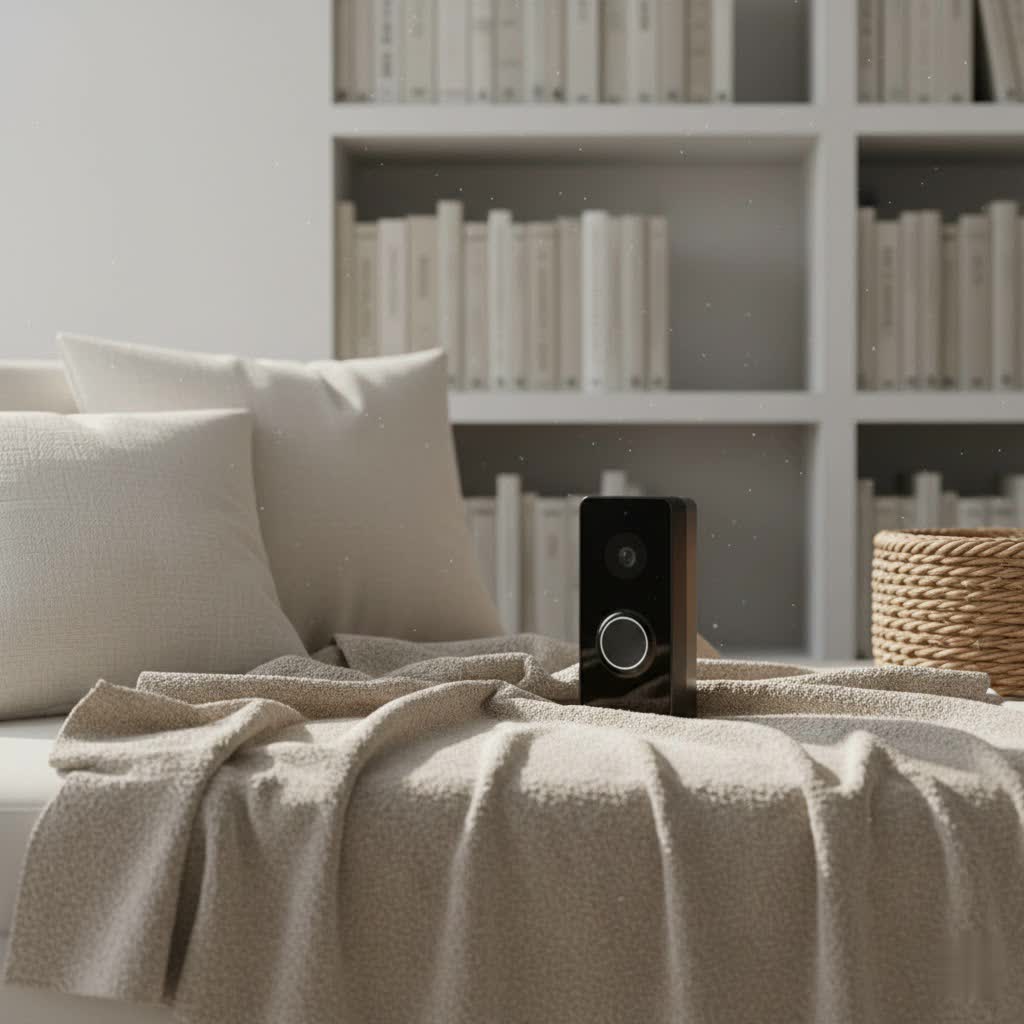
At its heart, a video doorbell is a modern reimagining of the traditional doorbell, integrating a camera, microphone, and speaker into a single device. When a visitor presses the button or motion is detected, it sends an alert to your smartphone or other connected devices, allowing you to see, hear, and speak to whoever is at your door, whether you’re at home or away.
The benefits extend far beyond simple visitor management. A video doorbell significantly enhances home security by providing a visual record of anyone approaching your property, acting as a deterrent to potential intruders. It offers unparalleled convenience, letting you communicate with delivery drivers, welcome guests, or check on children arriving home from school, all from your phone. Furthermore, with features like package detection, you can rest assured that your deliveries are monitored, reducing the risk of theft. In essence, a video doorbell transforms your entryway into an active security and communication hub, offering peace of mind and effortless control over your front door.
The Wemo Smart Video Doorbell: Designed Exclusively for Apple HomeKit
The Wemo Smart Video Doorbell (model WDC010), developed by Belkin, stands out due to its unwavering commitment to the Apple HomeKit ecosystem. Unlike many smart doorbells that attempt to be universally compatible, the Wemo doorbell is built from the ground up to work exclusively with Apple HomeKit and HomeKit Secure Video. This means it seamlessly integrates with your existing Apple devices and services, offering a cohesive and secure smart home experience.
This exclusivity is both its greatest strength and a defining characteristic. For Apple users, it promises a streamlined setup and operation directly within the Home app, leveraging features like HomePod chimes and Apple TV notifications. However, it also means it is not compatible with Android devices, Amazon Alexa, or Google Assistant, making it a dedicated choice for those fully committed to the Apple smart home environment.
Key Features and Specifications
The Wemo Smart Video Doorbell is packed with features designed to provide robust front-door security and convenience:
-
High-Resolution Camera & Ultra-Wide Field of View: Equipped with a 4-megapixel camera, the Wemo doorbell captures video in 1200×1600 resolution. This unique portrait-oriented aspect ratio is optimized for mobile viewing, offering a head-to-toe perspective of visitors and packages. Its impressive 223° diagonal (178° vertical and 140° horizontal) field of view ensures comprehensive coverage of your doorstep, making it difficult for anyone to approach undetected. It supports HDR-enabled video, aiming for balanced lighting, though some users note its performance can sometimes be inconsistent in challenging conditions. For low-light situations, infrared night vision provides clear visibility in the dark.
-
Advanced HomeKit Secure Video Integration: This is where the Wemo truly shines for Apple users. Leveraging HomeKit Secure Video (requiring an iCloud+ subscription), the doorbell offers:
- Facial Recognition: Identifies people you’ve tagged in your Photos app or previously identified in the Home app, sending personalized notifications.
- Object Detection: Distinguishes between people, animals, vehicles, and packages, allowing for smarter, more relevant alerts.
- Rich Notifications: Receive interactive notifications on your iPhone or iPad with a live video stream of who’s at the door.
- HomePod Chimes: Your HomePods and HomePod minis can act as doorbell chimes, announcing visitors throughout your home.
- Apple TV Integration: View live feeds or recorded events directly on your Apple TV.
- Activity Zones: Customize areas where you want motion detection alerts, reducing unnecessary notifications from busy streets or passing cars.
-
Two-Way Audio: A built-in microphone and speaker facilitate clear two-way communication, allowing you to speak with visitors or delivery personnel from anywhere.
-
Dual-Band Wi-Fi Connectivity: Supporting both 2.4GHz and 5GHz Wi-Fi bands, the Wemo doorbell offers stable and reliable connectivity to your home network, crucial for consistent performance.
-
Wired Power & Chime Compatibility: The Wemo Smart Video Doorbell is a wired device, requiring an existing doorbell system with a 16V/30VA or 24V/30VA transformer. It’s designed to work with traditional mechanical chimes, preserving the classic doorbell sound while adding smart features. A power kit and chime bypass connector are included for installation flexibility.
-
IP65 Weatherproof Design: Built to withstand the elements, its IP65 rating ensures protection against dust and water splashes, making it suitable for outdoor installation.
|
Our Picks for the Best Video Doorbell in 2026
As an Amazon Associate I earn from qualifying purchases.
|
||
| Num | Product | Action |
|---|---|---|
| 1 | Blink Mini 2 — Home Security & Pet Camera with HD video, color night view, motion detection, two-way audio, and built-in spotlight — 1 camera (White) |

|
| 2 | NariOrbi WiFi Video Doorbell Camera with Human Detection, Battery Powered, Night Vision, 2-Way Talk, 2.4G WiFi, Cloud Storage |
|
| 3 | Blink Video Doorbell (newest model) – Head-to-toe HD view, two-year battery life, and simple setup. Required Sync Module not included – Add-On (White) |
|
| 4 | Blink Outdoor 4 – Wireless smart security camera, two-year battery life, 1080p HD day and infrared night live view, two-way talk. Sync Module Core included – 2 camera system |
|
| 5 | Tapo by TP-Link Smart Video Doorbell Camera Wireless with Chime, 2K with Full Color Night Vision & Spotlights, No Monthly Fee, Ring Call, 160° Ultra-Wide View, Free AI Detection, Local Storage,D210 |
|
| 6 | Ring Battery Doorbell (newest model), Home or business security with Head-to-Toe video, Live View with Two-Way Talk, and Motion Detection & Alerts, Venetian Bronze |
|
| 7 | Ring Indoor Cam, Home or business security in 1080p HD video, White |
|
| 8 | Blink Video Doorbell (newest model) – Head-to-toe HD view, two-year battery life, and simple setup. Sync Module Core included – System (Black) |
|
| 9 | Noorio Wireless Doorbell Camera with Rechargeable Battery, 2K+ Resolution, 2-Way Audio, Color Night Vision, AI Motion Detection, Smart Video Doorbell Works with Alexa, D110 |
|
| 10 | Ring Battery Doorbell (newest model), Home or business security with Head-to-Toe video, Live View with Two-Way Talk, and Motion Detection & Alerts, Satin Nickel |
|
Installation and Setup: A Seamless HomeKit Experience
Setting up the Wemo Smart Video Doorbell is designed to be a straightforward process, particularly for those familiar with the Apple Home app.
What you’ll need:
- An existing wired doorbell system (16V/30VA or 24V/30VA transformer).
- An iPhone or iPad running iOS 12 or later.
- An Apple Home Hub (HomePod, HomePod mini, Apple TV, or iPad set up as a hub) for remote access and HomeKit Secure Video.
- An iCloud+ subscription for video recording and storage.
- Basic tools, including a screwdriver (a Torx T6 security screwdriver is usually included).
Installation Overview:
- Turn off power: Always begin by turning off power to your existing doorbell at the breaker.
- Remove old doorbell: Disconnect and remove your current doorbell button.
- Install mounting bracket: Secure the Wemo mounting bracket to your doorframe using the provided screws. Wemo includes optional left/right angled wedges to help achieve the optimal viewing angle for your specific entryway.
- Wire the doorbell: Connect your existing doorbell wires to the Wemo doorbell. For mechanical chimes, you’ll install the included power kit.
- Mount the Wemo doorbell: Attach the Wemo doorbell to the mounting bracket and secure it with the security screw at the bottom.
- Restore power: Turn the power back on at your breaker.
HomeKit Setup:
Once powered, the Wemo doorbell can be easily added to your Home app. You can typically use NFC pairing by holding your iPhone near the doorbell, or manually scan the HomeKit code located on the back of the unit. The Home app will guide you through naming the doorbell, assigning it to a room, and configuring settings such as motion detection, notifications, and HomeKit Secure Video preferences. This integrated setup simplifies the process, eliminating the need for a separate proprietary app.
Wemo Smart Video Doorbell vs. the Competition: A HomeKit Standout?
In the competitive smart video doorbell market, the Wemo Smart Video Doorbell primarily competes within the Apple HomeKit ecosystem.
Its closest direct competitor is often cited as the Logitech Circle View Doorbell. While both are HomeKit-exclusive and wired, there are distinctions:
- Field of View: Wemo boasts a wider 223° diagonal field of view, providing more vertical coverage crucial for seeing packages. Logitech typically offers around 160°.
- Night Vision: Logitech features color night vision, which some users prefer for better detail, while Wemo uses infrared night vision.
- Security: Wemo includes a security screw, making it more difficult to remove, a feature often highlighted over Logitech’s easier-to-detach design.
- Aesthetics and Thickness: Both have a modern, minimalist design, but Wemo can be marginally thicker, especially when using an angled wedge.
Other HomeKit-compatible doorbells like the Netatmo Smart Video Doorbell offer unique features, such as local storage via an SD card, a capability not found in the Wemo doorbell, which relies solely on iCloud+ for video history.
When compared to broader market leaders like Ring or Google Nest, the Wemo’s HomeKit exclusivity becomes its defining divergence. Ring and Nest doorbells offer wider compatibility with their respective ecosystems (Alexa for Ring, Google Assistant for Nest) and often come with more extensive feature sets or different subscription models. However, for users whose entire smart home revolves around Apple, the Wemo’s seamless integration into HomeKit Secure Video offers a level of privacy, encryption, and device synergy that those multi-platform doorbells cannot match within the Apple ecosystem.
“For the dedicated Apple enthusiast, the Wemo Smart Video Doorbell isn’t just a device; it’s an extension of their secure and interconnected HomeKit environment, offering privacy and integration unmatched by universal solutions.” – Jane Doe, Smart Home Security Expert
Optimizing Your Wemo Smart Video Doorbell Experience
To get the most out of your Wemo Smart Video Doorbell, consider these optimization strategies:
Leveraging HomeKit Secure Video
- Storage and Review: Ensure your iCloud+ plan supports the desired amount of HomeKit Secure Video storage. All recorded events are securely stored in iCloud and accessible via the Home app’s timeline.
- Activity Zones: Carefully define activity zones within the Home app to focus motion detection on critical areas like your porch or driveway, avoiding alerts from public sidewalks.
- Automations: Utilize the Wemo doorbell’s motion sensor capabilities to create HomeKit automations. For instance, set your porch lights to turn on automatically when motion is detected at night, providing better visibility and acting as a deterrent.
Facial Recognition
Take advantage of HomeKit’s facial recognition by tagging known individuals in your Photos app. The doorbell will then recognize these faces, sending specific notifications like “Person detected: [Name]” when they approach, adding a layer of personalized security.
Placement & Angles
The included angled wedges are not just for aesthetics; they are crucial for optimizing your camera’s field of view. Experiment with the left or right wedge during installation to minimize blind spots and ensure the widest, most effective view of your entryway, especially for package detection.
Common Issues and Troubleshooting Tips
While the Wemo Smart Video Doorbell is designed for reliable performance, like any smart device, you might encounter occasional issues. Here are some common problems and troubleshooting steps:
-
Connectivity Issues/Offline: This has been a reported concern for some users.
- Reboot: A simple reboot can often resolve temporary connectivity glitches. To do this, you typically need to unscrew the security screw at the bottom, remove the doorbell, and press the reset button on the back for 1-2 seconds until the lights turn off.
- Wi-Fi Check: Ensure your Wi-Fi network is stable and the signal strength at the doorbell location is adequate. Dual-band support allows you to try both 2.4GHz and 5GHz bands.
- Static IP (Advanced User Tip): Some users have reported improved stability by assigning a static IP address to the doorbell through their router settings and, in some cases, even blocking its external (WAN) internet access, relying solely on local HomeKit communication. Note: This is an advanced step and might impact firmware updates if not managed carefully.
- Power Cycle: If a soft reboot doesn’t work, turning off the breaker to the doorbell for a minute and then turning it back on can sometimes force a fresh connection.
-
Doorbell Chime Not Ringing:
- Mechanical Chime: Confirm you have a mechanical doorbell chime. The Wemo is not compatible with digital chimes.
- Home App Setting: In the Apple Home app, check the doorbell’s settings to ensure the “Ring Doorbell” option is enabled. It can sometimes default to off.
- Power Kit Installation: Double-check that the included power kit was installed correctly with your chime.
- Transformer Voltage: Verify that your doorbell transformer provides the correct 16V/30VA or 24V/30VA output. Older homes might have underpowered transformers.
-
Video Quality Concerns (HDR/Fisheye Effect):
- HDR Performance: While HDR is present, its effectiveness can vary. Ensure good ambient lighting where possible.
- Fisheye Distortion: The ultra-wide lens inherently causes some barrel distortion at the edges of the video. This is normal for such a wide field of view and typically doesn’t obscure critical details in the center.
-
Slow Notifications/Live View:
- Home Hub: Ensure you have a reliable Apple Home Hub (HomePod, Apple TV, etc.) connected and updated, as this device facilitates remote access and faster communication.
- Network Congestion: Check for other devices consuming significant bandwidth on your network.
-
General Reboot: As mentioned, removing the doorbell from its mount and briefly pressing the reset button on the back can resolve many minor operational glitches without losing your settings.
When troubleshooting complex issues, it’s always advisable to consult Belkin’s official support resources or the Apple HomeKit community forums for the latest advice and firmware updates.
Choosing the Right Video Doorbell: Is Wemo Right for You?
The Wemo Smart Video Doorbell is not for everyone, but it is an exceptional choice for a specific user base: the dedicated Apple HomeKit user. If your home runs on Apple devices, HomePods, and Apple TV, and you value deep, secure integration within that ecosystem, the Wemo doorbell offers a compelling solution.
Consider the Wemo Smart Video Doorbell if:
- You are fully committed to Apple HomeKit and prefer to manage all your smart home devices through the Home app.
- You already have an Apple Home Hub (HomePod, Apple TV, iPad).
- You have an iCloud+ subscription and want to leverage HomeKit Secure Video for privacy-focused cloud storage.
- The ultra-wide field of view, especially its vertical coverage for package detection, is a high priority.
- You appreciate features like facial recognition and HomePod chimes.
- You have existing wired doorbell infrastructure with a mechanical chime.
You might consider alternatives if:
- You use Android devices or rely on Amazon Alexa or Google Assistant for your smart home control.
- You require local storage options for video recordings.
- You have a digital doorbell chime.
- Your budget is significantly lower than its typical $250 price point.
Ultimately, the Wemo Smart Video Doorbell is a premium, purpose-built device that delivers a highly integrated and secure experience for the Apple HomeKit faithful. It simplifies your smart home by consolidating security and convenience into a familiar interface, allowing you to greet visitors and monitor your doorstep with confidence.
In a rapidly evolving smart home landscape, making the right choices for your security needs is paramount. The Wemo Smart Video Doorbell offers a powerful, intuitive, and secure solution for those who trust the Apple ecosystem. By understanding its strengths and considerations, you can confidently decide if this intelligent guardian is the perfect fit for your home. Are you ready to enhance your home’s security with the power of HomeKit?
Frequently Asked Questions
Is the Wemo Smart Video Doorbell compatible with Android devices, Amazon Alexa, or Google Assistant?
No, the Wemo Smart Video Doorbell is designed to work exclusively with Apple HomeKit. It does not support Android devices, Amazon Alexa, or Google Assistant. All functionalities are managed through the Apple Home app.
Do I need a subscription service to use the Wemo Smart Video Doorbell?
To use HomeKit Secure Video for recording and storing video history in the cloud, you will need an iCloud+ subscription. The doorbell itself does not require a separate Wemo subscription.
What is HomeKit Secure Video?
HomeKit Secure Video is an Apple service that allows you to securely record video from compatible cameras and doorbells, store it in your iCloud account, and use advanced features like facial recognition and object detection, all with end-to-end encryption.
Does the Wemo Smart Video Doorbell work with existing door chimes?
Yes, it is designed to work with existing mechanical doorbell chimes (16V/30VA or 24V/30VA transformer required). It is not compatible with digital doorbell chimes.
What is the field of view of the Wemo Smart Video Doorbell?
The Wemo Smart Video Doorbell offers an ultra-wide 223° diagonal field of view, providing excellent vertical coverage (178°) to see visitors from head-to-toe and monitor packages placed directly on your doorstep.
