Securing your home and managing doorstep interactions has never been easier, especially with the rise of wireless video doorbells. Among the array of options, the Toucan Wireless Video Doorbell stands out as a compelling choice for those seeking an affordable, wire-free solution. With over a decade of hands-on experience in video doorbell systems, I’ve seen countless devices, and the Toucan series offers a blend of convenience and essential features that makes it a strong contender for many homeowners and renters.
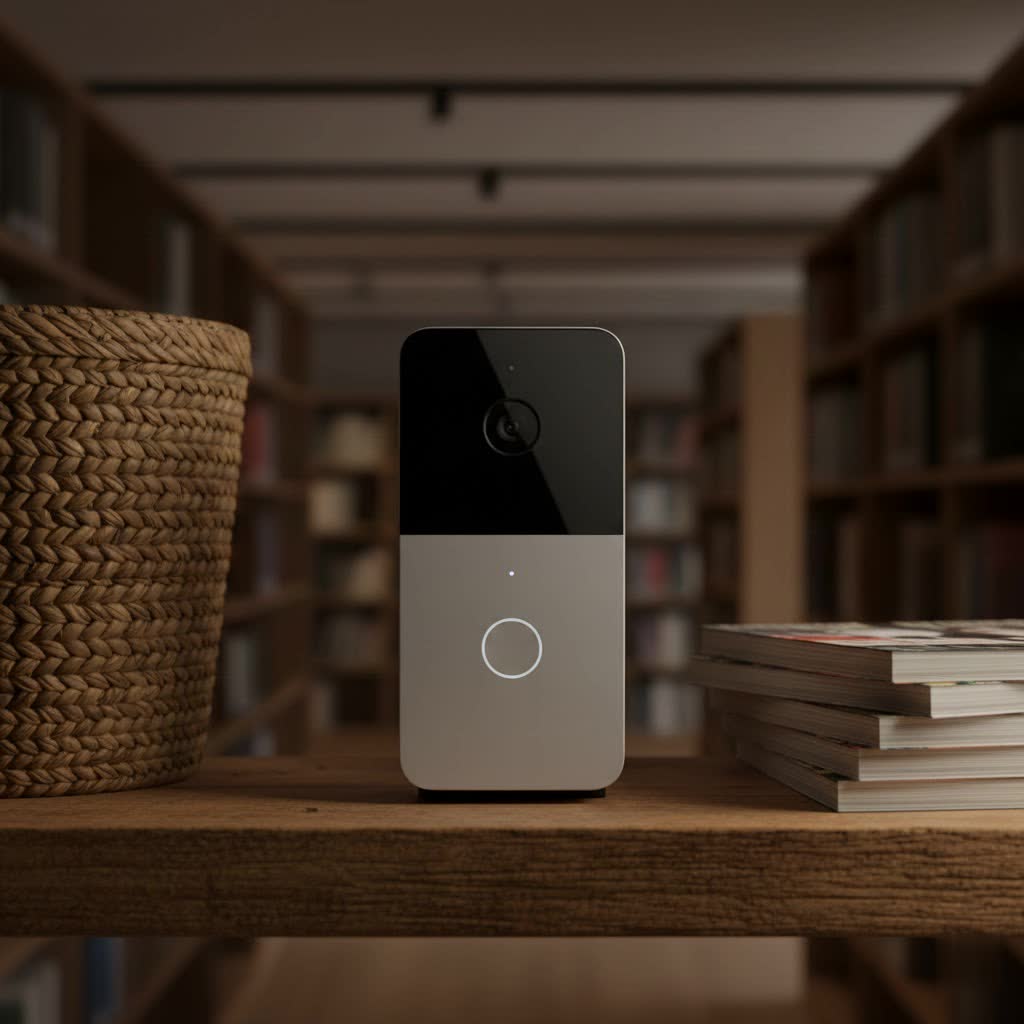
What is the Toucan Wireless Video Doorbell and Why Do You Need It?
A video doorbell is a smart home device equipped with a camera, microphone, speaker, and motion sensor, allowing you to see, hear, and speak to visitors at your door from anywhere via a smartphone app. The Toucan Wireless Video Doorbell takes this convenience a step further by offering a completely wire-free setup, powered by a rechargeable battery. This design eliminates the need for complex wiring, making installation remarkably simple and accessible for everyone, regardless of their DIY skill level.
Why is a Toucan Wireless Video Doorbell a valuable addition to your home? Firstly, it significantly enhances security by providing a visual record of who approaches your property, deterring potential intruders, and allowing you to monitor your entryway remotely. Secondly, it offers unparalleled convenience, enabling two-way communication with delivery personnel, guests, or even solicitors, even when you’re not home. You can greet visitors from your office, instruct couriers on package placement, or simply check in on your property with peace of mind. For those with busy lives or frequent travels, the ability to control and monitor your front door from anywhere is truly transformative.
Exploring Toucan Wireless Video Doorbell Models and Features
Toucan has developed a line of wireless video doorbells, each building upon core functionalities while introducing enhancements. Understanding the different models and their capabilities is key to choosing the right one for your home.
Evolution of Toucan Models: V3 vs. Pro
While Toucan has released several iterations, the Toucan Wireless Video Doorbell V3 and the Toucan Wireless Video Doorbell Pro are the most prominent, showcasing the brand’s commitment to continuous improvement.
- Toucan Wireless Video Doorbell V3: Often features 1080p Full HD video resolution, offering clear visuals for everyday monitoring. It typically boasts a wide viewing angle, sometimes up to 180 degrees, allowing you to see a broad perspective of your porch, including packages on the ground. The V3 supports black-and-white night vision, transitioning to color night video if sufficient ambient light is available.
- Toucan Wireless Video Doorbell Pro: This premium model elevates the experience with 2K resolution, providing even sharper and more detailed images. While some earlier models or general marketing might suggest a 180-degree view, the Pro model typically offers a 140-degree field of view, still providing a head-to-toe perspective of your doorstep. It maintains robust black-and-white night vision capabilities. The Pro model also offers an optional wiring terminal if you wish to connect it to existing doorbell wires for continuous power, a flexibility not always present in every iteration of the V3.
|
Our Picks for the Best Video Doorbell in 2026
As an Amazon Associate I earn from qualifying purchases.
|
||
| Num | Product | Action |
|---|---|---|
| 1 | Blink Video Doorbell (newest model) – Head-to-toe HD view, two-year battery life, and simple setup. Sync Module Core included – System (Black) |

|
| 2 | Noorio Wireless Doorbell Camera with Rechargeable Battery, 2K+ Resolution, 2-Way Audio, Color Night Vision, AI Motion Detection, Smart Video Doorbell Works with Alexa, D110 |
|
| 3 | Ring Battery Doorbell (newest model), Home or business security with Head-to-Toe video, Live View with Two-Way Talk, and Motion Detection & Alerts, Venetian Bronze |
|
| 4 | Ring Indoor Cam, Home or business security in 1080p HD video, White |
|
| 5 | Ring Battery Doorbell (newest model), Home or business security with Head-to-Toe video, Live View with Two-Way Talk, and Motion Detection & Alerts, Satin Nickel |
|
| 6 | Blink Mini 2 — Home Security & Pet Camera with HD video, color night view, motion detection, two-way audio, and built-in spotlight — 1 camera (White) |
|
| 7 | Blink Outdoor 4 – Wireless smart security camera, two-year battery life, 1080p HD day and infrared night live view, two-way talk. Sync Module Core included – 2 camera system |
|
| 8 | Blink Video Doorbell (newest model) – Head-to-toe HD view, two-year battery life, and simple setup. Required Sync Module not included – Add-On (White) |
|
| 9 | Tapo by TP-Link Smart Video Doorbell Camera Wireless with Chime, 2K with Full Color Night Vision & Spotlights, No Monthly Fee, Ring Call, 160° Ultra-Wide View, Free AI Detection, Local Storage,D210 |
|
| 10 | NariOrbi WiFi Video Doorbell Camera with Human Detection, Battery Powered, Night Vision, 2-Way Talk, 2.4G WiFi, Cloud Storage |
|
Both models, however, share a common foundation of user-friendly design and essential security features, ensuring that regardless of your choice, you’re getting a reliable smart doorbell.
Key Features Unpacked
The Toucan Wireless Video Doorbell series integrates a suite of features designed to provide comprehensive doorstep surveillance and interaction.
- Wireless and Battery-Powered Convenience: The hallmark of the Toucan doorbell is its wire-free operation. Powered by a robust 6,500mAh rechargeable battery, these doorbells typically last between four to six months on a single charge, depending on usage and settings. This means you can install it virtually anywhere, without needing an electrician or complicated wiring.
- High-Quality Video and Wide Viewing Angle: Whether it’s 1080p HD or crisp 2K resolution, Toucan doorbells deliver sharp video footage. The wide field of view—ranging from 140 to 180 degrees depending on the model—is particularly beneficial. It allows you to see more than just a visitor’s face; you can often monitor packages left on your doorstep and get a comprehensive view of your entryway. Night vision, primarily black-and-white infrared, ensures clear visibility even in low-light conditions.
- Two-Way Talk & Pre-recorded Messages: Engage in real-time conversations with visitors through the built-in microphone and speaker. This two-way audio feature is invaluable for screening guests, guiding delivery drivers, or deterring unwanted callers. For added convenience, the Toucan app allows you to set pre-recorded messages, enabling quick responses even when you’re busy or prefer not to speak directly.
- Smart Motion Detection & Instant Alerts: Equipped with a Passive Infrared (PIR) motion sensor, the Toucan doorbell accurately detects human and vehicle movement. You receive instant notifications on your smartphone whenever motion is detected, keeping you informed of activity at your door. Newer models, like the V3 and Pro, often include customizable motion zones, allowing you to focus detection on specific areas and reduce false alerts from street traffic or pets.
- Included Wireless Chime: A significant advantage of the Toucan Wireless Video Doorbell is the accompanying remote chime. This battery-powered unit can be placed anywhere in your home, ensuring you hear the doorbell even if your phone isn’t nearby. It usually offers several selectable chime sounds to personalize your alerts.
- Smart Home Integration: Toucan doorbells are designed to work seamlessly with popular smart home ecosystems. They support voice commands via Amazon Alexa and Google Assistant, allowing you to stream live video to compatible devices like Amazon Echo Show or Google Nest Hub displays. This integration simplifies monitoring and enhances the overall smart home experience.
- Cloud Storage and Subscription Options: Toucan offers a user-friendly approach to video storage. You typically get free 24-hour cloud storage, allowing you to review recorded events from the past day without any subscription. For those who need extended video history or additional features, Toucan provides optional subscription plans (e.g., a “Pro plan” for 7 days of history, or an “Elite plan” for up to 90 days), offering flexibility based on your security needs.
- Durable and Weather-Resistant Design: Built to withstand the elements, Toucan doorbells come with an IP56 weather-resistance rating. This ensures reliable performance through rain, snow, and varying temperatures, making it a dependable outdoor security device.
Toucan Wireless Video Doorbell: Pros and Cons
Like any smart home device, the Toucan Wireless Video Doorbell has its strengths and limitations. Based on extensive testing and user feedback, here’s a balanced overview.
Pros:
- Effortless, Wire-Free Installation: This is arguably the biggest advantage. The battery-powered design means no complex wiring, making it ideal for renters or homes without existing doorbell wires. Installation typically takes mere minutes.
- Affordable Price Point: Toucan doorbells are often more budget-friendly than many competitors, frequently available for around $100-$150, with regular discounts, offering excellent value.
- Generous Free Cloud Storage: The included 24-hour free video history is a standout feature, as many brands require a subscription for any cloud recording.
- Excellent Battery Life: With a 6,500mAh battery, you can expect months of operation on a single charge, reducing maintenance frequency.
- Wide Field of View: The broad lens (up to 180 degrees on some models) helps capture more of your doorstep, crucial for monitoring packages and overall security.
- Included Wireless Chime: No need to buy a separate chime; one is typically bundled, ensuring you hear notifications throughout your home.
- Smart Assistant Compatibility: Integration with Alexa and Google Assistant enhances convenience for smart home users.
- Solid Video Quality: Both 1080p and 2K models deliver clear, usable footage for identifying visitors and events.
Cons:
- Limited Third-Party Integrations: Toucan doorbells primarily work with Alexa and Google Assistant, lacking support for platforms like Apple HomeKit or IFTTT, which might be a drawback for users with diverse smart home ecosystems.
- Potential for Connectivity Issues: Some users, particularly with older models, have reported occasional delays in notifications, live feed viewing, or the doorbell going offline. Consistent Wi-Fi signal strength is crucial.
- Basic Motion Detection (on older models): While newer models offer customizable zones, some older versions had more rudimentary motion sensitivity settings, leading to potential false positives.
- Subscription for Extended History: While 24 hours of free storage is great, accessing older recordings or more advanced features requires a paid Toucan Shield plan.
- No Color Night Vision (on Pro, V3 needs ambient light): The reliance on black-and-white infrared night vision means less detail in complete darkness compared to doorbells offering full-color night vision.
- Customer Service Feedback: A few user reviews have highlighted concerns regarding customer service responsiveness or product longevity, particularly for battery performance over several years.
Installation and Setup Guide for Your Toucan Wireless Video Doorbell
One of the Toucan Wireless Video Doorbell’s strongest selling points is its straightforward installation. You don’t need to be a seasoned technician to get it up and running.
What’s in the Box?
When you unbox your Toucan Wireless Video Doorbell, you can typically expect to find:
- The Toucan Wireless Video Doorbell unit
- A wireless indoor chime
- A USB charging cable (often Micro USB or USB-C depending on model)
- Mounting plate/bracket
- Screws and wall anchors
- A small screwdriver
- AA batteries for the chime
- Adhesive tape (for surface mounting)
- User manual/quick start guide
Step-by-Step Installation
Follow these simple steps to install and set up your Toucan Wireless Video Doorbell:
- Charge Your Doorbell: Before anything else, fully charge the doorbell unit using the provided USB cable. The LED indicator will usually show solid red while charging and turn solid blue when fully charged. This ensures optimal battery performance from the start.
- Download the Toucan App: Scan the QR code in your manual or search for “Toucan Smart Home” on the Apple App Store or Google Play Store. Install the app and create a free account if you don’t already have one.
- Initiate Setup Mode: Open the Toucan app and follow the prompts to add a new device. On the doorbell unit, press and hold the “SET” button (usually located on the back or side) until the LED light begins to blink. The doorbell will likely provide voice prompts to guide you.
- Pairing and Configuration: Follow the in-app instructions to connect the doorbell to your home’s 2.4GHz Wi-Fi network. The app will guide you through the pairing process, which usually takes less than a minute. Once connected, you can customize settings like motion sensitivity, notification preferences, and chime sounds.
- Install the Chime: Insert the AA batteries into the wireless chime. If the chime and doorbell are not pre-paired, press and hold the “SET” button on the chime until its LED blinks, then press and hold the doorbell button on the main unit until pairing is complete. Place the chime in a central location within your home where it’s easily heard.
- Mount the Doorbell:
- Adhesive Mounting: For smooth surfaces like UPVC or painted wood, you can use the strong 3M adhesive tape provided. Apply the tape to the back of the mounting plate, adhere it to your desired surface, and ideally wait 24-48 hours for maximum bond strength before attaching the doorbell.
- Screw Mounting: For more permanent or robust installation, or on brick/stone, use the mounting plate, drill pilot holes, insert wall anchors, and secure the plate with screws.
- Attach the Doorbell: Slide the doorbell unit onto the mounted bracket and secure it with the small lock screw at the bottom using the provided screwdriver. This helps deter theft.
- Optional Wiring (Pro Model): If you have existing doorbell wires and want continuous power for the Pro model, connect them to the wiring terminals on the back of the doorbell during the mounting process. Remember to turn off power to your existing doorbell circuit at the breaker box before handling wires.
Optimizing Placement
Choosing the right location for your Toucan Wireless Video Doorbell is crucial for optimal performance.
- Angle: Position the doorbell at a height that gives you a clear view of visitors’ faces and any packages on the ground. The wide-angle lens helps cover a significant area.
- Wi-Fi Signal: Ensure the chosen location has a strong and stable 2.4GHz Wi-Fi signal. Test the signal strength with your phone before final mounting. A weak signal can lead to connectivity issues, delayed notifications, and unreliable recordings.
- Lighting: While night vision is available, try to place the doorbell where it receives some ambient light at night if possible, as this can enhance video quality for models like the V3 that leverage existing light.
Troubleshooting Common Toucan Wireless Video Doorbell Issues
Even with the most reliable devices, occasional hiccups can occur. Here’s how to address some common issues with your Toucan Wireless Video Doorbell.
- Connectivity Loss or Doorbell Goes Offline:
- Check Wi-Fi: Ensure your home Wi-Fi network is active and stable. Restart your router if necessary.
- Signal Strength: Verify the doorbell is within range of your Wi-Fi router. If not, consider a Wi-Fi extender or repositioning the doorbell or router.
- Reboot Doorbell: Remove the doorbell from its mounting plate, press and hold the reset button for a few seconds, or simply let the battery drain and recharge it.
- Re-pair: If issues persist, try re-pairing the doorbell with the Toucan app by re-entering setup mode.
- Motion Detection Issues (False Alerts or Missed Events):
- Adjust Sensitivity: In the Toucan app settings, navigate to motion detection and adjust the sensitivity level (low, medium, high). Start with a lower setting to reduce false alarms from passing cars or trees.
- Set Motion Zones: If your model supports it, define specific motion zones to focus detection on critical areas and exclude high-traffic zones.
- Obstructions: Ensure there are no physical obstructions blocking the PIR sensor’s view.
- Battery Life Concerns:
- Charging Cycle: Ensure you are fully charging the doorbell each time. Use the provided cable and a reliable USB power adapter.
- Activity Level: High traffic areas, frequent live view access, and very cold weather can drain the battery faster. Adjust motion sensitivity to reduce unnecessary recordings.
- Firmware: Check for and install any available firmware updates in the Toucan app, as these often include power optimization improvements.
- Age: Over time, all rechargeable batteries degrade. If your doorbell is several years old and battery life is significantly reduced, it might be reaching the end of its battery’s lifespan.
- Recording Reliability (Missing Clips, Delays):
- Subscription Status: Ensure your free 24-hour history is active, or your paid subscription is current if you expect longer storage.
- Wi-Fi Stability: Poor Wi-Fi can lead to dropped recordings or delays in uploading to the cloud.
- App Updates: Make sure your Toucan Smart Home app is updated to the latest version.
- Chime Not Working:
- Batteries: Replace the AA batteries in the wireless chime.
- Pairing: If the chime stopped working, try re-pairing it with the doorbell unit following the instructions in your manual (usually pressing “SET” on the chime, then pressing the doorbell button).
- Distance: Ensure the chime isn’t too far from the doorbell, beyond its effective wireless range.
For persistent issues, always consult the Toucan Smart Home app’s help section or the official Toucan Solutions website for detailed FAQs and support contact information.
Conclusion
The Toucan Wireless Video Doorbell series offers a practical, feature-rich, and remarkably accessible solution for modern home security and convenience. Its wire-free design and straightforward installation make it an ideal choice for anyone looking to upgrade their entryway monitoring without the hassle of complex wiring. From sharp 1080p or 2K video and two-way communication to smart motion detection and free cloud storage, Toucan provides the core functionalities you need to feel more secure and connected to your home. While it may not boast the widest range of third-party integrations, its seamless compatibility with Alexa and Google Assistant, coupled with its affordability, makes it a strong contender in the wireless video doorbell market.
Investing in a Toucan Wireless Video Doorbell means choosing ease of use, reliable performance for essential tasks, and peace of mind knowing you can always answer your door, no matter where you are. Isn’t it time you experienced the simplicity of smart home security?
Frequently Asked Questions
How long does the Toucan Wireless Video Doorbell battery last on a single charge?
The Toucan Wireless Video Doorbell, equipped with a 6,500mAh rechargeable battery, is designed for extended use. Depending on factors like motion detection frequency, live view usage, and temperature, the battery can typically last between four to six months on a single charge, providing significant convenience before needing a recharge.
Does the Toucan Wireless Video Doorbell require a subscription?
No, a subscription is not strictly required for basic functionality. Toucan doorbells offer free 24-hour cloud video history, allowing you to review recorded events from the past day. However, for extended video storage (e.g., 7 or 90 days) and additional features, Toucan provides optional paid subscription plans.
Is the Toucan Wireless Video Doorbell compatible with existing doorbell wiring?
While primarily designed for wire-free, battery-powered installation, the Toucan Wireless Video Doorbell Pro model often includes optional wiring terminals. This allows you to connect it to your existing doorbell wires for continuous power, eliminating the need to recharge the battery, if you prefer a wired setup. The V3 and older models are typically battery-only.
Can I view the Toucan Wireless Video Doorbell feed on a smart display?
Yes, the Toucan Wireless Video Doorbell supports integration with popular smart home assistants. You can view the live video feed directly on compatible smart displays such as Amazon Echo Show devices and Google Nest Hubs by simply using voice commands.
