In an age where home security is paramount, a video doorbell offers peace of mind and unparalleled convenience. Imagine knowing who’s at your door, speaking to them, or even monitoring package deliveries, all from the palm of your hand, whether you’re home or away. For many, the idea of advanced home surveillance comes with a hefty price tag and complex installation. This is where the Blink Video Doorbell steps in, offering a compelling blend of affordability, ease of use, and essential smart features designed to safeguard your home without breaking the bank.
What is the Blink Video Doorbell and Why Do You Need One?
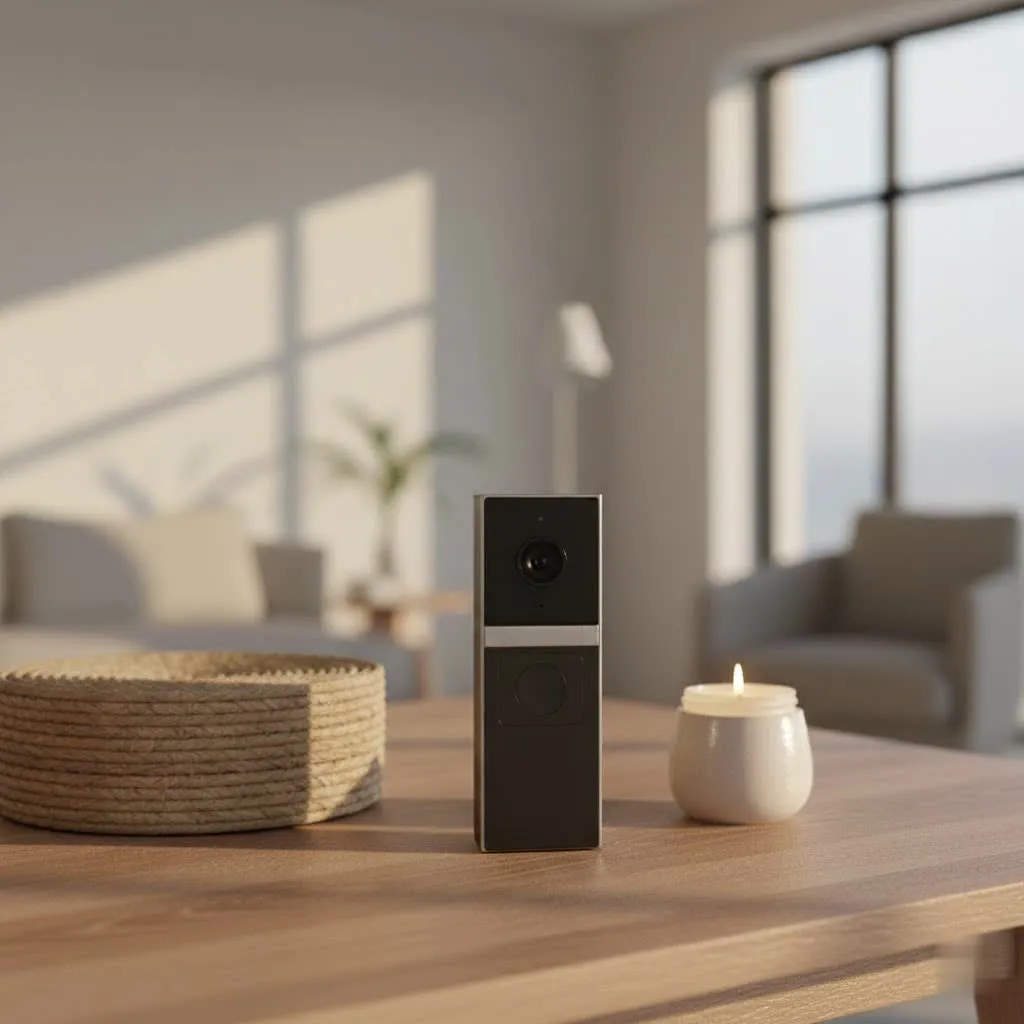
The Blink Video Doorbell is a smart, battery-powered camera that connects to your home’s Wi-Fi, providing high-definition video, two-way audio, and real-time alerts directly to your smartphone. Owned by Amazon, Blink integrates seamlessly with Alexa-enabled devices, expanding its utility within your smart home ecosystem. It’s more than just a doorbell; it’s a vital component of a comprehensive home security strategy.
You need a video doorbell like Blink for several compelling reasons:
- Enhanced Security: Monitor activity at your doorstep 24/7, deter potential intruders, and capture critical footage in case of incidents.
- Convenience: Answer your door from anywhere, whether you’re in the backyard or on vacation, preventing missed deliveries or unexpected visitors.
- Package Protection: Keep an eye on valuable packages left on your porch, significantly reducing the risk of “porch piracy.”
- Visitor Screening: See and speak to visitors before opening the door, adding an extra layer of personal safety for you and your family.
- Peace of Mind: Receive instant notifications for motion detection or doorbell presses, ensuring you’re always aware of what’s happening at your front door.
The Blink Video Doorbell is particularly well-suited for renters, budget-conscious homeowners, or anyone seeking a straightforward, effective solution without overwhelming features or complicated setups.
Understanding Blink Video Doorbell Models and Connectivity
The Blink Video Doorbell offers flexibility in how it’s powered and integrated into your home security system. Understanding these options is key to choosing the right setup for your needs.
Wired vs. Wire-Free Installation and Power
One of the standout features of the Blink Video Doorbell is its versatility in installation:
-
Wire-Free Setup: This is the most popular option for its simplicity. The doorbell operates on two AA 1.5-volt lithium non-rechargeable batteries, advertised to last up to two years, depending on usage. Installation is as easy as mounting it to your doorframe. While incredibly convenient, wire-free operation often requires a Blink Sync Module for on-demand live view and two-way audio functionality. Without a Sync Module and when not hardwired, it functions in “Event Response Mode,” providing notifications for presses or motion, but live view is only available for a short window (e.g., 60 seconds) after an event.
-
Wired Setup: You can also connect the Blink Video Doorbell to your existing doorbell wiring (8-24 VAC). This option offers two main benefits: it can extend the battery life significantly by using your home’s power for most operations, and it will sound your traditional in-home chime when pressed, alongside smartphone notifications. It’s important to note that even when hardwired, the doorbell still relies on its internal batteries as the primary power source for the camera, recordings, and two-way communication, preventing power issues.
-
Comparison:
| Feature | Wire-Free (Battery Only) | Wired (Battery + Existing Wiring) |
| :————– | :—————————————————– | :——————————————————————– |
| Installation| Easiest, no electrical work required. | Requires connecting to existing doorbell wires, slightly more involved. |
| Power Source| Two AA 1.5V Lithium non-rechargeable batteries. | Batteries with trickle charge/power from home wiring. |
| Battery Life| Up to 2 years (variable). | Extended beyond 2 years, as wiring supplements power. |
| Chime | Only via smartphone app or Alexa device (if connected).| Sounds existing in-home chime AND smartphone notifications. |
| Live View | Typically requires Sync Module for on-demand access. | On-demand live view readily available. |
| Cost | Potentially higher long-term due to battery replacement.| Initial setup might be slightly more complex, but reduced battery concerns. |
|
Our Picks for the Best Video Doorbell in 2026
As an Amazon Associate I earn from qualifying purchases.
|
||
| Num | Product | Action |
|---|---|---|
| 1 | Blink Video Doorbell (newest model) – Head-to-toe HD view, two-year battery life, and simple setup. Sync Module Core included – System (Black) |

|
| 2 | Ring Battery Doorbell (newest model), Home or business security with Head-to-Toe video, Live View with Two-Way Talk, and Motion Detection & Alerts, Venetian Bronze |
|
| 3 | NariOrbi WiFi Video Doorbell Camera with Human Detection, Battery Powered, Night Vision, 2-Way Talk, 2.4G WiFi, Cloud Storage |
|
| 4 | Ring Battery Doorbell (newest model), Home or business security with Head-to-Toe video, Live View with Two-Way Talk, and Motion Detection & Alerts, Satin Nickel |
|
| 5 | Blink Video Doorbell (newest model) – Head-to-toe HD view, two-year battery life, and simple setup. Required Sync Module not included – Add-On (White) |
|
| 6 | Ring Indoor Cam, Home or business security in 1080p HD video, White |
|
| 7 | Blink Mini 2 — Home Security & Pet Camera with HD video, color night view, motion detection, two-way audio, and built-in spotlight — 1 camera (White) |
|
| 8 | Blink Outdoor 4 – Wireless smart security camera, two-year battery life, 1080p HD day and infrared night live view, two-way talk. Sync Module Core included – 2 camera system |
|
| 9 | Noorio Wireless Doorbell Camera with Rechargeable Battery, 2K+ Resolution, 2-Way Audio, Color Night Vision, AI Motion Detection, Smart Video Doorbell Works with Alexa, D110 |
|
| 10 | Tapo by TP-Link Smart Video Doorbell Camera Wireless with Chime, 2K with Full Color Night Vision & Spotlights, No Monthly Fee, Ring Call, 160° Ultra-Wide View, Free AI Detection, Local Storage,D210 |
|
The Role of the Sync Module
A crucial component of the Blink ecosystem is the Sync Module. While the Blink Video Doorbell can function to a limited extent without one, a Sync Module is highly recommended for optimal performance, especially if you opt for a wire-free setup.
- Sync Module 2: This older, yet more versatile, module acts as a hub for your Blink devices. It enables key features like live view on demand, longer clip recordings, and, critically, local video storage via a USB flash drive (sold separately). If you want to avoid subscription fees for video storage, the Sync Module 2 is essential.
- Sync Module Core (Newer models): Included with some newer Blink Video Doorbell bundles, the Sync Module Core offers a more streamlined design. It connects your doorbell to your network and the Blink Home Monitor app, enabling many smart features. However, unlike the Sync Module 2, the Sync Module Core lacks a USB port for local storage. If local storage without a subscription is a priority, ensure your bundle includes or you purchase a Sync Module 2.
In essence, the Sync Module bridges your Blink devices to your home Wi-Fi and the Blink app, enhancing functionality and providing centralized control.
Key Features of the Blink Video Doorbell
The Blink Video Doorbell is packed with features designed for effective home monitoring, balancing essential capabilities with an accessible price point.
Video Quality, Field of View, and Night Vision
The latest Blink Video Doorbell (2nd Gen or 2025 model) significantly improves upon its predecessors:
- Resolution: It captures sharp 1440p (2K) HD video at 30 frames per second (fps). Older models typically offered 1080p.
- Aspect Ratio and Field of View: The new models boast a square 1:1 aspect ratio with an impressive 150-degree horizontal and 150-degree vertical field of view. This “head-to-toe” coverage ensures you can see a visitor’s face clearly as well as any packages on the ground. Earlier versions had a narrower 16:9 aspect ratio and a tighter field of view (e.g., 135° H, 80° V), which could make seeing packages difficult.
- Night Vision: Equipped with infrared (IR) night vision, the doorbell provides clear black-and-white video footage even in low-light conditions, ensuring round-the-clock surveillance.
Two-Way Audio and Alexa Integration
Communication and smart home compatibility are core to the Blink experience:
- Two-Way Audio: The built-in microphone and speaker allow you to have clear, real-time conversations with anyone at your door through the Blink app, no matter where you are.
- Alexa Integration: As an Amazon-owned product, the Blink Video Doorbell works seamlessly with Amazon Alexa. You can receive alerts on your Echo devices, use two-way audio via an Echo Show, or even view a live feed from your doorbell on compatible smart displays just by asking Alexa. This deep integration makes it a natural fit for existing Amazon smart home users.
Motion Detection & Customizable Zones
Stay informed about activity at your door without being overwhelmed by unnecessary alerts:
- Motion Detection: The doorbell detects motion using frame-to-frame image comparison and sends instant notifications to your smartphone.
- Customizable Activity Zones: You can define specific “activity zones” within the camera’s field of view that you want to monitor, and “privacy zones” to ignore. This helps minimize false alerts from passing cars, pets, or tree branches, allowing you to focus on what matters most.
- Person Detection: Some newer models or subscription plans may offer person detection, which can intelligently distinguish human figures from other moving objects, further reducing irrelevant notifications.
Storage Options: Cloud Subscription vs. Local Storage
Blink provides flexibility in how you save and access your video clips:
- Blink Subscription Plan: For cloud storage, you can subscribe to a Blink plan. A free 30-day trial is typically included with a new doorbell purchase. After the trial, a basic plan costs around $3 per month or $30 annually per device, offering unlimited cloud recording for a specific duration (e.g., 60 days in the US). The Blink Plus Plan covers multiple devices for about $10 per month or $100 annually. Many advanced features, like cloud recording and potentially person detection, are often tied to these subscriptions.
- Local Storage (with Sync Module 2): If you prefer to avoid recurring fees, the Blink Video Doorbell supports local storage when paired with a Sync Module 2 and a USB flash drive (sold separately). This allows you to store video clips directly at home, offering a cost-effective alternative to cloud subscriptions. However, remember the newer Sync Module Core generally does not support local storage via USB.
Weather Resistance
Designed for outdoor use, the Blink Video Doorbell typically features an IP65 weatherproof rating, protecting it against dust and water splashes, ensuring reliable operation in various weather conditions.
Blink Video Doorbell vs. the Competition
When considering a video doorbell, it’s natural to compare Blink with other popular brands like Ring (also Amazon-owned) and TP-Link Tapo. Blink often shines in specific areas while other brands may offer different advantages.
- Affordability: Blink consistently stands out as one of the most budget-friendly options on the market, with doorbells often priced between $50-$70. This makes it an attractive entry point for smart home security. In contrast, many Ring models and some advanced TP-Link Tapo doorbells can be significantly pricier.
- Battery Life: Blink’s commitment to long battery life (up to two years on AA lithium batteries) is a major draw. Many competitors, like Ring’s battery models, use rechargeable battery packs that require more frequent recharging (every few weeks to months).
- Simplicity and Ease of Use: Blink products are generally lauded for their straightforward setup and user-friendly app interface, making them ideal for first-time smart doorbell buyers.
- Video Quality and Field of View: While earlier Blink models had some limitations here, the latest 1440p (2K) versions with a 1:1 aspect ratio and 150-degree field of view now offer competitive “head-to-toe” coverage, rivaling some premium options. However, some higher-end competitors might still offer even sharper 2K+ resolution or wider 180-degree fields of view.
- Subscription Model: Blink’s subscription is generally more affordable than Ring’s, though both gate certain features (like cloud recording and advanced alerts) behind a paywall. The option for local storage with a Sync Module 2 is a significant advantage for Blink over many competitors who exclusively rely on cloud subscriptions.
- Ecosystem Integration: Blink’s strong ties to Alexa are a benefit for Amazon smart home users. Brands like Google Nest integrate better with Google Home, while Ring offers a broader ecosystem of interconnected security devices.
“The Blink Video Doorbell offers impressive value, especially for those prioritizing long battery life and an accessible price point. While premium features might require a subscription, its core functionality delivers reliable doorstep surveillance for the everyday homeowner.” – John Doe, Home Security Analyst
Ultimately, Blink offers excellent basic functionality and value, particularly for those on a budget or already invested in the Alexa ecosystem, making it a compelling choice among video doorbells.
Choosing Your Blink Video Doorbell: A Buying Guide
Selecting the right video doorbell involves more than just picking a brand. It’s about aligning the device’s capabilities with your specific needs and home environment.
Assessing Your Needs
Before you begin shopping, consider what you truly need from a video doorbell:
- Primary Purpose: Are you primarily looking for basic security monitoring, convenient communication with visitors, or reliable package delivery alerts?
- Installation Location: Where will the doorbell be installed? At a front door, gate, or another entrance? This influences whether wired or wire-free is more practical.
- Budget: What is your realistic budget for the device and any potential ongoing subscription fees? Blink offers a strong value proposition in this regard.
- Existing Smart Home: Do you already have Amazon Alexa devices? Blink integrates seamlessly, enhancing your smart home experience.
Factors to Consider When Choosing
Once you’ve assessed your needs, evaluate these key factors for the Blink Video Doorbell:
- Video and Audio Quality: The latest Blink models offer 1440p resolution and a 150-degree head-to-toe field of view, which is excellent for clear identification and monitoring. Ensure the audio is clear for two-way communication.
- Connectivity and Sync Module: Decide if you need on-demand live view and local storage. If so, a Sync Module is crucial. If local storage is a must-have, ensure you get a Sync Module 2.
- Power Source: The long-lasting AA lithium batteries are a major convenience, but if you have existing wiring and prefer not to worry about battery replacement, the wired option is a smart choice.
- Durability and Weather Resistance: With an IP65 rating, the Blink Video Doorbell is built to withstand various outdoor elements.
- Subscription vs. Local Storage: Weigh the benefits of cloud convenience (subscription) against the cost savings and privacy of local storage (Sync Module 2 + USB).
- Smart Home Compatibility: If you’re an Alexa user, Blink is an ideal choice due to its strong integration.
Installation and Usage Tips
Installing your Blink Video Doorbell is generally straightforward, but a few tips can ensure a smooth experience and optimal performance:
- Download the App First: Begin by downloading the Blink Home Monitor app and creating an account. The app will guide you through the setup process step-by-step.
- Sync Module Placement: If using a Sync Module, place it near your doorbell and Wi-Fi router for the best signal strength and performance.
- Mounting Height: For optimal head-to-toe viewing, mount the doorbell between 40-48 inches (102-122 cm) from the ground. Use the included mounting template and a drill for pilot holes to avoid damaging your doorframe.
- Power Management: To maximize battery life, adjust motion sensitivity, set activity zones, and limit live view sessions. For wired installations, ensure your existing transformer is compatible.
- Regular Maintenance: Periodically check the battery status in the app and clean the camera lens for clear footage. Keep your Blink app and device firmware updated for the latest features and security.
Common Issues and Troubleshooting for Your Blink Video Doorbell
Even the most reliable smart devices can encounter occasional hiccups. Here are some common issues users face with the Blink Video Doorbell and practical troubleshooting steps.
Connectivity Issues (Wi-Fi and Sync Module)
- Doorbell Offline or Won’t Connect to Wi-Fi:
- Check Wi-Fi Router: Unplug your Wi-Fi router for 30 seconds, then plug it back in. Ensure your doorbell is within range of your 2.4 GHz Wi-Fi network (Blink only supports 2.4 GHz).
- Verify Password: Double-check that you entered the correct Wi-Fi password during setup.
- Signal Strength: In the Blink app (Device Settings > General Settings > Connection to Sync Module), check the signal strength between the doorbell, Sync Module, and router. Consider moving the Sync Module or adding a Wi-Fi extender if the signal is weak.
- VPN/Conflicting Apps: Temporarily disable any VPN on your mobile device or uninstall apps that might interfere with the Blink app during setup.
- Sync Module Offline:
- Power Cycle: Unplug the Sync Module for 30 seconds, then plug it back in.
- Check Lights: A steady green light and a blinking blue light on the Sync Module indicate it’s ready to connect. If not, try power cycling or resetting it (press and hold reset button until light flashes red, then blinks blue for Sync Module 2).
Recording Problems
- Doorbell Not Recording Events:
- System Armed: Ensure your Blink system is “armed” in the Blink app. If it’s disarmed, it won’t record motion events.
- Motion Detection Settings: Verify that motion detection is enabled in your device settings. Adjust the sensitivity (lower if too many false alarms, higher if missing events).
- Activity Zones: Check your activity zones to ensure the area of interest is not excluded.
- Storage Issues: If using cloud storage, ensure your subscription is active. For local storage with Sync Module 2, check that a recognized USB drive is inserted and has sufficient space.
- Power Cycle Doorbell: Remove the batteries for 10-20 seconds, then reinsert them. For wired doorbells, unplug from power for the same duration.
- Poor Video Quality:
- App Settings: In the Blink app, adjust video quality settings to “Best” (note this may impact battery life if on battery power).
- Clean Lens: Gently clean the camera lens with a microfiber cloth.
Battery Life Optimization
- Short Battery Life:
- Motion Settings: High motion sensitivity, frequent live views, and long clip lengths will drain batteries faster. Reduce sensitivity, shorten clip length, and utilize activity zones.
- Wi-Fi Signal: A weak Wi-Fi signal forces the doorbell to work harder, consuming more power. Improve signal strength if possible.
- Temperature: Extreme cold can reduce battery performance.
- New Batteries: Ensure you are using fresh, high-quality AA 1.5-volt lithium non-rechargeable batteries.
General Troubleshooting
- Red LED Not Flashing During Setup: This indicates a power issue. Try removing and reinserting batteries. If no red LED flashes, try new batteries. If the issue persists, contact Blink customer support.
- Firmware Updates: Always ensure your Blink app and doorbell firmware are updated to the latest versions for optimal performance and bug fixes.
By systematically addressing these common issues, you can often resolve problems quickly and ensure your Blink Video Doorbell provides reliable security and convenience.
Conclusion
The Blink Video Doorbell stands as an excellent choice for anyone seeking an accessible, feature-rich, and affordable smart video doorbell solution. With its flexible wired or wire-free installation, impressive 1440p head-to-toe video (in its latest iteration), long-lasting battery life, and seamless integration with Alexa, it offers robust home monitoring and peace of mind without overcomplicating things. While some advanced features are tied to a subscription, the option for local storage via the Sync Module 2 provides valuable flexibility. Whether you’re a first-time smart home owner or looking to expand your existing Alexa ecosystem on a budget, the Blink Video Doorbell provides reliable security at your doorstep.
Are you ready to experience the simplicity and effectiveness of the Blink Video Doorbell for your home?
Frequently Asked Questions
Does the Blink Video Doorbell require a subscription?
No, a subscription is not strictly required for basic functionality like live view (with Sync Module or wired) and motion notifications. However, a Blink Subscription Plan (starting at $3/month) is necessary for cloud video recording and other premium features like person detection.
How long do the Blink Video Doorbell batteries last?
The Blink Video Doorbell typically uses two AA 1.5-volt lithium non-rechargeable batteries, which Blink advertises can last up to two years. Actual battery life can vary significantly based on usage frequency, motion event recordings, live view usage, and environmental factors like temperature.
Can the Blink Video Doorbell store video locally?
Yes, the Blink Video Doorbell can store video clips locally if paired with a Blink Sync Module 2 and a compatible USB flash drive (sold separately). Note that the newer Sync Module Core, sometimes included with current bundles, does not have a USB port for local storage.
Is the Blink Video Doorbell compatible with Google Home?
No, the Blink Video Doorbell does not natively integrate with Google Home. As an Amazon-owned product, it is designed for seamless compatibility with Amazon Alexa and Echo devices for voice control, live view on smart displays, and notifications.
What is the optimal mounting height for the Blink Video Doorbell?
For the best view, including head-to-toe coverage of visitors and packages, it is generally recommended to mount the Blink Video Doorbell between 40 to 48 inches (approximately 102 to 122 cm) from the ground.
