Securing your home effectively requires vigilance and the right tools. While traditional peepholes offer a limited view, and standard smart doorbells rely heavily on your smartphone, a video doorbell with a monitor provides a dedicated, instant window to your doorstep, combining convenience with robust security. This innovative solution offers peace of mind, allowing you to see and speak to visitors without needing to grab your phone or even approach the door.
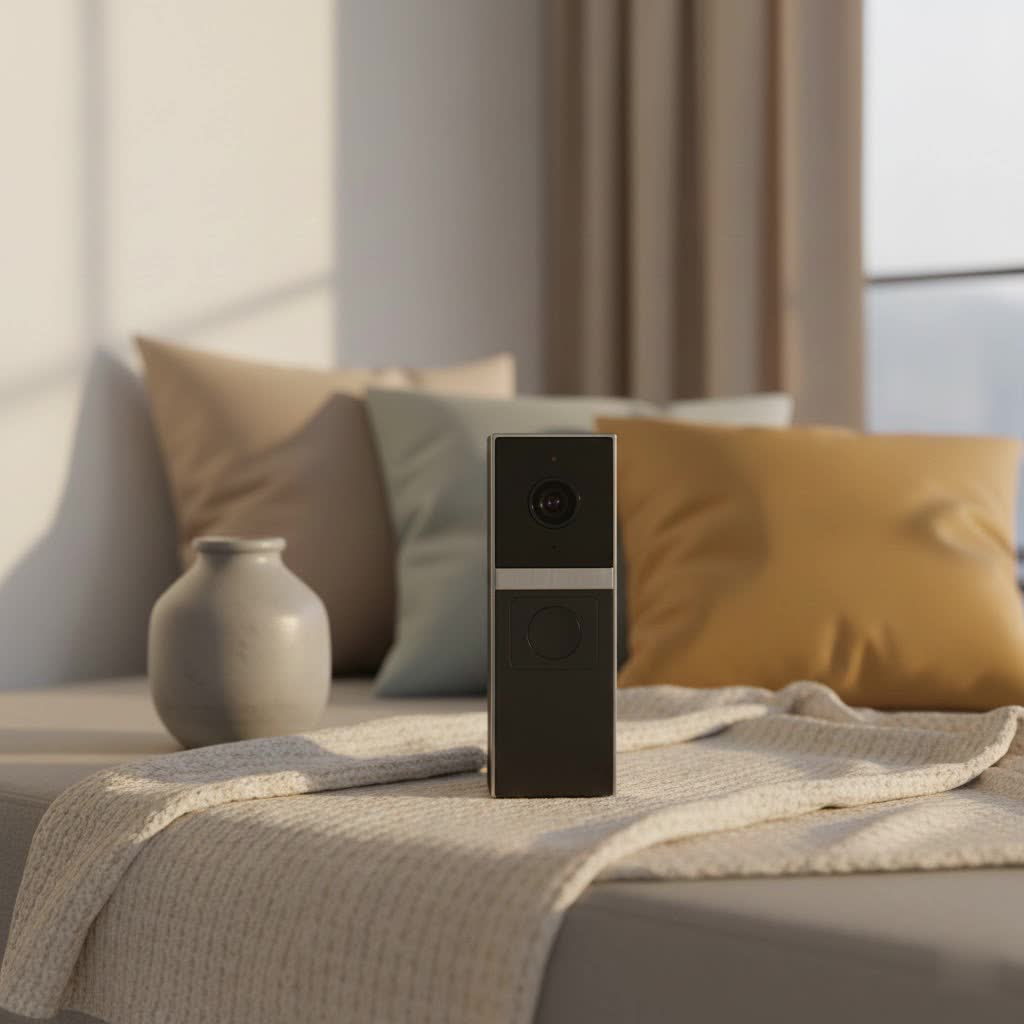
What is a Video Doorbell with a Monitor? Why Do You Need One?
A video doorbell with a monitor is an advanced home security device that integrates the functionality of a smart video doorbell with a dedicated indoor display unit. Unlike typical smart doorbells that stream video solely to your smartphone, these systems provide a physical screen inside your home, offering immediate visual access to who is at your door. This combination enhances both security and convenience, providing a clear, real-time view of your entryway.
The primary benefit of integrating a monitor is enhanced user-friendliness and accessibility. For households with elderly members who might struggle with smartphone apps or for anyone desiring a quick glance without unlocking their phone, a dedicated monitor is invaluable. It offers immediate visual identification, reducing guesswork and adding an extra layer of safety. Furthermore, these systems provide real-time visual information once someone is at your doorstep, eliminating confusion and enhancing your ability to verify visitors before interaction. This immediate feedback, often coupled with motion detection, ensures you’re always aware of activity around your entrance.
Popular Types of Video Doorbells with Monitors
Video doorbells with monitors come in various configurations, primarily differing in their connectivity and feature sets. Understanding these distinctions is crucial for selecting the system that best fits your home and lifestyle.
Wired vs. Wireless Video Doorbells with Monitors
The choice between wired and wireless often depends on your home’s existing infrastructure and your desire for installation simplicity.
- Wireless Video Doorbells: These systems typically run on rechargeable batteries, offering significant flexibility in installation as they don’t require existing doorbell wiring. They connect to your home network via Wi-Fi, streaming video to both the indoor monitor and your mobile devices. The main advantages include easy setup and portability. However, you’ll need to periodically recharge or replace batteries, which can be a minor inconvenience. Some models, like the Reolink Battery Doorbell, are designed for seamless wireless integration with a home hub or monitor.
- Wired Video Doorbells: These doorbells connect directly to your existing doorbell wiring, providing a continuous power supply. This eliminates the need for battery changes and ensures uninterrupted operation. They generally offer more stable connectivity and can integrate more deeply with wired home security systems for constant, real-time monitoring. Installation can be slightly more complex, requiring basic electrical knowledge, but the benefit of continuous power is significant for those who prioritize reliability. For example, some systems utilize the existing bell wire to power both the doorbell and the indoor screen.
|
Our Picks for the Best Video Doorbell in 2026
As an Amazon Associate I earn from qualifying purchases.
|
||
| Num | Product | Action |
|---|---|---|
| 1 | NariOrbi WiFi Video Doorbell Camera with Human Detection, Battery Powered, Night Vision, 2-Way Talk, 2.4G WiFi, Cloud Storage |

|
| 2 | Ring Indoor Cam, Home or business security in 1080p HD video, White |
|
| 3 | Ring Battery Doorbell (newest model), Home or business security with Head-to-Toe video, Live View with Two-Way Talk, and Motion Detection & Alerts, Satin Nickel |
|
| 4 | Tapo by TP-Link Smart Video Doorbell Camera Wireless with Chime, 2K with Full Color Night Vision & Spotlights, No Monthly Fee, Ring Call, 160° Ultra-Wide View, Free AI Detection, Local Storage,D210 |
|
| 5 | Noorio Wireless Doorbell Camera with Rechargeable Battery, 2K+ Resolution, 2-Way Audio, Color Night Vision, AI Motion Detection, Smart Video Doorbell Works with Alexa, D110 |
|
| 6 | Blink Video Doorbell (newest model) – Head-to-toe HD view, two-year battery life, and simple setup. Sync Module Core included – System (Black) |
|
| 7 | Blink Mini 2 — Home Security & Pet Camera with HD video, color night view, motion detection, two-way audio, and built-in spotlight — 1 camera (White) |
|
| 8 | Blink Video Doorbell (newest model) – Head-to-toe HD view, two-year battery life, and simple setup. Required Sync Module not included – Add-On (White) |
|
| 9 | Ring Battery Doorbell (newest model), Home or business security with Head-to-Toe video, Live View with Two-Way Talk, and Motion Detection & Alerts, Venetian Bronze |
|
| 10 | Blink Outdoor 4 – Wireless smart security camera, two-year battery life, 1080p HD day and infrared night live view, two-way talk. Sync Module Core included – 2 camera system |
|
Basic vs. Advanced (AI-Powered) Features
Beyond connectivity, video doorbells with monitors differentiate themselves through their feature sets, ranging from essential functions to sophisticated AI capabilities.
- Basic Features: Most video doorbells, even those with monitors, include core functionalities such as high-definition video recording, two-way audio communication (allowing you to speak with visitors), and instant notifications when the doorbell is pressed or motion is detected. These features provide a solid foundation for monitoring your entryway and interacting with guests.
- Advanced Features (AI-Powered): Modern video doorbells are increasingly incorporating artificial intelligence to enhance security and user experience. Features like facial recognition allow the system to identify familiar faces, while advanced motion detection can distinguish between humans, animals, and vehicles, reducing false alarms. Package detection alerts you specifically when a delivery arrives or is tampered with. Some even offer pre-recorded quick replies for convenience or integrate with smart locks for remote access, as seen with systems like the SwitchBot Video Doorbell. Dual-camera technology, such as found in the Eufy Video Doorbell S330 and E340, provides both a wide-angle view of your porch and a dedicated camera for package monitoring, offering unparalleled coverage.
Top Video Doorbell Brands Offering Monitor Integration
While many popular brands focus primarily on smartphone app integration, several offer or are compatible with dedicated indoor monitors or smart displays that function as monitors.
- SwitchBot: The SwitchBot Video Doorbell is notable for directly including an indoor monitor with a display. This system provides all standard smart doorbell functionalities, like phone notifications and two-way audio, but also offers a standalone monitor with physical buttons, making it user-friendly for all ages. It even supports Matter for broader smart home integration and can work offline.
- Eufy: Eufy offers models like the Video Doorbell S330 and E340 which, while primarily app-driven, are often highlighted for their compatibility with smart displays like Amazon Echo Show or Google Nest Hub. These smart displays effectively serve as dedicated monitors, allowing voice commands to show live doorbell footage. Eufy’s dual-cam technology is a significant advantage, providing comprehensive surveillance.
- Reolink: Reolink’s Battery Doorbell is often recommended for its monitor connectivity, particularly with the Reolink Home Hub. This setup allows for real-time monitoring on a dedicated screen, alongside smartphone access. Reolink emphasizes local storage solutions like NVRs (Network Video Recorders), which can also act as central monitoring points.
- Other Solutions: While Ring doorbells typically integrate with their app, they can also stream to Amazon Echo Show devices, turning them into monitors. Many generic “wireless doorbell camera with monitor” systems are available, often featuring smaller, dedicated LCD screens, particularly appealing for those seeking a straightforward, standalone system.
Comparison Table: Leading Video Doorbells with Monitor Capabilities
Choosing the best video doorbell with a monitor depends on a balance of features, performance, and budget. Here’s a comparative overview of some top options or compatible systems:
| Feature/Model | SwitchBot Video Doorbell | Eufy Video Doorbell E340 (with Smart Display) | Reolink Battery Doorbell (with Home Hub/NVR) | Generic Wireless Doorbell with Monitor |
|---|---|---|---|---|
| Monitor Type | Dedicated Indoor Monitor (included) | Compatible with Amazon Echo Show/Google Nest Hub (separate) | Compatible with Reolink Home Hub/NVR (separate) | Dedicated Indoor LCD Screen (often included) |
| Resolution | HD / 2K (specifics vary, generally good) | 2K Full HD | 2K (4MP) | Varies (often 1080P or lower for basic models) |
| Camera View | Standard wide-angle | Dual Cam (160° front + 97° package view) | Wide-angle (e.g., 180° diagonal) | Standard wide-angle |
| Power Source | Doorbell: Battery; Monitor: Mains powered (via doorbell wiring) | Doorbell: Battery; Smart Display: Mains | Doorbell: Battery; Home Hub/NVR: Mains | Doorbell: Battery; Monitor: Mains/Battery |
| Connectivity | Wi-Fi (supports Matter) | Wi-Fi | Wi-Fi | Wi-Fi (some direct wireless, no Wi-Fi needed) |
| Storage | Local (Micro SD card in monitor, up to 500GB) | Local (eMMC on HomeBase, expandable) / Cloud (subscription) | Local (Micro SD, NVR) | Local (Micro SD) |
| Key Features | Offline functionality, physical buttons, NFC unlock | Dual Cam, AI detection, package detection | Wire-free, local storage, robust app | Simplicity, standalone, instant view |
| Pros | Easy for non-tech users, direct monitor, Matter support | Excellent coverage, advanced AI, works with existing smart displays | Flexible installation, reliable battery, NVR integration | Cost-effective, simple, dedicated screen often included |
| Cons | Monitor needs mains, not as sleek as app-only options | Smart display is an additional purchase, relies on ecosystem | Home Hub/NVR is an additional purchase | Lower resolution/features on basic models |
Note: Specific features and compatibility may vary by model and region.
How to Choose the Best Video Doorbell with a Monitor
Selecting the ideal video doorbell with a monitor involves carefully considering your specific needs, the environment of your home, and your budget. This guide will walk you through the essential factors.
1. Identify Your Usage Needs
Before diving into specifications, clarify what you primarily want from your system:
- Security: Is your main goal to deter intruders, monitor suspicious activity, or simply know who’s at the door? If security is paramount, look for advanced features like AI-powered human detection, motion zones, and high-resolution recording with night vision.
- Convenience: Do you need a system that’s easy for everyone in the household to use, including children or the elderly, without relying on a smartphone? A dedicated monitor with clear controls is crucial here.
- Visitor Management: Do you frequently receive deliveries or have guests? Features like two-way talk, quick replies, and package detection can be very beneficial.
- Installation Location: Where will the doorbell be placed? Consider factors like Wi-Fi signal strength and whether existing doorbell wiring is available or preferred.
2. Key Factors to Consider When Selecting
Once your needs are clear, evaluate these critical aspects:
- Image and Sound Quality: A high-resolution camera (1080p, 2K, or 4MP) provides clear video, essential for identifying faces and details. A wide field of view (160° or more) ensures comprehensive coverage of your entryway. Crisp two-way audio is vital for effective communication with visitors. Ensure the system offers good night vision, either infrared or color night vision (with built-in LEDs), for clear footage in low light.
- Connectivity and Compatibility: Most video doorbells use Wi-Fi. Check your home’s Wi-Fi signal strength at the installation point. Consider how the system integrates with your existing smart home ecosystem. Some monitors are proprietary, while others work with popular smart displays (e.g., Amazon Echo Show, Google Nest Hub) or NVRs.
- Durability and Weather Resistance: Your doorbell will be exposed to the elements. Look for an IP (Ingress Protection) rating that indicates resistance to dust and water (e.g., IP65 or IP66). This ensures the device can withstand various weather conditions.
- Power Source: Decide between battery-powered for easy installation or wired for continuous power. If battery-powered, check battery life and ease of recharging. If wired, ensure compatibility with your existing doorbell transformer. Dedicated monitors often require a separate power outlet.
- Storage Options: Video footage can be stored locally (Micro SD card, NVR) or in the cloud (often requiring a subscription). Local storage offers privacy and no recurring fees, while cloud storage provides offsite backup and easy access from anywhere.
- App Functionality and Ease of Use: Even with a monitor, the companion app is important for advanced settings, reviewing footage, and remote access. Look for an intuitive app and simple monitor interface.
- Warranty and Support: A good warranty and responsive customer support are crucial for addressing any issues that may arise.
3. Installation and Usage Tips
Proper installation and smart usage can maximize your video doorbell’s effectiveness:
- Optimal Placement: Install the doorbell at the recommended height (typically 48 inches/1.2 meters from the ground) for the best viewing angle, ensuring visitors’ faces and packages are clearly visible. Avoid direct sunlight or obstructions that might cause glare or block the view.
- Wi-Fi Connection: Ensure a strong Wi-Fi signal at the doorbell’s location. A Wi-Fi extender might be necessary for larger homes or outdoor installations.
- App Setup: Follow the manufacturer’s instructions carefully for pairing the doorbell with its monitor and the mobile app. Customize motion detection zones and sensitivity to reduce false alerts.
- Power Management: If battery-powered, establish a routine for checking and recharging the battery. For wired systems, periodically check the connections.
- Regular Maintenance: Keep the camera lens clean from dust, dirt, or spiderwebs for clear image quality. Update firmware regularly to ensure optimal performance and security patches.
- Privacy Settings: Configure privacy zones in the camera’s view if you wish to exclude public areas or a neighbor’s property from recording.
Common Issues and Troubleshooting for Video Doorbells with Monitors
Even the most advanced video doorbell systems can encounter hiccups. Knowing how to address common problems can save you time and ensure continuous protection for your home.
- Lost Connection/Offline Status: This is a frequent issue.
- Check Wi-Fi: Ensure your home Wi-Fi is working and the signal strength at the doorbell is adequate. Try rebooting your router.
- Power Cycle: Turn off the doorbell and monitor (if battery-powered, remove and reinsert the battery; if wired, temporarily cut power at the breaker), then power them back on.
- Range: The doorbell and monitor might be out of range of each other or your Wi-Fi router. Consider a Wi-Fi extender or repositioning devices if possible. Some systems, like SwitchBot, specify a range between the doorbell and its monitor.
- Blurred or Poor Image Quality:
- Clean Lens: A dirty camera lens is a common culprit. Gently clean it with a soft, dry cloth.
- Lighting: Direct sunlight or insufficient light can affect image quality. Ensure the area is adequately lit, especially at night. Check if night vision is enabled and functioning correctly.
- Resolution Settings: Verify that the video resolution in the app settings is set to the highest quality.
- No Notifications or Delayed Alerts:
- App Settings: Ensure notifications are enabled in both the doorbell’s app and your phone’s operating system settings.
- Motion Detection: Check motion detection sensitivity and zones. If set too low or incorrectly, it might miss events.
- Power: Low battery on a wireless doorbell can affect its ability to send immediate notifications.
- Do Not Disturb: Ensure your phone or the monitor is not in a “Do Not Disturb” mode that would suppress alerts.
- Two-Way Audio Issues (Muted, Static, Echo):
- Volume Levels: Check the volume settings on both your phone/monitor and within the doorbell’s app.
- Interference: Ensure there are no obstructions or sources of interference between your device and the doorbell.
- App Update: Make sure the doorbell app is updated to the latest version.
- Monitor Not Displaying Video:
- Power: Ensure the monitor is powered on and connected to a power source.
- Pairing: Confirm the monitor is correctly paired with the doorbell. You may need to re-pair it according to the manufacturer’s instructions.
- Signal: If the monitor relies on a wireless signal from the doorbell, check for interference or range issues.
When these simple troubleshooting steps don’t resolve the problem, it’s best to consult the manufacturer’s support documentation or contact their customer service for more specific guidance. Often, firmware updates or more in-depth diagnostics are required for persistent issues.
“A dedicated monitor adds an unmatched layer of convenience and accessibility to a video doorbell, especially for families with varying tech comfort levels. It’s security at a glance, without the digital noise.” – Admin, Reviewbeev.com, Video Doorbell Specialist
Conclusion
A video doorbell with a monitor offers a compelling blend of security and convenience, providing immediate visual access to your doorstep. From deterring unwanted visitors to monitoring package deliveries and connecting with loved ones, these systems empower you with constant awareness. By carefully considering factors like power source, connectivity, advanced features, and reputable brands, you can select a solution that perfectly aligns with your home’s unique needs and your peace of mind.
Are you ready to elevate your home’s security with the clear, immediate view only a dedicated monitor can provide?
Frequently Asked Questions
Do all video doorbells come with an indoor monitor?
No, most modern video doorbells primarily rely on smartphone apps for viewing and interaction. Only specific models or systems are designed to include or be compatible with a dedicated indoor monitor for a direct visual feed.
Can I use my smart display (like Echo Show) as a monitor for my video doorbell?
Yes, many popular smart doorbells (e.g., Eufy, Ring) can integrate with smart displays like the Amazon Echo Show or Google Nest Hub, allowing you to view live camera feeds and communicate with visitors through the display. This functions as a virtual monitor.
Are video doorbells with monitors difficult to install?
Installation difficulty varies. Wireless, battery-powered doorbells with their own monitors are generally easier to install. Wired systems might require basic electrical knowledge for the doorbell unit, though the monitor itself is often plug-and-play.
Do I need a Wi-Fi connection for a video doorbell with a monitor?
Most smart video doorbells, even those with monitors, require a Wi-Fi connection to transmit video and connect to your home network and mobile app. However, some specific models, like certain SwitchBot systems, offer limited offline functionality for the monitor, still providing a basic view without internet.
What are the benefits of a dedicated monitor over just using my smartphone?
A dedicated monitor provides instant, always-on visual access without needing to find or unlock your phone. It’s particularly beneficial for older adults or those who prefer not to rely on a smartphone, offering convenience and an immediate overview of who is at your door.
