In an increasingly connected world, securing your home and staying aware of who’s at your doorstep has become more crucial than ever. Traditional doorbells offer a simple alert, but modern smart homeowners demand more. This is where the eufy video doorbell steps in, transforming a basic chime into a robust, intelligent security guardian for your front door. Eufy has carved out a strong reputation for offering feature-rich security devices, often with the significant advantage of no mandatory monthly subscription fees, making them an attractive choice for many.
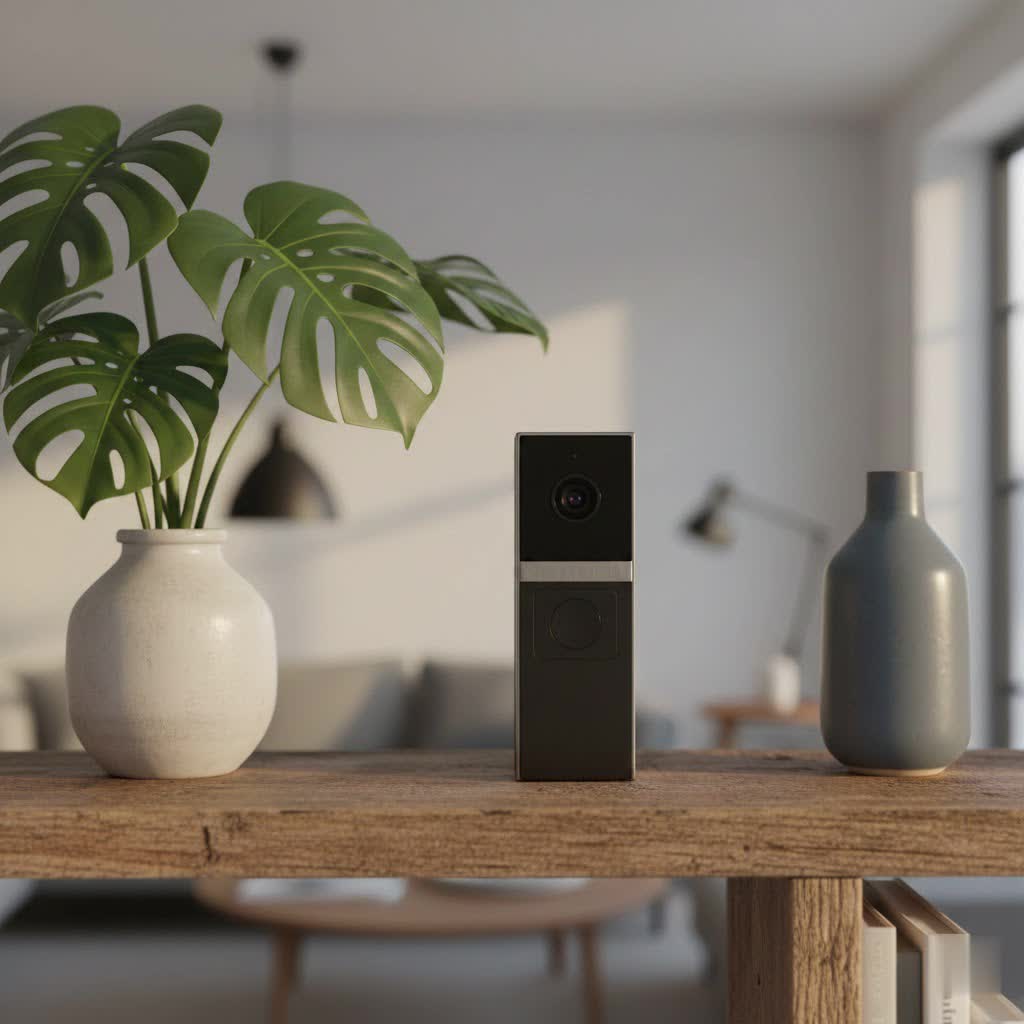
This comprehensive guide will walk you through everything you need to know about eufy video doorbells, from understanding their core functionalities and exploring the diverse models available, to providing a detailed buying guide, installation instructions, and troubleshooting tips. Whether you’re looking to upgrade your home security, prevent package theft, or simply gain more peace of mind, a eufy video doorbell could be the perfect solution for your family.
What is a Eufy Video Doorbell and Why Do You Need One?
A eufy video doorbell is a smart device that integrates a high-definition camera, a microphone, and a speaker into a traditional doorbell unit. When someone approaches your door or presses the doorbell button, it captures video footage and sends an instant alert to your smartphone. This allows you to see, hear, and speak to visitors remotely, providing an unparalleled level of control and awareness over your home’s entryway.
The benefits of integrating a eufy video doorbell into your home security system are numerous:
- Enhanced Security: A visible video doorbell acts as a powerful deterrent to potential intruders and porch pirates. In the event of an incident, the recorded footage serves as valuable evidence.
- Convenience and Control: Answer your door from anywhere, whether you’re at work, on vacation, or simply in another room. You can greet guests, instruct delivery drivers on where to leave packages, or even deter unwanted solicitors without physically being at the door.
- Package Protection: With advanced features like package detection, eufy doorbells can specifically alert you when a package arrives or is tampered with, helping to combat the growing issue of package theft.
- Peace of Mind: Knowing you can monitor your front door 24/7 provides a significant sense of security. You can check on children arriving home, verify visitors’ identities, and keep an eye on your property even when you’re away.
- No Monthly Fees: One of eufy’s standout advantages is its commitment to local storage, often eliminating the need for recurring cloud storage subscriptions. This means significant savings over the lifetime of the device.
These smart doorbells offer more than just a simple ring; they provide an interactive security layer that integrates seamlessly into your smart home ecosystem, keeping you connected to your front door like never before.
Exploring Eufy Video Doorbell Models: Wired vs. Wireless, Basic vs. Advanced
Eufy offers a diverse range of video doorbells designed to meet various home setups and security needs. Understanding the differences between wired and wireless options, as well as basic and advanced features, is key to selecting the right model for you.
Wired vs. Wireless (Battery-Powered) Eufy Video Doorbells
The primary distinction often lies in how the doorbell is powered, which influences installation and ongoing maintenance.
-
Wired Eufy Video Doorbells: These models connect directly to your home’s existing doorbell wiring, drawing continuous power.
- Pros: Reliable, uninterrupted power supply means no need for battery charging. They often offer continuous recording capabilities (though most eufy models record based on motion or events) and a consistently strong connection.
- Cons: Installation can be more complex, requiring existing low-voltage wiring and a compatible transformer (typically 16-24V AC). If your home lacks these, professional installation might be necessary.
- Example: The eufy Video Doorbell (Wired) S330.
-
Wireless (Battery-Powered) Eufy Video Doorbells: Designed for ease of installation, these doorbells run on a rechargeable battery.
- Pros: Simple and flexible installation, as they don’t require existing wiring. This makes them ideal for renters or homes without traditional doorbell wiring. Many models boast long battery life, with some reaching several months on a single charge.
- Cons: Batteries need periodic recharging, which can vary based on usage and settings (e.g., constant recording, frequent motion detection). They might also be more susceptible to Wi-Fi signal interference if placed far from the router or HomeBase.
- Example: Eufy Video Doorbell S220, and the versatile Eufy E340.
|
Our Picks for the Best Video Doorbell in 2026
As an Amazon Associate I earn from qualifying purchases.
|
||
| Num | Product | Action |
|---|---|---|
| 1 | Noorio Wireless Doorbell Camera with Rechargeable Battery, 2K+ Resolution, 2-Way Audio, Color Night Vision, AI Motion Detection, Smart Video Doorbell Works with Alexa, D110 |

|
| 2 | Ring Indoor Cam, Home or business security in 1080p HD video, White |
|
| 3 | Ring Battery Doorbell (newest model), Home or business security with Head-to-Toe video, Live View with Two-Way Talk, and Motion Detection & Alerts, Venetian Bronze |
|
| 4 | NariOrbi WiFi Video Doorbell Camera with Human Detection, Battery Powered, Night Vision, 2-Way Talk, 2.4G WiFi, Cloud Storage |
|
| 5 | Tapo by TP-Link Smart Video Doorbell Camera Wireless with Chime, 2K with Full Color Night Vision & Spotlights, No Monthly Fee, Ring Call, 160° Ultra-Wide View, Free AI Detection, Local Storage,D210 |
|
| 6 | Blink Video Doorbell (newest model) – Head-to-toe HD view, two-year battery life, and simple setup. Sync Module Core included – System (Black) |
|
| 7 | Blink Video Doorbell (newest model) – Head-to-toe HD view, two-year battery life, and simple setup. Required Sync Module not included – Add-On (White) |
|
| 8 | Blink Mini 2 — Home Security & Pet Camera with HD video, color night view, motion detection, two-way audio, and built-in spotlight — 1 camera (White) |
|
| 9 | Blink Outdoor 4 – Wireless smart security camera, two-year battery life, 1080p HD day and infrared night live view, two-way talk. Sync Module Core included – 2 camera system |
|
| 10 | Ring Battery Doorbell (newest model), Home or business security with Head-to-Toe video, Live View with Two-Way Talk, and Motion Detection & Alerts, Satin Nickel |
|
Some eufy models, such as the E340, offer a hybrid approach, capable of being powered by either battery or existing wiring, providing maximum flexibility.
Basic vs. Advanced Eufy Video Doorbell Features (AI Capabilities)
Beyond power sources, eufy video doorbells distinguish themselves through their feature sets, with many incorporating advanced Artificial Intelligence (AI) for smarter monitoring.
-
Core Features:
- 2K HD Video: Provides crisp, clear images, allowing you to discern faces and details even in challenging lighting conditions.
- Two-Way Audio: Enables seamless conversation with visitors through your smartphone, complete with noise cancellation for clear communication.
- Real-Time Notifications: Instant alerts on your phone when motion is detected or the doorbell is pressed.
- Night Vision: Ensures clear visibility in low-light or nighttime conditions, with some advanced models offering full-color night vision.
-
Advanced AI Capabilities: Eufy excels in smart detection, minimizing false alarms and providing more relevant alerts.
- Human Detection: Differentiates humans from pets, cars, or swaying trees, ensuring you only get notified about important events.
- Facial Recognition: Learns familiar faces over time, allowing the doorbell to identify family members or frequent visitors and send personalized alerts.
- Package Detection (Delivery Guard™): Specifically designed to recognize when a package is delivered to or removed from your doorstep, offering a crucial layer of protection against theft. The Eufy Dual Camera Video Doorbell models are particularly adept at this.
- Loitering Detection: Alerts you if someone lingers at your door for an unusual amount of time.
- Customizable Activity Zones: Allows you to define specific areas within the camera’s field of view for motion detection, ignoring busy streets or neighboring properties to further reduce unnecessary alerts.
-
Dual Camera Technology: A standout innovation found in models like the eufy Video Doorbell Dual (S330/E340). These doorbells feature two cameras:
- A primary, front-facing camera (e.g., 2K resolution, 160° field of view) to capture a comprehensive view of visitors.
- A secondary, downward-facing camera (e.g., 1080p resolution, 97° field of view) specifically positioned to monitor the ground directly in front of your door, effectively eliminating blind spots where packages might be placed. This dual perspective offers unparalleled coverage and package protection.
Eufy’s commitment to local storage, often through an integrated HomeBase (which doubles as a chime and local storage hub with expandable memory up to 16TB), is a key feature across many advanced models. This allows you to store footage securely at home without incurring monthly cloud storage fees, although optional cloud subscriptions are often available for those who prefer it.
Top Eufy Video Doorbell Models: A Closer Look
Eufy offers several compelling video doorbell models, each with distinct features to cater to different preferences. Here’s a brief overview of some of the most popular and highly-rated options:
-
Eufy Video Doorbell Dual (S330/E340): This is eufy’s flagship offering, renowned for its innovative dual-camera system. It features a 2K HDR main camera and a 1080p downward-facing camera for unparalleled package monitoring. The S330/E340 boasts advanced AI for human, facial, and package detection, local storage via HomeBase 3 (or built-in for the E340), and can operate on battery or wired power. It’s an excellent choice for comprehensive coverage and advanced smart features.
-
Eufy Video Doorbell S220 (Battery-Powered): A solid wireless option delivering 2K HD resolution and HDR support for clear video day and night. The S220 focuses on easy installation and a long-lasting battery, coupled with 16GB of built-in local storage, ensuring no monthly fees for essential functions. It’s ideal for those seeking a high-quality, wire-free experience.
-
Eufy Video Doorbell 2K (Wired/Battery Options): Eufy also offers various 2K models in both wired and battery-powered configurations, such as the Video Doorbell 2K (Wired) and the Video Doorbell 2K (Battery). These provide excellent video quality, two-way audio, and AI human detection, serving as reliable and cost-effective entry points into the eufy ecosystem without some of the more advanced dual-camera features.
To help you compare, here’s a table highlighting key aspects of some popular eufy video doorbells:
| Feature | Eufy Video Doorbell Dual (S330/E340) | Eufy Video Doorbell S220 | Eufy Video Doorbell 2K (Wired) |
|---|---|---|---|
| Resolution | 2K (Main) / 1080p (Package) | 2K HD | 2K HD |
| Power Source | Wired or Battery (Hybrid) | Battery-Powered | Wired |
| Dual Cameras | Yes | No | No |
| Local Storage | Yes (HomeBase 3 required for S330, built-in 8GB for E340) | Yes (16GB built-in) | Yes (4GB built-in) |
| AI Features | Human, Facial, Package, Loitering | Human Detection | Human Detection |
| Subscription | Optional Cloud | Optional Cloud | Optional Cloud |
| Night Vision | Color Night Vision (E340) | Standard IR | Standard IR |
| Smart Home | Alexa, Google Assistant | Alexa, Google Assistant, HomeKit (some versions) | Alexa, Google Assistant |
Note: Features and specific model numbers can evolve. Always check the latest product specifications.
Your Comprehensive Eufy Video Doorbell Buying Guide
Choosing the right eufy video doorbell involves a thoughtful assessment of your specific needs, your home’s infrastructure, and your budget. Here’s a detailed guide to help you make an informed decision:
Identify Your Needs
Before diving into specifications, clarify what you primarily want from a video doorbell:
- Primary Purpose: Is it mainly for general security and visitor screening, or are specific concerns like package theft a high priority? If package theft is a major concern, a dual-camera model like the E340 or S330 would be ideal.
- Installation Location: Do you have existing doorbell wiring, or do you prefer a completely wire-free setup? This will determine if you lean towards wired or battery-powered models.
- Budget: While eufy excels at offering subscription-free operation, the initial purchase price varies. Consider the upfront cost and remember that avoiding monthly fees can lead to significant long-term savings.
Key Factors to Consider When Choosing
Once you know your basic requirements, evaluate these technical and practical aspects:
-
Video and Audio Quality:
- Resolution: Look for 2K HD for crisp, detailed footage, especially crucial for facial identification.
- HDR (High Dynamic Range): This helps balance bright and dark areas in the video, preventing glare or shadows from obscuring important details.
- Field of View: A wider viewing angle (e.g., 160°+) captures more of your doorstep and surroundings. Dual cameras further enhance coverage by eliminating blind spots.
- Night Vision: Ensure clear visibility after dark. Some advanced eufy models offer impressive color night vision, a significant upgrade from standard black-and-white infrared.
- Two-Way Audio: Clear audio is essential for effective communication. Look for noise-cancellation features.
-
Connectivity and Smart Home Integration:
- Wi-Fi: Eufy doorbells typically connect via 2.4 GHz Wi-Fi. Ensure your router can provide a strong, stable signal to the doorbell’s location.
- Smart Home Ecosystems: Confirm compatibility with your existing smart home setup (e.g., Amazon Alexa, Google Assistant). Some models may offer HomeKit integration.
-
Durability and Weather Resistance:
- IP Rating: An IP65 rating signifies that the doorbell is protected against dust ingress and low-pressure water jets, making it suitable for outdoor use in various weather conditions.
-
Power Source and Battery Life:
- Wired vs. Battery: As discussed, choose based on your home’s wiring and preference for maintenance.
- Battery Life: For battery-powered models, consider the advertised battery life (e.g., 6 months) but also anticipate real-world usage will vary based on motion events and recording frequency. User experiences suggest 7 weeks of constant use for some models is a more realistic estimate.
-
Storage Options:
- Local Storage: This is a major eufy advantage. Many models feature built-in storage (e.g., 8GB, 16GB) or integrate with a HomeBase (e.g., HomeBase 3) for expandable local storage up to several terabytes. This avoids monthly fees.
- Cloud Storage: While not mandatory, eufy usually offers optional cloud storage plans for those who prefer off-site backup.
-
Advanced AI Features:
- Prioritize features like human, facial, and package detection if they align with your security goals. Customizable activity zones are crucial for reducing false alarms in busy areas.
Important Considerations for Installation and Use
- Optimal Placement: Position the doorbell at a height of approximately 48 inches (1.2 meters) above the ground to ensure an optimal field of view for both visitors and packages. Avoid placing it too close to a side wall that might obstruct the camera’s view.
- Mounting Wedges: If your doorbell is positioned on an angled wall or you need to adjust the viewing angle to better capture your porch, consider using an included 15-degree mounting wedge.
- App Integration: The eufy Security app is your central hub for setup, live view, accessing recordings, and customizing settings. Ensure you’re comfortable with its interface and features.
- Battery Maintenance: For wireless models, be prepared for periodic battery recharges. Eufy doorbells are typically easy to detach from their mounts for charging.
- HomeBase Location: If your eufy doorbell relies on a HomeBase, place it centrally and close enough to the doorbell for a strong wireless connection, especially for battery-powered models. The HomeBase also acts as your indoor chime and local storage hub.
By carefully considering these factors, you can confidently select a eufy video doorbell that perfectly aligns with your home security needs and lifestyle.
Installing Your Eufy Video Doorbell: A Step-by-Step Guide
Installing a eufy video doorbell is a straightforward process, whether you opt for a wired or battery-powered model. The eufy Security app provides guided instructions, but here’s a general overview of the steps involved.
Preparation
- Charge the Battery (for Wireless models): If you have a battery-powered eufy doorbell, fully charge the battery pack using the provided USB-C cable before installation. This can take several hours.
- Download the Eufy Security App: Install the “eufy Security” app from your device’s app store (iOS or Android) and create an account if you don’t already have one.
- Gather Tools: You’ll typically need a drill, screwdriver, the provided mounting screws, anchors (for hard surfaces), a detaching pin, and potentially an optional mounting wedge.
- Power Check (for Wired models): For wired installations, ensure your existing doorbell wiring provides the correct voltage (usually 16-24V AC) and that the power to your doorbell circuit is turned OFF at the breaker for safety.
App Setup
- Add Device: Open the eufy Security app, tap the ‘+’ icon to “Add Device,” and select your specific eufy video doorbell model from the list.
- Scan QR Code: The app will prompt you to scan the QR code located on the back of your doorbell or on the packaging.
- Connect to Wi-Fi/HomeBase: Follow the in-app instructions to connect your doorbell to your home’s 2.4 GHz Wi-Fi network. If your doorbell works with a HomeBase (like the S330), you’ll first set up the HomeBase and then link the doorbell to it.
- Sync: Press and hold the “Sync” button on the back of the doorbell until you hear a beep and the LED light flashes blue, then follow app prompts to complete the pairing.
Mounting the Doorbell
- Choose the Optimal Spot:
- Take the doorbell to your front door and use the app’s live view to find the best mounting location. Aim for a clear, unobstructed view of your entryway.
- The recommended height is approximately 48 inches (1.2 meters) above the ground.
- Consider using the optional 15-degree mounting wedge if your wall is angled or you need to adjust the field of view for better package detection.
- Install the Mounting Bracket:
- Place the screw hole positioning card (template) against the wall at your chosen location and mark the drill points.
- Drill holes at the marked locations. For hard surfaces like brick or concrete, use a suitable drill bit and insert the provided anchors.
- Secure the mounting bracket (and wedge, if using) to the wall using the provided screws.
- Connect Wires (for Wired models only):
- Carefully pull the two existing doorbell wires out of your wall. Straighten them if necessary.
- Connect these wires to the terminals on the back of the eufy doorbell. Wires can be connected to either terminal. Ensure the connections are tight and that the wires do not touch each other to prevent short-circuiting. Use extension wires and wire nuts if needed.
- Once connected, gently push the wires back into the wall.
- Switch the main circuit breaker back to “ON” to restore power.
- Secure the Doorbell:
- Align the bottom of the eufy doorbell with the bottom of the mounting bracket.
- Press the top of the doorbell firmly into place until it clicks securely. For wireless models, this is also how you detach it for recharging using the provided detaching pin.
Post-Installation
- Test Live View and Settings: After installation, use the eufy Security app to check the live view, test two-way audio, and fine-tune motion detection settings, activity zones, and notification preferences.
- Firmware Updates: Ensure your doorbell’s firmware is up to date through the app for optimal performance and security.
Following these steps will ensure your eufy video doorbell is correctly installed and ready to protect your home.
Common Eufy Video Doorbell Issues & Troubleshooting Tips
Even the most advanced smart home devices can encounter occasional hiccups. If your eufy video doorbell isn’t performing as expected, don’t worry—many common issues have straightforward solutions.
Motion Detection Problems
- Issue: Missing alerts, receiving too many false alarms from pets, cars, or swaying trees, or detecting motion only from the sides, not directly approaching.
- Fix:
- Adjust Sensitivity: Access the doorbell’s settings in the eufy Security app and reduce or increase the motion detection sensitivity.
- Create Activity Zones: Define specific areas within the camera’s view that you want to monitor, effectively ignoring irrelevant zones (like a busy street or a neighbor’s yard).
- Optimal Angle: Ensure the doorbell is positioned correctly. If necessary, use a 15-degree mounting wedge to adjust the angle for better coverage, especially for package detection on the ground.
- Human-Only Detection: Enable “Human Only” detection (if available on your model) to filter out non-human motion.
Connectivity Issues (Wi-Fi / Offline)
- Issue: Your doorbell appears “offline” in the app, notifications are delayed, or live view is slow to load.
- Fix:
- Check Wi-Fi Signal Strength: Eufy doorbells require a stable 2.4 GHz Wi-Fi connection. In the app’s device settings, check the Wi-Fi signal strength.
- Relocate Router/HomeBase: If the signal is weak, try moving your Wi-Fi router (for wired doorbells) or the HomeBase (for battery-powered doorbells) closer to the doorbell.
- App Update: Ensure your eufy Security app is updated to the latest version, as glitches can sometimes cause connectivity problems.
- Restart Doorbell: For wired doorbells, temporarily switch off and on the power at the circuit breaker. For battery doorbells, remove and reinsert the battery or press the Sync button for 10 seconds to soft reset.
Audio and Two-Way Talk Issues
- Issue: You can’t hear sound from the doorbell, visitors can’t hear you, or there’s a significant audio delay.
- Fix:
- Enable Audio Recording: In the eufy app, go to Doorbell Settings > Audio Settings and ensure “Audio Recording” is turned on.
- Adjust Volume: Increase the “Doorbell Audio Volume” in the app settings.
- Check Mic Permissions: Ensure the eufy Security app has microphone permissions enabled on your smartphone (in your phone’s general app settings).
- Disable Bluetooth/Headphones: If you’re using Bluetooth headphones, try disabling them and speaking directly into your phone.
- Network Stability: A poor Wi-Fi connection can cause audio delays. Try the connectivity fixes mentioned above.
Chime Not Ringing
- Issue: Your indoor chime (mechanical or digital) doesn’t ring when the doorbell button is pressed.
- Fix (for Wired Doorbells with existing Chime):
- Verify Wiring: Double-check that the doorbell wires are correctly connected to the eufy doorbell terminals. Ensure the blue bypass wire (if included with your eufy kit) is not connected if you want your original chime to ring; it’s typically used to bypass the chime.
- App Settings: In the eufy Security app, navigate to the doorbell settings and ensure “Mechanical Chime” is enabled if you have one. Eufy doorbells are generally compatible with mechanical chimes.
- Chime Type: Confirm you have a compatible chime. Mechanical chimes (with physical bells and hammers) are usually supported, while some digital chimes might not be.
- Power Supply: Ensure your transformer is providing the correct voltage (16-24V AC). A weak transformer can lead to a silent chime.
- Chime Mechanism: Inspect the internal mechanism of your mechanical chime box for any obstructions or loose connections.
Power Problems
- Wired Doorbells:
- Circuit Breaker: Check your home’s electrical panel. The breaker controlling your doorbell circuit might have tripped. Flip it completely OFF, then back ON.
- Wiring Connections: Inspect all wiring connections from the transformer to the chime and the doorbell for looseness or corrosion.
- Faulty Transformer: Test the transformer’s output voltage with a multimeter. If it’s outside the 16-24V AC range, the transformer may need replacement.
- Wireless Doorbells:
- Dead Battery: The most common cause. Ensure the battery is fully charged.
- Electronic Interference: Other wireless devices (like microwaves, baby monitors) can interfere with the doorbell’s signal. Try to minimize these or move them further away.
General Troubleshooting
- Clean Lens: A dirty camera lens can cause blurry images. Gently clean it with a soft cloth.
- Firmware Updates: Eufy regularly releases firmware updates to fix bugs and improve performance. Check the app for any pending updates.
- Factory Reset: As a last resort, you can perform a factory reset (often by pressing and holding the Sync button for an extended period, or following app instructions). Warning: This will delete all settings and recordings, so save important videos first.
By systematically working through these troubleshooting steps, you can resolve most issues and ensure your eufy video doorbell continues to provide reliable home security. If problems persist, don’t hesitate to reach out to eufy’s customer support for further assistance.
Conclusion
Eufy video doorbells offer a compelling blend of advanced security features, user-friendly design, and the significant advantage of no mandatory monthly subscription fees. By providing crystal-clear 2K video, intelligent AI detection for humans, packages, and even familiar faces, and seamless two-way audio, eufy transforms your front door into a smart, proactive security point. Whether you opt for a flexible battery-powered unit or a reliable wired model, the peace of mind that comes from knowing who’s at your door, anytime and anywhere, is invaluable.
The power of local storage, often facilitated by the HomeBase, truly sets eufy apart, empowering homeowners to retain full control over their data without incurring recurring costs. With easy installation and robust troubleshooting support, integrating a eufy video doorbell into your smart home is a practical step towards a safer and more connected living experience.
What smart security feature matters most to you in a video doorbell?
