In our increasingly connected world, a video doorbell is a cornerstone of modern home security and convenience. It allows you to see, hear, and speak to visitors from anywhere, right from your smartphone. But what about that familiar “ding-dong” we’ve come to expect? The Blink Video Doorbell, while brilliant in its smart features, offers a variety of chime options that might not be immediately obvious. Understanding these alternatives is key to ensuring you never miss a visitor or an important delivery. This comprehensive guide will walk you through every Blink chime possibility, helping you integrate your doorbell seamlessly into your daily life.
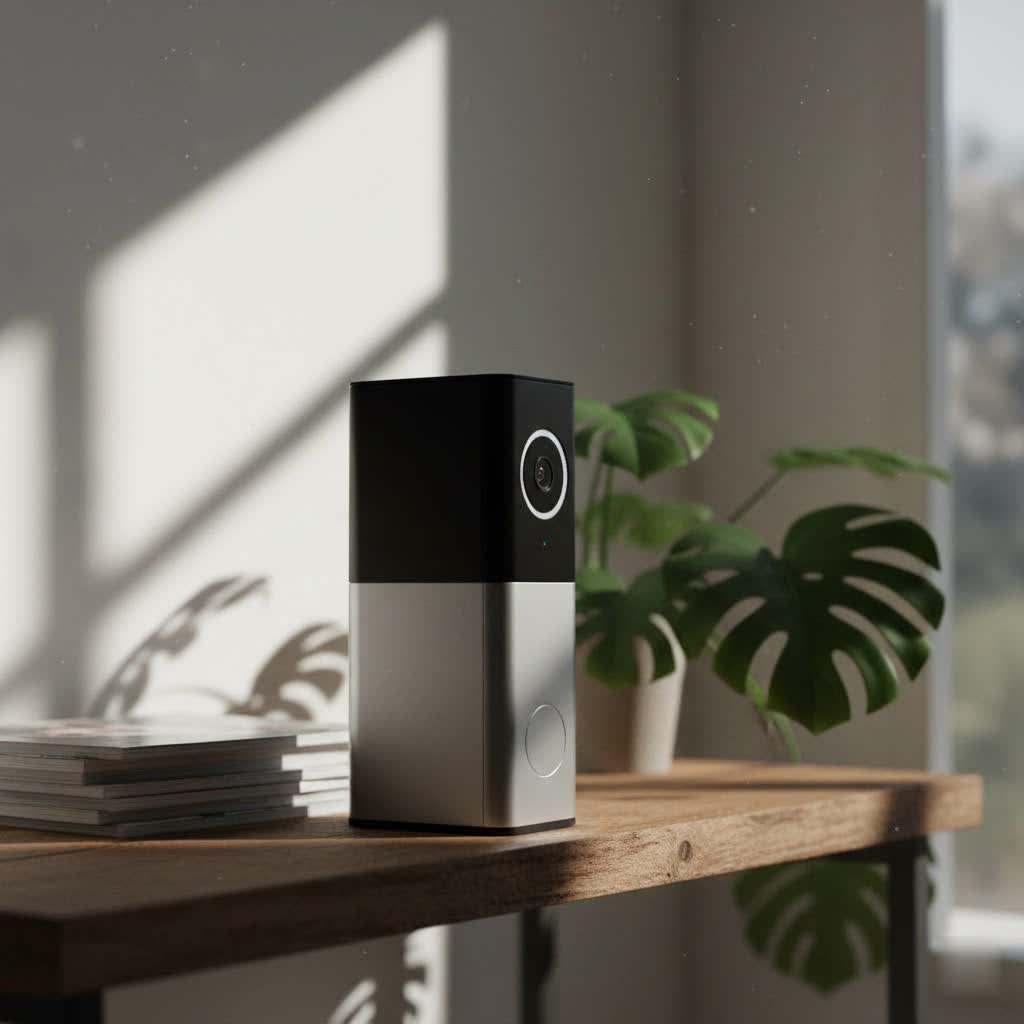
What is a Blink Video Doorbell Chime and Why is it Essential?
At its core, a doorbell chime is an audible signal indicating someone is at your door. For a traditional doorbell, this is a direct mechanical or electronic sounder. With smart video doorbells like Blink, the concept expands to include multiple notification methods beyond just the physical device. While the Blink app on your smartphone provides immediate alerts, an audible chime within your home is essential for several reasons. It offers security by ensuring you’re aware of guests even when your phone isn’t nearby or charged, provides convenience by eliminating the need to constantly check your phone, and gives peace of mind, knowing that visitors can always get your attention.
Understanding Your Blink Video Doorbell Chime Options
The Blink Video Doorbell is versatile, offering several ways to alert you when someone presses the button or motion is detected. These options cater to different home setups and preferences, ensuring you have a reliable notification system.
Leveraging Your Existing In-Home Chime
If your home already has traditional doorbell wiring, the Blink Video Doorbell can often connect to your existing mechanical or digital chime. This allows for a familiar “ding-dong” sound inside your home, just like a standard doorbell. The Blink Video Doorbell is compatible with existing chime systems that provide 8-24 VAC at 50-60Hz, with a maximum of 40VA.
- How it works: When wired, the doorbell press completes a circuit, triggering your existing chime. This provides a consistent, in-home notification while still sending alerts to your Blink app.
- Distinguishing Chime Types:
- Mechanical Chimes: These produce sound using physical moving parts, typically a plunger striking metal bars for the classic “ding-dong.”
- Digital Chimes: These use a speaker to play a pre-recorded sound or melody when activated.
- Pros: Utilizes existing infrastructure, provides a traditional and immediate audible alert without needing additional devices.
- Cons: Requires compatible wiring and transformer, which may not be present in all homes, or might need professional installation.
|
Our Picks for the Best Video Doorbell in 2026
As an Amazon Associate I earn from qualifying purchases.
|
||
| Num | Product | Action |
|---|---|---|
| 1 | Ring Battery Doorbell (newest model), Home or business security with Head-to-Toe video, Live View with Two-Way Talk, and Motion Detection & Alerts, Venetian Bronze |

|
| 2 | Ring Indoor Cam, Home or business security in 1080p HD video, White |
|
| 3 | Ring Battery Doorbell (newest model), Home or business security with Head-to-Toe video, Live View with Two-Way Talk, and Motion Detection & Alerts, Satin Nickel |
|
| 4 | NariOrbi WiFi Video Doorbell Camera with Human Detection, Battery Powered, Night Vision, 2-Way Talk, 2.4G WiFi, Cloud Storage |
|
| 5 | Blink Video Doorbell (newest model) – Head-to-toe HD view, two-year battery life, and simple setup. Required Sync Module not included – Add-On (White) |
|
| 6 | Blink Outdoor 4 – Wireless smart security camera, two-year battery life, 1080p HD day and infrared night live view, two-way talk. Sync Module Core included – 2 camera system |
|
| 7 | Blink Mini 2 — Home Security & Pet Camera with HD video, color night view, motion detection, two-way audio, and built-in spotlight — 1 camera (White) |
|
| 8 | Blink Video Doorbell (newest model) – Head-to-toe HD view, two-year battery life, and simple setup. Sync Module Core included – System (Black) |
|
| 9 | Noorio Wireless Doorbell Camera with Rechargeable Battery, 2K+ Resolution, 2-Way Audio, Color Night Vision, AI Motion Detection, Smart Video Doorbell Works with Alexa, D110 |
|
| 10 | Tapo by TP-Link Smart Video Doorbell Camera Wireless with Chime, 2K with Full Color Night Vision & Spotlights, No Monthly Fee, Ring Call, 160° Ultra-Wide View, Free AI Detection, Local Storage,D210 |
|
Transform Your Blink Mini Camera into a Chime
One of the most popular and flexible solutions for a wireless chime is to use a Blink Mini, Mini 2, or Mini 2K+ camera. These small, affordable cameras can double as an indoor chime for your Blink Video Doorbell, provided they are part of the same Blink system.
> “Leveraging existing Blink Mini cameras as chimes is an ingenious solution for homeowners without traditional doorbell wiring, offering flexible placement and seamless integration within the Blink ecosystem.” – Home Automation Specialist
- How it works: When the doorbell button is pressed, the Mini camera on the same system will play a chime sound. The sound will be the same as the one played from the doorbell’s speaker and within the Blink app.
- Setup Process:
- Ensure your Blink Video Doorbell and Mini camera are on the same Blink system.
- Open the Blink app.
- Tap the “More…” button (three dots) on the doorbell’s thumbnail.
- Go to “Device Settings” and then “Doorbell and Chime Settings.”
- Select “Use Blink Mini Camera as Chime.”
- Choose the Mini camera(s) you wish to use as a chime and tap “Save.”
- Volume Control: You can adjust the chime volume for each Mini camera within its audio settings in the Blink app. Navigate to the Mini camera’s “Device Settings,” then “Audio Settings,” and adjust the “Mini as a Chime Volume” slider.
- Pros: Offers a convenient wireless chime solution, utilizes existing Blink hardware, allows for flexible placement of the chime throughout your home, and multiple Mini cameras can chime simultaneously.
- Cons: Requires purchasing a Blink Mini camera if you don’t already own one. The Mini will temporarily stop playing the chime sound if it’s engaged in another activity, such as recording a motion clip or entering Live View.
Alexa Integration for Smart Home Notifications
For those with an Amazon Echo or other Alexa-enabled devices, integrating your Blink Video Doorbell allows for smart home announcements when someone is at your door.
- How it works: By enabling the Blink SmartHome Skill in the Alexa app and activating “Doorbell Press Announcements,” your Echo device can verbally notify you. Instead of a traditional chime, Alexa typically announces, “Someone is at your [doorbell name].”
- Customization: You can customize the doorbell sound your Alexa device plays.
- Pros: Provides hands-free, vocal alerts, integrates seamlessly with your existing Alexa smart home setup, and allows you to receive alerts from various Echo devices around your home.
- Cons: It’s a spoken announcement rather than a traditional chime by default, and relies on your Alexa devices being powered on and connected to Wi-Fi.
The Blink App and On-Device Sound
Even without additional chimes or wiring, your Blink Video Doorbell provides essential alerts directly.
- Blink App Notifications: When the doorbell button is pressed or motion is detected, you will receive instant notifications on your smartphone via the Blink app. Tapping these notifications allows you to enter a Live View session and engage in two-way talk.
- On-Device Speaker: The Blink Video Doorbell itself plays a sound from its built-in speaker when the button is pressed. This provides an immediate audible cue at the door.
- Importance of Wi-Fi: Both the app notifications and the doorbell’s ability to record events rely on a stable Wi-Fi connection. Without Wi-Fi, the doorbell will still play a sound from its speaker, but you won’t receive app notifications or recorded motion events until it reconnects.
Busting the Myth: Sync Module 2 and Chime Functionality
A common misconception among Blink users is that the Sync Module 2 can act as a chime. It’s important to clarify that the Blink Sync Module 2 does not function as a chime.
The Sync Module 2 serves several critical roles within your Blink system, such as enabling local video storage via a USB drive (sold separately), extending battery life for some devices, and allowing multiple Blink cameras to operate under a single system. However, it does not have an internal speaker to produce chime sounds. Any third-party claims or videos suggesting otherwise are incorrect.
> “While the Sync Module 2 is vital for local storage and managing your Blink system, it’s crucial for users to understand it doesn’t offer any chime functionality. Rely on your existing chime, a Blink Mini, or Alexa for audible alerts.” – Security Technology Analyst
Choosing the Right Chime Solution for Your Home
Selecting the ideal chime setup for your Blink Video Doorbell involves assessing your home’s infrastructure, your personal preferences, and the level of coverage you desire.
Assess Your Current Setup
- Existing Doorbell Wiring: Do you have functional wiring from a previous doorbell? Check the voltage to ensure it meets Blink’s 8-24 VAC requirements.
- Blink Mini Cameras: Do you already own one or more Blink Mini cameras? This is a cost-effective way to add wireless chimes.
- Alexa Devices: Are Amazon Echo devices part of your smart home ecosystem? Their integration can provide convenient voice alerts.
Consider Your Needs
- Wired Reliability vs. Wireless Convenience: Wired connections offer traditional reliability, while wireless options (Mini, Alexa) provide flexibility in placement and setup.
- Notification Method: Do you prefer a classic “ding-dong,” a spoken announcement, or solely app notifications?
- Coverage Area: How many rooms or floors do you need the chime to reach? A single wired chime might suffice, or you might need multiple Blink Mini cameras or Alexa devices for broader coverage.
- Budget: Utilizing existing wiring or Mini cameras can be more economical than purchasing new dedicated chime units (if Blink offered one).
Installation Tips for Optimal Chime Performance
- Wired Installation:
- Transformer Compatibility: Always verify your existing doorbell transformer meets the 8-24 VAC, 50-60Hz, 40VA max requirements to prevent issues like the doorbell entering “Event Response” mode or not ringing your chime.
- Proper Connection: Ensure all wires are securely connected according to the Blink Video Doorbell installation guide.
- Blink Mini Chime:
- Strategic Placement: Position Mini cameras in central locations or areas where you spend the most time to ensure you hear the chime clearly.
- Volume Adjustment: Test different volume levels on the Mini to find what works best for your home environment.
- Alexa Integration:
- Enable Skill: Make sure the Blink SmartHome Skill is enabled and linked to your Blink account in the Alexa app.
- Doorbell Announcements: Confirm that “Doorbell Press Announcements” are turned on for your desired Echo devices.
Troubleshooting Common Blink Chime Issues
Even with the best setup, you might encounter issues. Here’s how to address some common chime-related problems:
- Existing In-Home Chime Not Ringing:
- Check Wiring: Ensure the Blink Video Doorbell is correctly wired to your existing chime system. Loose connections are a frequent culprit.
- Transformer Voltage: Verify your transformer provides the correct voltage (8-24 VAC). An underpowered transformer might prevent the chime from ringing.
- Chime Type: Confirm your chime is mechanical or digital and compatible with the Blink Video Doorbell. Third-party wireless chimes are generally incompatible.
- Power Outage: If your chime system loses power, the in-home chime will not ring.
- Blink Mini Not Chiming:
- Same System: Confirm both the Video Doorbell and the Mini camera are on the same Blink system in the app.
- Chime Setting Enabled: Double-check that “Use Blink Mini Camera as Chime” is enabled for the specific Mini.
- Volume Level: Increase the “Mini as a Chime Volume” in the Mini’s audio settings.
- Mini Activity: Remember, the Mini will stop chiming if it’s currently recording a motion clip or in Live View.
- Alexa Not Announcing:
- Blink Skill Enabled: Ensure the Blink SmartHome Skill is enabled in the Alexa app and linked to your Blink account.
- Doorbell Announcements On: Verify that “Doorbell Press Announcements” are activated for your Echo device.
- Wi-Fi Connection: Confirm both your Blink system and Alexa devices have a stable internet connection.
- No Blink App Notifications:
- Wi-Fi Connection: A weak or unstable Wi-Fi signal is the most common reason for missed app notifications.
- App Settings: Check your phone’s notification settings to ensure the Blink app is allowed to send alerts.
- Event Response Mode: If wired and your transformer is underpowered (less than 16 VAC), the doorbell might enter “Event Response” mode, which affects how it operates and notifies.
Conclusion
The Blink Video Doorbell offers a flexible and robust range of chime options, ensuring you stay connected to your front door. Whether you prefer the classic sound of your existing in-home chime, the versatile placement of a Blink Mini camera acting as a chime, or the smart integration with Alexa for vocal announcements, there’s a solution to fit every home. Understanding these different methods allows you to customize your notification system for optimal security and convenience. By evaluating your setup and needs, you can easily set up a reliable chime, ensuring you’re always aware of who’s at your door. Which chime solution best suits your smart home?
Frequently Asked Questions
Does Blink make its own dedicated wireless chime unit?
No, Blink does not produce a separate, dedicated wireless chime unit. Instead, the Blink Video Doorbell leverages existing home chimes, Blink Mini cameras, and Alexa-enabled devices to provide audible notifications within your home.
Can I use any third-party wireless chime with my Blink Video Doorbell?
Generally, third-party wireless chimes are incompatible with the Blink Video Doorbell. Blink’s system is designed to integrate with its own devices (like the Mini camera) or smart home platforms like Amazon Alexa for wireless chime functionality.
Do I need a Sync Module 2 for my Blink Mini camera to chime for the doorbell?
No, a Sync Module 2 is not strictly required for a Blink Mini camera to function as a chime. As long as the Mini camera and the Video Doorbell are on the same Blink system, the Mini can chime for doorbell presses. However, if you want local storage for clips, a Sync Module 2 is necessary for the system.
What are the voltage requirements for connecting the Blink Video Doorbell to an existing wired chime?
The Blink Video Doorbell can be connected to mechanical or digital chime systems that provide 8-24 VAC (Volts Alternating Current) at 50-60Hz, with a maximum of 40VA. Ensuring your existing transformer meets these specifications is crucial for proper in-home chime functionality.
