In an increasingly connected world, protecting your home and loved ones has never been more intuitive. The traditional doorbell, once a simple signaling device, has evolved into a sophisticated guardian: the video doorbell camera. This smart device is transforming front door security, offering peace of mind by letting you see, hear, and speak to visitors from anywhere, whether you’re at home or miles away. If you’re looking to enhance your home’s security, deter package thieves, or simply manage deliveries with greater ease, a video doorbell camera is an indispensable tool. This comprehensive guide will walk you through everything you need to know, helping you select the perfect smart doorbell to fit your needs and budget.
What is a Video Doorbell Camera and Why Do You Need One?
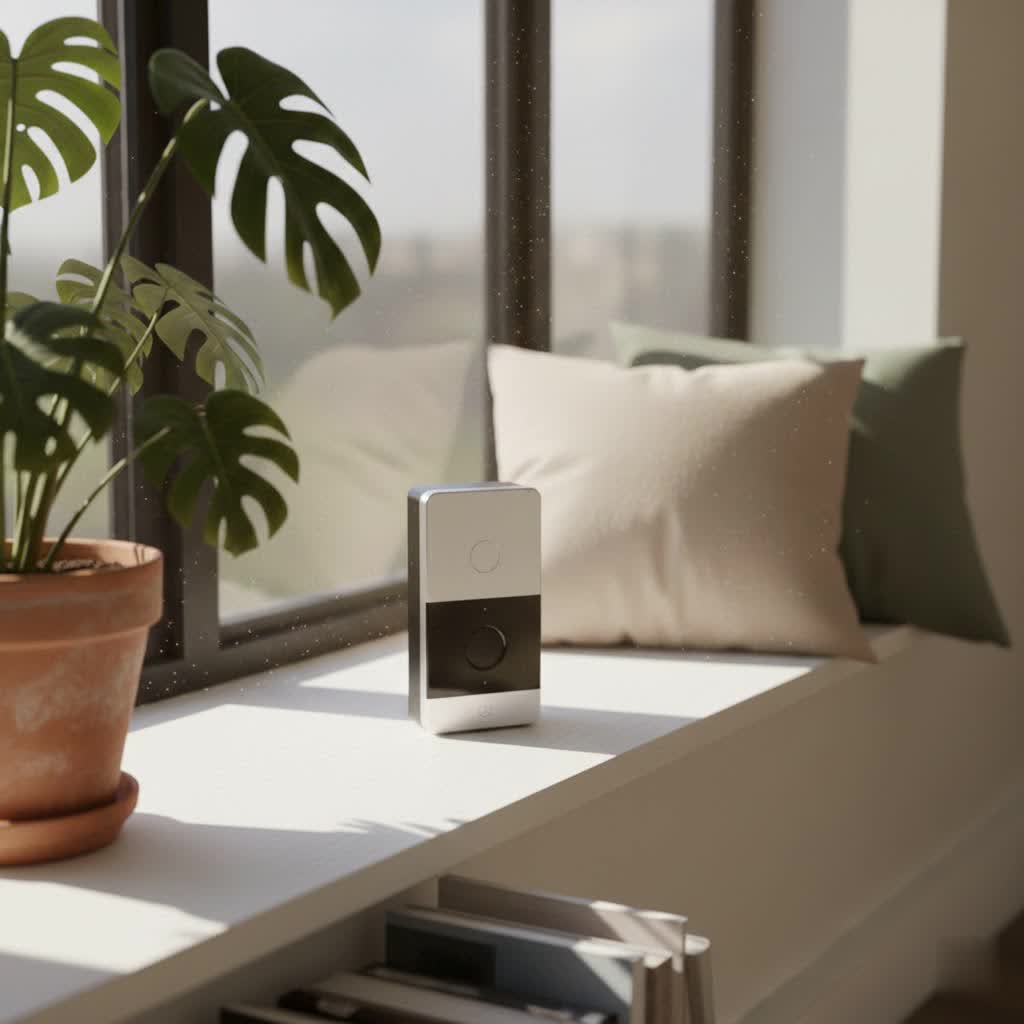
A video doorbell camera is an innovative smart device integrated into or alongside your existing doorbell, featuring a built-in camera, microphone, speaker, and often motion sensors. Unlike conventional doorbells that merely chime when pressed, these advanced systems continuously monitor your entryway, providing live video feeds, two-way audio communication, and instant alerts directly to your smartphone or smart display.
The benefits of integrating a video doorbell into your home security setup are extensive. Primarily, it significantly enhances security by offering real-time surveillance of your doorstep, deterring potential intruders and package thieves. You can remotely monitor activity, receive notifications for detected motion, and even store video evidence. Beyond security, video doorbells offer unparalleled convenience, allowing you to answer your door from anywhere, communicate with delivery personnel, or screen visitors without physically opening the door. They provide a vital layer of control and awareness over who approaches your home, whether you’re on vacation or simply in another room.
Types of Video Doorbell Cameras
Video doorbell cameras come in various configurations, primarily differing in their power source and the range of features they offer. Understanding these distinctions is crucial for choosing the right model for your home.
Wired vs. Wireless (Battery-Powered)
The fundamental difference lies in how the video doorbell receives power and connects to your home.
-
Wired Video Doorbells: These devices connect to your home’s existing doorbell wiring.
- Pros: Generally offer more consistent power, leading to continuous recording capabilities (for some models), faster response times, and often more advanced features. You rarely need to worry about battery life.
- Cons: Installation can be more complex, sometimes requiring professional help if you lack existing wiring or electrical expertise. Power outages will typically render them inoperable unless a battery backup is present.
- Ideal for: Homeowners seeking reliable, continuous power and performance, and those comfortable with minor electrical work or willing to hire an installer.
-
Wireless (Battery-Powered) Video Doorbells: These run on rechargeable batteries and connect to your home’s Wi-Fi.
- Pros: Significantly easier to install, as they don’t require existing wiring, offering greater flexibility in placement. They continue to operate during power outages.
- Cons: Batteries need regular recharging (typically every few weeks to months, depending on usage), which can be inconvenient. Battery-powered models often have slightly slower notification speeds and may not offer 24/7 continuous recording to conserve battery life.
- Ideal for: Renters, those without existing doorbell wiring, or individuals prioritizing easy installation and portability.
|
Our Picks for the Best Video Doorbell in 2026
As an Amazon Associate I earn from qualifying purchases.
|
||
| Num | Product | Action |
|---|---|---|
| 1 | Blink Outdoor 4 – Wireless smart security camera, two-year battery life, 1080p HD day and infrared night live view, two-way talk. Sync Module Core included – 2 camera system |

|
| 2 | Blink Mini 2 — Home Security & Pet Camera with HD video, color night view, motion detection, two-way audio, and built-in spotlight — 1 camera (White) |
|
| 3 | Ring Battery Doorbell (newest model), Home or business security with Head-to-Toe video, Live View with Two-Way Talk, and Motion Detection & Alerts, Satin Nickel |
|
| 4 | Noorio Wireless Doorbell Camera with Rechargeable Battery, 2K+ Resolution, 2-Way Audio, Color Night Vision, AI Motion Detection, Smart Video Doorbell Works with Alexa, D110 |
|
| 5 | NariOrbi WiFi Video Doorbell Camera with Human Detection, Battery Powered, Night Vision, 2-Way Talk, 2.4G WiFi, Cloud Storage |
|
| 6 | Tapo by TP-Link Smart Video Doorbell Camera Wireless with Chime, 2K with Full Color Night Vision & Spotlights, No Monthly Fee, Ring Call, 160° Ultra-Wide View, Free AI Detection, Local Storage,D210 |
|
| 7 | Ring Indoor Cam, Home or business security in 1080p HD video, White |
|
| 8 | Blink Video Doorbell (newest model) – Head-to-toe HD view, two-year battery life, and simple setup. Required Sync Module not included – Add-On (White) |
|
| 9 | Blink Video Doorbell (newest model) – Head-to-toe HD view, two-year battery life, and simple setup. Sync Module Core included – System (Black) |
|
| 10 | Ring Battery Doorbell (newest model), Home or business security with Head-to-Toe video, Live View with Two-Way Talk, and Motion Detection & Alerts, Venetian Bronze |
|
Basic vs. Advanced Features (AI-Powered)
Beyond connectivity, video doorbells vary widely in their feature sets, from essential functions to cutting-edge AI capabilities.
-
Basic Features: Most standard video doorbells include:
- High-Definition Video: Clear visual monitoring of your doorstep.
- Two-Way Audio: Speak and listen to visitors in real-time.
- Motion Detection: Alerts when someone approaches your door.
- Night Vision: Clear footage in low-light conditions, often infrared.
- App Integration: Control and monitor via a smartphone app.
-
Advanced (AI-Powered) Features: Premium models leverage artificial intelligence for enhanced security and convenience:
- Facial Recognition: Identifies familiar faces or alerts you to strangers.
- Package Detection: Notifies you specifically when a package is delivered or picked up.
- Person/Vehicle/Animal Detection: Differentiates between various types of motion to reduce false alarms.
- Pre-Recorded Responses: Play automated messages to visitors when you can’t answer.
- Customizable Motion Zones: Define specific areas for motion detection to focus on.
- Cloud and Local Storage Options: Flexible storage for recorded footage, often with subscription tiers for cloud services.
- Head-to-Toe View: Optimized vertical field of view to see people and packages fully.
Top Video Doorbell Camera Brands
The market is flooded with excellent video doorbell options from a variety of reputable brands, each with its unique strengths.
- Ring: A pioneer in the smart doorbell space, Ring (an Amazon company) offers a wide range of wired and battery-powered options. They are known for their user-friendly app, robust motion detection, and seamless integration with the Alexa ecosystem. Ring devices are generally reliable, though many advanced features require a Ring Protect subscription.
- Arlo: Arlo is celebrated for its high-quality video (often 2K or 4K), excellent battery life on wireless models, and integration with multiple smart home platforms including Alexa, Google Assistant, and sometimes Apple HomeKit. Their devices often focus on clear optics and versatile power options.
- Eufy: Eufy stands out for offering many features without requiring a monthly subscription for local storage (via a HomeBase or onboard storage). They boast sharp video quality, dual-camera options for package detection, and strong AI capabilities, making them a cost-effective choice for those avoiding recurring fees.
- Google Nest: Google Nest Doorbells (formerly Nest Hello) are praised for their sleek design, advanced AI features like facial and package detection (often with a Nest Aware subscription), and deep integration with the Google Home ecosystem. They offer excellent video quality and smart alerts.
- Wyze: Known for its affordability, Wyze provides surprisingly robust features for its price point, including HD video, color night vision, and two-way audio. Their budget-friendly options are a great entry point into smart home security, often offering subscription plans for enhanced AI.
- SimpliSafe: Primarily a home security system provider, SimpliSafe offers a video doorbell that integrates seamlessly with their broader security ecosystem. It’s ideal for those looking for a comprehensive security solution rather than just a standalone doorbell.
Comparison Table: Best Video Doorbell Cameras
Choosing the “best” video doorbell depends heavily on your specific needs, existing smart home setup, and budget. Here’s a comparative look at some top contenders based on common criteria:
| Feature/Model | Ring Video Doorbell Pro 2 | Arlo Video Doorbell (2nd Gen) | Eufy Video Doorbell Dual | Google Nest Doorbell (Battery) | Wyze Video Doorbell Pro |
|---|---|---|---|---|---|
| Resolution | 1536p HD (1:1 aspect) | 2K HDR | 2K Full HD (top) + 1080p (bottom) | 1.3MP (960×1280) HDR | 2K 5MP |
| Field of View | 150° horizontal, 150° vertical | 180° diagonal | 160° (top), 120° (bottom) | 145° diagonal, 3:4 aspect | 150° diagonal, 3:4 aspect |
| Power Source | Wired | Wired or Battery | Wired or Battery | Battery or Wired | Battery or Wired |
| Storage | Cloud (subscription required) | Cloud (subscription required) | Local (HomeBase) + Cloud (opt.) | Cloud (subscription required) | Cloud (subscription opt.) + Local (microSD) |
| Key Features | 3D Motion Detection, Bird’s Eye View, Alexa integration | HDR, Package Detection, Alexa/Google/HomeKit compatible | Dual-Cam for package monitoring, AI, No monthly fee for local storage | Smart Alerts (person/package/animal), Facial Recognition, Google Home integration | Head-to-Toe View, Color Night Vision, Affordable, Alexa/Google compatible |
| Price Range (Approx.) | Premium | Mid-to-Premium | Mid-to-Premium | Mid-to-Premium | Budget |
This table offers a snapshot of leading models. For detailed performance reviews, consider researching specific models further. Each has unique strengths, with Ring and Nest often excelling in smart ecosystem integration, Eufy in subscription-free local storage, and Wyze in value.
How to Choose the Right Video Doorbell Camera (Buying Guide)
Selecting the ideal video doorbell camera involves carefully assessing your unique home situation, security priorities, and technological preferences.
Define Your Needs
Before diving into specifications, consider what you primarily want your video doorbell to achieve:
- Primary Purpose: Is it for enhanced security, convenient package monitoring, screening visitors, or simply knowing when someone is at the door? Your priorities will guide your feature choices.
- Installation Location: Do you have existing doorbell wiring, or do you prefer a completely wireless setup? Consider where the doorbell will be mounted for optimal viewing angles.
- Budget: Video doorbells range widely in price, from budget-friendly options under $100 to premium models exceeding $250, not including potential subscription fees. Determine your comfortable spending limit.
Key Factors to Consider When Selecting
Once your needs are clear, evaluate these critical factors:
-
Video and Audio Quality:
- Resolution: Look for at least 1080p HD for clear images. Many premium models offer 2K or even 4K.
- Field of View: A wider angle (160-180 degrees) ensures you capture more of your entryway. “Head-to-toe” views are excellent for seeing packages.
- Night Vision: Essential for security after dark. Options include infrared or color night vision.
- HDR (High Dynamic Range): Helps balance bright and dark areas in challenging lighting conditions.
- Two-Way Audio: Ensure the audio is clear and free from significant lag for effective communication.
-
Connectivity and Smart Home Integration:
- Wi-Fi Requirements: Most require a stable 2.4 GHz Wi-Fi connection. Some support 5 GHz for faster speeds, but 2.4 GHz generally offers better range through walls.
- Smart Home Ecosystem: If you already use Alexa, Google Assistant, or Apple HomeKit, choose a doorbell compatible with your preferred system for seamless integration.
-
Durability and Weather Resistance: Your doorbell will be exposed to the elements. Look for models with an IP (Ingress Protection) rating that indicates resistance to dust and water, ensuring reliable operation in various weather conditions.
-
Storage Options and Subscription Costs:
- Cloud Storage: Most brands offer cloud storage, often requiring a monthly or annual subscription for retaining recorded video clips. These plans often unlock advanced AI features.
- Local Storage: Some doorbells offer local storage via a microSD card slot or a dedicated hub (like Eufy’s HomeBase). This can be a great way to avoid recurring subscription fees.
-
Privacy and Security Features: Research the brand’s reputation for data security. Features like end-to-end encryption for video feeds and robust user authentication are important. Also, consider your neighbors’ privacy when setting up motion zones.
-
Warranty and Technical Support: A good warranty and responsive customer support can be invaluable if you encounter issues.
Installation and Usage Tips
Once you’ve made your choice, proper installation and ongoing maintenance are key:
- Optimal Placement: Install the doorbell at a height that captures visitors’ faces clearly and maximizes its field of view, typically around 48 inches from the ground. Consider an angled mounting wedge if your door is set back or positioned awkwardly.
- App Setup: Follow the manufacturer’s instructions for connecting the device to your Wi-Fi and setting up the smartphone app. Configure motion zones, notification preferences, and privacy settings as needed.
- Battery Maintenance (for wireless models): If battery-powered, keep spare rechargeable batteries on hand or follow a regular charging schedule to avoid downtime. Consider a solar charger if your model supports it.
- Wi-Fi Strength: Ensure your Wi-Fi signal is strong at your front door. A Wi-Fi extender might be necessary for consistent performance.
Common Video Doorbell Camera Issues and Troubleshooting
Even the best video doorbell cameras can encounter hiccups. Here are some common problems and simple troubleshooting steps:
-
Connectivity Problems (Offline Device, Slow Live View):
- Check Wi-Fi: Ensure your home Wi-Fi is working and the signal strength at the doorbell is adequate. Reboot your router.
- App Update: Make sure your doorbell’s app and firmware are up to date.
- Relocate Router/Extender: If the signal is weak, consider moving your router closer or using a Wi-Fi extender.
-
Blurry or Distorted Video:
- Clean Lens: Gently clean the camera lens with a soft, dry cloth.
- Poor Lighting: Ensure adequate lighting for clear daytime footage. For night vision, check if the infrared LEDs are obstructed.
- Resolution Settings: Verify that your camera’s resolution settings are at their highest.
-
Missed or Delayed Notifications:
- App Settings: Check your smartphone’s notification settings for the doorbell app and ensure they are enabled and not restricted by power-saving modes.
- Motion Zones: Review your motion detection zones and sensitivity settings in the app.
- Wi-Fi Latency: Poor Wi-Fi can delay alerts. Test your internet speed and consistency.
-
Rapid Battery Drain (Wireless Models):
- Too Much Activity: High foot traffic or sensitive motion detection can drain the battery faster. Adjust motion zones and sensitivity.
- Cold Weather: Extreme cold can reduce battery performance.
- Live View Usage: Frequent live viewing consumes more battery.
For persistent issues, consult your device’s manual or the manufacturer’s online support resources. If self-troubleshooting doesn’t resolve the problem, it might be time to contact customer support for advanced assistance or potential warranty claims.
> “A video doorbell is no longer a luxury, but a fundamental component of a modern home security system, offering unparalleled oversight and peace of mind at your doorstep.” – Admin, Reviewbeev.com, Video Doorbell Specialist
Conclusion
A video doorbell camera is an intelligent investment that significantly bolsters your home’s security and adds a layer of unparalleled convenience. By providing remote monitoring, two-way communication, and instant alerts, these devices keep you connected to your home’s entryway from anywhere in the world. Whether you prioritize advanced AI features, seamless smart home integration, or budget-friendly local storage, there’s a video doorbell camera perfectly suited to your needs. Take the time to evaluate the diverse options available, considering factors like power source, video quality, and storage solutions, to make an informed decision that will protect your home for years to come.
What steps will you take to choose the perfect video doorbell camera for your sanctuary?
Frequently Asked Questions
Do video doorbells require a monthly subscription?
While many video doorbells offer optional cloud storage and advanced features through a subscription service, several brands, like Eufy, provide models with local storage capabilities, allowing you to avoid recurring monthly fees for recorded footage. Basic live view and two-way talk features are usually free.
Can video doorbells work without Wi-Fi?
Most video doorbells rely on a stable Wi-Fi connection to send notifications to your smartphone, stream live video, and store footage in the cloud. However, some models with local storage can still record events to a microSD card even without an internet connection, though you won’t receive remote alerts or be able to view live feeds.
Are video doorbells hard to install?
Installation difficulty varies by type. Battery-powered wireless video doorbells are generally very easy to install, often requiring just a few screws. Wired models, which connect to your existing doorbell wiring, can be slightly more complex but are typically manageable for most DIY enthusiasts or can be installed by a professional.
What is the best field of view for a video doorbell?
A wide field of view, ideally between 160 to 180 degrees, is recommended to capture as much of your entryway as possible. Some doorbells also offer a “head-to-toe” aspect ratio (like 3:4 or 1:1), which is excellent for seeing packages placed directly on your doorstep and taller visitors fully.
How long do video doorbell batteries last?
For battery-powered video doorbells, battery life typically ranges from 1 to 6 months, depending on usage, settings (e.g., motion detection sensitivity, frequency of live viewing), and environmental factors like extreme cold. Regular recharging or having a spare battery is advisable.
