In today’s fast-paced world, staying connected to your home, even when you’re away, offers invaluable peace of mind. A Wi-Fi video doorbell isn’t just a gadget; it’s a vital component of modern home security, providing a crucial first line of defense and unparalleled convenience right at your fingertips. Imagine knowing who’s at your door, speaking to visitors, or even collecting packages, all from your smartphone, no matter where you are. This comprehensive guide will walk you through everything you need to know to choose the perfect Wi-Fi video doorbell that fits your lifestyle and budget.
What is a Video Doorbell? Why Do You Need It?
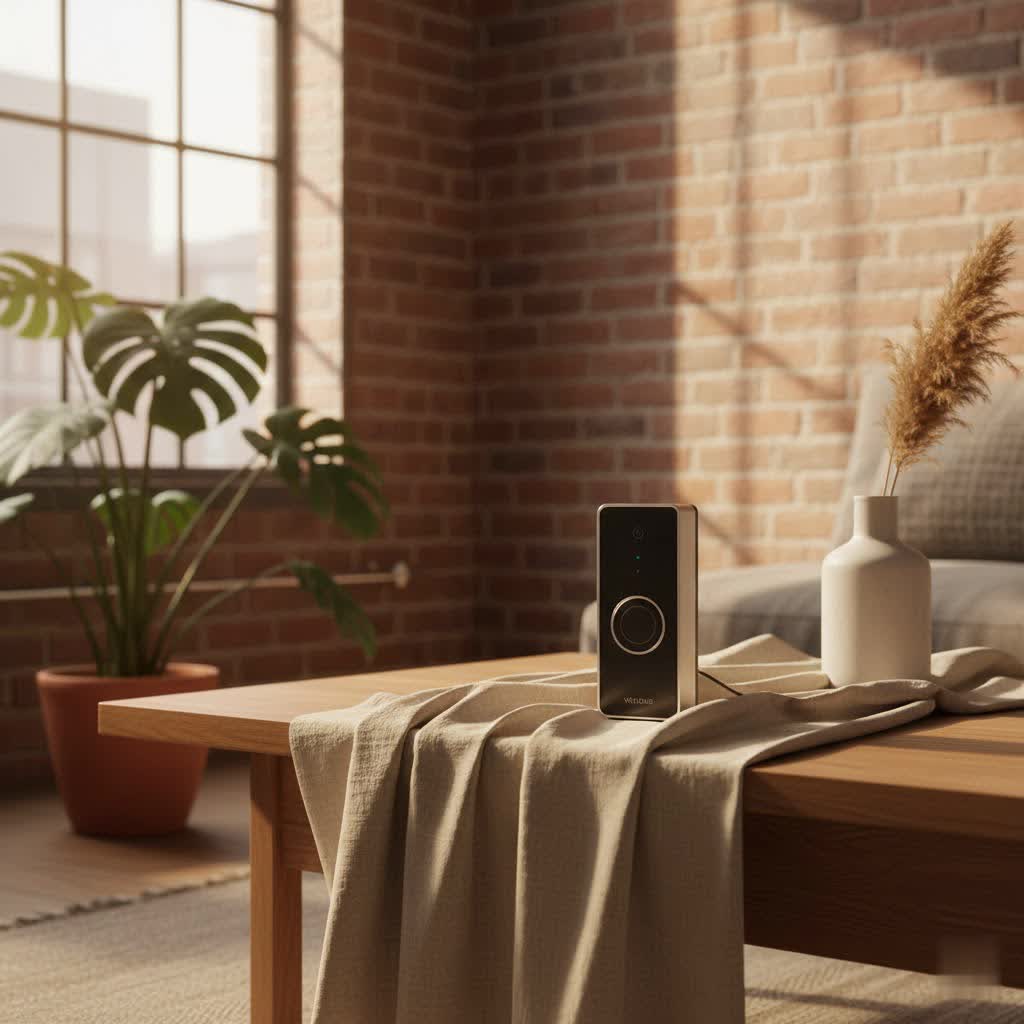
A video doorbell is a smart device that combines a traditional doorbell with a high-definition camera, a microphone, and a speaker, all connected to your home’s Wi-Fi network. When someone rings the doorbell or approaches your door, it sends an alert to your smartphone, allowing you to see, hear, and speak to the visitor in real-time through a dedicated app. This technology transforms your entryway into a smart security hub.
The benefits of integrating a video doorbell into your home security system are significant. First and foremost, it enhances security by allowing you to screen visitors without opening the door, deterring potential intruders, and recording evidence in case of suspicious activity or package theft. For convenience, you can answer your door from anywhere, whether you’re at work, on vacation, or just in another room, ensuring you never miss a delivery or an important guest. Furthermore, these devices offer control, letting you monitor your property 24/7, receive intelligent motion alerts, and even interact with delivery personnel to ensure packages are left in a secure location. Common situations include monitoring children arriving home from school, preventing porch pirates, or simply avoiding unwanted solicitors by discreetly checking who is outside.
Popular Types of Video Doorbells on the Market
The market for Wi-Fi video doorbells offers a diverse range of options, each designed to cater to different needs and preferences. Understanding the primary classifications can help you narrow down your choices.
By Connection Type: Wired vs. Wireless
The fundamental difference in video doorbell types often comes down to how they draw power and connect to your network.
-
Wired Video Doorbells: These doorbells connect to your home’s existing doorbell wiring (typically low-voltage).
- Pros: Offer continuous power, eliminating the need for battery changes, which generally translates to more consistent operation and often more advanced features like 24/7 recording. Their connection tends to be more stable as they typically don’t rely solely on battery power.
- Cons: Require existing wiring or professional installation, which can be a barrier for some homeowners. Installation might be more complex if wiring is not readily available or compatible.
- Comparison: Wired models are often preferred for their reliability and lack of battery maintenance, making them ideal for those who prioritize continuous operation and have suitable electrical infrastructure.
-
Wireless (Battery-Powered) Video Doorbells: These devices run on rechargeable batteries and connect to your Wi-Fi wirelessly.
- Pros: Exceptionally easy to install, often requiring no tools or existing wiring, offering flexibility in placement. They are perfect for renters or homes without traditional doorbell wiring.
- Cons: Batteries require periodic recharging (every few weeks to months, depending on usage), which can lead to downtime. Wireless signals can sometimes be less stable than wired connections, depending on Wi-Fi strength.
- Comparison: Battery-powered options excel in ease of installation and versatility, making them a great choice for those seeking a quick, DIY-friendly setup.
|
Our Picks for the Best Video Doorbell in 2026
As an Amazon Associate I earn from qualifying purchases.
|
||
| Num | Product | Action |
|---|---|---|
| 1 | Noorio Wireless Doorbell Camera with Rechargeable Battery, 2K+ Resolution, 2-Way Audio, Color Night Vision, AI Motion Detection, Smart Video Doorbell Works with Alexa, D110 |

|
| 2 | Ring Indoor Cam, Home or business security in 1080p HD video, White |
|
| 3 | Blink Mini 2 — Home Security & Pet Camera with HD video, color night view, motion detection, two-way audio, and built-in spotlight — 1 camera (White) |
|
| 4 | Ring Battery Doorbell (newest model), Home or business security with Head-to-Toe video, Live View with Two-Way Talk, and Motion Detection & Alerts, Venetian Bronze |
|
| 5 | Ring Battery Doorbell (newest model), Home or business security with Head-to-Toe video, Live View with Two-Way Talk, and Motion Detection & Alerts, Satin Nickel |
|
| 6 | NariOrbi WiFi Video Doorbell Camera with Human Detection, Battery Powered, Night Vision, 2-Way Talk, 2.4G WiFi, Cloud Storage |
|
| 7 | Blink Outdoor 4 – Wireless smart security camera, two-year battery life, 1080p HD day and infrared night live view, two-way talk. Sync Module Core included – 2 camera system |
|
| 8 | Blink Video Doorbell (newest model) – Head-to-toe HD view, two-year battery life, and simple setup. Required Sync Module not included – Add-On (White) |
|
| 9 | Blink Video Doorbell (newest model) – Head-to-toe HD view, two-year battery life, and simple setup. Sync Module Core included – System (Black) |
|
| 10 | Tapo by TP-Link Smart Video Doorbell Camera Wireless with Chime, 2K with Full Color Night Vision & Spotlights, No Monthly Fee, Ring Call, 160° Ultra-Wide View, Free AI Detection, Local Storage,D210 |
|
By Features: Basic vs. Advanced (AI)
Wi-Fi video doorbells also differ significantly in their functionality, ranging from essential monitoring to highly intelligent, AI-driven security systems.
-
Basic Features: These include the core functionalities expected from any video doorbell.
- Video Recording: Capturing footage when motion is detected or the doorbell is pressed.
- Two-Way Audio: Allowing you to speak with visitors and hear their responses.
- Real-Time Notifications: Alerting your smartphone when activity occurs.
- Live View: Accessing a live video feed of your doorstep at any time.
-
Advanced Features (AI-Powered): Many modern video doorbells integrate artificial intelligence to provide more sophisticated security and convenience.
- Facial Recognition: Identifying known individuals (friends, family) and distinguishing them from strangers.
- Advanced Motion Detection: Differentiating between people, animals, packages, and vehicles, reducing false alarms. Some even offer 3D motion detection and “Bird’s Eye View” tracking for enhanced precision.
- Package Detection: Specifically alerting you when a package is delivered or if someone attempts to tamper with it. Dual-camera doorbells (like Eufy E340) often include a downward-facing camera to monitor packages more effectively.
- AI-Powered Video Search: Allowing you to search through recorded footage using natural language queries (e.g., “red car in driveway” or “mailman at 2 PM”) to quickly find specific events.
- Pre-recorded Responses: Playing automated messages to visitors when you’re unable to answer.
Top Reputable Wi-Fi Video Doorbell Brands
The market is dominated by several key players, each offering distinct advantages and product ecosystems.
-
Ring: An Amazon company, Ring offers a wide array of wired and battery-powered video doorbells. They are known for robust features, seamless integration with Amazon Alexa, and an extensive security ecosystem including security cameras and alarms. Many of their advanced features, like video history and smart alerts, often require a Ring Protect subscription. The Ring Wired Doorbell Pro offers sharp 4K video and AI-powered alerts, while the Ring Battery Doorbell Pro provides excellent battery performance with advanced motion detection.
-
Arlo: Arlo doorbells are highly regarded for their sharp video quality and versatility, often offering both battery and hardwired installation options. They provide strong third-party integration with Alexa, Google Assistant, and IFTTT. The Arlo Video Doorbell (2nd Generation) is a popular choice, known for its wide viewing angle and smart object detection, though access to recorded video usually requires an Arlo Secure subscription.
-
Eufy: Eufy stands out for offering many advanced features, including local storage and dual-camera systems, often without requiring a monthly subscription. This makes them a cost-effective choice in the long run. The Eufy Video Doorbell E340, with its dual cameras for head-to-toe and package monitoring, is a prime example of their innovative, subscription-free approach. Eufy devices also integrate with Alexa and Google Assistant.
-
Google Nest: Integrated within the Google Home ecosystem, Nest doorbells offer intelligent alerts (distinguishing people, animals, packages) and excellent integration with Google Assistant and Nest Hubs. The Google Nest Doorbell (Wired, 3rd Gen) and Nest Doorbell (Battery) are strong contenders, known for their user-friendly apps and smart detections. However, most advanced features and extended video history require a Nest Aware subscription.
-
Other Notable Brands:
- TP-Link Tapo: Offers affordable options with good 2K resolution and local storage (microSD).
- Blink: Another Amazon brand, offering budget-friendly, battery-powered doorbells that integrate well with Alexa, though often requiring a Sync Module and subscription for full features.
- Reolink: Known for offering local storage options and sometimes Ethernet connectivity for highly stable connections.
- Swann: Provides 4K resolution doorbells with local and cloud storage options, sometimes including AI voice greetings.
Comparison Table of the Best Wi-Fi Video Doorbells
Choosing the “best” Wi-Fi video doorbell depends on your specific needs. Here’s a comparison of some highly-rated models, highlighting key specifications:
| Feature | Google Nest Doorbell (Wired, 3rd Gen) | Ring Wired Doorbell Pro | Eufy Video Doorbell E340 | Arlo Video Doorbell (2nd Gen) | TP-Link Tapo D225 |
|---|---|---|---|---|---|
| Power Source | Wired | Wired | Wired/Battery (Dual Power) | Wired/Battery | Wired/Battery |
| Resolution | 2K HDR | 4K | 2K (main) + 1080p (downward) | HD/2K | 2K QHD |
| Field of View | 160° diagonal | 140° horizontal | 160° (main) + 120° (downward) | 180° diagonal | 180° diagonal |
| Night Vision | Color | Color | Color | Black & White | Full-Color |
| Storage | Cloud (subscription required) | Cloud (subscription required) | Local (free) + Cloud (optional) | Cloud (subscription required) | Local (microSD) + Cloud (optional) |
| Smart Integrations | Google Assistant | Alexa, IFTTT | Alexa, Google Assistant | Alexa, Google Assistant, IFTTT | Alexa, Google Assistant, IFTTT |
| Special Features | Smart alerts (people, packages) | AI video descriptions, 10x zoom | Dual-camera, Package Protection | Smart object detection | Smart object detection, Remote Chime |
| Subscription | Required for advanced features, extended history | Required for video recording, advanced alerts | Optional for cloud backup | Required for recorded video, smart alerts | Optional for cloud backup |
How to Choose a Wi-Fi Video Doorbell (Buying Guide)
Navigating the options can be overwhelming. Here’s a structured approach to help you make an informed decision.
Determine Your Usage Needs
Start by clarifying what you primarily want your video doorbell to achieve.
- Main Purpose: Is it primarily for security (monitoring, recording suspicious activity), convenience (answering remotely, screening visitors), or package management (ensuring safe deliveries)?
- Installation Location: Will it be at your main entrance, a side door, or a gate? This affects power source options (wired access) and Wi-Fi signal strength.
- Budget: Video doorbells range widely in price, from under $100 to over $300. Factor in not just the upfront cost, but also potential recurring subscription fees.
Key Factors to Consider When Choosing
Once you know your needs, evaluate these technical and practical aspects:
- Image and Audio Quality: Look for at least 1080p resolution for clear images, with 2K or 4K offering superior detail, especially for zooming in. A wide field of view (160-180 degrees or head-to-toe aspect ratios) is crucial to capture your entire entryway and any packages. Clear two-way audio is essential for effective communication. Color night vision is a significant advantage over basic infrared.
- Connectivity and Compatibility: Ensure the doorbell supports your home’s Wi-Fi (2.4GHz is standard, dual-band 2.4/5GHz offers more reliability). Check compatibility with your existing smart home ecosystem (Amazon Alexa, Google Assistant, Apple HomeKit) if you want seamless integration.
- Durability and Weather Resistance: Since it’s an outdoor device, it must withstand local weather conditions (rain, snow, extreme temperatures). Look for IP ratings (e.g., IP65) which indicate dust and water resistance.
- Power Source: Decide between wired (constant power, no charging) and battery-powered (easy installation, periodic charging). Some models offer both.
- Storage Options and Subscription Fees: This is a crucial financial consideration.
- Cloud Storage: Most brands offer cloud storage, but it almost always comes with a monthly or annual subscription fee (e.g., Ring Protect, Nest Aware, Arlo Secure). These subscriptions often unlock advanced features like rich notifications, longer video history, and AI detections.
- Local Storage: Brands like Eufy, Reolink, and TP-Link Tapo offer local storage via a microSD card slot, allowing you to avoid recurring fees for video history.
- Brand Ecosystem: If you already own smart home devices from a particular brand (e.g., Ring cameras, Google Nest Hubs), sticking to the same brand often provides better integration and a unified app experience.
Installation and Usage Tips
Proper installation and ongoing maintenance ensure your video doorbell performs optimally.
- Optimal Placement: Install the doorbell at the recommended height (typically 48 inches from the ground) to get the best field of view, capturing both faces and packages. Ensure there are no obstructions.
- Wi-Fi Strength: A strong Wi-Fi signal is critical. If your doorbell is far from your router, consider a Wi-Fi extender or a mesh Wi-Fi system.
- App Setup and Customization: Take the time to properly set up motion zones and sensitivity settings in the app to minimize false alarms and capture relevant events. Enable rich notifications for quick snapshots of events.
- Battery Maintenance (for wireless models): Monitor battery levels regularly. Consider purchasing a spare battery to swap out during charging, minimizing downtime. Some models can integrate with solar chargers for extended life.
Common Problems and How to Fix Them
Even the best Wi-Fi video doorbells can encounter issues. Here are some common problems and their solutions:
- Lost Wi-Fi Connection:
- Cause: Weak signal, Wi-Fi interference, or network issues.
- Fix: Ensure your router is centrally located or consider a Wi-Fi extender. Reboot your router and modem. Check if other devices are experiencing similar connectivity problems.
- Blurry or Poor Video Quality:
- Cause: Dirty lens, low light conditions, or poor Wi-Fi bandwidth.
- Fix: Gently clean the camera lens with a microfiber cloth. Ensure adequate lighting, especially at night (color night vision performance relies on this). Check your Wi-Fi speed and connection to the doorbell.
- Missed Notifications or False Alarms:
- Cause: Incorrect motion detection settings, environmental factors (e.g., trees swaying, passing cars), or lack of smart detection features.
- Fix: Adjust motion sensitivity settings in the app. Define specific activity zones to focus on critical areas and ignore high-traffic ones. Utilize advanced AI features (person/package detection) if your doorbell supports them to filter out irrelevant alerts.
- Battery Draining Quickly:
- Cause: Frequent motion events, extreme temperatures, or old battery.
- Fix: Reduce motion sensitivity and shorten recording length if possible. Ensure the doorbell isn’t exposed to extreme heat or cold if preventable. Consider a hardwired model or purchasing a second battery.
“After evaluating countless video doorbells over a decade, my top advice is to prioritize your actual security needs over fancy features you won’t use. A reliable connection and clear video are paramount, but also consider the long-term cost of subscriptions. Many excellent options provide robust security without ongoing fees, especially if local storage is a priority.” – Reviewbeev.com Admin, Video Doorbell Expert
Conclusion
A Wi-Fi video doorbell is an essential upgrade for any modern home, offering a blend of enhanced security, unparalleled convenience, and intelligent monitoring. By understanding the differences between wired and wireless options, basic and AI-powered features, and carefully considering aspects like video quality, storage, and subscription models, you can make an informed decision. Investing in the right video doorbell means investing in peace of mind, knowing that your home’s entryway is always within sight and communication.
What aspect of a Wi-Fi video doorbell is most important for your family’s safety and comfort?
Frequently Asked Questions
Do Wi-Fi video doorbells require a monthly subscription?
Many popular Wi-Fi video doorbells, especially from brands like Ring and Google Nest, require a monthly or annual subscription to access advanced features like recorded video history, smart alerts (person, package detection), and cloud storage. However, brands such as Eufy, TP-Link Tapo, and Reolink offer models with local storage options (e.g., microSD card) that allow you to view recordings and utilize core features without a recurring fee.
Can a Wi-Fi video doorbell work without existing doorbell wiring?
Yes, many Wi-Fi video doorbells are battery-powered and designed for wireless installation, making them suitable for homes without existing doorbell wiring or for renters. These models are easy to install but require periodic battery recharging. Some battery-powered doorbells also offer the option to be hardwired if desired, providing more flexibility.
