In today’s fast-paced world, the security and convenience of our homes have become paramount. A smart video doorbell stands as your first line of defense, offering more than just a simple chime. It’s a vigilant sentry, a remote receptionist, and a seamless extension of your smart home ecosystem, all wrapped into one innovative device. This comprehensive guide will navigate you through the world of smart video doorbells, equipping you with the knowledge to select, install, and maximize the potential of these essential home security tools.
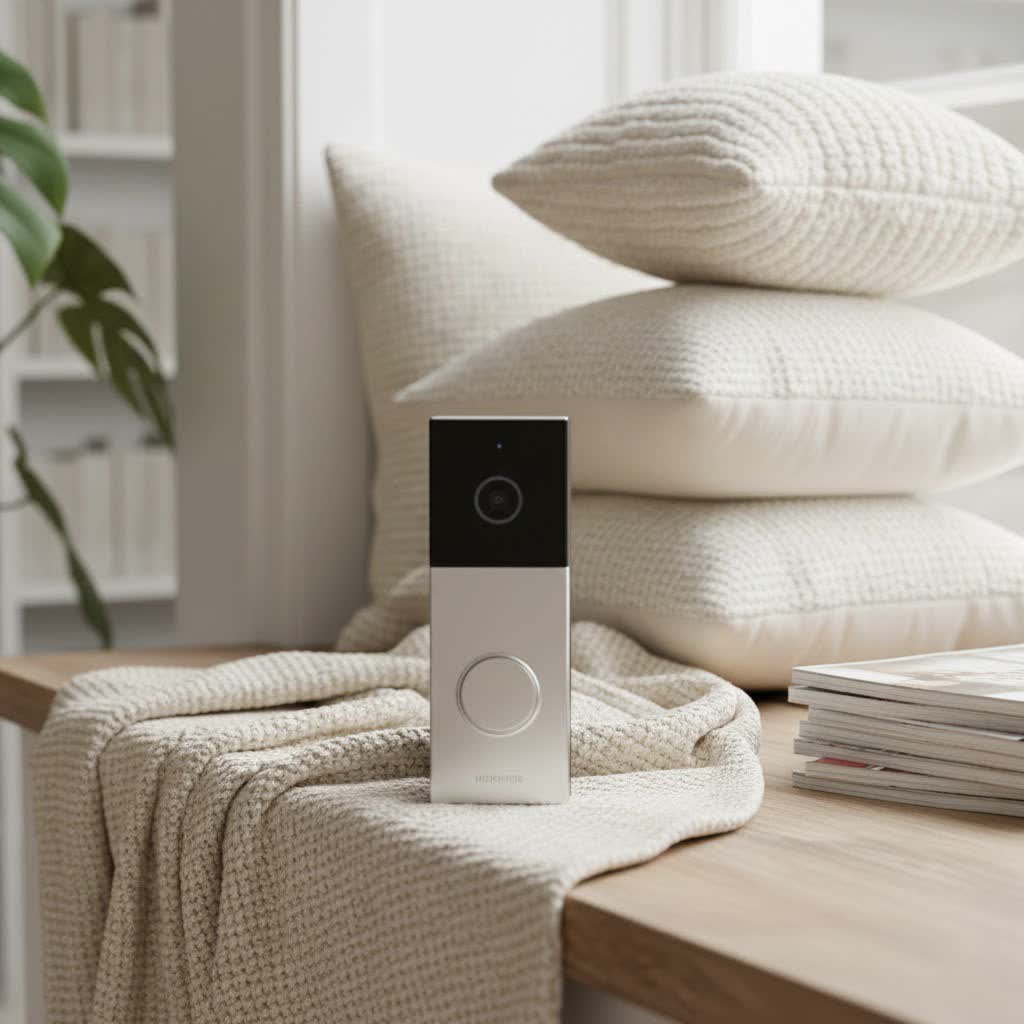
What is a Smart Video Doorbell and Why Do You Need One?
A smart video doorbell is an internet-connected device that integrates a high-definition camera, a microphone, and a speaker with the traditional doorbell function. When a visitor presses the button or motion is detected, it sends an alert directly to your smartphone, allowing you to see, hear, and speak to whoever is at your door from anywhere in the world.
The benefits of integrating a smart video doorbell into your home are extensive and transformative:
- Enhanced Security: It acts as a powerful deterrent to potential intruders, records vital footage of visitors or suspicious activity, and can even help prevent package theft. You gain peace of mind knowing you can monitor your doorstep around the clock.
- Unparalleled Convenience: Whether you’re at work, on vacation, or simply in another room, you can remotely interact with guests, provide instructions for deliveries, or screen unwanted solicitors. Never miss an important visitor or package again.
- Complete Control: With real-time notifications and two-way audio, you have complete command over your front door interactions. Advanced models offer customizable motion zones and AI-powered detection, ensuring you only get alerts that matter.
- Seamless Smart Home Integration: Most smart video doorbells integrate effortlessly with popular smart home platforms like Amazon Alexa and Google Assistant, allowing voice control and interoperability with smart locks, lighting, and other security devices.
A smart video doorbell is more than just a gadget; it’s an indispensable part of a modern, secure, and connected home, offering both protection and unparalleled convenience.
Popular Smart Video Doorbell Types on the Market
The smart video doorbell market offers a diverse range of devices, primarily categorized by their power source and the sophistication of their features. Understanding these distinctions is crucial for choosing the right model for your home.
Wired vs. Wireless (Battery-Powered)
The choice between a wired and wireless smart video doorbell often comes down to installation preference and existing home infrastructure.
- Wired Video Doorbells: These connect directly to your home’s existing doorbell wiring (typically low-voltage).
- Pros: Offer continuous power, eliminating the need for battery recharging. They often integrate with your existing indoor chime, ensuring visitors hear a traditional doorbell ring. Wired models generally provide a more stable connection and continuous recording capabilities (with a subscription).
- Cons: Installation can be slightly more involved, requiring some basic electrical knowledge to connect to existing wires and potentially install a chime adapter. If you don’t have existing wiring, installation becomes more complex.
- Wireless (Battery-Powered) Video Doorbells: These operate on rechargeable batteries.
- Pros: Incredibly easy to install, as they don’t require any existing wiring. They can be mounted almost anywhere, offering greater flexibility.
- Cons: Batteries need periodic recharging (typically every few weeks to months, depending on usage), which means temporary downtime. They often rely on a separate wireless chime or your smartphone for alerts, and continuous recording might be limited to conserve battery life.
|
Our Picks for the Best Video Doorbell in 2026
As an Amazon Associate I earn from qualifying purchases.
|
||
| Num | Product | Action |
|---|---|---|
| 1 | Ring Battery Doorbell (newest model), Home or business security with Head-to-Toe video, Live View with Two-Way Talk, and Motion Detection & Alerts, Satin Nickel |

|
| 2 | Ring Battery Doorbell (newest model), Home or business security with Head-to-Toe video, Live View with Two-Way Talk, and Motion Detection & Alerts, Venetian Bronze |
|
| 3 | Blink Mini 2 — Home Security & Pet Camera with HD video, color night view, motion detection, two-way audio, and built-in spotlight — 1 camera (White) |
|
| 4 | Ring Indoor Cam, Home or business security in 1080p HD video, White |
|
| 5 | Blink Video Doorbell (newest model) – Head-to-toe HD view, two-year battery life, and simple setup. Required Sync Module not included – Add-On (White) |
|
| 6 | Tapo by TP-Link Smart Video Doorbell Camera Wireless with Chime, 2K with Full Color Night Vision & Spotlights, No Monthly Fee, Ring Call, 160° Ultra-Wide View, Free AI Detection, Local Storage,D210 |
|
| 7 | Blink Video Doorbell (newest model) – Head-to-toe HD view, two-year battery life, and simple setup. Sync Module Core included – System (Black) |
|
| 8 | NariOrbi WiFi Video Doorbell Camera with Human Detection, Battery Powered, Night Vision, 2-Way Talk, 2.4G WiFi, Cloud Storage |
|
| 9 | Noorio Wireless Doorbell Camera with Rechargeable Battery, 2K+ Resolution, 2-Way Audio, Color Night Vision, AI Motion Detection, Smart Video Doorbell Works with Alexa, D110 |
|
| 10 | Blink Outdoor 4 – Wireless smart security camera, two-year battery life, 1080p HD day and infrared night live view, two-way talk. Sync Module Core included – 2 camera system |
|
Basic vs. Advanced (AI-Powered) Features
While all smart video doorbells offer core functionalities, advanced models leverage artificial intelligence (AI) to provide a superior security and user experience.
- Basic Features:
- High-Definition Video: Most models offer 1080p HD video, with many now providing 2K or even 4K resolution for crystal-clear footage.
- Two-Way Audio: Speak to visitors and hear their responses through your smartphone.
- Motion Detection: Detects movement near your door and sends alerts.
- Night Vision: Infrared or color night vision ensures clear visibility even in low-light conditions.
- Cloud or Local Storage: Options to store recorded video, either via a subscription service (cloud) or a local microSD card.
- Advanced (AI-Powered) Features:
- Intelligent Detection: AI can differentiate between people, animals, vehicles, and packages, reducing false alarms from passing cars or swaying trees.
- Facial Recognition: Some premium models can recognize familiar faces and notify you specifically when a known person arrives.
- Activity Zones: Customize specific areas within the camera’s field of view to monitor for motion, ignoring high-traffic areas like public sidewalks.
- Smart Video Search: Cutting-edge features, like Ring’s new Smart Video Search, allow you to use natural language queries (e.g., “find pizza delivery with red shirt” or “show me the UPS truck yesterday afternoon”) to quickly locate specific events within your recorded video history. This eliminates tedious scrolling through hours of footage, making it incredibly convenient for reviewing past events.
- Pre-Roll Recording: Captures a few seconds of video before a motion event is triggered, providing crucial context.
Top Smart Video Doorbell Brands You Can Trust
The smart video doorbell market is competitive, with several reputable brands consistently delivering high-quality products. Here’s a brief overview of some leading players:
- Ring: A pioneer in the video doorbell space, Ring offers a wide range of wired and battery-powered options. Known for its robust app, extensive smart home ecosystem integration (especially with Amazon Alexa), and innovative features like the new Smart Video Search. Ring doorbells generally require a Ring Protect Plan for video recording and advanced features.
- Arlo: Praised for its excellent video quality, flexible power options (battery or wired), and wide viewing angles. Arlo doorbells often offer advanced object detection and work well within the Arlo security camera ecosystem. A subscription is typically needed for recorded video access.
- Eufy: Stands out for its commitment to local storage options, often allowing users to avoid monthly subscription fees for video recording. Eufy offers dual-camera models (like the E340) for comprehensive coverage and boasts sharp video quality and an intuitive app.
- Google Nest: Google Nest doorbells (formerly Nest Hello) are a strong choice for those integrated into the Google Home ecosystem. They excel in intelligent alerts, facial recognition, and seamless integration with Google Assistant and Nest Hubs. Advanced features usually require a Nest Aware subscription.
- TP-Link Tapo: Offers compelling budget-friendly options that still deliver sharp 2K video and smart features. Tapo devices are known for their ease of setup and compatibility with other smart devices, making them a great value proposition.
- Blink: Another Amazon-owned brand, Blink doorbells are known for their affordability and straightforward, battery-powered operation. They are an excellent entry-level option for basic video doorbell functionality, particularly for those with existing Blink cameras.
- Yale: A long-standing name in home security, Yale offers smart video doorbells that integrate seamlessly with their smart lock ecosystems, providing comprehensive smart access and monitoring solutions.
- Swann: Offers high-resolution 4K video doorbells with advanced AI features, catering to users who prioritize image clarity and intelligent detection.
Each brand has its unique strengths, whether it’s subscription-free operation, superior AI, or deep integration with specific smart home platforms.
Comparison of Leading Smart Video Doorbell Models
Choosing the “best” smart video doorbell depends heavily on your individual priorities. Below is a summarized overview of some top models, highlighting key aspects to help you differentiate:
| Model Name | Resolution | Power Type | Key Features (AI, Storage) | Aspect Ratio | Noteworthy |
|---|---|---|---|---|---|
| Ring Wired Doorbell Pro | 4K (estimated) | Wired | AI alerts, Package detection, Smart Video Search | Variable | Premium, exceptional clarity, robust ecosystem |
| Arlo Video Doorbell (2nd Gen) | HD/2K | Wired/Battery | Smart object detection, Wide viewing angle | Variable | Versatile, good third-party support |
| Eufy Video Doorbell E340 | 2K Dual Cams | Wired/Battery | Dual cameras, Local storage, Wide-angle views | Variable | No subscription needed, full stoop coverage |
| Google Nest Doorbell (Wired, 3rd Gen) | 2K HDR | Wired | Powerful AI, Facial recognition, Cloud integration | Variable | Best for Google Home users, excellent night vision |
| Ring Battery Doorbell Plus | 1536 x 1536 | Battery/Wired | Package detection, 1:1 aspect ratio | 1:1 | Best for most users, shows head-to-toe |
| TP-Link Tapo D225 | 2K | Wired/Battery | Sharp video, Works with other smart devices | Variable | Affordable, good quality for the price |
| SwannBuddy 4K Video Doorbell | 4K | Wired/Battery | Unique AI features | Variable | Excellent video quality, but subscription can be pricey |
Note: Specific features, pricing, and exact resolutions can vary and are subject to change. Always check the manufacturer’s latest specifications.
Each of these doorbells brings unique strengths. For example, the Ring Battery Doorbell Plus excels with its 1:1 aspect ratio, capturing visitors from head to toe, which is ideal for package monitoring. The Eufy Video Doorbell E340 stands out with its dual cameras and local storage, offering comprehensive coverage without a mandatory subscription fee. Meanwhile, the Google Nest Doorbell (Wired, 3rd Gen) is recognized for its powerful AI capabilities and facial recognition, making it a favorite for those deep into the Google ecosystem.
How to Choose the Right Smart Video Doorbell (Buying Guide)
Selecting the ideal smart video doorbell requires a thoughtful assessment of your specific needs, home setup, and desired features.
Determine Your Usage Needs
Before diving into specifications, clarify what you primarily want from your video doorbell:
- Main Purpose: Is it primarily for security and deterring intruders, for convenience in managing deliveries, or simply to know who is at your door?
- Installation Location: Where will it be placed? Front door, gate, or a side entrance? Consider the available power options (existing wiring or battery) and Wi-Fi signal strength at that spot.
- Budget: Smart video doorbells range from budget-friendly to premium, with advanced AI features and 4K resolution at the higher end. Decide on a realistic spending limit.
Key Factors to Consider When Choosing
With your needs in mind, evaluate these crucial aspects:
- Image and Audio Quality: Look for at least 1080p HD resolution for clear images. Wide-angle lenses (160 degrees or more) offer a broader view, and good night vision (infrared or color) is essential for round-the-clock monitoring. Clear two-way audio with noise cancellation is also important.
- Connectivity and Smart Home Compatibility: Ensure the doorbell supports your home’s Wi-Fi (most use 2.4 GHz, some dual-band) and offers stable performance. Check compatibility with your existing smart home ecosystem (e.g., Alexa, Google Assistant, Apple HomeKit) if you want seamless integration.
- Durability and Weather Resistance: Your doorbell will be exposed to the elements. Look for models with an IP (Ingress Protection) rating that indicates resistance to dust and water, suitable for your local climate.
- Subscription Models and Storage: Many doorbells require a subscription for cloud storage of video recordings and access to advanced AI features (like intelligent alerts or smart video search). If you prefer to avoid ongoing costs, prioritize models offering local storage (via microSD card or a hub).
- Privacy Concerns: Research the brand’s data security practices. Reputable brands offer encryption and clear privacy policies. Consider the field of view and customizable activity zones to avoid recording public areas or neighbors’ properties unnecessarily.
- Warranty and Support: A good warranty and responsive customer support can be invaluable if you encounter any issues.
Tips for Installation and Usage
Proper installation and smart usage will maximize your doorbell’s performance:
- Optimal Placement: Mount the doorbell approximately 48-60 inches (4-5 feet) above the ground for the best viewing angle and motion detection range. Ensure it has a clear line of sight.
- Wi-Fi Strength: A strong, stable Wi-Fi connection at the doorbell’s location is critical for reliable performance. If the signal is weak, consider a Wi-Fi extender.
- App Setup: Download the official app and follow the step-by-step instructions for setup and pairing with your smartphone. Configure motion detection sensitivity and activity zones to minimize false alerts.
- Battery Maintenance (for wireless models): If you choose a battery-powered model, be mindful of battery life. Frequent motion alerts, live view usage, and cold weather can deplete the battery faster. Regularly check the app for battery status and recharge as needed.
Common Smart Video Doorbell Issues and How to Troubleshoot Them
Even with the most advanced technology, you might encounter occasional issues with your smart video doorbell. Here are some common problems and simple troubleshooting tips:
- Loss of Connectivity or Wi-Fi Issues:
- Symptom: Doorbell disconnects frequently, delayed notifications, or live view fails to load.
- Fix: Ensure your Wi-Fi router is working correctly. Check the doorbell’s distance from the router; if it’s too far, a Wi-Fi extender might be necessary. Restart your router and the doorbell (if applicable). Verify your home network settings within the doorbell app.
- Excessive or False Motion Alerts:
- Symptom: You receive constant notifications from passing cars, pets, or weather phenomena.
- Fix: Adjust the motion sensitivity settings in your doorbell’s app. Utilize activity zones to exclude high-traffic areas or areas outside your property. Many advanced doorbells allow you to filter alerts for specific objects like people or packages.
- Short Battery Life (for wireless models):
- Symptom: You need to recharge the battery more frequently than expected.
- Fix: Reduce motion sensitivity and optimize activity zones. Limit live view usage and two-way talk sessions. Colder temperatures naturally reduce battery performance; consider a wired option if you live in extreme climates and this is a persistent issue.
- Poor Video Quality or Night Vision:
- Symptom: Images are blurry, grainy, or dark at night.
- Fix: Ensure the camera lens is clean and free of smudges or debris. Check your Wi-Fi signal strength, as a weak connection can degrade video quality. For night vision, ensure there’s no obstruction close to the camera that could reflect the infrared light.
- Doorbell Not Ringing or Chime Issues:
- Symptom: Visitors press the doorbell, but your indoor chime doesn’t sound, or your phone doesn’t receive notifications.
- Fix: For wired doorbells, check the chime adapter installation (if required for digital chimes). Ensure wires are securely connected. For all models, verify notification settings in your smartphone and doorbell app. Check the volume of any auxiliary chimes.
If these basic troubleshooting steps don’t resolve the issue, consult your device’s instruction manual or the manufacturer’s online support resources. Sometimes, a firmware update can fix known bugs, or it might be time to contact customer service for more advanced assistance.
Conclusion
A smart video doorbell is more than just an upgraded convenience; it’s a cornerstone of modern home security and connectivity. From deterring unwelcome visitors and protecting packages to providing peace of mind through remote monitoring and intelligent alerts, these devices empower homeowners with unprecedented control over their front door. By understanding the different types, key features, leading brands, and essential buying considerations, you can confidently select a smart video doorbell that perfectly aligns with your security needs and lifestyle. Investing in this smart technology is investing in a safer, more connected, and more convenient home.
What steps will you take today to enhance your home’s security with a smart video doorbell?
Frequently Asked Questions
Do smart video doorbells require a monthly subscription?
Many smart video doorbells offer optional monthly subscriptions for features like cloud video storage, advanced AI detection (person, package, facial recognition), and extended video history. While some basic features may work without a subscription, these plans unlock the device’s full potential. Brands like Eufy often provide local storage options to avoid recurring fees.
Can smart video doorbells be hacked?
Like any internet-connected device, smart video doorbells can be vulnerable to hacking if not properly secured. To minimize risk, always use strong, unique passwords, enable two-factor authentication, and regularly update your device’s firmware. Choose reputable brands known for their security protocols and data encryption.
How easy is it to install a smart video doorbell myself?
Installation difficulty varies by type. Battery-powered wireless doorbells are generally very easy to install, often requiring just a few screws. Wired doorbells, while more involved, can typically be DIY-installed if you have basic tools and an existing doorbell setup. Always follow the manufacturer’s specific instructions and consult an electrician if unsure.
Can a smart video doorbell replace my existing security cameras?
While smart video doorbells provide excellent coverage for your front door area, they usually have a limited field of view compared to dedicated security cameras. They are best used as a primary security measure for the entryway and as a complementary component to a broader home security system that covers other vulnerable areas of your property.
