In an age where smart home technology is rapidly evolving, the wired video doorbell stands as a beacon of unwavering security and convenience for homeowners. Far from being a mere button, these sophisticated devices are the frontline defenders of your home, offering continuous surveillance, real-time communication, and unparalleled peace of mind. If you’re looking to bolster your home’s defenses with a system that’s always on and always ready, understanding the robust capabilities of a wired video doorbell is your first step towards a smarter, safer home.
What is a Video Doorbell and Why Do You Need One?
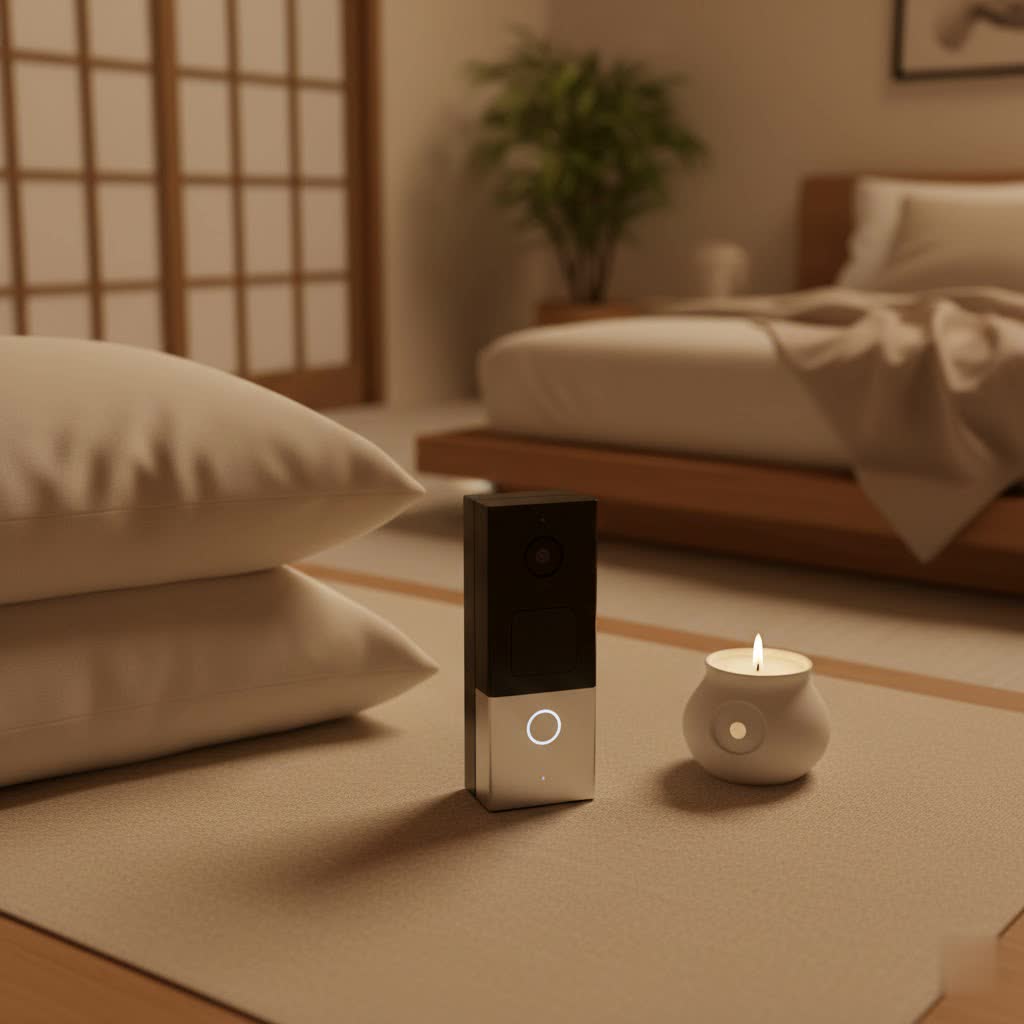
A video doorbell integrates a camera, microphone, speaker, and motion sensor into a traditional doorbell button, connecting to your home’s Wi-Fi network. This allows you to see, hear, and speak to visitors at your front door from anywhere in the world using your smartphone or other smart devices.
The necessity of a video doorbell goes beyond simply knowing who’s at your door. It offers a multitude of benefits, fundamentally enhancing your home’s security, convenience, and control. For security, it acts as a deterrent to potential intruders and provides recorded evidence in case of incidents. In terms of convenience, you can answer your door when you’re away, receive packages more securely, and even screen unexpected callers. It puts you in control, giving you a comprehensive overview of activity around your entryway. Common usage scenarios include monitoring package deliveries, checking on children arriving home from school, communicating with service providers, and deterring porch pirates.
Wired vs. Wireless Video Doorbells: A Detailed Comparison
When choosing a video doorbell, the primary decision often revolves around its power source: wired or wireless. Both have distinct advantages and drawbacks.
Wired Video Doorbells: Uninterrupted Power and Performance
Wired video doorbells connect directly to your home’s existing doorbell wiring, drawing continuous power. This eliminates the need for battery recharging, offering uninterrupted operation and ensuring you never miss an alert due to a drained battery.
-
Pros of Wired Doorbells:
- Continuous Power: No need to recharge batteries, providing consistent operation and peace of mind.
- Enhanced Reliability: Generally offer a more stable and reliable connection, especially with Power over Ethernet (PoE) setups, which can reduce interference and delays.
- Advanced Features: Often support more advanced features like continuous video recording (CVR), which captures all activity rather than just motion-triggered events, without draining a battery.
- Local Storage Options: Many wired models offer local storage via a microSD card or a separate hub, potentially avoiding monthly subscription fees for cloud storage.
- Seamless Smart Home Integration: Typically integrate well with established smart home ecosystems like Google Home or Amazon Alexa.
-
Cons of Wired Doorbells:
- Complex Installation: Requires existing doorbell wiring and a compatible transformer (typically 16-24 volts AC). Installation can be more intricate and may require professional help.
- Placement Limitations: Restricted to locations with existing doorbell wiring.
- Power Outage Vulnerability: Without a battery backup, a wired doorbell will cease to function during a power outage.
|
Our Picks for the Best Video Doorbell in 2026
As an Amazon Associate I earn from qualifying purchases.
|
||
| Num | Product | Action |
|---|---|---|
| 1 | Ring Battery Doorbell (newest model), Home or business security with Head-to-Toe video, Live View with Two-Way Talk, and Motion Detection & Alerts, Satin Nickel |

|
| 2 | Noorio Wireless Doorbell Camera with Rechargeable Battery, 2K+ Resolution, 2-Way Audio, Color Night Vision, AI Motion Detection, Smart Video Doorbell Works with Alexa, D110 |
|
| 3 | Blink Video Doorbell (newest model) – Head-to-toe HD view, two-year battery life, and simple setup. Sync Module Core included – System (Black) |
|
| 4 | Ring Indoor Cam, Home or business security in 1080p HD video, White |
|
| 5 | Blink Video Doorbell (newest model) – Head-to-toe HD view, two-year battery life, and simple setup. Required Sync Module not included – Add-On (White) |
|
| 6 | Ring Battery Doorbell (newest model), Home or business security with Head-to-Toe video, Live View with Two-Way Talk, and Motion Detection & Alerts, Venetian Bronze |
|
| 7 | NariOrbi WiFi Video Doorbell Camera with Human Detection, Battery Powered, Night Vision, 2-Way Talk, 2.4G WiFi, Cloud Storage |
|
| 8 | Tapo by TP-Link Smart Video Doorbell Camera Wireless with Chime, 2K with Full Color Night Vision & Spotlights, No Monthly Fee, Ring Call, 160° Ultra-Wide View, Free AI Detection, Local Storage,D210 |
|
| 9 | Blink Outdoor 4 – Wireless smart security camera, two-year battery life, 1080p HD day and infrared night live view, two-way talk. Sync Module Core included – 2 camera system |
|
| 10 | Blink Mini 2 — Home Security & Pet Camera with HD video, color night view, motion detection, two-way audio, and built-in spotlight — 1 camera (White) |
|
Wireless (Battery-Powered) Video Doorbells: Flexibility and Ease of Installation
Wireless doorbells operate on rechargeable batteries, offering greater flexibility in placement and easier installation.
-
Pros of Wireless Doorbells:
- Easy Installation: No existing wiring required, making them ideal for renters or homes without traditional doorbell systems.
- Flexible Placement: Can be installed virtually anywhere within Wi-Fi range.
- Portability: Can be moved if you relocate.
-
Cons of Wireless Doorbells:
- Battery Dependence: Requires periodic recharging, which can be inconvenient and lead to downtime.
- Potential for Connectivity Issues: More susceptible to Wi-Fi signal interference or drops, especially in larger homes or those with thick walls.
- Limited Features: May not offer continuous recording and might have slightly slower response times or lower video quality compared to wired counterparts to conserve battery life.
For homeowners seeking maximum reliability and advanced functionalities without the hassle of battery management, a wired video doorbell is often the superior choice.
Top Wired Video Doorbell Brands and Models
The market offers a diverse range of wired video doorbells, each with unique strengths. Here’s an overview of leading brands and notable models:
-
Ring: A pioneer in video doorbells, Ring offers a robust ecosystem. The Ring Wired Doorbell Pro (formerly Video Doorbell Pro 2) is a premium option, known for its wide 150-degree field of view, crisp night vision, 1536p HD video, and person detection. It requires hardwiring and integrates seamlessly with Amazon Alexa. Ring devices often require a subscription for full features like recording and cloud storage.
-
Google Nest: Google’s offerings are deeply integrated with the Google Home ecosystem. The Google Nest Doorbell (Wired, 3rd Gen) is lauded for its stunning 2K HDR video, 166° diagonal field of view, and advanced AI features like person, package, vehicle, and animal detection. It offers detailed event descriptions and seamless integration with Google smart speakers and displays.
-
Eufy: Eufy stands out for its commitment to local storage, often reducing or eliminating the need for subscription fees. The Eufy Security Video Doorbell E340 (which supports wired installation) features a dual-camera setup for comprehensive coverage (front-facing and down-facing for package detection), 2K video resolution, and familiar face detection. It boasts customizable auto-responses and local storage, though a HomeBase is often required.
-
Lorex: Known for high-resolution security solutions, Lorex offers models like the Lorex 4K UHD Wired Video Doorbell. These doorbells prioritize superior image quality, often featuring 4K resolution, wide fields of view, and reliable night vision, making them excellent for detailed surveillance.
-
TP-Link Tapo: The TP-Link Tapo D235 (which can be wired) offers excellent value with 2K video, a wide vertical view, and local storage via microSD, making subscription fees optional. It’s praised for image and audio quality, responsiveness, and compatibility with Amazon Alexa and Google Assistant.
-
Logitech: The Logitech Circle View Doorbell is specifically designed for Apple HomeKit users. It offers crisp HDR video, superb night vision, and precision motion sensing, leveraging HomeKit Secure Video for local video processing and enhanced privacy.
Comparison Table: Leading Wired Video Doorbell Models
| Feature | Ring Wired Doorbell Pro | Google Nest Doorbell (Wired, 3rd Gen) | Eufy Security Video Doorbell E340 (Wired) | TP-Link Tapo D235 (Wired) | Lorex 4K UHD Wired Video Doorbell | Logitech Circle View Doorbell |
|---|---|---|---|---|---|---|
| Video Resolution | 1536p HD | 2K HDR | 2K (2560 x 1440) | 2K (2560 x 1920) | 4K UHD (3840 x 2160) | HDR Video |
| Field of View | 150° Horizontal & Vertical | 166° Diagonal | 160° Diagonal (Main), 160° (Downward) | 170° Horizontal, 140° Vertical | 150° Diagonal | 160° Diagonal |
| Night Vision | Color | Black and White | Color | Color | Yes (with IR) | Black and White (IR) |
| Two-Way Talk | Yes | Yes | Yes | Yes | Yes | Yes |
| Motion Detection | Advanced 3D, Person Detection | AI (Person, Package, Animal, Vehicle) | AI (Person, Package, Familiar Face) | AI (Person, Pet, Package) | AI (Person, Package) | Precision Sensing, Facial Rec. |
| Local Storage | No (Cloud via subscription) | No (Cloud via subscription) | Yes (via HomeBase or SD card) | Yes (via microSD card) | Yes (via local recorder) | HomeKit Secure Video (Cloud/Local) |
| Subscription | Required for full features | Required for full features | Optional (for cloud) | Optional (for cloud) | Optional | HomeKit Secure Video (iCloud+) |
| Smart Home | Amazon Alexa | Google Assistant, Amazon Alexa | Amazon Alexa, Google Assistant | Amazon Alexa, Google Assistant | Amazon Alexa, Google Assistant | Apple HomeKit |
Note: Some models are hybrid and can be used wired or battery-powered. This table focuses on their wired capabilities where applicable.
How to Choose the Best Wired Video Doorbell
Selecting the perfect wired video doorbell requires a thoughtful assessment of your specific needs, existing home setup, and desired features.
Determine Your Usage Needs
Start by clarifying your primary objectives. Are you mainly concerned with security (deterring intruders, capturing evidence)? Do you prioritize convenience (answering the door remotely, managing deliveries)? Or is visitor management (screening callers, knowing who arrives) your top concern? Your specific purpose will guide your feature requirements. Also, consider the installation location (front door, side gate) and your budget. Wired options typically range from $80 to $200, but remember to factor in potential subscription costs.
Essential Factors to Consider
-
Image and Audio Quality:
- Resolution: Aim for at least 1080p (Full HD). For superior detail and the ability to zoom in, consider 2K or 4K models.
- Field of View: A wide diagonal field of view (145 degrees or more) is crucial to capture visitors from head-to-toe and any packages on your doorstep.
- Night Vision: Both infrared (black and white) and color night vision are available. Color night vision offers better clarity with some ambient light.
- Two-Way Audio: Clear two-way talk with noise cancellation is essential for effective communication with visitors.
-
Connectivity and Compatibility:
- Wi-Fi Strength: Wired doorbells still rely on Wi-Fi for smart features. Ensure a strong 2.4GHz signal at your door, as it generally offers better range than 5GHz for doorbell signals.
- Smart Home Ecosystem: Choose a doorbell compatible with your existing smart home system (e.g., Amazon Alexa, Google Assistant, Apple HomeKit) for seamless integration with smart displays and voice commands.
- Existing Wiring: Confirm your home has compatible doorbell wiring and a transformer (typically 16-24 VAC) before purchasing a wired model.
-
Durability and Weather Resistance:
- Your doorbell will be exposed to the elements. Look for models with high IP ratings (e.g., IP65, IP66) indicating resistance to dust and water.
- Consider operating temperature ranges to ensure it performs reliably in your climate.
-
Warranty and Technical Support:
- A good warranty (typically 1-2 years) and accessible technical support are vital for troubleshooting and long-term satisfaction.
Installation and Usage Tips
- Placement: Mount the doorbell at approximately 48 inches (1.2 meters) off the ground, which is eye-level for most adults, to get the best view of faces. Avoid direct sunlight into the lens and ensure no obstructions block the camera.
- Wiring: Always turn off power at your breaker box before handling any wires. Use a voltage tester to confirm the power is off. Connect your existing low-voltage wires to the doorbell’s terminals (polarity usually doesn’t matter for most models).
- App Setup: Most video doorbells come with a companion app for initial setup, customization of settings (motion zones, alert preferences), and viewing live or recorded footage.
- Maintenance: Keep the camera lens clean from dirt, dust, or spiderwebs. Regularly check for firmware updates to ensure optimal performance and security.
Common Issues and Troubleshooting for Wired Video Doorbells
Even with the reliability of wired connections, you might encounter occasional issues. Here are some common problems and their straightforward solutions:
-
No Power/Doorbell Not Turning On:
- Check Breaker: Ensure the circuit breaker connected to your doorbell is on.
- Verify Transformer Voltage: Confirm your transformer supplies the correct voltage (16-24 VAC is common). If too low, it won’t power the doorbell; if too high, it could damage it.
- Inspect Wiring: Make sure the wires are securely connected to the doorbell terminals and at the chime box (if applicable). Loose connections are a frequent culprit.
-
Intermittent Connection or Offline Status:
- Wi-Fi Strength: Despite being wired for power, the doorbell relies on Wi-Fi for data. Check your Wi-Fi signal strength at the doorbell location using your phone. A weak signal may require a Wi-Fi extender.
- Router Reboot: Sometimes, a simple router restart can resolve connectivity issues.
- App/Firmware Update: Ensure your doorbell’s firmware and companion app are up to date.
-
Poor Video Quality (Blurry, Dark, Glare):
- Clean Lens: A dirty lens is the most common cause of blurry footage. Gently clean it with a soft cloth.
- Lighting: Adjust the doorbell’s angle if direct sunlight or strong porch lights cause glare or overexposure. Ensure night vision settings are optimized for low-light conditions.
- Wi-Fi Bandwidth: If your video quality drops during live view, your Wi-Fi might be saturated. Try reducing the video resolution in the app settings or improving your network’s bandwidth.
-
False Motion Alerts:
- Motion Zones: Configure motion detection zones in your app to focus on relevant areas and exclude busy streets or swaying trees.
- Sensitivity Settings: Adjust the motion sensitivity. High sensitivity can lead to alerts from small movements or changes in light.
- AI Detection: If your doorbell has AI features (person, package detection), ensure they are enabled and functioning correctly to filter out irrelevant alerts.
For more complex issues, consulting the manufacturer’s support resources or contacting their technical support can provide specific guidance. Many brands offer extensive online FAQs and troubleshooting guides.
Conclusion
Choosing a wired video doorbell is an investment in reliable, always-on home security. With continuous power, often superior performance, and a plethora of advanced features, these devices offer unmatched peace of mind for homeowners. While installation requires a compatible wiring setup, the benefits of uninterrupted operation and robust connectivity far outweigh the initial effort. By carefully considering your needs, researching key features like video quality and smart home compatibility, and following best practices for installation and maintenance, you can select a wired video doorbell that truly transforms your home’s entryway into an intelligent command center.
Are you ready to experience the continuous security and convenience a wired video doorbell offers?
