In an age where home security and convenience are paramount, the traditional doorbell simply doesn’t cut it anymore. We all want to know who’s at our door, whether we’re home or away, and even keep an eye on our delivered packages. This is where smart video doorbells come in, offering peace of mind and enhanced control over your entryway. Among the crowded market of smart home devices, the Wyze Wireless Video Doorbell Pro emerges as a compelling contender, promising premium features without the hefty price tag.
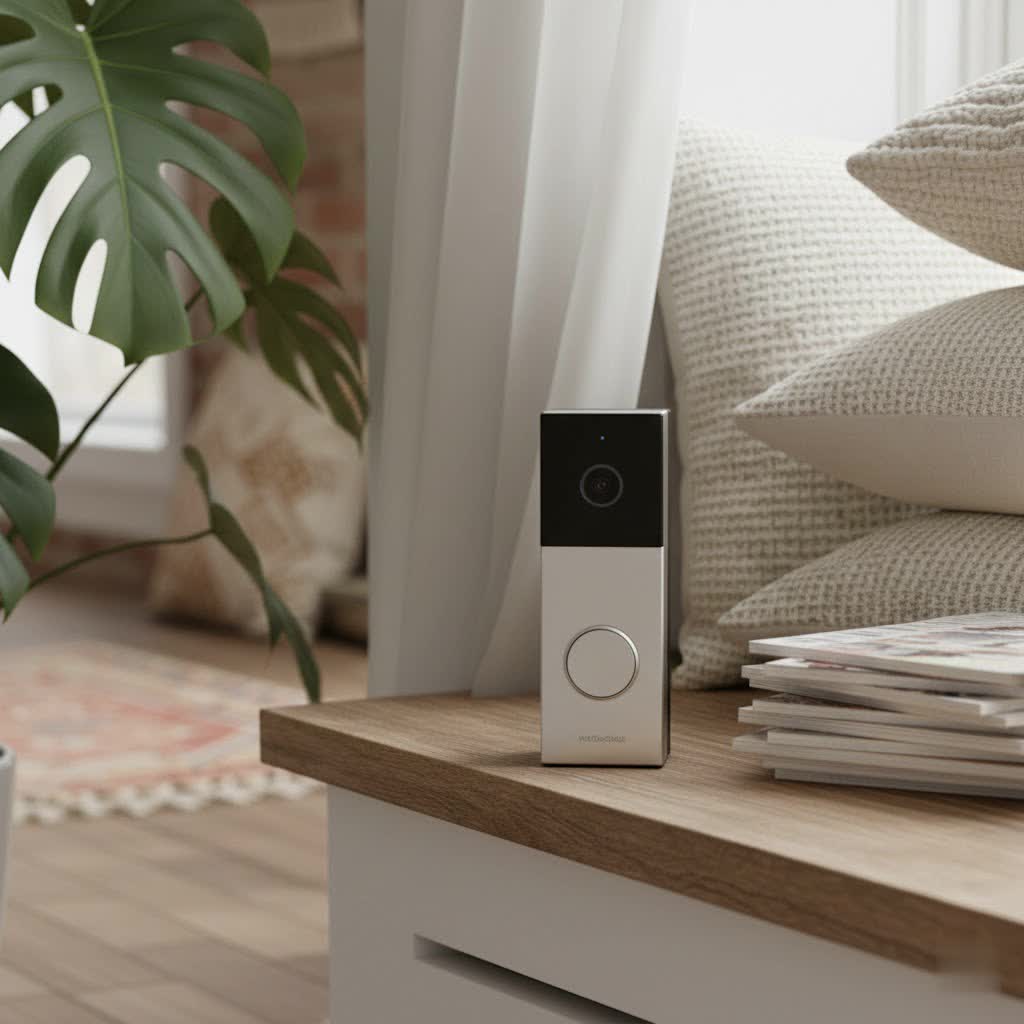
This comprehensive guide will delve deep into the Wyze Wireless Video Doorbell Pro, exploring its core functionalities, design, installation process, and overall performance. We’ll examine how it stacks up against more expensive rivals, address common user concerns, and help you determine if this budget-friendly powerhouse is the right choice to safeguard your home.
What is the Wyze Wireless Video Doorbell Pro and Why You Need It?
The Wyze Wireless Video Doorbell Pro is an advanced, battery-powered video doorbell designed to offer flexible and robust front door monitoring. It provides real-time video, two-way audio, and intelligent alerts directly to your smartphone, ensuring you’re always connected to your home’s entryway. Unlike its predecessor, the “Pro” version introduces significant upgrades, notably its dual power options and enhanced features, all while maintaining Wyze’s commitment to affordability.
You need a smart video doorbell like the Wyze Wireless Video Doorbell Pro for several compelling reasons. Primarily, it significantly enhances home security by allowing you to screen visitors from anywhere, deter potential intruders, and monitor package deliveries. For instance, if a delivery driver drops off a package while you’re out, you can receive an instant notification, view the footage, and even speak to them through the two-way audio feature. It transforms your traditional doorbell into a comprehensive security hub, offering invaluable peace of mind whether you’re at work, on vacation, or simply in another room.
Key Features and Specifications of the Wyze Wireless Video Doorbell Pro
The Wyze Wireless Video Doorbell Pro is packed with features designed to provide comprehensive surveillance and convenient access control. Its technical specifications reflect a commitment to high performance within an accessible price point.
Crystal-Clear Vision and Expansive View
|
Our Picks for the Best Video Doorbell in 2026
As an Amazon Associate I earn from qualifying purchases.
|
||
| Num | Product | Action |
|---|---|---|
| 1 | Blink Video Doorbell (newest model) – Head-to-toe HD view, two-year battery life, and simple setup. Required Sync Module not included – Add-On (White) |

|
| 2 | Ring Battery Doorbell (newest model), Home or business security with Head-to-Toe video, Live View with Two-Way Talk, and Motion Detection & Alerts, Satin Nickel |
|
| 3 | Tapo by TP-Link Smart Video Doorbell Camera Wireless with Chime, 2K with Full Color Night Vision & Spotlights, No Monthly Fee, Ring Call, 160° Ultra-Wide View, Free AI Detection, Local Storage,D210 |
|
| 4 | Blink Outdoor 4 – Wireless smart security camera, two-year battery life, 1080p HD day and infrared night live view, two-way talk. Sync Module Core included – 2 camera system |
|
| 5 | Ring Indoor Cam, Home or business security in 1080p HD video, White |
|
| 6 | Blink Video Doorbell (newest model) – Head-to-toe HD view, two-year battery life, and simple setup. Sync Module Core included – System (Black) |
|
| 7 | NariOrbi WiFi Video Doorbell Camera with Human Detection, Battery Powered, Night Vision, 2-Way Talk, 2.4G WiFi, Cloud Storage |
|
| 8 | Noorio Wireless Doorbell Camera with Rechargeable Battery, 2K+ Resolution, 2-Way Audio, Color Night Vision, AI Motion Detection, Smart Video Doorbell Works with Alexa, D110 |
|
| 9 | Ring Battery Doorbell (newest model), Home or business security with Head-to-Toe video, Live View with Two-Way Talk, and Motion Detection & Alerts, Venetian Bronze |
|
| 10 | Blink Mini 2 — Home Security & Pet Camera with HD video, color night view, motion detection, two-way audio, and built-in spotlight — 1 camera (White) |
|
At its core, the Wyze Video Doorbell Pro boasts impressive visual capabilities. It records in 1440×1440 HD resolution, offering a “fuller-than-HD” experience with 33% more clarity than standard HD cameras. This square 1:1 aspect ratio is a significant advantage, providing an expansive 150-degree horizontal and 150-degree vertical field of view. This “head-to-toe” coverage means you can see everything from a visitor’s face to packages left directly on your doorstep, minimizing blind spots. For nighttime surveillance, the doorbell includes six 850mm IR (infrared) lights, ensuring clear night vision, though some users note that clarity at longer distances might not match more expensive models.
Flexible Power and Connectivity
One of the most appealing aspects of the Wyze Wireless Video Doorbell Pro is its flexible power options. It comes equipped with a rechargeable 6500 mAh lithium battery, offering an impressive battery life of up to six months on a single charge. This wire-free design is perfect for homes without existing doorbell wiring or for those who prefer a hassle-free installation. However, for continuous power and slightly extended recording lengths, the device also supports hardwired installation (16V-24V AC, ≥10VA). Connectivity is robust, with dual-band Wi-Fi support (2.4 GHz and 5 GHz), ensuring a stable connection to your home network and faster data transfer.
Smart Detection and Notifications
Modern smart doorbells are defined by their intelligence, and the Wyze Wireless Video Doorbell Pro doesn’t disappoint. It includes standard motion detection, but its capabilities are significantly enhanced with an optional Cam Plus subscription. With Cam Plus, you unlock advanced smart alerts, allowing the doorbell to specifically detect and notify you about people, packages, and pets. This minimizes false alarms caused by irrelevant motion, sending instant and relevant notifications directly to your smartphone. This targeted detection means you’re only alerted to what truly matters at your doorstep.
Seamless Communication and Integration
Communication is effortless with the Wyze Wireless Video Doorbell Pro’s two-way audio feature, enabling you to speak directly with visitors through the Wyze app, no matter where you are. The package also includes a Wyze Chime Pro, which offers 20 distinct tunes, adjustable volume levels, and even a unique dog bark sound that can deter potential intruders. The doorbell integrates smoothly into smart home ecosystems, working seamlessly with both Amazon Alexa and Google Assistant. This allows you to view live feeds on compatible smart displays, use voice commands, and incorporate the doorbell into broader home automation routines.
Installation and Setup: Wire-Free Convenience
Setting up the Wyze Wireless Video Doorbell Pro is designed to be straightforward and user-friendly, catering to both DIY enthusiasts and those who prefer a professional touch. The primary attraction is its wire-free installation, making it accessible to virtually any home.
For a truly hassle-free setup, the doorbell can be mounted in under 30 seconds using the provided 3M adhesive strip. This “peel and stick” method eliminates the need for drilling and wiring, allowing you to position the doorbell almost anywhere at your entrance. However, for those seeking a more permanent fixture or continuous power, screws and hardwiring equipment are also included. The hardwired option connects to existing doorbell wiring (16V-24V AC, ≥10VA), ensuring the battery remains charged and potentially offering slightly longer recording durations per event.
The setup process typically involves connecting the included Wyze Chime Pro to your Wi-Fi network first. The chime then communicates with the doorbell via Bluetooth, providing a stable local connection. The Wyze app guides you through each step, from pairing the devices to configuring your Wi-Fi settings, making the entire process intuitive.
Performance and User Experience
The Wyze Wireless Video Doorbell Pro delivers a strong performance, especially considering its competitive price point, though it does have a few quirks.
Video Quality: The 1440×1440 HD resolution provides clear and detailed video, particularly for objects and individuals close to the camera. The 1:1 aspect ratio and 150-degree field of view are excellent for seeing head-to-toe and detecting packages on the ground. While overall video quality is “pretty good for a video doorbell that costs less than $100,” some users note that resolution might not be as “crystal clear at longer distances” or display “richer colors” compared to much pricier alternatives like higher-end Ring models. The night vision works effectively using infrared to provide clear black and white footage in low light.
Notification Speed and Reliability: Wyze has generally improved notification speeds compared to its older models. Most users report receiving notifications for doorbell presses within approximately 10 seconds. However, some reviews mention that notifications for general activity can take a few seconds longer, and occasionally, video clips might “cut at strange moments.” Despite these minor lags, the system is generally reliable in detecting and alerting users to motion.
App Experience and Ease of Use: The Wyze app is consistently praised for its user-friendliness and intuitive interface. Once paired, the doorbell appears on the app’s home screen, providing immediate access to live footage and recorded clips. The app allows for easy scrolling through event history, adjusting settings, and utilizing two-way audio. This simplicity contributes significantly to a positive user experience, making it accessible even for those new to smart home technology.
Battery Life Expectations: The advertised battery life of up to six months is a major selling point. In real-world usage, battery performance can vary based on factors like the number of motion events, recording frequency, and temperature. While many find the battery life impressive, it’s worth noting that when the battery needs recharging, the entire unit must be removed from its mounting bracket and charged via a Micro-USB cable. This means a temporary period without doorbell functionality, which can be an inconvenience.
Cloud Storage: Out of the box, Wyze offers a commendable free cloud storage plan. This includes 14 days of rolling storage for 12-second clips, with a five-minute cooldown period between recordings. This is more generous than many competitors’ free tiers. For more extensive storage and advanced features, the Cam Plus subscription is available for a low monthly fee (typically $1.99/month per camera). Cam Plus removes the cooldown period, provides 14 days of rolling storage for unlimited length clips, and unlocks smart detection for people, packages, and pets. Unlike some other Wyze devices, the Doorbell Pro itself does not feature a local microSD card slot for continuous local recording, relying on its cloud-based options.
Wyze Wireless Video Doorbell Pro vs. Competitors (e.g., Ring)
When evaluating smart video doorbells, comparisons naturally arise, and the Wyze Wireless Video Doorbell Pro often finds itself pitted against industry giants like Ring. Here’s how it generally stacks up:
Price Advantage: Wyze is renowned for its aggressive pricing, and the Wireless Video Doorbell Pro is no exception. It’s consistently one of the most affordable options on the market, often costing significantly less than Ring’s entry-level wireless doorbells, while frequently offering a more robust feature set for the price. This makes it an attractive option for budget-conscious consumers looking for premium features.
Video Aspect Ratio and Field of View: A key differentiating factor is the Wyze Pro’s 1:1 aspect ratio and 150-degree horizontal and vertical field of view, providing a comprehensive “head-to-toe” view of your doorstep. In contrast, many Ring doorbells offer a wider diagonal field of view (e.g., 160 degrees) but a more traditional rectangular aspect ratio, which might miss details directly below the camera or above a visitor’s head. While Ring may deliver “much richer colors and a bit more definition,” Wyze’s expansive square view is often preferred for package monitoring.
Subscription Models: Both brands offer optional subscription plans to unlock advanced features and extended cloud storage. Wyze’s Cam Plus is generally more affordable, starting at $1.99/month per camera, and provides unlimited length recordings, no cooldowns, and smart detection for people, packages, and pets. Ring Protect plans are typically pricier, often starting around $3/month per device, and may offer varying features across tiers, including extended warranties and professional monitoring on higher plans. Wyze’s approach provides more value for basic and intermediate security needs without a mandatory hefty fee.
Local Storage: A significant distinction in the broader Wyze ecosystem is the availability of local storage via microSD cards on many of its cameras. However, the Wyze Wireless Video Doorbell Pro itself does not include a local microSD slot for continuous recording. It relies on its free 12-second cloud clip storage or the Cam Plus subscription for longer cloud-based event recordings. Ring typically lacks local storage options on its doorbells, relying entirely on its subscription service for video saving and review. This means for extended recordings, both doorbells largely depend on cloud subscriptions.
Smart Home Ecosystem Integration: Both Wyze and Ring integrate with popular smart assistants. The Wyze Video Doorbell Pro works with Alexa and Google Assistant, allowing for live stream viewing on smart displays. Ring, being an Amazon company, often has deeper integration with Alexa, including features like Alexa Greetings for automated visitor interaction with a subscription. Wyze’s integration is solid for essential functions, but Ring might offer more advanced, ecosystem-specific routines.
Common Issues and Troubleshooting Tips
Even the most reliable smart devices can encounter occasional hiccups. Here are some common issues users might face with the Wyze Wireless Video Doorbell Pro and how to troubleshoot them:
Connectivity Issues (Offline, Slow Loading, Frequent Disconnections)
This is one of the most prevalent complaints. If your doorbell appears offline, loads slowly, or frequently disconnects:
- Check Signal Strength: In the Wyze app (Doorbell Settings > Device Info > Signal Strength), ensure you have at least 3 bars. The doorbell connects to the Chime Pro via Bluetooth, and the Chime Pro connects to your Wi-Fi. If the signal is weak, try moving the Chime Pro closer to the doorbell or your router.
- Power Cycle Devices: Power cycling can resolve temporary glitches.
- Doorbell: Press and hold the reset button on the back for 3-5 seconds until you hear “power off.” Wait 10 seconds, then press and hold again to power on. If hardwired, simply cycle your breaker.
- Chime Pro: Unplug it from the outlet for 5-10 seconds, then plug it back in.
- Reboot Router: Sometimes your home Wi-Fi router needs a fresh start. Unplug it for 30 seconds, then plug it back in.
- Update Firmware and App: Ensure both your Wyze app and the doorbell’s firmware are up to date. Outdated software can lead to connectivity problems. Check for updates in the Wyze app (Account tab > Firmware Update).
Battery Life Concerns
If your doorbell’s battery life is significantly shorter than the advertised six months:
- Check Activity Levels: High traffic areas leading to frequent motion detections and recordings will drain the battery faster. Adjust motion sensitivity settings in the app.
- Temperature: Extreme cold weather can negatively impact battery performance.
- Wi-Fi Signal: A weak Wi-Fi signal forces the doorbell to work harder to maintain connection, leading to increased battery consumption. Improve signal strength as described above.
Notification Delays
If notifications are consistently slow:
- Check App Settings: Ensure push notifications are enabled for the Wyze app on your phone and that any battery optimization settings aren’t restricting background app activity.
- Internet Speed: A slow internet connection can delay notifications. Test your home’s upload and download speeds.
- Firmware/App Updates: Ensure all software is current.
Blurry or Hazy Video
If your live stream or recorded videos are unclear:
- Clean the Lens: Dust, dirt, or water spots on the camera lens can cause blurriness. Gently clean it with a soft, lint-free cloth.
- Check for Obstructions: Ensure nothing is physically blocking the camera’s view.
- Lighting: Poor lighting conditions can affect video quality, especially at night. While it has IR night vision, external lighting can help.
Factory Reset Guide
As a last resort for persistent issues, a factory reset can return the doorbell to its default settings:
- Doorbell: Remove the doorbell from its mounting bracket. Locate the reset button on the back. Press and hold it for several seconds until you hear the “factory reset” voice prompt. You will then need to set up the doorbell again through the Wyze app.
- Chime Pro: With the Chime Pro plugged in, use a paperclip to press and hold the reset button (a small hole on the side) for 10-15 seconds until the status light blinks blue rapidly.
For complex issues, consulting the Wyze support website or community forums can provide additional guidance.
Is the Wyze Wireless Video Doorbell Pro Right for You? (Buying Guide)
Deciding on the perfect video doorbell involves weighing your specific needs against the features and cost of available options. The Wyze Wireless Video Doorbell Pro offers a compelling package, but it’s essential to consider if it aligns with your priorities.
Determining Your Needs
Before making a purchase, ask yourself a few key questions:
- What is your primary purpose? Are you mainly concerned with security, convenience, package monitoring, or simply knowing who’s at the door? The Wyze Pro excels in all these areas, especially with its head-to-toe view and smart detections (with Cam Plus).
- What are your installation preferences? Do you have existing doorbell wiring, or do you need a completely wire-free solution? The Wyze Pro offers both flexibility, making it suitable for a wide range of homes.
- What is your budget? The Wyze Pro stands out for its exceptional value, offering features often found in much pricier models for under $100. If affordability is a major concern, it’s a strong contender.
Key Factors to Consider When Choosing
When evaluating the Wyze Wireless Video Doorbell Pro or any other smart doorbell, pay attention to these critical elements:
- Video Quality and Field of View: The 1440×1440 HD resolution and 1:1 aspect ratio with a 150-degree field of view are significant strengths, ensuring you capture comprehensive details at your doorstep.
- Battery Life vs. Hardwired: The long battery life provides freedom, but consider the minor inconvenience of removing the unit for recharging. The hardwiring option eliminates this concern.
- Smart Features and Subscriptions: The free 12-second cloud clips are a good start, but Cam Plus truly unlocks the doorbell’s potential with full-length recordings and intelligent alerts. Factor the subscription cost ($1.99/month) into your long-term budget.
- Ecosystem Compatibility: If you already own other Wyze devices or use Alexa/Google Assistant, the Wyze Pro integrates seamlessly, enhancing your smart home experience.
- Durability and Weather Resistance: With an IP65 weather-resistant rating, the doorbell is built to withstand various outdoor conditions, from rain and dust to extreme temperatures (4°F to 122°F).
Ultimately, the Wyze Wireless Video Doorbell Pro is an excellent choice for those seeking a feature-rich, versatile, and budget-friendly smart doorbell. Its dual installation options, expansive view, and intelligent alerts make it a strong performer for enhancing home security and convenience without breaking the bank.
Frequently Asked Questions
Does the Wyze Wireless Video Doorbell Pro require a subscription?
No, a subscription is not strictly required for basic functionality. You get free cloud storage for 12-second event clips (14-day rolling history) and immediate notifications. However, a Wyze Cam Plus subscription (starting at $1.99/month) unlocks advanced features like unlimited video recording length, no cooldown periods between recordings, and smart detection for people, packages, and pets.
How long does the battery last on the Wyze Wireless Video Doorbell Pro?
The Wyze Wireless Video Doorbell Pro is equipped with a powerful rechargeable battery designed to last up to six months on a single charge. Actual battery life can vary based on factors such as the frequency of motion detections, video recordings, and local temperature conditions.
Can the Wyze Wireless Video Doorbell Pro be hardwired?
Yes, the Wyze Wireless Video Doorbell Pro offers flexible installation options. While it can operate completely wire-free on its battery, it also includes hardware for optional hardwired installation to your existing doorbell wiring (16V-24V AC, ≥10VA), providing continuous power.
What is the video resolution of the Wyze Wireless Video Doorbell Pro?
The doorbell records video in 1440×1440 HD resolution, which provides 33% more clarity than traditional HD cameras. It also features a 1:1 aspect ratio and a 150-degree horizontal and vertical field of view, ensuring a comprehensive head-to-toe view of your doorstep.
Does it work with Alexa or Google Assistant?
Yes, the Wyze Wireless Video Doorbell Pro is compatible with both Amazon Alexa and Google Assistant. This allows you to integrate the doorbell into your smart home ecosystem, enabling features such as viewing live camera feeds on compatible smart displays and using voice commands for control.
