In today’s fast-paced world, securing your home and staying connected to your doorstep has never been more crucial. While video doorbells have become indispensable tools for modern home security, the traditional, reassuring sound of a chime echoing through your house remains a vital element. A video doorbell with a chime seamlessly blends cutting-edge technology with the familiar comfort of an audible alert, ensuring you never miss a visitor or a critical moment, whether you’re home or away.
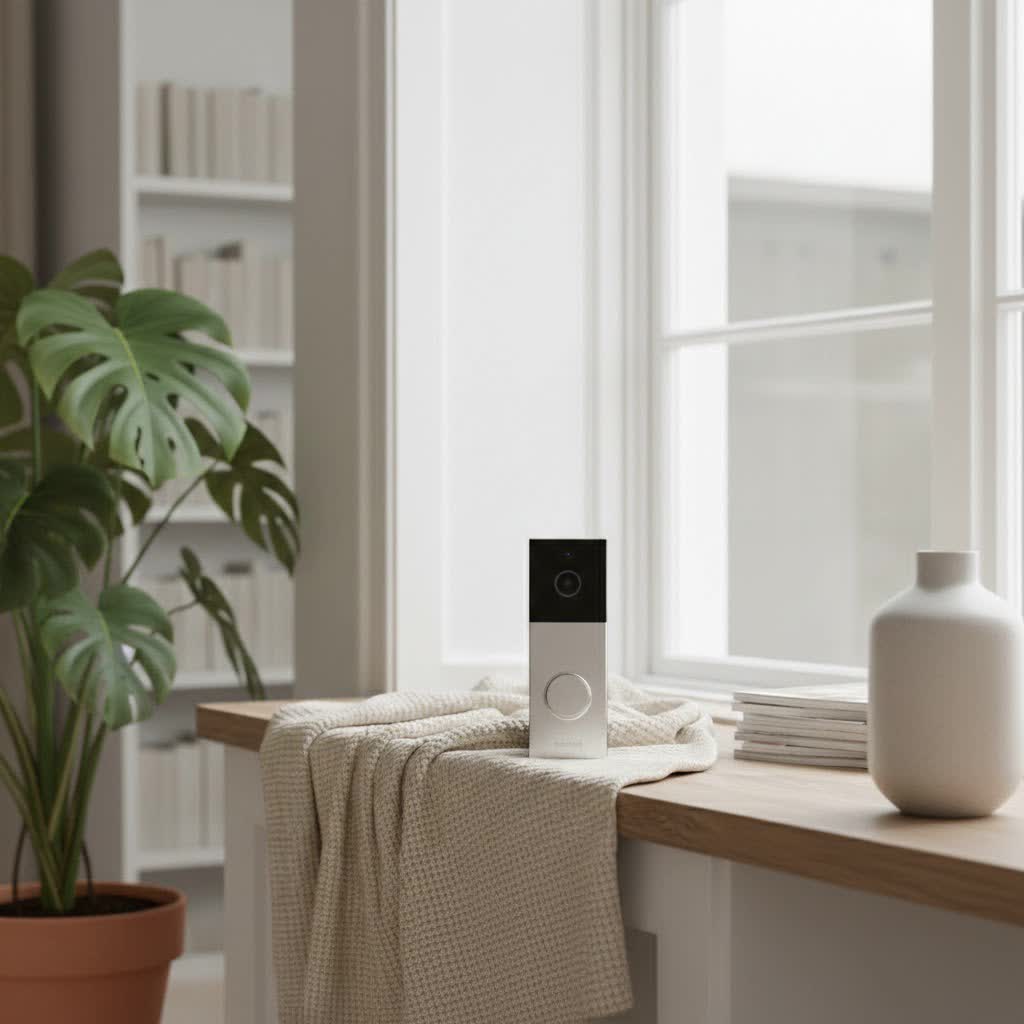
This comprehensive guide delves into everything you need to know about video doorbells equipped with chimes. We’ll explore their fundamental purpose, dissect the various types and features available, highlight leading brands, provide an essential buying guide, and address common troubleshooting queries. Our goal is to empower you with the knowledge to select the perfect video doorbell that meets your security needs and seamlessly integrates into your lifestyle.
What is a Video Doorbell with Chime, and Why You Need One
A video doorbell with a chime is a smart security device that combines a high-definition camera, two-way audio, and motion detection with an audible alert system. Unlike basic video doorbells that rely solely on smartphone notifications, models with a chime provide an internal sound, ensuring that anyone inside the house hears a visitor, even if their phone is out of reach, switched off, or charging.
The benefits of incorporating a video doorbell with a chime into your home security setup are multifaceted:
- Enhanced Security: At its core, a video doorbell allows you to see, hear, and speak to anyone at your door from anywhere using your smartphone. This deters potential intruders, helps prevent package theft, and provides valuable surveillance footage.
- Unmatched Convenience: The integrated or compatible chime is a game-changer. It provides an immediate, audible notification inside your home, a familiar sound for family members and guests alike. This means you don’t solely depend on your phone for alerts, guaranteeing you’re aware of visitors, deliveries, or emergencies, even when you’re disconnected from your mobile device.
- Complete Control: Beyond simple alerts, these devices offer features like remote live viewing, recording capabilities, and often integrate with broader smart home ecosystems, giving you comprehensive control over your front door security.
Common scenarios where a video doorbell with a chime proves invaluable include:
- Receiving deliveries when you’re out, allowing you to instruct drivers.
- Screening unexpected visitors without opening the door.
- Monitoring children arriving home from school.
- Capturing evidence of suspicious activity around your property.
Popular Types of Video Doorbells with Chime
The market offers a diverse range of video doorbells, each with unique characteristics related to power, connectivity, and features. Understanding these distinctions is key to making an informed choice, especially when considering chime functionality.
Wired vs. Wireless (Battery-Powered) Video Doorbells with Chime
The primary distinction lies in their power source, which heavily influences installation and chime compatibility.
- Wired Video Doorbells with Chime:
- Pros: Wired doorbells connect to your home’s existing doorbell wiring, providing continuous power. This eliminates the need for battery recharging and generally ensures a more stable and reliable connection. Many wired models are designed to integrate directly with your existing indoor chime (mechanical or digital), allowing you to retain the familiar sound. Some wired models may also include a new wireless chime that plugs into an outlet.
- Cons: Installation can be more complex if you don’t have existing doorbell wiring, or if your existing transformer doesn’t meet the doorbell’s voltage requirements. Compatibility with your specific type of existing chime (mechanical vs. digital) must be verified, as some doorbells only support one type.
- Wireless (Battery-Powered) Video Doorbells with Chime:
- Pros: These doorbells are powered by rechargeable batteries, offering unparalleled ease of installation and flexible placement options. They don’t require existing wiring, making them ideal for homes without a traditional doorbell setup or for renters. Wireless video doorbells almost always come with their own dedicated wireless chime unit that you plug into an electrical outlet inside your home, ensuring you always have an audible alert.
- Cons: The main drawback is the need for periodic battery recharging, which can vary from weeks to months depending on usage and environmental factors (like cold weather). They might also be more susceptible to Wi-Fi signal fluctuations compared to wired counterparts.
|
Our Picks for the Best Video Doorbell in 2026
As an Amazon Associate I earn from qualifying purchases.
|
||
| Num | Product | Action |
|---|---|---|
| 1 | Ring Indoor Cam, Home or business security in 1080p HD video, White |

|
| 2 | Blink Outdoor 4 – Wireless smart security camera, two-year battery life, 1080p HD day and infrared night live view, two-way talk. Sync Module Core included – 2 camera system |
|
| 3 | Ring Battery Doorbell (newest model), Home or business security with Head-to-Toe video, Live View with Two-Way Talk, and Motion Detection & Alerts, Satin Nickel |
|
| 4 | Noorio Wireless Doorbell Camera with Rechargeable Battery, 2K+ Resolution, 2-Way Audio, Color Night Vision, AI Motion Detection, Smart Video Doorbell Works with Alexa, D110 |
|
| 5 | Ring Battery Doorbell (newest model), Home or business security with Head-to-Toe video, Live View with Two-Way Talk, and Motion Detection & Alerts, Venetian Bronze |
|
| 6 | Blink Video Doorbell (newest model) – Head-to-toe HD view, two-year battery life, and simple setup. Sync Module Core included – System (Black) |
|
| 7 | Blink Mini 2 — Home Security & Pet Camera with HD video, color night view, motion detection, two-way audio, and built-in spotlight — 1 camera (White) |
|
| 8 | NariOrbi WiFi Video Doorbell Camera with Human Detection, Battery Powered, Night Vision, 2-Way Talk, 2.4G WiFi, Cloud Storage |
|
| 9 | Tapo by TP-Link Smart Video Doorbell Camera Wireless with Chime, 2K with Full Color Night Vision & Spotlights, No Monthly Fee, Ring Call, 160° Ultra-Wide View, Free AI Detection, Local Storage,D210 |
|
| 10 | Blink Video Doorbell (newest model) – Head-to-toe HD view, two-year battery life, and simple setup. Required Sync Module not included – Add-On (White) |
|
Basic Features vs. Advanced AI Integration
Modern video doorbells offer a spectrum of features, from essential monitoring to sophisticated AI-driven capabilities.
- Basic Features:
- High-Definition Video: Typically 1080p resolution, offering clear images of your doorstep.
- Two-Way Audio: Allows real-time conversation with visitors through the doorbell’s built-in speaker and microphone.
- Motion Detection: Triggers recording and sends notifications when movement is detected in its field of view.
- Push Notifications: Alerts sent to your smartphone.
- Advanced Features:
- Higher Resolution & Wide Field of View: Many premium models offer 2K, 4MP, or even 5MP resolution, providing incredibly sharp detail. A “head-to-toe” or 1:1 aspect ratio, often with 160-180 degree diagonal viewing angles, ensures you capture everything from packages on the ground to taller visitors.
- AI-Powered Motion Detection: This intelligent feature differentiates between people, pets, packages, and vehicles, significantly reducing false alarms from swaying trees or passing cars. Some even offer facial recognition.
- Color Night Vision: Leveraging ambient light or built-in spotlights, these doorbells provide clear, colorized footage at night, offering more detail than standard infrared (black and white) night vision.
- Local Storage Options: For those seeking subscription-free operation, many models support local storage via a microSD card slot, often within the doorbell itself or a connected hub. Some wired doorbells can even provide 24/7 continuous recording to local storage.
- Smart Home Ecosystem Integration: Seamlessly connect with platforms like Amazon Alexa, Google Assistant, or Apple HomeKit, allowing you to view feeds on smart displays, receive voice announcements, or trigger other smart devices.
- Pre-roll Recording: Some doorbells capture a few seconds of video before a motion event is officially triggered, providing crucial context.
Top Video Doorbell Brands Offering Chime Solutions
Several reputable brands dominate the video doorbell market, each bringing its own strengths and popular models that support chime functionality.
- eufy: Renowned for its commitment to local storage and often subscription-free usage, eufy offers video doorbells that frequently include the option to work with your existing mechanical chime, such as the eufy Security S220. Their products often feature 2K HD resolution and AI-powered human detection.
- Ring: A market leader, Ring offers a wide range of video doorbells that integrate seamlessly with the Amazon Alexa ecosystem. Models like the Ring Battery Doorbell Plus provide high-resolution video and package detection, though many advanced features require a Ring Protect subscription. The Ring Wired Doorbell Pro is known for working with existing chimes.
- Google Nest: Ideal for Google Home users, the Google Nest Doorbell (Battery) offers intelligent alerts that differentiate between people, packages, and animals, with many basic features available without a subscription. It can be installed wirelessly or hardwired to integrate with your existing chime.
- Arlo: Known for high-quality video (HD with HDR), wide fields of view, and unique features like “Arlo Foresight” (pre-roll recording). The Arlo Essential Video Doorbell is a popular choice, though advanced detection features typically require an Arlo Secure plan.
- Tapo (TP-Link): A strong contender in the budget-friendly category, Tapo offers feature-rich doorbells like the Tapo D225. It delivers crisp 2K video resolution, local storage options to avoid subscriptions, and often includes a remote chime, making it a great value.
- Reolink: Many Reolink video doorbells prioritize local storage and offer high-resolution video (e.g., 2K, 5MP) with dual-band Wi-Fi connectivity. They often come with an included chime or are compatible with existing wired setups, offering excellent value without mandatory subscriptions.
How to Choose the Best Video Doorbell with Chime: A Comprehensive Buying Guide
Selecting the ideal video doorbell with a chime requires careful consideration of your specific needs, home setup, and desired features.
Determine Your Specific Needs
Before diving into specifications, clarify what matters most to you:
- Wired or Wireless Preference? Do you have existing doorbell wiring you want to utilize for continuous power, or do you prefer the flexibility and easy installation of a battery-powered wireless model?
- Existing Chime Integration vs. New Chime Unit: Do you want to keep your current indoor chime, or are you comfortable with a new wireless chime unit that typically comes bundled with wireless doorbells? If using an existing chime, always confirm compatibility with mechanical or digital chime types.
- Budget & Subscription Tolerance: Are you looking for a subscription-free experience with local storage, or are you willing to pay a monthly fee for cloud storage and advanced features?
- Specific Security Priorities: Is package detection critical? Do you want advanced AI for facial recognition or differentiation of pets and vehicles?
- Current Smart Home Ecosystem: If you already use Amazon Alexa, Google Assistant, or Apple HomeKit, choose a doorbell that integrates seamlessly with your preferred platform.
Essential Factors to Evaluate
Once your needs are clear, scrutinize these technical aspects:
- Video & Audio Quality: Aim for at least 1080p HD, but 2K or higher resolutions offer superior detail. Features like HDR (High Dynamic Range) improve image clarity in varied lighting conditions. A wide field of view (160-180 degrees) and a head-to-toe aspect ratio are beneficial. Ensure two-way audio is clear, ideally with noise cancellation.
- Motion Detection Capabilities: Look for advanced AI detection that can distinguish between people, pets, and packages to minimize irrelevant alerts. Customizable motion zones allow you to focus monitoring on specific areas, like your porch, while excluding public sidewalks. “On-device” processing is preferable for faster alerts and enhanced privacy.
- Storage Options: Decide between local storage (microSD card), which avoids monthly fees and provides more privacy, or cloud storage (subscription-based), which offers off-site backup and often extended video history. Some systems offer both.
- Power Source: For wired doorbells, check your existing transformer’s voltage compatibility. For battery-powered models, evaluate the advertised battery life and ease of recharging (e.g., removable battery vs. needing to dismount the entire unit).
- Durability & Weather Resistance: Since doorbells are exposed to the elements, look for an IP (Ingress Protection) rating, such as IP65, indicating resistance to dust and water.
- Smart Home Compatibility: Verify integration with your smart home hub or voice assistant (e.g., Alexa, Google Home).
- Warranty & Support: A good warranty and responsive customer support are crucial for long-term satisfaction.
Installation and Setup Best Practices
Installing a video doorbell, especially one that works with an existing chime, can be straightforward if done correctly.
- Pre-Installation: Always confirm compatibility with your existing chime (mechanical or digital) and thoroughly read the manufacturer’s manual.
- Safety First: Before touching any wiring, always turn off power to your doorbell at the main electrical panel to prevent electrical hazards.
- Gather Tools: Have a screwdriver, drill, and any included mounting hardware ready.
- Optimal Placement: Mount the doorbell at an appropriate height, usually around 4 feet (1.2 meters) from the ground, to ensure a clear view of visitors and packages. Use any included wedges to adjust the viewing angle if necessary.
- Connect Wires (Wired Models): Connect your existing doorbell wires to the new camera’s terminals, ensuring a snug fit. Follow specific instructions for any included chime jumper or power kit.
- Wi-Fi Signal: Verify you have a strong 2.4GHz Wi-Fi signal at the installation spot. A Wi-Fi extender might be necessary for reliable performance. Many newer doorbells also support 5GHz for faster connection.
- App Configuration: Download the accompanying app and follow the setup wizard. Adjust motion detection sensitivity, define motion zones, and customize chime settings, including different tones if available.
Common Issues and Troubleshooting for Video Doorbells with Chime
Even with the best products, you might encounter occasional issues. Here are common problems and their solutions:
- Chime Not Ringing (Existing Chime):
- Power Check: Ensure power is restored after installation and wires are securely connected.
- Compatibility: Double-check if your video doorbell supports your specific type of existing chime (mechanical vs. digital). Some doorbells require a power kit (included) to ensure proper power delivery to the mechanical chime.
- App Settings: Verify that the chime function is enabled in the doorbell’s app settings.
- Transformer: Your existing doorbell transformer might not provide enough voltage. Consult the doorbell’s specifications for minimum voltage requirements.
- Chime Not Ringing (Wireless Chime Unit):
- Pairing: Ensure the wireless chime unit is correctly paired with the doorbell. Check the manufacturer’s instructions for the pairing process.
- Power: Make sure the wireless chime is plugged into a working electrical outlet.
- Distance/Interference: The chime unit might be too far from the doorbell or experiencing wireless interference. Try moving it closer.
- Poor Video Quality:
- Wi-Fi Signal: A weak Wi-Fi signal is a common culprit. Check your router’s proximity or consider a Wi-Fi extender.
- Lens Cleanliness: Dust, smudges, or cobwebs on the lens can significantly degrade image quality. Regularly clean the lens.
- Lighting: Extreme backlighting can sometimes cause issues; some doorbells have HDR to mitigate this.
- False Motion Alerts:
- Adjust Sensitivity: Lower the motion detection sensitivity in the app.
- Motion Zones: Set up custom motion zones to exclude areas like busy sidewalks or swaying tree branches.
- AI Detection: If your doorbell has AI detection, ensure it’s enabled to filter out non-human movements.
- Connectivity Problems:
- Router Issues: Reboot your Wi-Fi router.
- App Updates: Ensure your doorbell’s app and firmware are up to date.
- Bandwidth: If you have many Wi-Fi devices, ensure your network has sufficient bandwidth.
- Battery Draining Quickly (Wireless Models):
- High Traffic: Frequent motion detection events or live view streaming will drain the battery faster. Adjust sensitivity and recording duration.
- Cold Weather: Batteries perform less efficiently in cold temperatures.
- Wi-Fi Strength: A weak Wi-Fi signal makes the doorbell work harder, consuming more power.
Conclusion
A video doorbell with a chime represents the pinnacle of modern home security and convenience, offering both the visual monitoring of a smart device and the comforting, immediate alert of a traditional chime. By understanding the differences between wired and wireless options, evaluating key features like video quality and AI detection, and choosing from reputable brands like eufy, Ring, Google Nest, Arlo, Tapo, or Reolink, you can make an informed decision that safeguards your home. Integrating a video doorbell with a chime is an investment in peace of mind, ensuring you’re always connected to your front door, no matter where you are.
Which smart video doorbell with a chime will you choose to safeguard your home?
Frequently Asked Questions
What exactly is a video doorbell chime?
A video doorbell chime is an internal audible alert system that sounds inside your home when someone presses your video doorbell. It can be your home’s existing mechanical or digital chime (for wired doorbells) or a separate wireless unit that plugs into an outlet (common with battery-powered doorbells), providing a traditional auditory notification in addition to smartphone alerts.
Can I use a wireless video doorbell with my existing wired chime?
Generally, no. Most wireless (battery-powered) video doorbells come with their own dedicated wireless chime unit and are designed for easy installation without existing wiring. However, some hybrid models offer the option to be hardwired, in which case they might be compatible with your existing wired chime, but this requires careful verification of specifications.
Do all video doorbells come with a chime?
Not all video doorbells include a physical chime unit or are compatible with existing wired chimes. Basic models may rely solely on smartphone notifications. It’s crucial to check product specifications to confirm if a chime is included, sold separately, or if it supports integration with your home’s current wired chime system.
Are wired or wireless video doorbells with chimes better?
Both have distinct advantages. Wired doorbells offer continuous power and often integrate with existing chimes, providing reliability. Wireless doorbells are easier to install with flexible placement and typically come with their own plug-in chime. The “better” option depends on your home’s wiring, installation preferences, and tolerance for battery maintenance.
Do video doorbells with chimes require a monthly subscription?
Many video doorbells with chimes will function without a subscription for basic features like live view and instant alerts. However, advanced features such as cloud video storage, extended video history, AI-powered object detection, and rich notifications often require a paid monthly subscription. Some brands, like eufy and Reolink, offer local storage options to avoid these fees.
How do I install a video doorbell with an existing chime?
First, turn off power at your circuit breaker. Install the new doorbell at the existing wiring location, connecting the wires securely to the doorbell’s terminals. Some doorbells include a “power kit” to install at your existing chime box to ensure compatibility. Then, power on, connect to Wi-Fi via the app, and configure settings. Always consult your specific doorbell’s manual.
