In today’s interconnected world, home security is paramount, and video doorbells have emerged as a cornerstone of modern smart homes. Among the myriad options available, the “Video Doorbell V5” often appears as a compelling choice for many homeowners seeking an accessible entry point into smart security. This comprehensive guide delves into the specifics of the Video Doorbell V5, helping you understand its capabilities, limitations, and how it stacks up against the broader market.
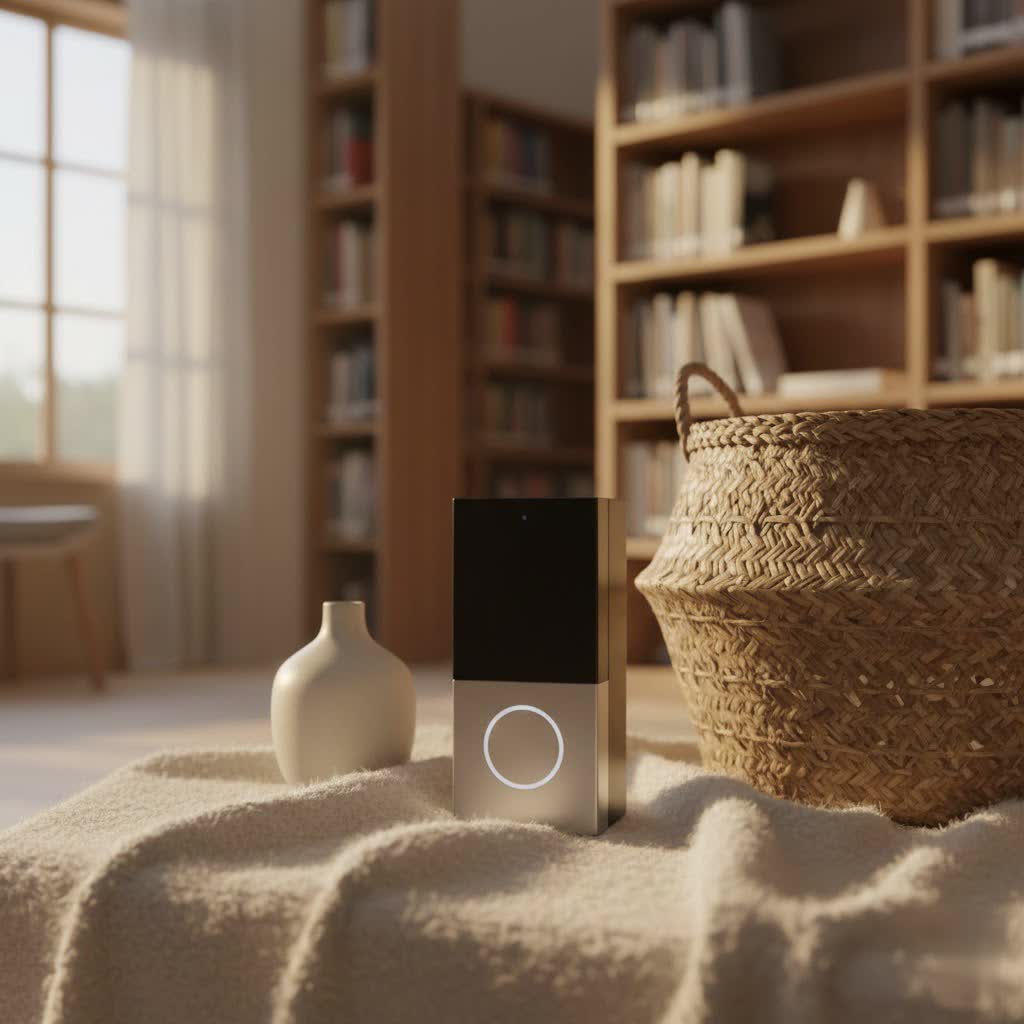
The Video Doorbell V5 typically refers to a category of affordable, feature-rich wireless video doorbells produced by various manufacturers, often found under brands like EKEN or Nestling. These devices aim to provide essential smart doorbell functionalities without the premium price tag, making advanced home monitoring more attainable for a wider audience. If you’re looking to enhance your home’s perimeter defense, understand package deliveries, or simply keep an eye on visitors, the V5 series offers a practical solution to consider.
What is a Video Doorbell and Why Do You Need It?
A video doorbell is a smart home device that combines a doorbell with a camera, microphone, and speaker, allowing you to see, hear, and speak to visitors at your door from anywhere using your smartphone or other connected devices. It offers an invaluable layer of security and convenience for any modern household.
The primary appeal of a video doorbell lies in its ability to provide real-time monitoring and communication. When someone presses the doorbell or motion is detected, you receive an instant notification on your phone. This enables you to interact with guests, instruct delivery personnel, or deter potential intruders, even when you’re not home. Beyond security, it offers immense convenience, giving you peace of mind by letting you know who is at your door without having to physically open it, or even be present. Common usage scenarios include monitoring package deliveries, screening unexpected visitors, communicating with family members, and generally enhancing the safety of your property.
Exploring the Popular Video Doorbell V5 on the Market
The “Video Doorbell V5” typically represents a popular segment of wireless, often battery-powered, smart doorbells that emphasize affordability and core functionalities. These models, such as those from EKEN or Nestling, commonly feature 720p HD video resolution, two-way audio, and infrared night vision. They are usually designed for straightforward installation and operate on 2.4GHz Wi-Fi networks, catering to users looking for a practical and budget-conscious smart security upgrade for their homes.
Wired vs. Wireless: The V5’s Connection Type
Video doorbells primarily fall into two categories based on their power and data connection: wired and wireless. The Video Doorbell V5 largely resides in the wireless camp, offering distinct advantages and trade-offs.
-
Wireless Video Doorbells (e.g., V5 models): These devices are typically battery-powered, making installation incredibly easy as they don’t require existing doorbell wiring. They connect to your home’s Wi-Fi network for data transmission.
- Pros: Easy installation (DIY-friendly, no electrical work), flexible placement (can be mounted almost anywhere), portability.
- Cons: Battery life requires periodic recharging (though often lasts several months), potential for connectivity issues if Wi-Fi signal is weak, may have slightly slower response times compared to wired models.
- V5 Specifics: Many V5 models feature rechargeable 18650 batteries, often promising several months of usage on a single charge. However, actual battery life can vary significantly based on usage (motion detection frequency, live view access) and environmental factors.
-
Wired Video Doorbells: These connect to your home’s existing doorbell wiring for continuous power, ensuring constant operation without battery changes. They can use Wi-Fi or sometimes Ethernet for data.
- Pros: Reliable, continuous power (no recharging), often more stable Wi-Fi connection due to consistent power, advanced features may be available (e.g., continuous recording).
- Cons: Requires existing doorbell wiring (or professional installation), less flexible placement.
|
Our Picks for the Best Video Doorbell in 2026
As an Amazon Associate I earn from qualifying purchases.
|
||
| Num | Product | Action |
|---|---|---|
| 1 | Blink Outdoor 4 – Wireless smart security camera, two-year battery life, 1080p HD day and infrared night live view, two-way talk. Sync Module Core included – 2 camera system |

|
| 2 | Noorio Wireless Doorbell Camera with Rechargeable Battery, 2K+ Resolution, 2-Way Audio, Color Night Vision, AI Motion Detection, Smart Video Doorbell Works with Alexa, D110 |
|
| 3 | Tapo by TP-Link Smart Video Doorbell Camera Wireless with Chime, 2K with Full Color Night Vision & Spotlights, No Monthly Fee, Ring Call, 160° Ultra-Wide View, Free AI Detection, Local Storage,D210 |
|
| 4 | Ring Indoor Cam, Home or business security in 1080p HD video, White |
|
| 5 | Ring Battery Doorbell (newest model), Home or business security with Head-to-Toe video, Live View with Two-Way Talk, and Motion Detection & Alerts, Satin Nickel |
|
| 6 | Blink Mini 2 — Home Security & Pet Camera with HD video, color night view, motion detection, two-way audio, and built-in spotlight — 1 camera (White) |
|
| 7 | Ring Battery Doorbell (newest model), Home or business security with Head-to-Toe video, Live View with Two-Way Talk, and Motion Detection & Alerts, Venetian Bronze |
|
| 8 | Blink Video Doorbell (newest model) – Head-to-toe HD view, two-year battery life, and simple setup. Sync Module Core included – System (Black) |
|
| 9 | Blink Video Doorbell (newest model) – Head-to-toe HD view, two-year battery life, and simple setup. Required Sync Module not included – Add-On (White) |
|
| 10 | NariOrbi WiFi Video Doorbell Camera with Human Detection, Battery Powered, Night Vision, 2-Way Talk, 2.4G WiFi, Cloud Storage |
|
The V5’s wireless nature is a significant draw, simplifying setup for renters or those without existing doorbell wiring.
Basic vs. Advanced Features: What the V5 Offers
Video doorbells vary widely in their feature sets, from essential monitoring to sophisticated AI-driven capabilities. The Video Doorbell V5 typically includes a strong set of basic features, with some models incorporating select advanced functionalities.
-
Basic Features (Common in V5):
- HD Video Recording: Most V5 models offer 720p resolution, which provides clear enough footage for identification in most common scenarios. Some newer generic “V5” iterations might offer 1080p, but 720p is very common.
- Two-Way Audio: A built-in microphone and speaker allow you to converse with visitors in real-time through your smartphone app.
- Motion Detection: Passive Infrared (PIR) sensors detect movement within a specified zone, triggering recording and sending instant alerts to your phone.
- Night Vision: Infrared LEDs enable clear video footage even in low-light or complete darkness.
- Instant Notifications: Alerts are sent to your phone when the doorbell is pressed or motion is detected.
- Local or Cloud Storage: Many V5 models support local storage via a microSD card, with some also offering subscription-based cloud storage options.
-
Advanced Features (Less Common in V5, but worth noting for comparison):
- Facial Recognition: Identifies familiar faces and differentiates them from strangers.
- Package Detection: Specifically alerts you to packages left at your door and notifies you if they are moved.
- Activity Zones: Allows you to define specific areas within the camera’s view where motion detection should be active, reducing false alarms.
- Pre-Roll Recording: Captures a few seconds of video before a motion event is detected, providing fuller context.
- Integration with Smart Home Ecosystems: Seamlessly works with platforms like Amazon Alexa, Google Assistant, or Apple HomeKit.
While the V5 primarily focuses on core functionalities, its robust set of basic features makes it a highly functional and practical choice for everyday home security needs.
Top Video Doorbell Brands (and where V5 fits in)
When discussing video doorbells, established brands like Ring, Arlo, Eufy, and Google Nest often dominate the conversation due to their extensive ecosystems, advanced features, and strong brand recognition. However, the “Video Doorbell V5” is not a product from one of these major players. Instead, “V5” often serves as a model designation for a range of more budget-friendly, generic, or lesser-known brand video doorbells, typically available through online marketplaces.
-
EKEN/Nestling (and other generic brands with “V5”): These brands offer an accessible entry point into video doorbell technology.
- Strengths: Affordable price point, wireless installation, basic but effective features like 720p HD video, two-way audio, and PIR motion detection.
- Weaknesses: Customer support can be inconsistent, app functionality might be less refined than top brands, limited integration with broader smart home ecosystems, and potential for connectivity issues.
- Overall: V5 models are often praised for their value for money, providing essential security features without a significant investment.
-
Ring: A pioneer in the video doorbell market, known for its extensive range of products, robust app, and strong integration with Amazon Alexa.
- Strengths: Reliable connectivity, excellent motion detection, diverse product line (wired, battery, floodlight cameras), professional monitoring options.
- Weaknesses: Subscription required for video history, some models can be pricey.
-
Arlo: Focuses on comprehensive wireless security systems, offering high-resolution video and local storage options.
- Strengths: High video quality (2K, 4K), 100% wire-free options, local storage via SmartHub, strong battery life.
- Weaknesses: Premium price point, SmartHub often required for advanced features, some features are subscription-gated.
-
Eufy: Known for its commitment to local storage and no monthly fees, offering a compelling alternative to subscription-based models.
- Strengths: Local storage, long battery life, high-quality video, no monthly fees for basic features, good AI capabilities (person detection).
- Weaknesses: Fewer third-party integrations than Ring/Nest, app can be less intuitive for some users.
-
Google Nest: Integrates seamlessly with the Google ecosystem, offering intelligent alerts and advanced AI features.
- Strengths: Excellent image quality, advanced AI (familiar face alerts, package detection), seamless Google Assistant integration, elegant design.
- Weaknesses: Primarily wired options (Nest Doorbell Battery can be wired or battery-powered), requires subscription for full video history, higher price point.
While the Video Doorbell V5 may not boast the brand recognition or the full suite of advanced features of these major players, it provides a functional and cost-effective solution for essential front-door monitoring.
Comparison: Typical Video Doorbell V5 Features vs. General Expectations
Given that “Video Doorbell V5” represents a class of products rather than a single model, this table outlines the typical specifications you can expect from a V5-type doorbell, contrasted with what you might find in a mid-range, established brand’s offering.
| Feature | Typical Video Doorbell V5 (e.g., EKEN V5, Nestling V5) | Mid-Range Branded Doorbell (e.g., Ring Video Doorbell 3, Eufy Video Doorbell 2K) |
|---|---|---|
| Video Resolution | 720p HD (some newer versions may be 1080p) | 1080p Full HD, often 2K (Eufy) |
| Field of View (FoV) | 140° – 166° | 160° – 180° (often head-to-toe view) |
| Connectivity | 2.4GHz Wi-Fi only | 2.4GHz & 5GHz Wi-Fi (for better stability/speed) |
| Power Source | Rechargeable 18650 Batteries (often 2-3 months) | Rechargeable Battery (3-6 months) or Wired |
| Two-Way Audio | Yes, with basic noise cancellation | Yes, with advanced noise cancellation and clearer audio |
| Night Vision | Infrared LEDs (Black & White) | Infrared LEDs (Black & White), sometimes color night vision |
| Motion Detection | PIR (Passive Infrared) sensor | Advanced PIR or Radar-based, customizable activity zones, person detection |
| Storage Options | MicroSD card (local), optional basic cloud | Cloud subscription (primary), some offer local (Eufy) |
| Smart Home Integration | Limited (often proprietary app only) | Extensive (Alexa, Google Assistant, HomeKit) |
| App Features | Live view, two-way talk, recording review, settings | All V5 features plus event timelines, rich notifications, snapshot history, deeper customization |
| Durability/Weather | IPX5 (Dust and splash resistant) | IPX5-IP65 (More robust weather resistance) |
| Price Range | Very affordable ($30-$80) | Mid-range ($100-$200) |
Disclaimer: Specifications for “Video Doorbell V5” can vary slightly between different manufacturers using the V5 designation. This table represents typical characteristics.
The Video Doorbell V5 offers a solid foundation of features for its price. While it might not match the advanced AI or seamless ecosystem integration of premium brands, its core functionalities – clear video, two-way audio, and motion alerts – are perfectly adequate for fundamental home security. The main areas where V5 models typically differ are in video resolution (often 720p vs. 1080p/2K), Wi-Fi frequency support (2.4GHz only), and the sophistication of their motion detection and app interfaces.
Your Essential Guide to Choosing a Video Doorbell
Selecting the right video doorbell involves more than just picking a popular model. It requires a thoughtful assessment of your specific needs, the environmental factors of your home, and your budget. This guide will walk you through the key considerations, whether you’re looking at a Video Doorbell V5 or a more premium alternative.
Identifying Your Usage Needs
Before diving into specifications, pinpoint what you primarily expect from your video doorbell.
- Primary Purpose: Are you mainly looking for enhanced security (deterring intruders, monitoring activity), convenience (screening visitors, package delivery instructions), or both? If security is paramount, you might prioritize robust motion detection and reliable recording. For convenience, clear two-way audio and quick notifications are key.
- Installation Location: Where will the doorbell be mounted? If it’s on a porch with good overhead cover, weather resistance might be less critical than for an exposed gate. The presence (or absence) of existing doorbell wiring will dictate if you need a wireless, battery-powered model like many V5 units, or if a wired option is feasible.
- Budget: Video doorbells range widely in price. Generic V5 models are often very budget-friendly, while top-tier brands with extensive features come at a higher cost, often coupled with subscription fees for cloud storage. Define your comfortable spending limit upfront.
Key Factors to Consider When Choosing
Once your needs are clear, evaluate these technical and practical aspects:
-
Image and Audio Quality:
- Resolution: While 720p (common in V5) is sufficient for basic identification, 1080p or 2K offers more detail, especially for zooming in.
- Field of View (FoV): A wider angle (160°+ is ideal) ensures you capture more of your doorstep and surroundings. Some doorbells even offer a vertical “head-to-toe” view.
- Night Vision: Ensure it provides clear, well-lit footage in darkness. Infrared is standard, but some premium models offer color night vision.
- Two-Way Audio: Look for clear, crisp audio with effective noise cancellation, essential for effective communication. Some V5 models have reported issues with audio clarity.
-
Connectivity and Compatibility:
- Wi-Fi: Most video doorbells use 2.4GHz Wi-Fi (common for V5 models). Some also support 5GHz, which can offer faster speeds and less interference in congested areas. Ensure your home Wi-Fi is strong and stable at the installation point.
- Smart Home Integration: If you have other smart devices (Alexa, Google Assistant), consider models that integrate seamlessly for voice control or automated routines. Generic V5 models often have limited integration.
-
Durability and Weather Resistance:
- Check the IP rating (e.g., IPX5, IP65). This indicates its resistance to dust and water, crucial for outdoor use in varying climates. An IPX5 rating means it can withstand water jets from any direction, making it suitable for most outdoor conditions.
-
Battery Life and Power Options:
- For wireless, battery-powered models (like most V5s), inquire about typical battery life and ease of recharging. Models using standard 18650 batteries are common, offering reasonable usage times. Wired options offer continuous power, eliminating battery concerns.
-
Storage and Subscription Fees:
- Local Storage: Many V5 models offer a microSD card slot for local storage, which means no monthly fees.
- Cloud Storage: Most branded doorbells and some V5 models offer cloud storage, often requiring a subscription for extended video history, event recording, and advanced features. Factor these ongoing costs into your budget.
-
Warranty and Technical Support:
- Reputable brands offer strong warranties and accessible customer support. For generic V5 models, support can be less consistent, so consider purchasing from a retailer with a good return policy.
Installation and Usage Tips
Even with the best doorbell, proper installation and use are key to maximizing its effectiveness.
- Optimal Placement: Mount the doorbell at the recommended height (typically 48 inches/1.2 meters from the ground) to capture faces clearly. Ensure the camera has an unobstructed view of your entryway. Use any included wedge kits to angle the doorbell for a better view if your wall is perpendicular to the door.
- Wi-Fi Strength: Test your Wi-Fi signal at the installation spot before mounting. A weak signal will lead to connection drops, delays, and frustration. Consider a Wi-Fi extender if needed.
- App Configuration: Spend time customizing settings in the companion app. Adjust motion sensitivity to reduce false alarms from pets or passing cars. Set up activity zones if available.
- Battery Maintenance (for wireless V5 models): For battery-powered V5 units, establish a regular charging schedule rather than waiting for the battery to die. This can prolong overall battery health. Minimize frequent live views and excessive motion alerts to conserve battery.
- Regular Cleaning: Periodically wipe the camera lens to ensure clear footage, especially after dusty or rainy weather.
“The best video doorbell isn’t always the most expensive one; it’s the one that best fits your specific lifestyle and security priorities. Understanding your needs deeply is the first step to smart security.” – Admin, Reviewbeev.com
Common Issues and Troubleshooting for Video Doorbells (Including V5 Models)
Even the most advanced smart home devices can encounter glitches. Video doorbells, especially more budget-friendly models like the V5, can face common issues. Here’s a look at frequently reported problems and straightforward troubleshooting steps.
-
Issue 1: Frequent Disconnections or Poor Wi-Fi Signal
- Problem: Your doorbell often goes offline, or live view is choppy and delayed. This is a common complaint with 2.4GHz-only devices like many V5 models.
- Fix:
- Check Wi-Fi Strength: Use your phone to check the Wi-Fi signal at the doorbell’s mounting location. If it’s weak, consider repositioning your router or adding a Wi-Fi extender.
- Router Interference: Other devices (cordless phones, microwaves) can interfere with 2.4GHz Wi-Fi. Try changing your router’s Wi-Fi channel.
- Restart Devices: Power cycle your router and the video doorbell (if possible, remove batteries or press reset button).
- Firmware Update: Ensure your doorbell’s firmware and the companion app are up to date.
-
Issue 2: Image Quality is Blurry or Dark at Night
- Problem: Video footage appears unclear, distorted, or night vision isn’t working effectively.
- Fix:
- Clean Lens: Gently wipe the camera lens with a soft, clean cloth to remove smudges, dust, or condensation.
- Check Night Vision Settings: In the app, ensure night vision is set to ‘Auto’ or ‘On’.
- Obstructions: Verify nothing is blocking the camera’s view, especially at night when IR illuminators might reflect off close objects.
-
Issue 3: Motion Detection Too Sensitive or Not Sensitive Enough (False Alarms)
- Problem: You’re getting too many irrelevant alerts (e.g., from cars, pets) or missing important events.
- Fix:
- Adjust Sensitivity: In the doorbell’s app settings, reduce motion detection sensitivity. Most V5 models offer low, medium, and high settings.
- Activity Zones: If your V5 model supports activity zones (less common, but some do), define specific areas where you want motion alerts to be active.
- Placement Adjustment: Sometimes, slightly re-angling the doorbell can help avoid unwanted motion triggers.
-
Issue 4: Notifications Not Arriving or Delayed
- Problem: You’re not getting alerts on your phone, or they arrive significantly late.
- Fix:
- App Permissions: Ensure the doorbell app has all necessary notification permissions enabled in your phone’s settings.
- Do Not Disturb: Check if your phone is in “Do Not Disturb” mode or similar.
- Background App Refresh: For Android/iOS, ensure the app is allowed to run in the background.
- Battery Optimization: On Android, disable battery optimization for the doorbell app to prevent the OS from closing it.
- Connectivity: Revisit Issue 1’s troubleshooting steps, as poor Wi-Fi often delays notifications.
-
Issue 5: Poor Two-Way Audio Quality
- Problem: You can’t hear visitors clearly, or they can’t hear you.
- Fix:
- Volume Check: Ensure the intercom volume is turned up in the doorbell’s app settings.
- Microphone/Speaker Obstruction: Check for any physical blockage over the microphone or speaker on the doorbell unit.
- Network Latency: Audio quality is heavily reliant on a stable Wi-Fi connection. Improve your Wi-Fi if necessary.
- App Issues: Close and reopen the app, or reinstall it if problems persist.
When to Contact Support:
If you’ve tried all relevant troubleshooting steps and the problem persists, especially for recurring connectivity failures, hardware malfunctions, or issues that prevent basic functionality, it’s time to contact the manufacturer’s technical support. For generic “V5” models, this might involve reaching out to the specific seller or platform where you purchased the device. Be prepared with your device model, purchase date, and a detailed description of the issue.
Conclusion
The Video Doorbell V5, while often representing a category of more affordable, generic smart doorbells, stands as a testament to the increasing accessibility of home security technology. These devices typically deliver essential functionalities such as 720p HD video, two-way audio, and reliable motion detection, making them a compelling option for homeowners seeking practical protection without a significant financial outlay. While they might present unique challenges, particularly concerning connectivity and app refinement compared to premium brands, their core benefits offer substantial value.
By understanding your specific needs, carefully considering typical features and limitations of the V5 series, and applying basic troubleshooting, you can confidently integrate a Video Doorbell V5 into your home. It’s a pragmatic step towards enhanced peace of mind, allowing you to monitor your doorstep, communicate with visitors, and strengthen your home’s perimeter defense. Ready to take charge of your home’s security? What aspects of smart home integration are most important to you when considering a video doorbell?
Frequently Asked Questions
What does “V5” in Video Doorbell V5 refer to?
“V5” typically denotes a specific model or version number used by various manufacturers for their affordable, wireless video doorbells. It’s not usually tied to a single major brand but rather represents a common type of device featuring standard functionalities like 720p HD video, two-way audio, and PIR motion detection, often found on online marketplaces.
Do Video Doorbell V5 models require a subscription?
Many Video Doorbell V5 models offer local storage via a microSD card, eliminating the need for a monthly subscription fee for basic video recording. However, some variants might offer optional cloud storage plans for extended video history or advanced features, which would require a subscription. Always check the specific product’s details.
Can Video Doorbell V5 models connect to 5GHz Wi-Fi?
Most Video Doorbell V5 models are designed to connect only to 2.4GHz Wi-Fi networks. This is a common characteristic of budget-friendly smart home devices. While 2.4GHz offers a longer range, it can be more susceptible to interference. Ensure your home Wi-Fi network supports 2.4GHz for compatibility.
How long does the battery last on a typical Video Doorbell V5?
Battery life for a Video Doorbell V5, which often uses rechargeable 18650 batteries, can vary significantly but typically ranges from 2 to 6 months on a single charge. Factors like the frequency of motion events, live view usage, and temperature can all impact actual battery duration.
Are Video Doorbell V5 models compatible with smart home assistants like Alexa or Google Assistant?
Generally, Video Doorbell V5 models have limited integration with major smart home ecosystems. While some might offer basic compatibility, such as playing the doorbell chime through an Echo device, they often lack deeper integration like displaying video feeds on smart displays or incorporating into complex routines. Their primary interaction is usually through their dedicated mobile app.
