In today’s interconnected world, home security has evolved beyond traditional locks and alarms. Video doorbells have emerged as a cornerstone of modern smart homes, offering not just protection but also unparalleled convenience. While premium brands often dominate the market, a multitude of budget-friendly options, like the M10 Video Doorbell, promise essential features without breaking the bank. But how does a more affordable model like the M10 truly stack up against the demands of daily use and advanced security needs? This comprehensive guide delves into the M10 Video Doorbell, examining its features, performance, and whether it’s the right choice for your home security setup.
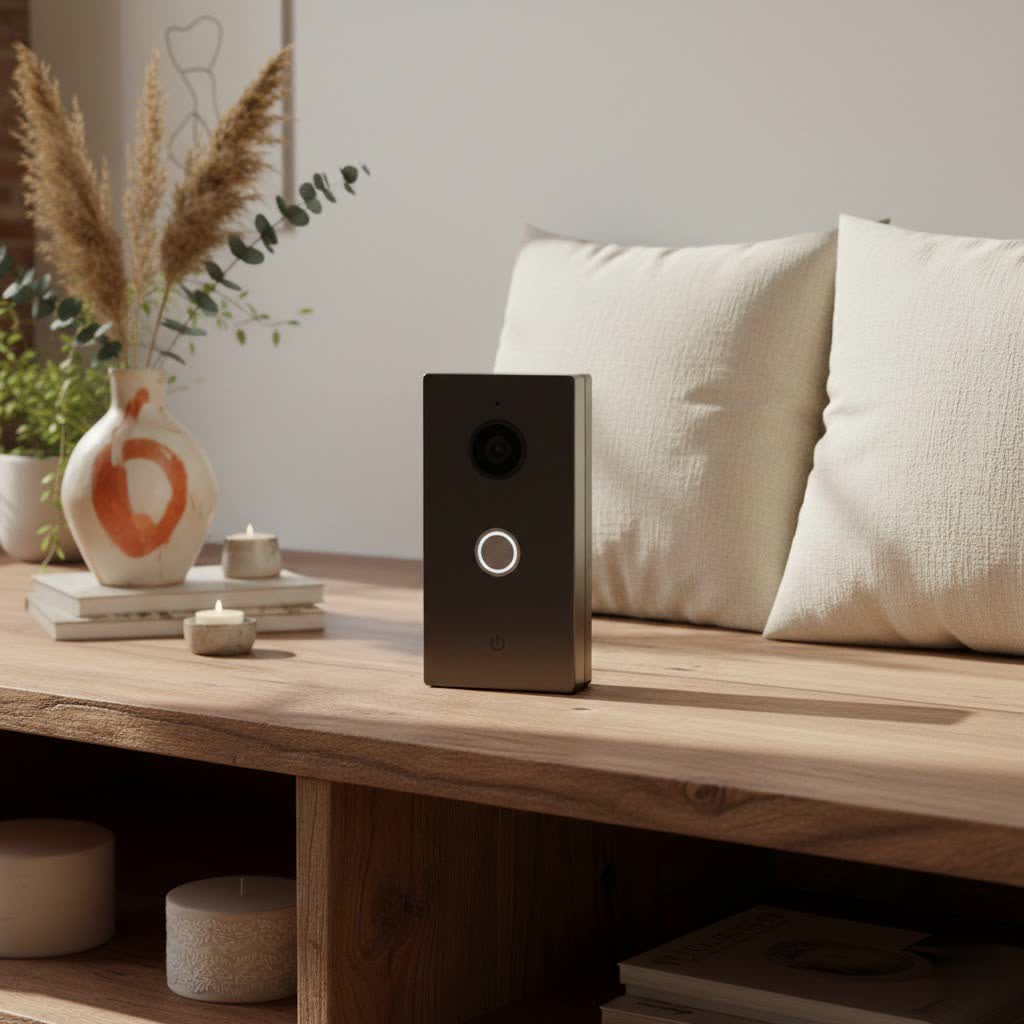
What is a Video Doorbell and Why Do You Need One?
A video doorbell is a smart device that replaces your traditional doorbell, equipped with a camera, microphone, and speaker, allowing you to see, hear, and speak to visitors from anywhere using your smartphone. Beyond simply alerting you to guests, these devices provide a crucial layer of home security. They monitor your entryway 24/7, record activity, and can even deter potential intruders. The ability to answer your door remotely means you’ll never miss a delivery or a visitor, even when you’re away. Whether it’s for enhanced security, convenient package monitoring, or simply knowing who’s at your door before you open it, a video doorbell offers peace of mind and control over your home’s access point.
Exploring the M10 Video Doorbell: Features and Specifications
The M10 Video Doorbell is a popular choice in the budget segment, offering a core set of features designed to provide basic smart doorbell functionality. Understanding its specifications is key to setting realistic expectations for its performance.
Key Features
The M10 typically comes equipped with several fundamental features for a smart doorbell:
- Video Resolution: It commonly offers 720P video recording at 15 frames per second (fps). While not high definition by today’s standards, this resolution is sufficient for identifying visitors and capturing basic activity.
- Two-Way Audio: A built-in microphone and speaker facilitate real-time, two-way communication with visitors through a connected smartphone app. This feature is essential for greeting guests or instructing delivery personnel.
- WiFi Connectivity: The M10 connects to your home’s 2.4GHz WiFi network, enabling remote access and notifications from anywhere with an internet connection.
- Motion Detection: Integrated motion sensors alert you via the app when activity is detected at your doorstep, even if the doorbell isn’t pressed. This helps in monitoring suspicious behavior.
- Night Vision: Infrared night vision allows the doorbell to capture footage in low-light conditions, providing round-the-clock surveillance.
- App Integration: The M10 typically uses generic apps such as UBELL or XSH CAM (sometimes ToSee for similar models) for remote viewing, settings adjustments, and receiving alerts.
- Power Source: It is usually powered by rechargeable 18650 batteries, offering a wireless setup, though these batteries are often not included in the purchase.
- Included Chime: Many M10 packages come with a wireless indoor chime that can be paired with the doorbell, providing an audible alert inside your home.
|
Our Picks for the Best Video Doorbell in 2026
As an Amazon Associate I earn from qualifying purchases.
|
||
| Num | Product | Action |
|---|---|---|
| 1 | Blink Outdoor 4 – Wireless smart security camera, two-year battery life, 1080p HD day and infrared night live view, two-way talk. Sync Module Core included – 2 camera system |

|
| 2 | Ring Battery Doorbell (newest model), Home or business security with Head-to-Toe video, Live View with Two-Way Talk, and Motion Detection & Alerts, Venetian Bronze |
|
| 3 | NariOrbi WiFi Video Doorbell Camera with Human Detection, Battery Powered, Night Vision, 2-Way Talk, 2.4G WiFi, Cloud Storage |
|
| 4 | Noorio Wireless Doorbell Camera with Rechargeable Battery, 2K+ Resolution, 2-Way Audio, Color Night Vision, AI Motion Detection, Smart Video Doorbell Works with Alexa, D110 |
|
| 5 | Ring Battery Doorbell (newest model), Home or business security with Head-to-Toe video, Live View with Two-Way Talk, and Motion Detection & Alerts, Satin Nickel |
|
| 6 | Ring Indoor Cam, Home or business security in 1080p HD video, White |
|
| 7 | Blink Video Doorbell (newest model) – Head-to-toe HD view, two-year battery life, and simple setup. Required Sync Module not included – Add-On (White) |
|
| 8 | Blink Video Doorbell (newest model) – Head-to-toe HD view, two-year battery life, and simple setup. Sync Module Core included – System (Black) |
|
| 9 | Blink Mini 2 — Home Security & Pet Camera with HD video, color night view, motion detection, two-way audio, and built-in spotlight — 1 camera (White) |
|
| 10 | Tapo by TP-Link Smart Video Doorbell Camera Wireless with Chime, 2K with Full Color Night Vision & Spotlights, No Monthly Fee, Ring Call, 160° Ultra-Wide View, Free AI Detection, Local Storage,D210 |
|
Design and Build Quality
The M10 Video Doorbell often features a compact design, sometimes with aesthetic touches like a “golden finish” mentioned in some listings. The housing is generally made of durable plastic, designed to withstand typical outdoor weather conditions. Its wireless nature means it can be installed relatively easily without needing to mess with existing doorbell wiring, making it appealing for renters or those seeking a quick DIY solution.
Wired vs. Wireless Functionality
The M10 primarily operates as a wireless, battery-powered video doorbell. This is a significant advantage for easy installation, as it doesn’t require existing doorbell wiring. Users simply mount the device, insert the batteries, and connect it to their WiFi network. While some advanced video doorbells offer both wired and wireless options, the M10 focuses on the convenience of a wire-free setup, which might mean occasional battery recharges depending on usage.
M10 Video Doorbell: Pros and Cons of a Budget Choice
When considering the M10 Video Doorbell, it’s important to weigh its advantages against its limitations, particularly in comparison to more expensive alternatives.
Advantages of the M10
- Affordability: The most compelling factor for the M10 is its low price point, making smart home security accessible to a wider audience.
- Easy Wireless Installation: Being battery-powered and wireless simplifies the installation process, making it suitable for DIY enthusiasts and those without existing doorbell wiring.
- Essential Features: It provides core functionalities like live view, two-way audio, motion detection, and night vision, covering basic security needs.
- Local Storage Option: Many models support local storage via a microSD card, avoiding monthly cloud subscription fees, which is a significant cost-saving benefit.
Disadvantages of the M10
- Lower Video Quality: The 720P resolution and 15fps frame rate are noticeably lower than the 1080P or 2K/4K offered by premium brands, resulting in less detailed and potentially choppier footage.
- Potential for Latency/Lag: Users sometimes report a noticeable delay (3-4 seconds) in video feed and notification delivery, which can be frustrating in real-time interactions.
- Generic App Experience: The companion apps (UBELL, XSH CAM) might lack the polished interface, advanced features, and robust support found in proprietary apps from major brands.
- Battery Life Variation: While designed for long battery life, frequent activity or live viewing can significantly drain the batteries, requiring more frequent recharging.
- Limited Advanced Features: It typically lacks advanced AI features like facial recognition, package detection, or integration with broader smart home ecosystems (e.g., Google Home, Alexa beyond basic commands).
- Durability Concerns: As a budget product, the long-term durability and weather resistance might not match that of higher-end, more robustly built doorbells.
How Does the M10 Compare to Other Video Doorbells?
The M10 Video Doorbell occupies a specific niche in the market, primarily appealing to budget-conscious buyers. Its comparison to other brands highlights the trade-offs involved.
Against premium brands like Ring, Arlo, or Google Nest, the M10 pales in terms of video resolution (720P vs. 1080P/2K/4K), frame rate (15fps vs. 30fps), and the sophistication of its accompanying app. Premium doorbells often boast superior motion detection, AI-powered alerts (like person or package detection), wider fields of view, better integration with smart home ecosystems, and more reliable cloud storage options (though usually subscription-based). They also typically offer more robust build quality and comprehensive customer support.
When compared to mid-range doorbells from brands like Eufy or some Wyze models, the M10 still falls short in video quality and app experience. Mid-range options usually offer at least 1080P video, better battery life, and more stable connectivity. However, the M10’s significantly lower price point remains its key differentiator.
Ultimately, the M10 offers a “get-the-job-done” solution for basic monitoring and two-way communication at the door, but it doesn’t provide the refined user experience, advanced security features, or crystal-clear video quality of its more expensive counterparts. It’s a functional entry-level device, not a feature-rich smart home powerhouse.
M10 Video Doorbell Buying Guide: What to Consider
Choosing any video doorbell, including the M10, requires careful consideration of your specific needs, budget, and desired features.
Is the M10 Right for You?
The M10 is an ideal choice if:
- You’re on a tight budget: It offers the lowest entry point into video doorbell technology.
- You need basic functionality: If live viewing, two-way talk, and simple motion alerts are sufficient, the M10 delivers.
- You prefer a wireless setup: Its battery-powered, wire-free design simplifies installation significantly.
- You’re comfortable with generic apps: You don’t mind using less-polished applications like UBELL or XSH CAM.
- You want local storage: The option for a microSD card can save on recurring cloud fees.
If you require high-resolution video, seamless smart home integration, advanced AI features, or robust long-term reliability, you might need to consider investing in a higher-priced model.
Essential Considerations When Choosing Any Video Doorbell
Even for a budget model like the M10, these factors are crucial:
- Video Quality and Field of View: While the M10 is 720P, consider if this resolution and its typical wide-angle lens are adequate for identifying visitors and monitoring your desired area.
- Audio Quality: Ensure the two-way audio is clear enough for effective communication.
- Connectivity: The M10 uses 2.4GHz WiFi. Ensure your home network has good coverage at your door for stable performance.
- Power Source: The M10 is battery-powered. Understand its battery type (18650) and estimated lifespan between charges.
- Storage Options: Does it support local storage (microSD card)? Is there a cloud option (often basic or paid third-party for generic devices)?
- App Functionality and Ease of Use: Research reviews for the specific app (UBELL, XSH CAM) to gauge its reliability and user-friendliness.
- Durability and Weather Resistance: Ensure the doorbell is rated for outdoor use and can withstand local weather conditions.
Installation and Setup Tips for the M10
Given its wireless nature, installing the M10 is generally straightforward:
- Charge Batteries: Fully charge the 18650 batteries (if not already) before installation.
- Mount the Bracket: Secure the mounting bracket to your desired location at the door using screws or the included adhesive tape. Consider the optimal height and angle for the camera.
- Insert Batteries: Place the charged batteries into the doorbell unit.
- Download and Configure App: Download the recommended app (e.g., UBELL, XSH CAM) to your smartphone. Follow the in-app instructions to pair the doorbell with your WiFi network using a QR code scan.
- Attach Doorbell: Secure the M10 doorbell unit to its mounting bracket.
- Pair Chime (if applicable): Follow instructions to pair the wireless indoor chime with the doorbell.
Pro Tip: Test the doorbell’s WiFi signal strength before final installation. A weak signal can lead to connectivity issues and lag.
Common Issues and Troubleshooting with the M10 Video Doorbell
Like many budget smart devices, the M10 Video Doorbell can sometimes present common challenges. Here’s how to address them:
- Frequent Disconnections or Offline Status:
- Cause: Weak Wi-Fi signal, router interference, or app glitches.
- Fix: Ensure the doorbell is within good range of your 2.4GHz Wi-Fi router. Try repositioning your router or adding a Wi-Fi extender. Restart your router and the doorbell. Update the app to the latest version.
- Video Lag or Poor Quality:
- Cause: Insufficient Wi-Fi bandwidth, overloaded network, or server issues with the generic app.
- Fix: Reduce network traffic from other devices if possible. Test your internet speed. For persistent lag, understand that this can be a limitation of budget hardware and software.
- Batteries Draining Quickly:
- Cause: Excessive motion detection events, frequent live viewing, or extreme cold weather.
- Fix: Adjust motion detection sensitivity to reduce false alerts. Minimize unnecessary live viewing. Ensure batteries are fully charged and consider purchasing higher-capacity 18650 batteries if available. In very cold climates, battery performance naturally degrades.
- Notifications Not Received:
- Cause: App notification settings disabled, phone’s battery optimization interfering, or network issues.
- Fix: Check your phone’s app notification settings to ensure they are enabled. Disable any battery optimization features for the doorbell app. Verify stable Wi-Fi connectivity.
- Chime Not Ringing:
- Cause: Chime not paired, out of range, or power issues.
- Fix: Re-pair the chime with the doorbell according to the instructions. Ensure the chime is plugged in and within range of the doorbell.
If simple troubleshooting steps do not resolve the issue, and the problem significantly impacts usability, contacting the vendor or referring to online communities for the specific app/model might offer further insights. However, support for generic devices can sometimes be limited.
Conclusion
The M10 Video Doorbell presents an accessible entry point into the world of smart home security. For its remarkably low price, it delivers fundamental features such as 720P video, two-way audio, motion detection, and night vision, making it a viable option for those on a tight budget or individuals seeking a basic, wire-free solution for their doorstep. While it may not compete with premium brands in terms of advanced features, video clarity, or seamless smart home integration, the M10 effectively addresses the core need to see and speak to visitors remotely. It’s an ideal choice for users who prioritize affordability and straightforward installation above all else, and who are willing to accept the minor trade-offs in performance and app sophistication.
Are you looking for an economical way to enhance your home’s security and convenience, or do you require the advanced features and polished experience of a higher-end video doorbell?
Frequently Asked Questions
What app does the M10 Video Doorbell use?
The M10 Video Doorbell typically uses generic apps like UBELL, XSH CAM, or sometimes ToSee, which can be downloaded from app stores. These apps allow you to view live footage, communicate with visitors, and manage settings.
Is the M10 Video Doorbell wireless?
Yes, the M10 Video Doorbell is primarily a wireless device. It operates on rechargeable 18650 batteries, eliminating the need for hardwiring and making installation much simpler for most homeowners.
What is the video resolution of the M10 doorbell?
The M10 Video Doorbell generally records video in 720P resolution at 15 frames per second. While not full HD, this resolution is sufficient for basic identification of visitors and monitoring of your entryway.
Can the M10 Video Doorbell record continuously?
Typically, the M10 Video Doorbell, like many battery-powered doorbells, does not offer continuous 24/7 recording. It primarily records when motion is detected or when the doorbell button is pressed, to conserve battery life.
Does the M10 Video Doorbell have night vision?
Yes, the M10 Video Doorbell is equipped with infrared night vision capabilities. This feature allows it to capture clear video footage and monitor your doorstep effectively even in low-light conditions or complete darkness.
