Living in an apartment offers a unique blend of convenience and community, but when it comes to home security, it often presents specific challenges. Traditional wired doorbells are typically out of the question due to rental agreements, yet the desire for a safer, more connected living space remains strong. This is where the modern video doorbell steps in, offering apartment dwellers an unparalleled blend of security, convenience, and peace of mind without violating lease terms.
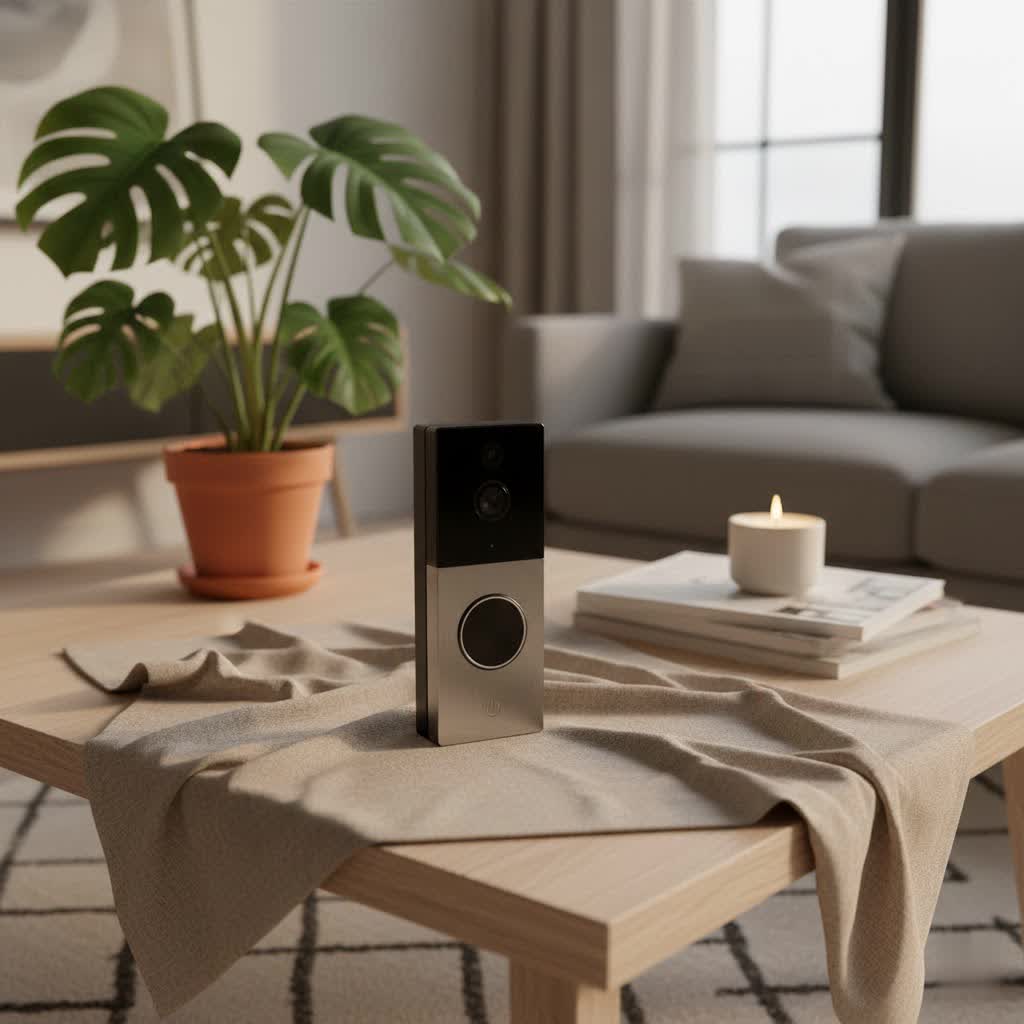
Imagine being able to see and speak to visitors, monitor package deliveries, and detect suspicious activity right from your smartphone, whether you’re home or away. Video doorbells make this a reality, transforming your apartment entryway into a smart, secure hub. As an Admin with Reviewbeev.com and a technician with over a decade of experience in video doorbells, I’ve seen firsthand how these devices can revolutionize apartment living.
What is a Video Doorbell and Why Do You Need One for Your Apartment?
A video doorbell is a smart home device that integrates a traditional doorbell button with a high-definition camera, a microphone, and a speaker, all connected to your smartphone or other internet-enabled devices. When someone presses the doorbell or is detected by motion sensors, you receive an instant alert on your phone, allowing you to see, hear, and speak to the person at your door in real-time.
For apartment residents, the benefits are clear and compelling:
- Enhanced Security: A video doorbell acts as a powerful deterrent to potential intruders and helps prevent package theft. If an incident occurs, you have video evidence to provide to law enforcement, significantly increasing your security.
- Convenience and Remote Monitoring: Whether you’re at work, running errands, or enjoying a vacation, you can always see who’s at your door. This is incredibly useful for communicating with delivery drivers, providing instructions, or simply screening visitors.
- Peace of Mind: No more missed deliveries or wondering who’s knocking when you’re not expecting anyone. Instant notifications ensure you’re always aware of activity at your front door, offering a valuable sense of security.
- Access Control: Some advanced models even offer remote unlocking capabilities, allowing you to grant access to trusted individuals like family members or service providers, even when you’re not physically present.
These smart devices are especially advantageous in apartment settings where traditional security measures might be limited, providing a flexible and effective solution for modern urban living.
Types of Video Doorbells Popular in the Market
The video doorbell market offers a diverse range of products, catering to various needs and restrictions often found in apartment living. The primary distinctions typically lie in their connectivity and feature sets.
Connectivity: Wired vs. Wireless
Understanding the connection type is paramount when choosing a video doorbell for an apartment, as lease agreements often restrict permanent modifications.
-
Wired Video Doorbells:
- Pros: Wired doorbells are constantly connected to a power source, eliminating the need for battery changes and ensuring continuous recording. They often integrate with existing doorbell chimes and can provide more advanced features due to a steady power supply.
- Cons: These are generally the least renter-friendly option, as they require connection to existing doorbell wiring and often necessitate drilling holes for mounting. Such permanent alterations are typically prohibited by landlords or property management, making them unsuitable for most apartments.
- Comparison: While offering reliability and uninterrupted power, wired models are rarely practical for renters due to installation complexities and potential lease violations.
-
Wireless (Battery-Powered) Video Doorbells:
- Pros: Wireless doorbells are the ideal choice for apartment dwellers due to their quick and non-invasive installation. Most models come with mounting options that use adhesive surfaces or over-the-door brackets, requiring no drilling or permanent alteration to the property. This means your security deposit stays safe! They are also easily relocatable, moving with you if you change apartments.
- Cons: The primary drawback is that they operate on rechargeable batteries, which need to be periodically changed or recharged. Battery life can vary from a few weeks to several months, depending on usage and settings.
- Comparison: Wireless models offer unparalleled flexibility and ease of installation, making them perfectly suited for rental properties.
|
Our Picks for the Best Video Doorbell in 2026
As an Amazon Associate I earn from qualifying purchases.
|
||
| Num | Product | Action |
|---|---|---|
| 1 | Blink Mini 2 — Home Security & Pet Camera with HD video, color night view, motion detection, two-way audio, and built-in spotlight — 1 camera (White) |

|
| 2 | Ring Battery Doorbell (newest model), Home or business security with Head-to-Toe video, Live View with Two-Way Talk, and Motion Detection & Alerts, Satin Nickel |
|
| 3 | NariOrbi WiFi Video Doorbell Camera with Human Detection, Battery Powered, Night Vision, 2-Way Talk, 2.4G WiFi, Cloud Storage |
|
| 4 | Ring Battery Doorbell (newest model), Home or business security with Head-to-Toe video, Live View with Two-Way Talk, and Motion Detection & Alerts, Venetian Bronze |
|
| 5 | Noorio Wireless Doorbell Camera with Rechargeable Battery, 2K+ Resolution, 2-Way Audio, Color Night Vision, AI Motion Detection, Smart Video Doorbell Works with Alexa, D110 |
|
| 6 | Ring Indoor Cam, Home or business security in 1080p HD video, White |
|
| 7 | Blink Video Doorbell (newest model) – Head-to-toe HD view, two-year battery life, and simple setup. Sync Module Core included – System (Black) |
|
| 8 | Blink Outdoor 4 – Wireless smart security camera, two-year battery life, 1080p HD day and infrared night live view, two-way talk. Sync Module Core included – 2 camera system |
|
| 9 | Blink Video Doorbell (newest model) – Head-to-toe HD view, two-year battery life, and simple setup. Required Sync Module not included – Add-On (White) |
|
| 10 | Tapo by TP-Link Smart Video Doorbell Camera Wireless with Chime, 2K with Full Color Night Vision & Spotlights, No Monthly Fee, Ring Call, 160° Ultra-Wide View, Free AI Detection, Local Storage,D210 |
|
“For apartment dwellers, wireless battery-powered video doorbells are almost always the best choice, offering security without risking your lease agreement.”
Features: Basic vs. Advanced (AI)
Beyond connectivity, video doorbells come with a spectrum of features, from essential monitoring to cutting-edge AI capabilities.
-
Basic Features:
- Video Recording: Most doorbells offer 1080p HD video resolution, ensuring clear visuals of visitors. Some advanced models even provide 2K full HD.
- Two-Way Audio: This allows you to speak directly with visitors through the doorbell, no matter where you are, using your smartphone.
- Motion Detection: The doorbell senses movement at your door and sends instant alerts to your device.
- Night Vision: Infrared or color night vision ensures clear visibility even in low-light conditions or complete darkness.
- Notifications: Real-time alerts on your smartphone whenever motion is detected or the doorbell is pressed.
- Cloud Storage: Many brands offer subscription-based cloud storage to save recorded video clips for a certain period (e.g., 30-60 days). Some offer local storage via an SD card, which can save on monthly fees.
-
Advanced Features (AI-Powered):
- Facial Recognition: Some doorbells, like the Google Nest Doorbell, can identify familiar faces, sending personalized alerts and adding an extra layer of security.
- Package Detection: Specialized downward-facing cameras or AI algorithms can detect when packages are delivered or removed, sending specific alerts to prevent theft. Eufy and Ring offer models with this feature.
- Customizable Activity Zones (Privacy Zones): This feature allows you to define specific areas within the camera’s field of view that should or should not trigger motion alerts, or even areas where video will not be recorded, respecting neighbors’ privacy. This is especially crucial in multi-unit buildings to avoid monitoring adjacent doors or shared hallways.
- Smart Home Integration: Seamless connectivity with platforms like Amazon Alexa and Google Assistant allows for voice control, live viewing on smart displays, and integration with other smart devices for automation routines (e.g., turning on lights when motion is detected).
- Local Storage: Some models, notably from Eufy and Reolink, offer local storage options (e.g., microSD card) directly on the device or a Homebase, eliminating or reducing the need for recurring subscription fees.
Top Video Doorbell Brands for Apartments
Several reputable brands offer video doorbells that are particularly well-suited for apartment living, balancing performance with renter-friendly installation.
- Ring: A leader in the video doorbell market, Ring offers several battery-powered options. The Ring Peephole Cam (formerly Door View Cam) is specifically designed for apartments, replacing an existing peephole without drilling or permanent modifications. Other battery-powered Ring models also offer flexible mounting options. They are known for easy integration with Alexa and a broad ecosystem of smart home products. While historically criticized for privacy policies, Ring has implemented stronger security measures like two-factor authentication and a Control Center dashboard.
- Eufy: Eufy stands out for often providing high-quality video (some 2K resolution) and local storage options, which means no mandatory monthly subscription fees. Models like the Eufy Video Doorbell E340 feature dual cameras for a comprehensive view and color night vision. They are compatible with both Alexa and Google Assistant.
- Google Nest: The Google Nest Doorbell (Battery) is a strong contender, offering HD video, night vision, and often some free video storage (e.g., 3 hours rolling video or 60 days of event history depending on the plan). It excels in smart motion detection, including familiar face recognition and package detection with a Nest Aware subscription. It integrates seamlessly with the Google ecosystem.
- Arlo: Arlo Essential Video Doorbells are available in both wired and wireless models, known for their weather-resistant designs and quick setup without the need for additional hardware like a Wi-Fi bridge. They offer two-way audio and pre-recorded quick replies.
- Blink: A budget-friendly option, Blink Video Doorbells provide HD video with infrared night vision and are compatible with Amazon Alexa. They are known for exceptional battery life, often lasting up to two years.
- Wyze: The Wyze Video Doorbell Pro offers adhesive mounting for quick, no-drill installation and boasts a battery life of up to 180 days. It features a 150° angled lens and motion-activated camera.
Comparison Table: Best Video Doorbells for Apartments
| Feature / Model | Ring Peephole Cam | Eufy Video Doorbell (Battery) | Google Nest Doorbell (Battery) | Arlo Essential Video Doorbell (Wireless) | Wyze Video Doorbell Pro |
|---|---|---|---|---|---|
| Resolution | 1080p HD | 2K Full HD (some models) | HD (1080p) with HDR | 1080p HD | 1080p HD |
| Field of View | 155° horizontal | 130°-160° (depending on model), dual camera options | 145° diagonal | 180° diagonal | 150° angled lens |
| Power Source | Rechargeable Battery | Rechargeable Battery / Wired (optional) | Rechargeable Battery / Wired (optional) | Rechargeable Battery / Wired (optional) | Rechargeable Battery |
| Installation | Replaces peephole, no drilling | No-drill adhesive mount options | Adhesive mount options | Wireless (adhesive or screw mount) | Adhesive mounting panel, 30-second install |
| Night Vision | Infrared | Color Night Vision | Infrared | Infrared | Infrared |
| Two-Way Audio | Yes | Yes | Yes | Yes, with quick replies | Yes |
| Smart Home Support | Amazon Alexa | Amazon Alexa, Google Assistant | Amazon Alexa, Google Assistant | Amazon Alexa, Google Assistant, IFTTT | Amazon Alexa, Google Assistant |
| Storage Options | Cloud (Ring Protect Plan, from $3/month) | Local (Eufy Homebase or SD card), Cloud (optional) | Cloud (3 hours free, Nest Aware for more) | Cloud (Arlo Secure Plan), local via SmartHub (optional) | Cloud (free rolling, Cam Plus for more), local (SD card) |
| Privacy Features | Privacy zones, audio recording control | Privacy zones, audio recording control | Privacy zones, familiar faces (subscription) | Activity zones | Motion detection zones |
| Unique Selling Points | Perfect for renters, non-invasive peephole install | No subscription fees for local storage, dual-camera tech | Familiar face detection, package detection (sub.) | Quick reply feature, weather-resistant | Extremely quick installation, long battery life |
| Typical Battery Life | Varies, generally good | 3-6 months | 2.5-6 months | 3-6 months | Up to 180 days |
This table provides a snapshot, but always refer to the latest product specifications and reviews for the most up-to-date information.
How to Choose the Right Video Doorbell for Your Apartment (Buying Guide)
Selecting the best video doorbell for your apartment requires careful consideration of your specific needs, the environment, and any limitations imposed by your rental agreement.
Determine Your Usage Needs
Start by asking yourself what your primary motivation for getting a video doorbell is:
- Main Purpose: Is it primarily for security, convenience, or managing visitors and deliveries? If package theft is a major concern, look for models with package detection and a wide, head-to-toe field of view.
- Installation Location: Where will you install it? If you have an existing peephole, a peephole camera is an excellent, non-invasive option. If not, consider models with adhesive mounts or door-clamp brackets.
- Budget: Video doorbells range widely in price. Determine how much you’re willing to spend, keeping in mind that some require ongoing subscription fees for cloud storage, while others offer local storage.
Key Factors to Consider When Choosing
Once you have a clear idea of your needs, evaluate these critical factors:
- Image and Audio Quality:
- Resolution: Opt for at least 1080p HD for clear images, with 2K options providing even greater detail.
- Field of View: A wider field of view (150° or more, especially vertical “head-to-toe” views) is beneficial for seeing more of your doorstep, including packages.
- Night Vision: Ensure it has reliable infrared or color night vision for clear footage after dark.
- Two-Way Audio: Check for clear, reliable audio transmission to communicate effectively with visitors.
- Connectivity and Smart Home Compatibility:
- Wireless is Key: Prioritize battery-powered or wireless models to avoid drilling and wiring.
- Wi-Fi Strength: Ensure you have a strong, stable Wi-Fi signal at your door. Some apps allow you to check signal strength before installation.
- Integration: If you have other smart home devices (Alexa, Google Assistant), choose a doorbell that integrates seamlessly with your existing ecosystem for voice control and automation.
- Durability and Weather Resistance:
- Your doorbell will be exposed to the elements, so look for an IP rating (e.g., IP65) indicating resistance to dust and water, ensuring it can withstand various weather conditions.
- Battery Life and Charging:
- For battery-powered units, research the typical battery life and ease of recharging. Removable, rechargeable batteries are often more convenient.
- Storage Options:
- Cloud Storage: Many brands offer subscription plans for cloud storage of video recordings.
- Local Storage: Consider models with local storage (e.g., microSD card or a separate Homebase) to avoid monthly fees, a major long-term cost saver.
- Privacy Features:
- Privacy Zones: In an apartment, the ability to define “privacy zones” that are not recorded is crucial for respecting neighbors’ privacy.
- Audio Control: The option to disable audio recording might be necessary depending on local privacy laws.
- Lease Agreement Compliance:
- Always check your lease agreement or consult with your building management before installation. Most landlords are amenable to non-invasive, temporary solutions like peephole cameras or door-clamp mounts.
Installation and Usage Tips
- Positioning: Mount the camera at a height that provides a clear, unobstructed view of your front door. Avoid placing it too high or too low.
- Setup: Follow the manufacturer’s instructions carefully for connecting to Wi-Fi and setting up the app. Most wireless models are designed for straightforward DIY installation, often taking minutes.
- Optimize Settings: Adjust motion sensitivity to minimize false alerts (e.g., from passing neighbors or pets). Utilize privacy zones to avoid recording shared spaces or adjacent doors.
- Battery Maintenance: For battery-powered models, regularly check battery levels and recharge or replace them as needed to ensure continuous protection. Many apps provide low-battery alerts.
- Clean the Lens: Periodically clean the camera lens with a microfiber cloth to maintain optimal video quality.
Common Issues and How to Troubleshoot Them
Even the best video doorbells can encounter hiccups. Here are some common problems and straightforward solutions:
- No Video Feed / Connectivity Issues:
- Check Wi-Fi: This is the most frequent culprit. Ensure your Wi-Fi router is working and the signal strength at your doorbell’s location is adequate. Consider a Wi-Fi extender if the signal is weak.
- Reboot: Try rebooting your doorbell (if possible), your smartphone, and your Wi-Fi router.
- Battery: If it’s a battery-powered unit, check if the battery is charged.
- App Issues: Ensure your doorbell’s app is updated to the latest version.
- False Motion Alerts:
- Adjust Sensitivity: Most apps allow you to customize motion sensitivity. Lower it if you’re getting too many alerts from passing traffic or neighbors.
- Set Activity Zones: Define specific “activity zones” to focus motion detection on your immediate doorstep and exclude high-traffic areas like hallways.
- Blurred or Poor Quality Video:
- Clean Lens: Gently wipe the camera lens with a soft, clean cloth to remove dirt or smudges.
- Wi-Fi Strength: Poor Wi-Fi can lead to pixelated or choppy video. Refer to the Wi-Fi troubleshooting tips above.
- Night Vision Interference: If you have a storm door, the reflection from the glass can interfere with night vision. Some apps offer settings to adjust for this.
- Audio Problems (Can’t Hear or Be Heard):
- App Settings: Check microphone and speaker settings within the doorbell app to ensure volume levels are appropriate and the microphone isn’t muted.
- Obstructions: Ensure nothing is blocking the microphone or speaker on the doorbell unit.
When to Seek Professional Help
While many issues can be resolved with DIY troubleshooting, some situations warrant professional assistance:
- Complex Wiring: If your doorbell requires complex wiring and you’re uncomfortable with electrical work, contact an electrician.
- Persistent Compatibility Issues: If your doorbell consistently fails to integrate with other smart devices or your network despite troubleshooting, contact the manufacturer’s support or a smart home professional.
- Structural Concerns: Any installation that involves modifying your apartment’s structure beyond simple non-invasive methods should be handled by a professional, and only with landlord approval.
Conclusion
Choosing the right video doorbell for your apartment can significantly enhance your security, convenience, and peace of mind. With the abundance of wireless, no-drill, and peephole-mounted options available from trusted brands like Ring, Eufy, and Google Nest, renters no longer have to compromise on home security. By prioritizing features like high-definition video, two-way audio, robust motion detection, and discreet installation methods, you can transform your apartment entryway into a smart, protected space that respects both your needs and your lease agreement.
Investing in a video doorbell is more than just buying a gadget; it’s investing in a smarter, safer way to live. Have you considered how a video doorbell could change your apartment living experience?
Frequently Asked Questions
Can I install a video doorbell in my apartment without drilling?
Absolutely! Many video doorbells, especially battery-powered and peephole models, are designed for no-drill installation. Options include using adhesive mounts, over-the-door brackets (like the Doorbell Boa), or replacing your existing peephole with a camera. Always check your lease agreement first.
Do I need my landlord’s permission to install a video doorbell?
Yes, it’s highly recommended to consult your lease agreement or speak with your property management before installing any doorbell camera. While non-invasive options are generally more acceptable, some buildings have strict rules regarding any modifications or surveillance devices due to privacy concerns.
What features are most important for an apartment video doorbell?
For apartment living, key features include wireless (battery-powered) operation, easy no-drill installation, high-definition video (1080p or 2K), two-way audio, reliable motion detection, night vision, and privacy zones to protect neighbors’ privacy. Local storage options can also save you from recurring subscription fees.
How long do battery-powered video doorbells last on a single charge?
Battery life varies significantly depending on the model, usage frequency, and settings. Generally, you can expect anywhere from 2.5 to 6 months on a single charge. Models with removable, rechargeable batteries offer more convenience for recharging.
Do all video doorbells require a monthly subscription fee?
No. While many popular brands offer subscription plans for cloud video storage and advanced features (like facial recognition or rich notifications), some brands like Eufy provide local storage options (e.g., microSD card or a Homebase) that allow you to avoid or minimize monthly fees.
