In an era where home security is paramount, the traditional doorbell has evolved into a sophisticated guardian for your doorstep. Video doorbells offer unparalleled peace of mind, allowing you to see, hear, and speak to visitors from anywhere. Among the growing landscape of smart home devices, the Roku Video Doorbell has emerged as a compelling option, especially for those already integrated into the Roku ecosystem. It promises convenience and security without compromising your budget.
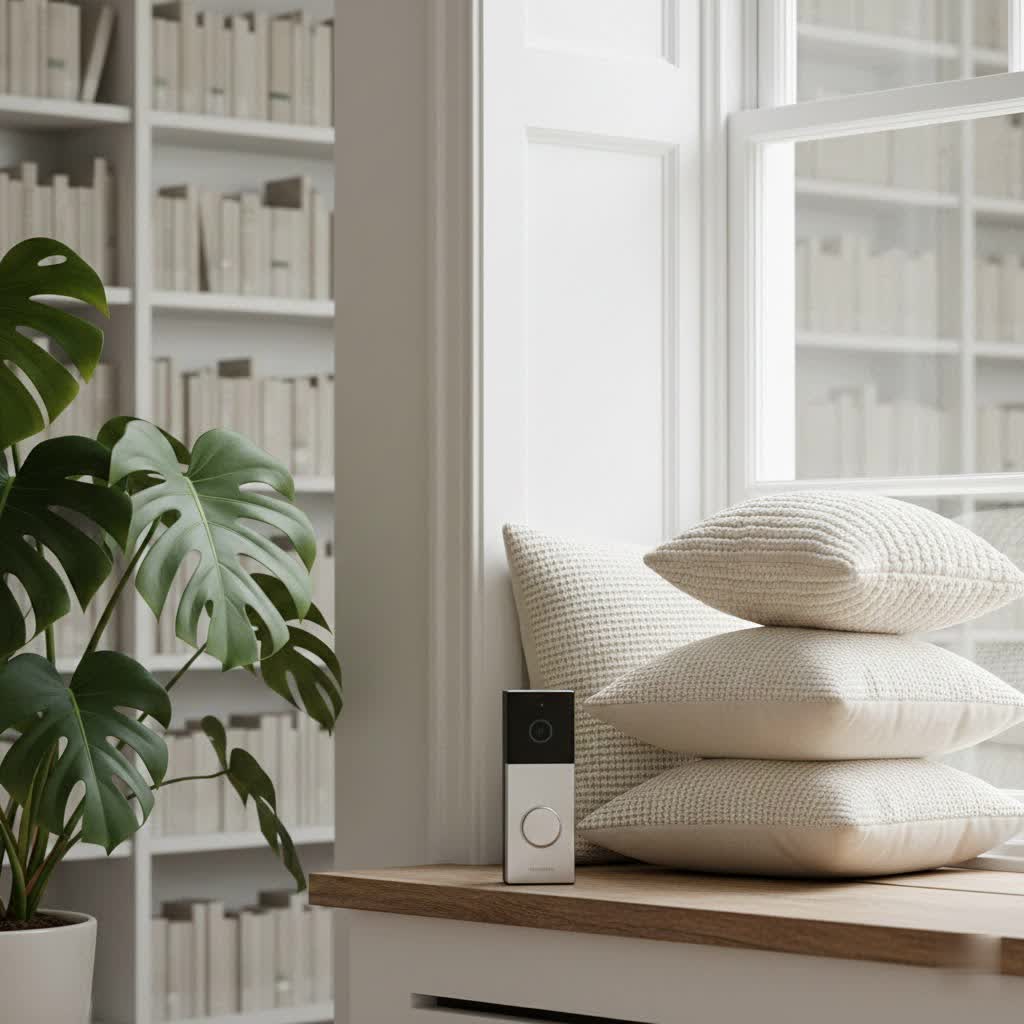
This comprehensive guide will delve into what makes the Roku Video Doorbell a valuable asset for your home. We’ll explore its features, compare it with leading competitors, provide a detailed buying guide, and address common issues to help you make an informed decision and optimize your smart home security.
What is a Video Doorbell and Why Do You Need One?
A video doorbell is essentially a standard doorbell enhanced with a camera, microphone, and speaker, connecting directly to your home’s Wi-Fi network. This integration transforms it into a powerful security and communication device, accessible from your smartphone, tablet, or even your Roku TV.
The primary benefit of a video doorbell is enhanced security. It acts as a vigilant sentry, monitoring your front door 24/7. You receive instant alerts when motion is detected or the doorbell is pressed, allowing you to view a live feed and interact with visitors whether you’re at home or thousands of miles away. This capability is invaluable for deterring potential intruders, monitoring package deliveries, and ensuring the safety of your loved ones. Beyond security, a video doorbell offers immense convenience, enabling you to screen visitors, direct delivery personnel, or simply check on your property with a tap on your phone.
Common scenarios where a video doorbell shines include:
- Package Protection: Receive alerts when a package arrives and communicate with the delivery person.
- Visitor Screening: See who’s at your door before answering, adding an extra layer of safety.
- Remote Monitoring: Keep an eye on your home while on vacation or at work.
- Deterring Intruders: Two-way audio allows you to speak to suspicious individuals, often enough to send them away.
Exploring the Roku Video Doorbell Lineup
Roku, a name synonymous with streaming entertainment, has successfully expanded its expertise into the smart home arena, offering a range of video doorbells designed to integrate seamlessly with your existing Roku devices. This strategic move provides users with a cohesive smart home experience, extending the convenience of Roku beyond entertainment.
Both wired and wire-free Roku Video Doorbell models share a core set of features aimed at robust home monitoring:
- HD Video Quality: Capture crystal-clear footage. The wired models typically offer 1080p HD, while wire-free versions boast 1440p HD, ensuring you catch every detail. A wide field of view, often with a 4:3 aspect ratio, provides a head-to-toe perspective of your doorstep, from packages on the ground to faces at eye level.
- Advanced Motion & Sound Detection: The doorbells are equipped with smart sensors that detect motion and sound, triggering instant alerts to your Roku Smart Home mobile app and even your Roku TVs or players. This proactive notification system keeps you informed of any activity at your entrance.
- Two-Way Audio Communication: Engage in real-time conversations with visitors using the built-in speaker and microphone. Features like echo and noise cancellation ensure clear communication, whether you’re greeting a guest or instructing a delivery driver.
- Color Night Vision: Don’t let darkness obscure your view. Roku Video Doorbells offer color night vision in ambient light conditions, allowing you to see dark areas in full color. For complete darkness, infrared LEDs provide clear black-and-white night vision, often augmented by a white LED light that can illuminate upon motion detection or a doorbell press.
- Seamless Roku TV Integration: A standout feature is the ability to receive doorbell alerts directly on your Roku TV or Player. You can view a live stream from your doorbell camera with a simple remote button press, ensuring you never miss a visitor, even when engrossed in a movie.
- Weather Resistance: With an IP65 weatherproof rating, Roku Video Doorbells are built to withstand various environmental conditions, including rain, snow, and sun, ensuring reliable performance year-round.
Roku offers both wired and wire-free versions to suit different home setups:
- Wired Roku Video Doorbell: This model connects to your existing doorbell wiring (typically requiring 16-24V AC, 10VA). It draws continuous power, eliminating the need for battery charging. The wired doorbell operates on a 2.4GHz Wi-Fi network, providing a stable connection.
- Wire-Free Roku Video Doorbell: Ideal for homes without existing doorbell wiring or for those seeking greater installation flexibility, this model runs on a rechargeable battery (often a 3250 mAH battery, offering up to six months of charge depending on usage). It supports dual-band Wi-Fi (both 2.4GHz and 5GHz networks) for faster notifications and more flexible connectivity options. Installation is simplified as it can be mounted virtually anywhere. Both versions come with a chime unit offering a selection of 19 tones.
Roku Video Doorbell vs. The Competition
The video doorbell market is competitive, with several strong contenders. Understanding how the Roku Video Doorbell stacks up against rivals like Ring and Wyze is crucial for making the right choice for your home.
Roku vs. Ring
Ring, acquired by Amazon, is one of the pioneers in the video doorbell space and remains a dominant force.
- Price Point: Both Roku and Ring often offer budget-friendly entry-level models, making them attractive options for cost-conscious consumers.
- Video Quality and Field of View: While Roku wired models provide 1080p HD, similar to Ring’s basic offerings, the Roku Wire-Free often boasts 1440p. Ring’s field of view typically offers a slightly wider horizontal range, but both provide head-to-toe coverage.
- Ecosystem Integration: Roku’s strength lies in its seamless integration with its own streaming devices and smart home products. If you already have Roku TVs, the doorbell alerts and live view directly on your television are a significant advantage. Ring, on the other hand, integrates deeply with Amazon’s Alexa ecosystem, including Echo devices and Fire TV.
- Subscription Models: Both brands offer subscription plans to unlock advanced features like cloud video storage and intelligent alerts (person, package detection). Without a subscription, functionality is often limited to live view and basic motion alerts.
|
Our Picks for the Best Video Doorbell in 2026
As an Amazon Associate I earn from qualifying purchases.
|
||
| Num | Product | Action |
|---|---|---|
| 1 | Tapo by TP-Link Smart Video Doorbell Camera Wireless with Chime, 2K with Full Color Night Vision & Spotlights, No Monthly Fee, Ring Call, 160° Ultra-Wide View, Free AI Detection, Local Storage,D210 |

|
| 2 | NariOrbi WiFi Video Doorbell Camera with Human Detection, Battery Powered, Night Vision, 2-Way Talk, 2.4G WiFi, Cloud Storage |
|
| 3 | Ring Indoor Cam, Home or business security in 1080p HD video, White |
|
| 4 | Blink Outdoor 4 – Wireless smart security camera, two-year battery life, 1080p HD day and infrared night live view, two-way talk. Sync Module Core included – 2 camera system |
|
| 5 | Blink Mini 2 — Home Security & Pet Camera with HD video, color night view, motion detection, two-way audio, and built-in spotlight — 1 camera (White) |
|
| 6 | Blink Video Doorbell (newest model) – Head-to-toe HD view, two-year battery life, and simple setup. Required Sync Module not included – Add-On (White) |
|
| 7 | Ring Battery Doorbell (newest model), Home or business security with Head-to-Toe video, Live View with Two-Way Talk, and Motion Detection & Alerts, Venetian Bronze |
|
| 8 | Ring Battery Doorbell (newest model), Home or business security with Head-to-Toe video, Live View with Two-Way Talk, and Motion Detection & Alerts, Satin Nickel |
|
| 9 | Noorio Wireless Doorbell Camera with Rechargeable Battery, 2K+ Resolution, 2-Way Audio, Color Night Vision, AI Motion Detection, Smart Video Doorbell Works with Alexa, D110 |
|
| 10 | Blink Video Doorbell (newest model) – Head-to-toe HD view, two-year battery life, and simple setup. Sync Module Core included – System (Black) |
|
Roku vs. Wyze
Interestingly, Roku developed its smart home devices, including doorbells, in partnership with Wyze. This means there are design and feature similarities.
- Shared Foundation: Due to the partnership, some Roku doorbells might bear a resemblance to earlier Wyze models.
- Feature Differentiators: The Wyze Video Doorbell Pro is frequently cited for its robust third-party support (e.g., IFTTT integration) and dual-band Wi-Fi across its wired option, along with 1440p video. While the Roku Wire-Free offers dual-band Wi-Fi and 1440p, the wired Roku typically uses 2.4GHz Wi-Fi and has more limited third-party integration compared to some Wyze models.
- Best for Roku Users: For individuals already invested in the Roku ecosystem, the Roku Video Doorbell offers a streamlined experience and centralized control through the Roku Smart Home app.
Other Competitors
Brands like Arlo, Eufy, Google Nest, and Blink also offer compelling video doorbell solutions, each with unique strengths in areas like advanced AI features, local storage options, or specific smart home ecosystem compatibility. Roku positions itself well by offering a feature-rich experience, particularly for its user base, at a competitive price.
The key differentiators often come down to the extent of third-party integration, the value offered by their subscription services, specific video features (such as higher frame rates for smoother video), and ecosystem lock-in. For Roku users, the integration capabilities are a powerful draw that sets it apart.
Choosing Your Roku Video Doorbell: A Buying Guide
Selecting the perfect video doorbell involves more than just picking a brand; it’s about aligning the device’s capabilities with your specific needs and home setup. The Roku Video Doorbell offers compelling features, but a thoughtful evaluation will ensure it’s the right fit for you.
Assess Your Needs
Start by clarifying what you expect from a smart doorbell:
- Primary Purpose: Is security your main concern (deterring crime, monitoring activity)? Or is it convenience (remote interaction with visitors, package management)? Perhaps it’s a mix of both.
- Installation Location: Do you have existing doorbell wiring at your front door? If not, a wire-free (battery-powered) model might be more suitable, offering flexibility to mount it anywhere with a good Wi-Fi signal. Consider if you need a wedge plate to angle the camera for a better view.
- Budget: Determine your comfort level for both the initial purchase price and any ongoing subscription costs for features like cloud storage and advanced smart detection.
Factors to Consider When Choosing
Once your needs are clear, evaluate these key attributes:
- Video & Audio Quality:
- Resolution: Look for at least 1080p HD for clear images; 1440p (available on some Roku wire-free models) offers even greater detail.
- Field of View: A wider field of view (e.g., 120-degree vertical and 88-degree horizontal, or 150-degree for wire-free) provides comprehensive coverage of your doorstep, including packages and taller individuals.
- Night Vision: Ensure it offers reliable night vision, preferably color night vision when ambient light is available, and clear infrared for complete darkness.
- Two-Way Audio: Check for clear audio with noise cancellation for effective communication.
- Connectivity & Compatibility:
- Wi-Fi Bands: The Roku wired doorbell uses 2.4GHz Wi-Fi, while the wire-free supports dual-band (2.4GHz and 5GHz). Ensure your home network supports the required band and that the signal strength is adequate at your door.
- Roku Ecosystem: The biggest advantage of a Roku doorbell is its integration with Roku TVs and other Roku Smart Home devices. If you’re already a Roku user, this synergy can be a major convenience.
- Durability and Weather Resistance: An IP65 rating is essential for outdoor devices, indicating protection against dust and water jets, ensuring it can withstand various weather conditions.
- Subscription Value: While basic functions are often free, a Roku Smart Home Subscription unlocks critical features like cloud storage for event recordings (up to 14 days) and advanced smart detection (person, pet, package, vehicle). Weigh the cost against the value these features add to your security and convenience.
- Warranty & Technical Support: Research Roku’s warranty policy and customer support options for peace of mind.
Installation & Setup Tips
Roku Video Doorbells are designed for straightforward installation, often guided by the Roku Smart Home app.
- Download the App: Begin by downloading and installing the Roku Smart Home app on your smartphone or tablet. You’ll need a Roku account to proceed.
- Wired Installation (if applicable):
- Safety First: Always turn off power to your existing doorbell at the breaker before starting.
- Existing Wiring: Connect the Roku wired doorbell to your existing doorbell wires (16-24V AC, 10VA).
- Mounting: Choose between a wall plate for a flush mount or a wedge plate to angle the camera for an optimal view.
- Chime Connection: Your new Roku chime will replace your old chime box and will be paired wirelessly.
- Wire-Free Installation:
- Charge Battery: Fully charge the doorbell’s battery before installation.
- Mounting: Use screws or 3M tape to attach the backplate to the wall. No existing wiring is needed, offering maximum flexibility in placement.
- Optimal Placement: Install the doorbell less than 6.5 feet above ground level for the best viewing angle.
- Wi-Fi Connection: Follow the in-app instructions to connect your doorbell to your Wi-Fi network. For wired models, ensure your phone is connected to a 2.4GHz network during setup. Wire-free models support dual-band.
- Pair Chime: Plug in the included chime unit (recommended midway between your doorbell and Wi-Fi router) and pair it via the app.
Common Issues and Troubleshooting for Your Roku Video Doorbell
Even with the most advanced smart home devices, occasional issues can arise. Understanding common problems and their solutions can save you time and frustration with your Roku Video Doorbell.
Power and Connectivity Problems
These are among the most frequent concerns users encounter:
- Doorbell Not Powering On:
- Wired Model: Check if the power at your breaker box is on. Ensure the doorbell is securely connected to the existing wiring. If you have a fuse in your old chime box, make sure it’s correctly connected.
- Wire-Free Model: Confirm the battery is charged. If it’s connected to existing wiring for continuous power, check the breaker.
- General: Unplug and re-plug the chime (if applicable), or flip the breaker for 10 seconds for wired models, then restore power. Try a different outlet for the chime.
- Wi-Fi Connection Issues:
- Signal Strength: Ensure your doorbell is within a reasonable range of your Wi-Fi router and not blocked by thick walls. A weak Wi-Fi signal is a common cause of connectivity issues.
- Network Band: Remember, the wired Roku Video Doorbell requires a 2.4GHz Wi-Fi network. The wire-free version supports both 2.4GHz and 5GHz. If you have a dual-band router, ensure your phone is connected to the appropriate band during setup.
- Router Restart: Unplug your Wi-Fi router for 30 seconds and then plug it back in.
- App Troubleshooting: Update the Roku Smart Home app to the latest version. Close the app completely and reopen it.
- Live Stream Not Loading:
- If you can get snapshots but no live feed, this often points to a connectivity issue. Try uninstalling and reinstalling the Roku Smart Home app, then remove and re-add the doorbell within the app. Verify your internet connection is working correctly by browsing other websites.
Video and Audio Quality Issues
If your live feed or recordings aren’t crisp:
- Blurry or Grainy Video: A weak Wi-Fi signal can lead to poor video quality. Try moving your router closer or adjusting the video quality settings within the Roku Smart Home app to a lower resolution. Ensure the camera lens is clean.
- Muffled or Distorted Sound: Check if the microphone setting is enabled in the app. Physically inspect the doorbell’s microphone to ensure it’s not obstructed.
Recording and Notification Problems
When your doorbell isn’t catching events or alerting you:
- Missing Recordings: If recordings aren’t appearing, especially for motion and sound events, verify that you have an active Roku Smart Home Subscription, as cloud storage is a premium feature. Check the “Rules” in your app settings to ensure no rules are accidentally turning off recording or motion detection.
- No Sound in Recordings: Within the Roku Smart Home app settings, navigate to “Advanced settings” for your camera or doorbell and ensure “Record sound” is toggled on.
- Delayed Notifications: Slow notifications are typically a symptom of Wi-Fi congestion or a weak signal between your doorbell, router, and phone.
General Troubleshooting Steps
- Restart Device: For wired models, briefly turn off power at the breaker. For wire-free, remove and reinsert batteries. For the chime, unplug and re-plug. A simple restart often resolves temporary glitches.
- Update App and Firmware: Always ensure your Roku Smart Home app is updated to the latest version. The doorbell’s firmware should also update automatically, but you can check for updates within the app.
- Factory Reset: As a last resort, performing a factory reset on both the doorbell and chime can resolve persistent issues by clearing all settings and allowing you to start fresh. This usually involves pressing and holding a reset button for a period until a voice prompt confirms the reset.
- Contact Support: If you’ve tried all troubleshooting steps and still face issues, reach out to Roku Customer Support. They can help diagnose complex problems or process warranty claims if your device is faulty.
Conclusion
The Roku Video Doorbell presents a compelling proposition for enhancing your home security and convenience. With its sharp HD video, intelligent motion detection, two-way audio, and seamless integration with Roku TVs, it offers a robust solution for monitoring your doorstep. Whether you opt for the continuously powered wired model or the flexible wire-free option, Roku provides a user-friendly experience, especially for those already at home in the Roku ecosystem. While some features require a subscription, the core functionalities provide significant value, offering a clear view and communication channel to your front door from anywhere. By understanding its capabilities and addressing common concerns, you can confidently integrate a Roku Video Doorbell into your smart home, providing peace of mind and an extra layer of protection. Ready to transform your entryway into a smarter, more secure space?
Frequently Asked Questions
Do Roku Video Doorbells require a subscription?
No, Roku Video Doorbells do not require a subscription for basic functions like live streaming and receiving immediate motion/sound alerts. However, a Roku Smart Home Subscription is needed to unlock premium features such as cloud video storage for up to 14 days and advanced smart detection (person, package, pet, and vehicle identification).
Can I view my Roku Video Doorbell on my TV?
Yes, a standout feature of the Roku Video Doorbell is its integration with Roku TVs and Players. You can receive alerts directly on your TV screen and view a live stream from your doorbell camera with a simple remote button press.
Is the Roku Video Doorbell easy to install?
Installation is generally straightforward and guided by the Roku Smart Home app. The wired model requires connecting to existing doorbell wiring (16-24V AC, 10VA), while the wire-free model is battery-powered and can be mounted virtually anywhere without electrical work.
What is the battery life of the Roku Wire-Free Video Doorbell?
The Roku Wire-Free Video Doorbell is typically powered by a 3250 mAH battery, which Roku states can last up to six months on a single charge. However, actual battery life can vary depending on usage, such as the frequency of motion events and live viewing.
Does Roku Video Doorbell work with Alexa or Google Assistant?
Yes, Roku Smart Home devices, including the Roku Video Doorbell, support voice controls and can work with popular smart assistants like Amazon Alexa and Google Assistant, allowing for hands-free control and integration into broader smart home routines.
