Enhancing home security is a top priority for many, and a video doorbell stands as the first line of defense, offering a vigilant eye and direct communication at your doorstep. Among the myriad options, the Reolink Video Doorbell Poe emerges as a powerful contender, especially for those prioritizing unwavering reliability and superior performance. But what exactly makes a Power over Ethernet (PoE) doorbell a smart choice, and how does Reolink’s offering stand out in a crowded market? This comprehensive guide delves into the Reolink Video Doorbell PoE, exploring its robust features, installation nuances, and why it might be the perfect fit for your home security ecosystem.
What is a Video Doorbell and Why Do You Need It?
A video doorbell is a smart home device that integrates a doorbell with a camera, microphone, and speaker, allowing you to see, hear, and speak to visitors at your door from anywhere using a smartphone or other connected device. This intelligent innovation has transformed traditional doorbells into comprehensive security tools, offering peace of mind and unparalleled convenience.
The necessity of a video doorbell in modern homes is driven by several compelling benefits. Firstly, it significantly enhances security by providing real-time monitoring of your entryway, deterring potential intruders, and capturing evidence in case of suspicious activity or package theft. Secondly, it offers immense convenience, enabling you to answer your door remotely, whether you’re at work, on vacation, or simply in another room. You can greet guests, direct delivery personnel, or even scare away unwanted visitors with a pre-recorded message or two-way talk. Lastly, these devices contribute to overall home automation, often integrating with other smart devices to create a more connected and responsive living environment. From monitoring children arriving home from school to ensuring packages are safely delivered, a video doorbell provides a crucial layer of protection and control.
Introducing the Reolink Video Doorbell PoE: A Deeper Dive
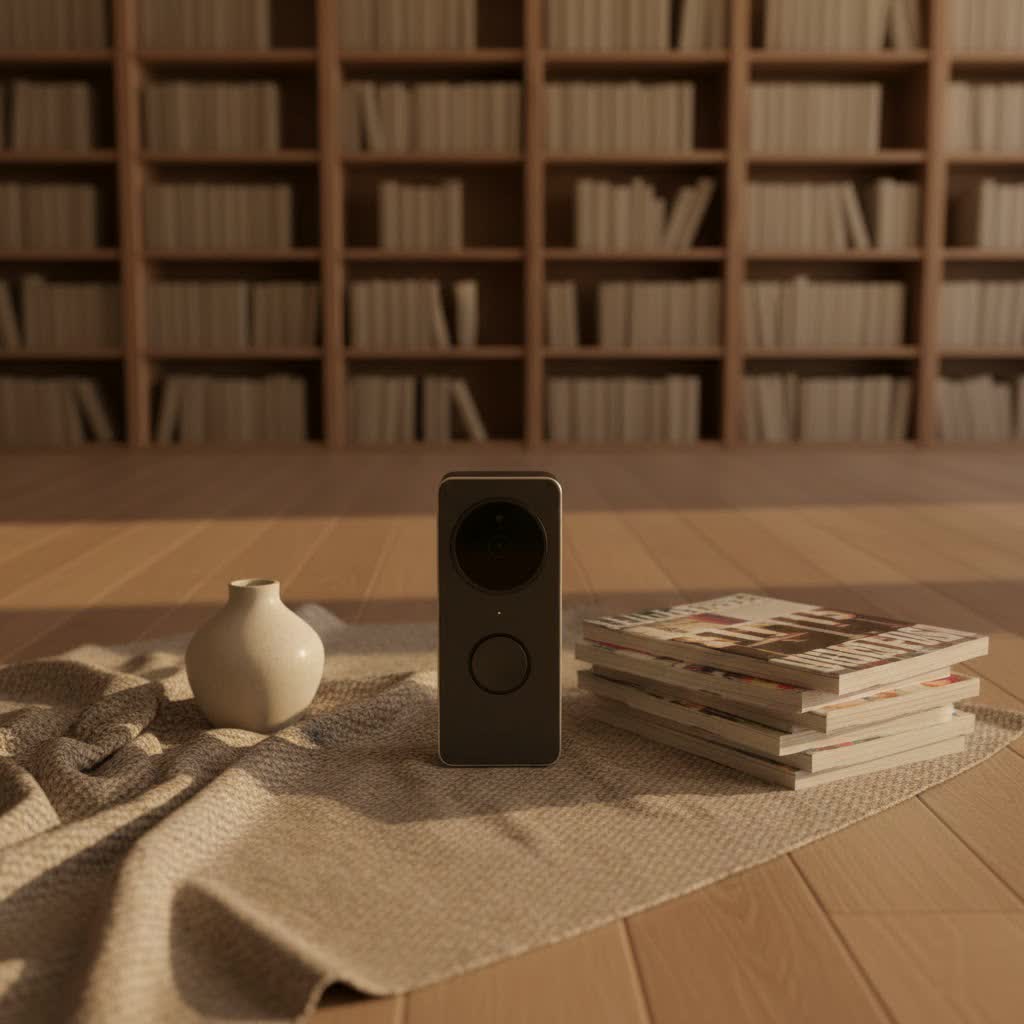
The Reolink Video Doorbell PoE is a robust solution designed to offer advanced surveillance and communication capabilities right at your front door. It combines high-definition video, crystal-clear audio, and intelligent detection features, all powered and connected through a single, reliable cable.
Power over Ethernet (PoE) Explained: The Foundation of Reliability
|
Our Picks for the Best Video Doorbell in 2026
As an Amazon Associate I earn from qualifying purchases.
|
||
| Num | Product | Action |
|---|---|---|
| 1 | Ring Battery Doorbell (newest model), Home or business security with Head-to-Toe video, Live View with Two-Way Talk, and Motion Detection & Alerts, Venetian Bronze |

|
| 2 | Ring Battery Doorbell (newest model), Home or business security with Head-to-Toe video, Live View with Two-Way Talk, and Motion Detection & Alerts, Satin Nickel |
|
| 3 | Blink Video Doorbell (newest model) – Head-to-toe HD view, two-year battery life, and simple setup. Sync Module Core included – System (Black) |
|
| 4 | Noorio Wireless Doorbell Camera with Rechargeable Battery, 2K+ Resolution, 2-Way Audio, Color Night Vision, AI Motion Detection, Smart Video Doorbell Works with Alexa, D110 |
|
| 5 | Blink Mini 2 — Home Security & Pet Camera with HD video, color night view, motion detection, two-way audio, and built-in spotlight — 1 camera (White) |
|
| 6 | Tapo by TP-Link Smart Video Doorbell Camera Wireless with Chime, 2K with Full Color Night Vision & Spotlights, No Monthly Fee, Ring Call, 160° Ultra-Wide View, Free AI Detection, Local Storage,D210 |
|
| 7 | Blink Outdoor 4 – Wireless smart security camera, two-year battery life, 1080p HD day and infrared night live view, two-way talk. Sync Module Core included – 2 camera system |
|
| 8 | Blink Video Doorbell (newest model) – Head-to-toe HD view, two-year battery life, and simple setup. Required Sync Module not included – Add-On (White) |
|
| 9 | Ring Indoor Cam, Home or business security in 1080p HD video, White |
|
| 10 | NariOrbi WiFi Video Doorbell Camera with Human Detection, Battery Powered, Night Vision, 2-Way Talk, 2.4G WiFi, Cloud Storage |
|
Power over Ethernet (PoE) is a technology that allows network cables to carry electrical power simultaneously with data. For a video doorbell, this means that a single Ethernet cable is all that’s needed for both network connectivity and power supply, eliminating the need for separate power wires or reliance on battery power. This integrated approach simplifies wiring and installation significantly.
The advantages of a PoE doorbell are substantial, primarily centering on stability and performance. PoE connections are inherently more reliable than Wi-Fi because they are less susceptible to wireless interference, signal drops due to obstacles like walls, or network congestion. This translates to a consistently strong video and audio signal, ensuring smoother live views and real-time communication without latency. Furthermore, PoE doorbells can transmit data at higher speeds, often up to 1 Gbps with Cat5 or Cat6 cables, which is crucial for handling 2K+ HD video streams efficiently. The “plug-and-play” nature of PoE also streamlines installation and maintenance, as you don’t have to worry about complex electrical wiring or recharging batteries.
Core Features: Vision, Audio, and Smart Detection
The Reolink Video Doorbell PoE is packed with features designed to provide a comprehensive security experience.
Its vision capabilities are particularly impressive, boasting 2K+ 5MP Super HD resolution (2560×1920 pixels) at 20 frames per second, delivering sharp and detailed images day and night. With a wide 180° diagonal field of view, the doorbell captures expansive surroundings, ensuring you don’t miss any critical details. Advanced imaging technologies like HDR (High Dynamic Range) and 3D DNR (Digital Noise Reduction) work to correct distortion and ensure clear footage even in challenging lighting conditions, such as direct sunlight or low light. When darkness falls, the integrated infrared LEDs activate, providing crystal-clear nighttime footage up to 30 feet, allowing you to identify visitors reliably after hours.
Audio features are equally robust. Equipped with a built-in microphone and speaker, the Reolink Video Doorbell PoE supports two-way audio, enabling seamless, full-duplex conversations with visitors. You can greet guests, instruct delivery drivers, or even warn off suspicious individuals directly through the Reolink app. For convenience, you can also record and utilize preset voice messages or automatic replies for times when you are occupied or unable to answer immediately.
For smart detection, the doorbell offers customizable person detection, which differentiates human figures from other moving objects like pets or cars, significantly reducing false alerts. You can define specific motion zones to monitor critical areas and block out public spaces, further tailoring the alert system to your needs. An “alarm delay” feature allows you to set a time threshold for motion detection, preventing notifications from fleeting movements and only triggering alerts when sustained activity is detected.
Reolink Video Doorbell PoE vs. Wi-Fi: Choosing Your Connection
Reolink offers both PoE and Wi-Fi versions of its video doorbell, each with distinct advantages suited to different installation scenarios and user preferences. Understanding these differences is key to choosing the right model for your home.
| Feature | Reolink Video Doorbell PoE | Reolink Video Doorbell Wi-Fi |
|---|---|---|
| Connectivity | Single Ethernet cable for power and data | Dual-band Wi-Fi (2.4/5GHz) for data; can also use Ethernet port |
| Power | Power over Ethernet (PoE) via network cable | Existing doorbell wiring (12-24V AC) or included DC adapter |
| Reliability | Highly stable, less prone to interference, consistent power | Can be affected by Wi-Fi signal strength, latency, or interference |
| Data Speed | Faster transmission (up to 1 Gbps) | Varies with Wi-Fi network performance; wired Ethernet is faster |
| Installation | Requires running an Ethernet cable; plug-and-play with PoE switch/NVR | Easier for retrofits using existing doorbell wiring; Wi-Fi setup |
| “Rich Notifications” | Not typically available (may require Home Assistant integration for snapshots) | Generally supported, providing image snapshots with alerts |
| Cost (Approx.) | ~$89.99 | ~$99.99 (often discounted) |
The primary distinction lies in their connectivity and power. The PoE version offers unparalleled reliability and stability because both power and data are transmitted through a single, dedicated Ethernet cable. This hardwired connection ensures a consistent power supply and a robust network link, making it ideal for continuous, uninterrupted surveillance. It’s the go-to choice if you can easily run an Ethernet cable to your front door, whether in a new construction or if you’re comfortable with minor wiring work.
The Wi-Fi version, conversely, provides more flexibility for installation. It can utilize existing doorbell wiring for power (trickle charging if applicable, or direct power if no battery), making it an easier retrofit option for many homes. While it connects to your network wirelessly, it often includes an Ethernet port, allowing for a wired connection if preferred for enhanced reliability. However, its performance can be more susceptible to the strength and stability of your home’s Wi-Fi network.
A notable difference mentioned by some users is that “rich notifications” (alerts with a thumbnail snapshot of the person at the door) are typically available on the Wi-Fi version but not natively on the PoE version, although this can often be remedied with third-party integrations like Home Assistant.
Ultimately, if maximum reliability, stability, and a future-proof wired connection are your priorities, and you have the ability to run an Ethernet cable, the Reolink Video Doorbell PoE is the superior choice. If ease of installation in an existing home without new wiring is paramount, the Wi-Fi version offers a more convenient setup.
Installation and Setup: A Seamless Experience
Installing the Reolink Video Doorbell PoE is a straightforward process, especially given its Power over Ethernet capabilities that simplify wiring. The package typically includes everything you need for installation, including a wireless chime, a 15° wedge kit for angle adjustment, and mounting hardware.
First, you’ll need to run an Ethernet cable to the desired mounting location. This cable will serve both for power and data transmission. You can connect this cable to a PoE switch, a PoE injector, or directly to a Reolink NVR (Network Video Recorder) if you have one. If you have existing doorbell wiring, the PoE model can also use these wires for power, but you will still need to run the Ethernet cable for network connectivity.
Once the cabling is in place, you’ll use the provided mounting template to mark and drill holes. The angled wedge kit is particularly useful if your doorbell is positioned off-center from the main view, allowing you to optimize the camera’s perspective. After securing the mounting plate and wiring the Ethernet cable to the doorbell, the unit clips securely into place.
For setup, you’ll download the Reolink app. The initial configuration involves scanning a QR code on the back of the doorbell, setting a device password, and syncing the included chime. The chime simply plugs into any electrical outlet in your home and wirelessly connects to the doorbell, alerting you indoors when someone presses the button. The app then guides you through customizing settings like motion detection zones, notification preferences, and quick reply messages.
Advanced Features and Smart Home Integration
Beyond its core functionality, the Reolink Video Doorbell PoE offers a suite of advanced features and robust smart home integration options, making it a versatile addition to any connected home.
One of its most appealing aspects is its flexible storage solutions. Unlike many competitors that push mandatory cloud subscriptions, Reolink provides extensive local storage options. The doorbell includes a microSD card slot, supporting cards up to 256GB, for continuous 24/7 recording or motion-triggered event recording. For more expansive storage and centralized management, it seamlessly integrates with Reolink NVRs, allowing for extended video archives. Additionally, advanced users can set up an FTP server for storing recordings, offering another layer of data autonomy and security. This emphasis on local storage means you typically won’t incur recurring cloud storage costs.
App control is central to the Reolink experience. Through the intuitive Reolink app or desktop client, you can access live view from anywhere, review recorded footage with smart playback filters (e.g., by person detection), and customize a wide array of settings. This includes adjusting image quality, setting up motion zones, tweaking detection sensitivity, and managing the two-way audio functions, including pre-recorded quick replies. The app also delivers real-time push notifications and email alerts when motion or a person is detected, ensuring you’re always informed. A unique time-lapse feature is also available, allowing you to capture extended periods of activity condensed into short, engaging videos, such as a sunrise or sunset over your porch.
For smart home enthusiasts, the Reolink Video Doorbell PoE offers broad compatibility. It works with popular voice assistants like Google Assistant and Amazon Alexa, allowing for voice-controlled commands and viewing live feeds on compatible smart displays. Critically, it provides excellent integration with Home Assistant, an open-source home automation platform. This deep integration enables local control of the doorbell, often making the Reolink app entirely optional for daily use. Users can leverage Home Assistant to create sophisticated automations, receive detailed notifications (including snapshots of visitors), and even integrate with advanced AI detection systems like Frigate for superior accuracy and reliability in object detection. The doorbell’s support for RTSP and ONVIF protocols further enhances its compatibility with various third-party NVRs and surveillance systems, offering users maximum flexibility in building their ideal security setup.
Addressing Common Concerns and Troubleshooting Tips
While the Reolink Video Doorbell PoE is a highly capable device, like all technology, users may encounter minor issues or have specific concerns. Being aware of these and knowing basic troubleshooting can enhance your experience.
One common concern revolves around smart detection accuracy, with some users occasionally reporting false alerts, such as notifications triggered by minor movements or shadows. To mitigate this, it’s crucial to properly utilize the doorbell’s customizable motion zones and sensitivity settings. By carefully drawing detection zones to exclude busy public areas and adjusting sensitivity levels, you can significantly reduce irrelevant notifications. The “alarm delay” feature can also help by requiring motion to persist for a set duration before triggering an alert.
Another point raised by some users relates to remote access speed on mobile networks (e.g., 4G/5G), with occasional reports of delayed loading times for live feeds. While a hardwired PoE connection ensures optimal performance within your local network, external factors like your mobile carrier’s network speed or specific server routing can influence remote viewing. Ensuring your home internet upload speed is robust and that the Reolink app is updated to the latest version can often help improve remote access responsiveness.
Regarding missing features, some users note the absence of advanced AI features like package detection, which is found in certain higher-end doorbells. Additionally, “rich notifications” (alerts with embedded image snapshots) are often not natively supported on the PoE version without integrating with platforms like Home Assistant, where such functionality can be custom-built. While these are not deal-breakers for most, it’s important to set expectations based on the product’s advertised capabilities.
For general troubleshooting, if you experience connectivity issues, first check your Ethernet cable connections at both the doorbell and your PoE switch/NVR. Ensure your PoE injector or switch is functioning correctly and providing adequate power. If video quality seems degraded, verify your internet bandwidth and check the camera settings in the Reolink app to ensure it’s set to the highest resolution and bitrate. For any persistent problems, consulting the comprehensive Reolink support page or engaging with the active Reolink user community (e.g., on Reddit) can provide valuable solutions and peer support. When complex issues arise, contacting Reolink’s customer support directly is always recommended.
Conclusion
The Reolink Video Doorbell PoE stands out as an exceptional choice for homeowners seeking a reliable, high-performance, and feature-rich video doorbell solution. Its Power over Ethernet connectivity provides an unmatched foundation of stability and consistent performance, freeing you from concerns about Wi-Fi interference or battery life. With stunning 2K+ 5MP Super HD video, extensive 180° field of view, crisp two-way audio, advanced person detection, and robust night vision, it offers comprehensive surveillance around the clock. The flexibility of local storage options, combined with seamless integration with popular smart home platforms like Home Assistant, Alexa, and Google Assistant, further enhances its value, providing a high degree of control and customization without mandatory subscription fees.
While it’s important to consider specific features like native rich notifications and package detection, the Reolink Video Doorbell PoE delivers an impressive array of capabilities that cater to core home security needs. For those who prioritize a rock-solid wired connection and superior image quality, this doorbell offers a compelling package that punches above its weight.
Are you ready to experience the peace of mind that comes with a truly reliable and intelligent video doorbell?
