In an increasingly connected world, safeguarding your home and loved ones has never been more critical. Traditional peepholes and doorbells are being replaced by sophisticated video doorbells, offering a window into your doorstep security right from your smartphone. Among the myriad options, the Eufy Video Doorbell 2k Wired stands out as a compelling choice for homeowners seeking advanced features without the burden of ongoing subscription costs. This device promises crystal-clear video, intelligent alerts, and robust local storage, making it a powerful contender in the smart home security arena.
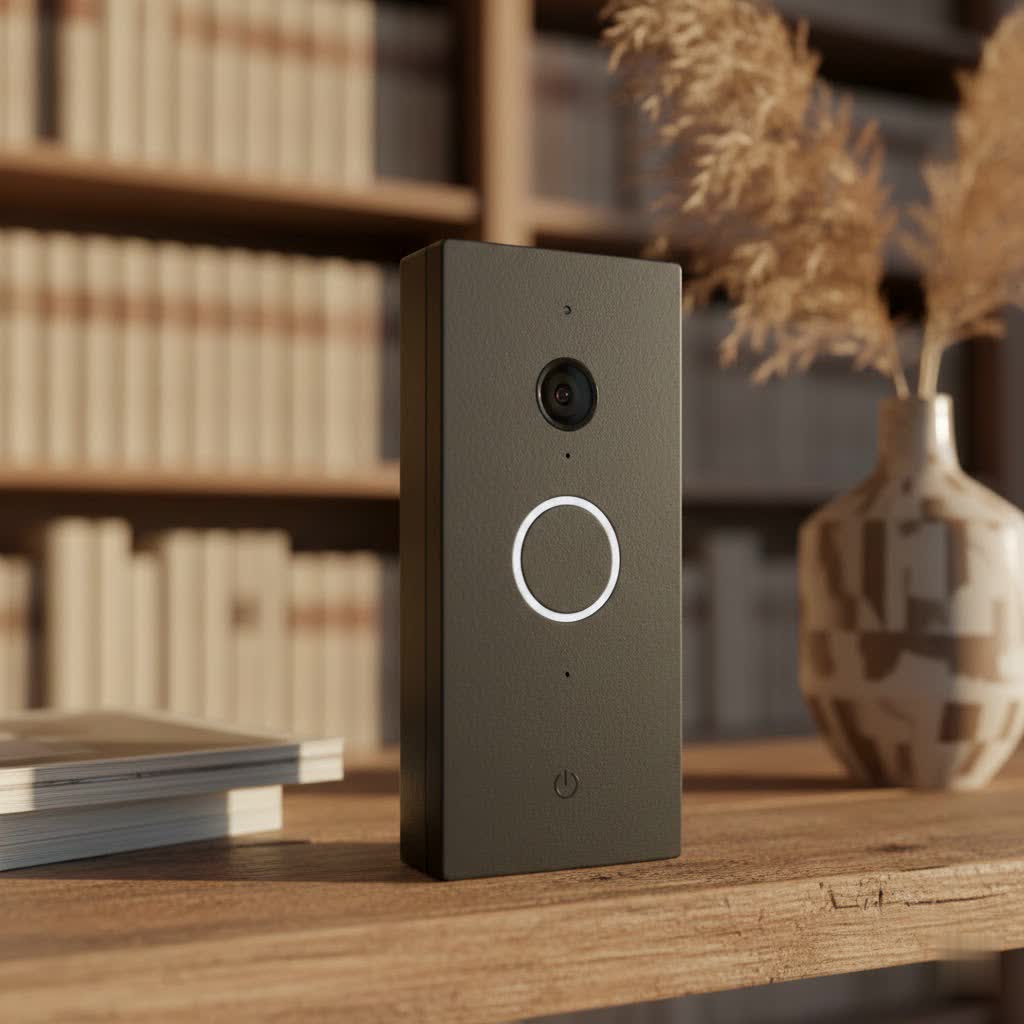
This article will delve into the core functionalities, benefits, and practical considerations of the Eufy Video Doorbell 2K Wired. We’ll explore its impressive feature set, compare it to other popular models, provide a step-by-step installation guide, and offer tips for optimizing its performance. Whether you’re upgrading an outdated system or embarking on your first smart doorbell purchase, this comprehensive guide will equip you with the knowledge to make an informed decision and enhance your home’s security posture.
What is a Video Doorbell and Why Do You Need It?
A video doorbell is a modern home security device that integrates a camera, microphone, and speaker into a traditional doorbell button. When pressed, or when motion is detected, it sends an alert to your smartphone, allowing you to see, hear, and speak to visitors from anywhere, even when you’re not home. It transforms your front door into a monitored entry point, providing a layer of security and convenience that standard doorbells simply cannot match.
The benefits of integrating a video doorbell into your home are numerous and impactful. Firstly, it significantly enhances your home’s security. You can monitor package deliveries, deter potential porch pirates or unwanted solicitors, and keep an eye on your property around the clock. The visual record provided by the camera acts as a deterrent and a valuable piece of evidence should an incident occur. Secondly, it offers unparalleled convenience. Imagine being able to answer your door remotely from work, on vacation, or even from another room in your house. You can screen visitors, give instructions to delivery drivers, or communicate with family members without having to physically open the door. Finally, a video doorbell provides immense peace of mind. Knowing you can always check on your front door, receive instant alerts about activity, and have a clear view of who’s approaching gives you a reassuring sense of control over your home environment.
Common situations where a video doorbell proves invaluable include ensuring children arrive home safely from school, instructing a delivery person where to leave a package, or simply seeing who’s at the door before you open it. It’s an essential upgrade for anyone looking to modernize their home security and add a layer of smart convenience to their daily life.
The Eufy Video Doorbell 2K Wired: Features and Specifications
The Eufy Video Doorbell 2K Wired is engineered to deliver reliable security with a focus on high-definition clarity and user privacy, all without recurring fees. Its robust feature set makes it a compelling choice for homeowners.
At its core, the doorbell boasts a crystal-clear 2K resolution (2560 x 1920) camera. This high definition, combined with advanced HDR (High Dynamic Range) and distortion correction, ensures that video footage is sharp, vibrant, and free from the fish-eye effect often seen in wide-angle cameras. You can clearly identify faces and details, whether it’s broad daylight or the dead of night. Speaking of night, the infrared night vision system provides a clear view even in low-light conditions, though users should be mindful that very close subjects can sometimes appear slightly washed out by the IR LEDs.
One of the most significant advantages of the Eufy Video Doorbell 2K Wired is its local storage capability. It comes with 4GB of built-in eMMC storage, which means all your video recordings are stored directly on the device, not in the cloud. This eliminates the need for expensive monthly or annual subscription fees often associated with other video doorbells. The storage allows for event-based recording, capturing footage when motion is detected or the doorbell is pressed. Critically, it includes a 3-second pre-buffer, ensuring that recordings begin a few seconds before the detected event, so you never miss the crucial lead-up to an incident.
Intelligent AI human detection is another standout feature. Eufy’s sophisticated algorithms can differentiate between humans, animals, and inanimate objects, significantly reducing false alarms caused by passing cars or stray cats. You can also define customizable activity zones, telling the doorbell exactly which areas of your property to monitor for motion, further refining alerts to only what truly matters to you. When an event occurs, you receive instant notifications on your smartphone, often accompanied by a preview photo that zooms in on the detected person’s face for quick identification.
For interaction, the doorbell offers two-way audio with noise cancellation, allowing for clear communication with visitors. Whether you’re speaking live or using one of the pre-recorded quick responses (you can customize up to three), the audio is crisp and easy to understand. A wireless chime is included in the package, connecting via Bluetooth, and offers multiple customizable ringtones and adjustable volume levels to ensure you hear the doorbell from anywhere in your home. It’s also compatible with Alexa Echo devices, which can act as additional chimes.
Designed for durability, the Eufy Video Doorbell 2K Wired features an IP65 weatherproof rating, making it resilient against dust, rain, and extreme temperatures, capable of operating from -4°F to 122°F (-20°C to 50°C). Installation requires existing doorbell wires (16-24VAC, 30VA transformer), leveraging your home’s existing electrical infrastructure for continuous power. It connects to your home’s 2.4GHz Wi-Fi network for seamless app integration and remote access. While it offers excellent integration with Amazon Alexa for live streams and doorbell press announcements, native integration with Apple HomeKit is not supported, though third-party solutions like Homebridge can bridge this gap for HomeKit users. The camera provides a wide 150-160 degree diagonal field of view, covering a broad area of your porch and entryway.
Eufy Video Doorbell 2K Wired vs. Other Models
When considering the Eufy Video Doorbell 2K Wired, it’s helpful to understand how it stacks up against different types of doorbells, including Eufy’s own variants and those from competitors. This comparison highlights its unique value proposition.
Wired vs. Battery-Powered Doorbells
The primary distinction is, of course, the power source.
- Wired Video Doorbells (like the Eufy 2K Wired) offer continuous, reliable power. This means no worries about charging batteries, and often enables features like a 3-second pre-buffer for faster event capture. They generally provide more consistent performance and faster notification speeds due to their constant power supply. The trade-off is the requirement for existing doorbell wiring and a compatible transformer.
- Battery-Powered Video Doorbells offer easier installation since they don’t require existing wiring, making them ideal for homes without traditional doorbell systems or renters. However, they require periodic recharging (ranging from weeks to months, depending on usage) and may have slightly slower response times or lack pre-buffering to conserve battery life. While Eufy does offer battery-powered 2K models, the wired version provides a more set-it-and-forget-it experience with superior responsiveness.
|
Our Picks for the Best Video Doorbell in 2026
As an Amazon Associate I earn from qualifying purchases.
|
||
| Num | Product | Action |
|---|---|---|
| 1 | Ring Battery Doorbell (newest model), Home or business security with Head-to-Toe video, Live View with Two-Way Talk, and Motion Detection & Alerts, Satin Nickel |

|
| 2 | Ring Battery Doorbell (newest model), Home or business security with Head-to-Toe video, Live View with Two-Way Talk, and Motion Detection & Alerts, Venetian Bronze |
|
| 3 | Ring Indoor Cam, Home or business security in 1080p HD video, White |
|
| 4 | Tapo by TP-Link Smart Video Doorbell Camera Wireless with Chime, 2K with Full Color Night Vision & Spotlights, No Monthly Fee, Ring Call, 160° Ultra-Wide View, Free AI Detection, Local Storage,D210 |
|
| 5 | Blink Mini 2 — Home Security & Pet Camera with HD video, color night view, motion detection, two-way audio, and built-in spotlight — 1 camera (White) |
|
| 6 | NariOrbi WiFi Video Doorbell Camera with Human Detection, Battery Powered, Night Vision, 2-Way Talk, 2.4G WiFi, Cloud Storage |
|
| 7 | Blink Video Doorbell (newest model) – Head-to-toe HD view, two-year battery life, and simple setup. Required Sync Module not included – Add-On (White) |
|
| 8 | Blink Video Doorbell (newest model) – Head-to-toe HD view, two-year battery life, and simple setup. Sync Module Core included – System (Black) |
|
| 9 | Blink Outdoor 4 – Wireless smart security camera, two-year battery life, 1080p HD day and infrared night live view, two-way talk. Sync Module Core included – 2 camera system |
|
| 10 | Noorio Wireless Doorbell Camera with Rechargeable Battery, 2K+ Resolution, 2-Way Audio, Color Night Vision, AI Motion Detection, Smart Video Doorbell Works with Alexa, D110 |
|
Eufy 2K Wired vs. Eufy 2K Pro Wired / Dual 2K Wired
Eufy offers several wired 2K doorbell models, and understanding the differences is crucial:
- Eufy Video Doorbell 2K Wired (T8200): This is the standard model discussed, featuring 4GB of built-in local storage and event-based recording. It records when motion is detected or the button is pressed.
- Eufy Video Doorbell 2K Pro Wired (E8202): This step-up model offers significantly more storage, typically 32GB of local storage, and supports 5 days of continuous recording. This is a key differentiator for users who desire a constant video feed rather than just event-triggered clips.
- Eufy Video Doorbell Dual 2K Wired (E8203/T8214): This advanced model boasts two camera sensors – one standard 2K camera and a secondary downward-facing camera specifically designed for package detection. It usually comes with 8GB of storage and also supports 5 days of continuous recording.
The standard Eufy 2K Wired is an excellent choice for those who prioritize no subscriptions and clear event-based recordings, while the Pro and Dual versions cater to users needing more storage and continuous recording or dedicated package monitoring.
Eufy 2K Wired vs. Competitors (Ring, Nest)
Eufy distinguishes itself significantly from major competitors like Ring and Google Nest, primarily through its financial model and storage philosophy.
- Subscription Model: Most Ring and Nest video doorbells rely heavily on cloud subscriptions (e.g., Ring Protect Plan, Nest Aware) for features like video recording, motion alerts with person detection, and reviewing past events. Without a subscription, their functionality can be severely limited. The Eufy 2K Wired, on the other hand, offers all its core features, including 2K video, AI detection, and local storage, with no monthly fees. This represents substantial long-term savings for users.
- Local vs. Cloud Storage: Eufy’s commitment to local storage is a major draw for privacy-conscious users who prefer their footage to remain on-device rather than uploaded to external servers. While Ring and Nest primarily use cloud storage, some Eufy models (like the 2K Wired) keep everything local. However, a potential drawback of purely local storage on the doorbell itself is that if the device is stolen or damaged, the footage goes with it. Some Eufy battery models work with a HomeBase for local storage, which addresses this concern.
- Smart Home Ecosystem: Ring integrates deeply with Amazon Alexa, while Nest is embedded within the Google Home ecosystem. The Eufy 2K Wired offers good compatibility with Alexa for announcements and live view, but its integration with Google Home might be less comprehensive, and it lacks native HomeKit support, which Ring and Nest sometimes offer on select models or through workarounds.
Ultimately, the Eufy Video Doorbell 2K Wired provides a compelling balance of high-quality video, intelligent features, and a significant cost advantage over subscription-based rivals, making it a strong choice for budget-conscious and privacy-minded consumers.
Installation and Setup Guide for the Eufy 2K Wired Doorbell
Installing the Eufy Video Doorbell 2K Wired is a straightforward process for anyone comfortable with basic DIY tasks, particularly those involving low-voltage wiring. The Eufy Security app provides clear, step-by-step instructions that guide you through each stage.
Pre-installation Checks
Before you begin, ensure you have the following:
- Existing Doorbell Wires: The Eufy 2K Wired requires existing doorbell wiring. It needs a power supply of 16-24VAC with a 30VA (Volt-Ampere) transformer or above. Most modern doorbell systems meet this requirement, but older homes might need a transformer upgrade. The app will usually test for sufficient voltage during setup.
- Tools: A Phillips-head screwdriver, power drill with a 1/4″ (6.35mm) drill bit (for masonry/stucco), electrical tape, and a pencil.
- Wi-Fi Connection: A stable 2.4GHz Wi-Fi network at your front door.
- Eufy Security App: Download and install the Eufy Security app on your smartphone and create an account.
Step-by-Step Installation
- Turn Off Power: The most crucial first step is to turn off the master circuit breaker in your house that supplies power to your existing doorbell chime. Verify the power is off by pressing your old doorbell button and ensuring the chime doesn’t ring, and lights nearby are off.
- Remove Old Doorbell Button: Carefully unscrew and remove your existing doorbell button from the wall. Gently pull out the two wires connected to it. If the wires are frayed or too short, you can use the included extension wires and wire nuts to lengthen and tidy them.
- Bypass Existing Chime: The Eufy 2K Wired Doorbell uses its own electronic chime (included). To ensure it receives sufficient power, you’ll need to bypass your existing indoor mechanical chime. Locate your chime box inside your home, remove its cover, and use the provided jumper wire to connect the two terminals where the doorbell wires are attached. This essentially “jumps” over the chime, directing continuous power to the new video doorbell.
- Mount the Bracket: The package includes a mounting bracket and a 15° mounting wedge. Decide if you need the wedge to angle the doorbell for an optimal field of view (e.g., if your door is off-center). Use the screw hole positioning card to mark drill spots at least 48 inches (1.2 meters) high from the ground for ideal viewing. Drill pilot holes if installing into stucco, brick, or concrete, and insert the provided anchors.
- Connect Wires to Eufy Doorbell: Thread your doorbell wires through the central hole in the mounting bracket. Connect one wire to each of the two terminals on the back of the Eufy doorbell (the connection order doesn’t matter as it’s AC current). Tighten the terminal screws securely, ensuring no bare wire is exposed.
- Attach Doorbell to Bracket: Align the Eufy doorbell with the mounting bracket and firmly push it into place until it clicks. You may need to tuck any excess wire neatly into the wall cavity.
- Restore Power: Once the doorbell is securely mounted, return to your circuit breaker and turn the power back on. The doorbell ring should flash yellow, indicating it’s receiving power.
- App Setup: Open the Eufy Security app. Follow the on-screen prompts to add your new Video Doorbell 2K Wired. Scan the QR code on the back of the doorbell or its documentation. The app will guide you through connecting the doorbell to your home’s 2.4GHz Wi-Fi network and pairing it with the included electronic chime. You can then customize settings like motion detection sensitivity, activity zones, and quick responses.
Tips for Optimal Performance
- Optimal Height: Installing the doorbell at the recommended height (around 48 inches/1.2 meters from the ground) provides the best viewing angle for human detection and package monitoring.
- Wi-Fi Signal: Ensure a strong 2.4GHz Wi-Fi signal at your doorbell’s location. A weak signal can lead to delays in notifications or video streaming. Consider a Wi-Fi extender if necessary.
- Activity Zones: Carefully define your activity zones within the app to focus motion detection on critical areas and minimize unwanted alerts from public sidewalks or busy streets.
- Transformer Check: If the doorbell isn’t powering on or constantly reboots, verify your transformer voltage meets the 16-24VAC, 30VA requirement. An insufficient power supply is a common issue.
Optimizing Your Eufy Video Doorbell 2K Wired Experience
Once your Eufy Video Doorbell 2K Wired is installed, fine-tuning its settings will unlock its full potential and tailor it perfectly to your home security needs. The Eufy Security app is your command center for this optimization.
App Settings and Customization
- Enabling 2K Resolution: By default, some Eufy doorbells might record at a lower resolution to optimize performance. Navigate to the video quality settings within the Eufy Security app and ensure that 2K resolution (2560 x 1920) is selected for recordings. You can also adjust HDR (High Dynamic Range) settings here; enabling HDR can reduce glare in brightly lit scenes but might make overall footage slightly darker. Distortion correction should generally be kept on to rectify the curvature at the edges of the wide-angle view.
- Motion Sensitivity and Activity Zones: This is crucial for minimizing false alarms. Eufy’s AI human detection is excellent, but you can further refine it. Adjust the motion detection sensitivity from “all motion” to “human only” or a middle setting, depending on your environment. Utilize activity zones to draw specific areas on the camera’s view that you want to monitor, ignoring irrelevant areas like trees swaying or passing cars outside your property line. Conversely, you can also set exclusion zones to block out specific areas from triggering alerts.
- Customizing Quick Responses: The two-way audio feature allows for real-time conversation, but for common scenarios, pre-recorded messages are incredibly convenient. You can record up to three personalized quick responses (e.g., “Please leave the package at the door,” “We’ll be right there,” or “Sorry, no soliciting”) to play directly from the app when needed.
- Night Vision: The doorbell’s infrared night vision typically activates automatically. In some cases, if there’s ambient light nearby, you might experiment with turning the night vision LED on or off to achieve the clearest image.
Notifications and Chime Options
- Instant Notifications with Thumbnails: The Eufy doorbell delivers fast push notifications to your smartphone. A particularly useful feature is the preview photo thumbnail that accompanies human detection alerts, often zooming directly onto the person’s face, allowing for quick identification without opening the app. Ensure your app notification settings are configured to receive these alerts promptly.
- Wireless Chime and Alexa Integration: The included wireless electronic chime provides customizable ringtones and volume levels. Plug it into an indoor power socket, and it will pair automatically. For extended coverage, Eufy doorbells are compatible with Amazon Alexa devices. You can set up your Echo speakers to announce when someone is at the door or even display the live feed on an Echo Show device, essentially turning your smart displays into additional door chimes.
Troubleshooting Common Issues
Even with a reliable device like the Eufy 2K Wired, occasional issues can arise. Here’s how to troubleshoot some common problems:
- Loss of Connection (Wi-Fi): If your doorbell frequently goes offline or notifications are delayed, it’s often a Wi-Fi issue.
- Solution: Check your router’s proximity and signal strength. Ensure the doorbell is connecting to a stable 2.4GHz network. Restart your router, or consider a Wi-Fi extender to boost the signal near your front door.
- False Alarms/Over-triggering: If you’re getting too many irrelevant alerts, your motion detection settings might be too broad.
- Solution: Adjust the motion sensitivity to a lower setting or “human only.” Critically, refine your activity zones to exclude areas like busy streets, trees, or bushes that might trigger unwanted notifications.
- Blurred or Washed-out Video: While 2K resolution is excellent, certain lighting conditions can affect image quality.
- Solution: Experiment with the HDR setting in the app. If subjects appear washed out at night, especially when very close, it might be due to the intensity of the IR LEDs. Ensure the lens is clean and free from smudges or dust.
- Doorbell Not Powering On/Intermittent Power: This often points to a wiring or transformer issue.
- Solution: Double-check all wiring connections, ensuring they are secure and no bare wires are touching. Confirm your transformer meets the 16-24VAC, 30VA requirement. If your transformer is old, it might be supplying insufficient power; consider replacing it with a compatible one.
- Chime Not Working: If the included wireless chime isn’t ringing.
- Solution: Ensure the chime is plugged into a working outlet and that it’s properly paired with the doorbell via the Eufy Security app. Also, verify that the bypass jumper is correctly installed on your existing mechanical chime.
By leveraging the comprehensive settings within the Eufy Security app and understanding these troubleshooting tips, you can ensure your Eufy Video Doorbell 2K Wired operates at peak performance, providing dependable security and convenience for your home.
Conclusion
The Eufy Video Doorbell 2K Wired emerges as a formidable solution for modern home security, skillfully balancing advanced technology with user-friendly operation and, crucially, a commitment to no hidden fees. Its 2K resolution camera, coupled with HDR and distortion correction, delivers exceptionally clear video evidence, day or night. The integrated AI human detection and customizable activity zones provide intelligent, relevant alerts, cutting through the noise of false alarms. Perhaps its most celebrated feature is the 4GB local storage, liberating homeowners from the recurring costs of cloud subscriptions while keeping their footage securely on-device.
For those who prioritize privacy, seek a reliable wired connection for consistent power and faster responses, and are keen to avoid ongoing monthly expenses, the Eufy Video Doorbell 2K Wired represents an intelligent investment. It offers a robust feature set comparable to, and often exceeding, many premium models on the market, all within a one-time purchase framework.
Are you ready to elevate your home’s security and enjoy peace of mind without the burden of monthly fees?
Frequently Asked Questions
Does the Eufy Video Doorbell 2K Wired require a subscription?
No, the Eufy Video Doorbell 2K Wired does not require a subscription. It features 4GB of built-in local storage, allowing you to record and review all your video footage without any recurring monthly or annual fees for core features like AI detection or event history.
Can I use my existing indoor chime with the Eufy 2K Wired Doorbell?
The Eufy Video Doorbell 2K Wired comes with its own wireless electronic chime. During installation, you will typically need to bypass your existing mechanical chime to ensure the Eufy doorbell receives adequate power. The included Eufy chime provides customizable ringtones and volume levels.
What are the power requirements for the Eufy 2K Wired Doorbell?
The Eufy Video Doorbell 2K Wired requires an existing doorbell power supply of 16-24VAC (Volts Alternating Current) with a minimum of a 30VA (Volt-Ampere) transformer. If your existing doorbell system does not meet these specifications, you might need to upgrade your transformer for optimal performance.
Does the Eufy Video Doorbell 2K Wired support 24/7 continuous recording?
The standard Eufy Video Doorbell 2K Wired (model T8200) offers event-based recording, meaning it records when motion is detected or the doorbell button is pressed, including a 3-second pre-buffer. It does not support 24/7 continuous recording. Some other Eufy wired models, like the 2K Pro or Dual 2K Wired, offer continuous recording capabilities.
Is the Eufy Video Doorbell 2K Wired compatible with Apple HomeKit?
The Eufy Video Doorbell 2K Wired does not offer native support for Apple HomeKit. However, it does integrate with Amazon Alexa for live streaming and doorbell press announcements. For HomeKit compatibility, some users utilize third-party solutions such as Homebridge.
What happens to my recorded footage if the doorbell is stolen?
Since the Eufy Video Doorbell 2K Wired stores its 4GB of footage directly on the device itself, if the doorbell unit is physically stolen or destroyed, the recorded video footage will also be lost. This is a consideration for systems that rely solely on on-device local storage.
