Imagine a world where you never miss a visitor, always know when a package arrives, and keep an eye on your home’s entrance, all without the burden of monthly fees. This is the promise of the eufy Security Wi-Fi Video Doorbell. As smart home technology continues to evolve, these innovative devices have become an essential component of modern home security, offering convenience, advanced features, and peace of mind. Eufy stands out in this crowded market by providing robust, high-performance video doorbells that prioritize user control and eliminate recurring costs, making smart security accessible and sustainable for every household.
What is a Video Doorbell and Why Do You Need One?
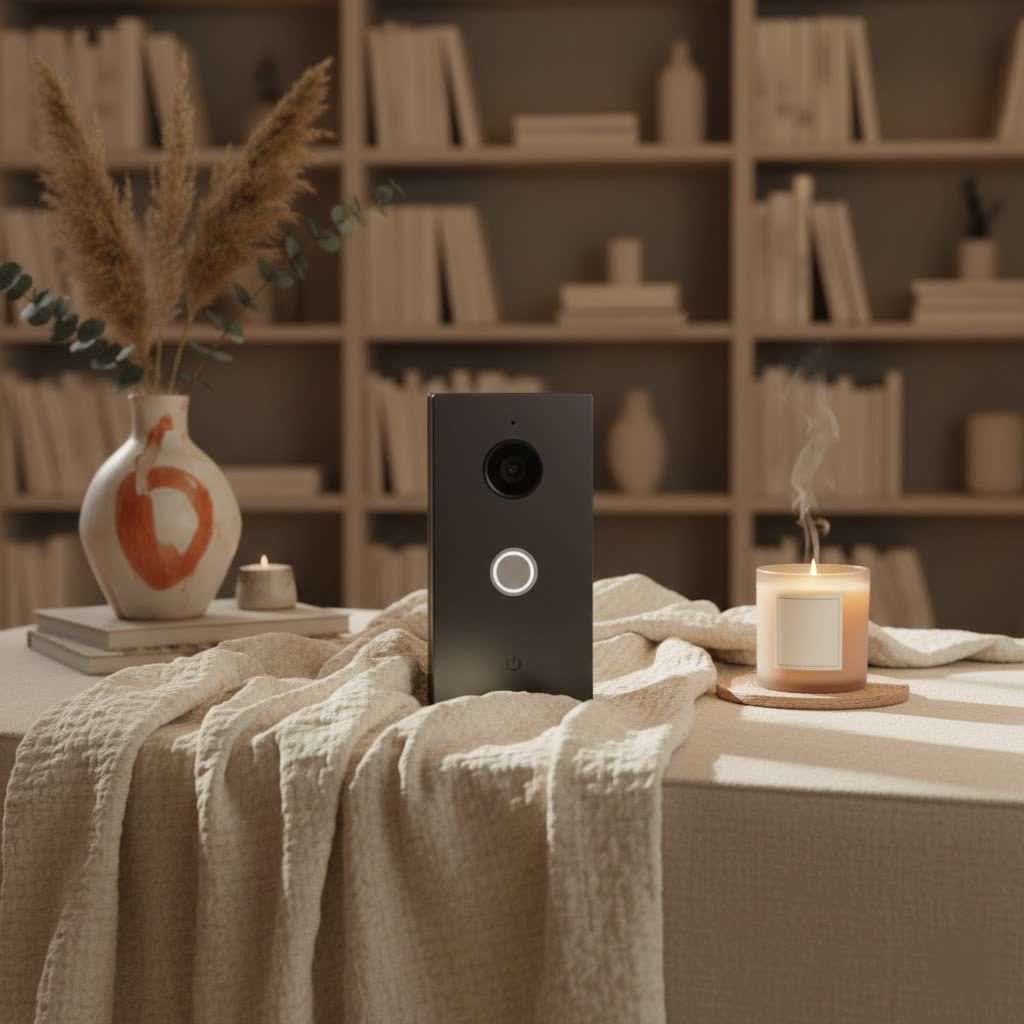
A video doorbell is a smart device equipped with a camera, microphone, and speaker, designed to replace your traditional doorbell. When someone presses the button or motion is detected, it sends an alert to your smartphone, allowing you to see, hear, and speak to visitors from anywhere, even if you’re not home. These devices offer a significant upgrade to home security by providing constant surveillance of your doorstep, capturing crucial footage, and deterring potential intruders.
The benefits of integrating a video doorbell into your home security system are manifold. Firstly, it enhances security by providing visual verification of who is at your door, helping to prevent package theft and identify suspicious activity. Secondly, it offers unparalleled convenience; you can answer your door remotely, instruct delivery drivers, or communicate with family members, all through an intuitive app on your phone. Finally, a video doorbell provides invaluable peace of mind, knowing that your home is monitored and you’re always connected to your front door, whether you’re at work, on vacation, or simply in another room. Common usage scenarios include monitoring deliveries, checking on children arriving home from school, or speaking with unexpected guests without physically opening the door.
Popular Eufy Security Wi-Fi Video Doorbell Models
Eufy offers a range of Wi-Fi video doorbells, catering to different needs and installation preferences. While specific model numbers like the Eufy Video Doorbell 2K (Wireless), E340, S330, and S220 might vary in features, they generally fall into two main categories: wired and wireless. Each type offers distinct advantages in terms of installation, power, and functionality.
Wired vs. Wireless Video Doorbells
The primary distinction among eufy video doorbells lies in their power source:
- Wired Video Doorbells: These models connect to your home’s existing doorbell wiring, providing continuous power. This eliminates the need for battery charging and ensures uninterrupted operation. They are typically chosen by homeowners who prefer a permanent setup and don’t want to worry about battery life. The installation generally involves connecting to a low-voltage transformer.
- Wireless Video Doorbells: Running on rechargeable batteries, wireless models offer greater flexibility in placement since they don’t require existing wiring. They are ideal for renters or those who prefer a simpler, drill-free installation on surfaces like wood frames. While offering excellent battery life, usually several months, they do require periodic recharging, which can result in brief downtime. Some advanced wireless models, like the E340, feature detachable battery packs for quick swaps, minimizing this inconvenience.
|
Our Picks for the Best Video Doorbell in 2026
As an Amazon Associate I earn from qualifying purchases.
|
||
| Num | Product | Action |
|---|---|---|
| 1 | Ring Battery Doorbell (newest model), Home or business security with Head-to-Toe video, Live View with Two-Way Talk, and Motion Detection & Alerts, Satin Nickel |

|
| 2 | Ring Battery Doorbell (newest model), Home or business security with Head-to-Toe video, Live View with Two-Way Talk, and Motion Detection & Alerts, Venetian Bronze |
|
| 3 | Blink Video Doorbell (newest model) – Head-to-toe HD view, two-year battery life, and simple setup. Sync Module Core included – System (Black) |
|
| 4 | Ring Indoor Cam, Home or business security in 1080p HD video, White |
|
| 5 | Blink Mini 2 — Home Security & Pet Camera with HD video, color night view, motion detection, two-way audio, and built-in spotlight — 1 camera (White) |
|
| 6 | Tapo by TP-Link Smart Video Doorbell Camera Wireless with Chime, 2K with Full Color Night Vision & Spotlights, No Monthly Fee, Ring Call, 160° Ultra-Wide View, Free AI Detection, Local Storage,D210 |
|
| 7 | Blink Outdoor 4 – Wireless smart security camera, two-year battery life, 1080p HD day and infrared night live view, two-way talk. Sync Module Core included – 2 camera system |
|
| 8 | NariOrbi WiFi Video Doorbell Camera with Human Detection, Battery Powered, Night Vision, 2-Way Talk, 2.4G WiFi, Cloud Storage |
|
| 9 | Noorio Wireless Doorbell Camera with Rechargeable Battery, 2K+ Resolution, 2-Way Audio, Color Night Vision, AI Motion Detection, Smart Video Doorbell Works with Alexa, D110 |
|
| 10 | Blink Video Doorbell (newest model) – Head-to-toe HD view, two-year battery life, and simple setup. Required Sync Module not included – Add-On (White) |
|
Beyond the power source, eufy doorbells also differentiate themselves by their feature sets, from basic monitoring to advanced AI-powered capabilities.
Basic vs. Advanced Features (AI Integration)
Eufy’s commitment to innovation is evident in its advanced features, often included without extra subscription costs:
- Basic Features: All eufy video doorbells offer essential functionalities such as high-definition video recording (often 1080p or 2K resolution), two-way audio communication, and instant push notifications to your smartphone when the doorbell is pressed or motion is detected. They also include a plug-in chime unit to alert you audibly indoors.
- Advanced Features (AI-Powered): Higher-end models, such as the Eufy Video Doorbell E340, integrate sophisticated Artificial Intelligence (AI) for enhanced security and convenience. These advanced features include:
- Facial Recognition: The ability to identify known individuals and differentiate them from strangers, sending tailored notifications.
- Package Detection: Specialized AI to detect when a package is left or picked up, crucial for preventing porch piracy. The E340, for example, features dual cameras (one front-facing, one downward-facing) to eliminate blind spots and ensure full package visibility.
- Customizable Motion Zones: Users can define specific areas for motion detection, reducing false alarms from passing cars or pets outside the monitored zone.
- Color Night Vision: Leveraging dual-light systems and advanced processing, some models provide clear, full-color video even in low-light conditions, offering superior detail compared to traditional black-and-white infrared night vision.
These advanced features work seamlessly with the eufy Security app, providing a comprehensive and intelligent home monitoring experience.
Top Eufy Security Wi-Fi Video Doorbell Features
Eufy video doorbells are engineered with a suite of features designed to offer comprehensive security and user-friendly operation. These capabilities often surpass those of competitors, especially when considering the lack of subscription fees.
Crystal-Clear 2K Resolution Video
A hallmark of eufy doorbells is their exceptional video quality. Many models boast 2K resolution (e.g., 2560×1920 or 2048×1536), which is significantly clearer than standard 1080p. This high resolution ensures that you can see visitors in sharp detail, making it easier to identify faces and read labels on packages. Combined with a 4:3 aspect ratio, eufy doorbells provide a head-to-toe view of anyone approaching your door, minimizing blind spots. Advanced models like the E340 further enhance clarity with “Color Night Vision” thanks to a dual-light system and advanced light-capturing algorithms, allowing you to see nighttime activity in vivid color up to 16 feet.
Subscription-Free Local Storage
One of eufy’s most compelling advantages is its commitment to subscription-free local storage. Unlike many competitors that require monthly fees to access recorded footage, eufy doorbells store videos directly on the device or a connected HomeBase.
- On-Device Storage: Some models, such as the E340, include 8 GB of built-in storage, capable of saving up to 60 days of event-based recordings.
- HomeBase Storage: Many eufy doorbells operate with a HomeBase (e.g., HomeBase 2 or S380), which typically offers 16 GB of internal storage. The HomeBase S380 can even be expanded with additional storage drives (1TB or 16TB), allowing for years of stored footage.
This local storage not only saves users money but also enhances privacy, as data remains on your devices and is protected with AES 128-bit encryption. Even if your camera is stolen, the footage is securely stored on the HomeBase.
Advanced AI Detection and Customization
Eufy doorbells leverage intelligent AI to provide more accurate and relevant alerts:
- Human Detection: The AI can distinguish human shapes from other moving objects, reducing false alarms caused by animals or passing cars.
- Facial Recognition: Recognize familiar faces (family, friends) and send specific notifications, or alert you when an unknown person is at the door.
- Package Detection: Specifically identify packages left at your doorstep and notify you of their arrival or removal. The dual-camera setup on models like the E340 ensures comprehensive package monitoring.
- Customizable Activity Zones: You can define specific areas within the camera’s field of view to monitor for motion, ignoring high-traffic zones like public sidewalks. This further refines alerts and conserves battery life.
Two-Way Audio and Quick Responses
Communicate effortlessly with visitors using the integrated two-way audio feature. Speak directly through the eufy Security app to anyone at your door. For situations where you’re busy or away, eufy provides up to six customizable quick response messages. These pre-recorded messages, such as “Please leave the package at the door” or “We will be right there,” allow for instant communication with just a tap, even if there’s a slight delay in the live feed.
Flexible Power Options and Battery Life
Eufy understands that every home is different, offering both battery-powered and hardwired options:
- Battery-Powered: Wireless models are equipped with high-capacity rechargeable batteries, often providing up to 180 days of coverage on a single charge. Actual battery life can vary based on activity levels. Some newer models, like the E340, feature easily detachable and swappable battery packs, allowing for continuous operation with a charged spare.
- Hardwired: For continuous power, many eufy doorbells can be hardwired to existing doorbell connections, eliminating the need for recharging and providing a reliable power supply with battery backup during outages.
Robust Design and Smart Home Integration
Eufy doorbells are built to withstand the elements, featuring an IP65 weather-resistant rating and operating effectively in temperatures ranging from -4°F to 122°F. This durability ensures reliable performance year-round. For smart home enthusiasts, eufy doorbells seamlessly integrate with popular platforms like Amazon Alexa and Google Assistant, allowing for voice control and live video streaming to compatible smart displays. The HomeBase also centralizes your security system, managing multiple eufy devices and enhancing their capabilities, including cross-camera tracking for a more complete event overview.
Eufy Video Doorbell vs. Competitors
When evaluating video doorbells, eufy frequently emerges as a strong contender against popular brands like Ring, Arlo, and Google Nest, primarily due to its no-subscription model and robust local storage.
Subscription-Free Advantage: This is eufy’s most significant differentiator. While competitors often charge monthly fees for cloud storage, advanced features, and even basic video playback, eufy offers these functionalities through local storage at no extra cost. This translates to substantial long-term savings for users.
Image Quality and Features: Eufy’s 2K resolution often outshines the 1080p found in many entry-level competitor models, providing clearer images. Features like dual cameras (E340) for comprehensive package detection and advanced AI for human and facial recognition are highly competitive. While some competitors offer HDR, eufy’s WDR (on older models) or advanced color night vision (on newer models) still provides excellent clarity.
Battery Life and Power Options: Eufy wireless doorbells generally offer impressive battery life, often surpassing many battery-powered Ring or Arlo models. The option for swappable batteries in some eufy models further reduces downtime compared to competitors that require the entire unit to be removed for charging. Both eufy and competitors offer wired options for continuous power.
Local Storage vs. Cloud Storage: Eufy’s reliance on local storage (on-device or HomeBase) offers enhanced privacy and eliminates subscription costs. While competitors like Ring and Arlo rely heavily on cloud storage (requiring subscriptions), some do offer limited local storage options, often requiring additional hardware. Google Nest products are typically cloud-based.
Ecosystem Integration: Eufy’s HomeBase acts as a central hub, extending Wi-Fi range for devices, storing footage, and supporting up to 16 eufy security devices. This ecosystem approach is comparable to Arlo’s SmartHub. Ring and Nest, while having their own ecosystems, often lean more heavily on cloud services. While eufy supports Alexa and Google Assistant, HomeKit support has been less consistent on older models, whereas Arlo and Nest sometimes offer broader third-party smart home integrations.
Choosing the Right Eufy Security Wi-Fi Video Doorbell for Your Home
Selecting the perfect eufy video doorbell involves a careful assessment of your specific needs, the characteristics of your home, and your budget.
Determine Your Usage Needs
Before diving into specifications, consider your primary reasons for wanting a video doorbell:
- Security: Is your main goal to deter theft, monitor suspicious activity, and capture evidence? High resolution, robust AI (facial/package detection), and reliable recording are key.
- Convenience: Do you want to answer the door remotely, screen visitors, or communicate with delivery drivers? Two-way audio and quick responses are essential.
- Monitoring Guests/Family: Are you checking when children arrive home or expecting frequent visitors? Instant notifications and clear video are important.
- Installation Location: Where will the doorbell be mounted? This dictates whether a wired or wireless model is more suitable. A front door, gate, or even a side entrance might have different power availability.
- Budget: While eufy offers subscription-free operation, the initial purchase price of different models varies based on features and whether a HomeBase is included or required.
Key Factors to Consider When Selecting
Once you’ve identified your needs, evaluate these technical aspects:
- Video Quality and Night Vision: Look for 2K resolution for optimal clarity. Consider whether standard WDR is sufficient or if “Color Night Vision” (like on the E340) is a priority for better nighttime detail. A wide viewing angle (e.g., 160°) is also beneficial.
- Power Source and Battery Life: Decide between the continuous power of a hardwired connection or the flexible placement of a battery-powered model. If opting for battery, check the estimated battery life and whether it features a detachable/swappable battery for convenience.
- Storage Options: Confirm the local storage capacity (on-device or HomeBase) and if it’s expandable. While eufy emphasizes local storage, some models offer optional cloud backup if desired, though this incurs a fee.
- Advanced AI Features: If package protection, facial recognition, or highly accurate human detection are important, lean towards models like the E340 or S330 that offer these capabilities. Ensure the customizable motion zones meet your property’s requirements.
- Connectivity and Smart Home Compatibility: Eufy doorbells require a stable 2.4GHz Wi-Fi connection. Verify compatibility with your existing smart home ecosystem (Alexa, Google Assistant). If you already own other eufy security devices, choosing a doorbell compatible with your HomeBase will offer integrated management and expanded functionality.
- Durability and Weather Resistance: An IP65 rating is standard for outdoor devices, ensuring protection against dust and water jets.
> “The eufy Security Wi-Fi Video Doorbell’s no-subscription model is a game-changer, offering premium features and local storage without the recurring financial drain that plagues many other smart home devices.” – Admin of Reviewbeev.com, Video Doorbell Specialist
Installation and Usage Notes
- Placement: Choose a location that offers the best field of view, ideally covering your doorstep and immediate approach. Mounting wedges can help adjust the angle.
- Wiring (for wired models): Ensure your existing doorbell transformer meets the voltage requirements (typically 16-24V AC).
- Wi-Fi Connection: Position your router to provide a strong 2.4GHz Wi-Fi signal to the doorbell. The HomeBase can often extend this range.
- App Configuration: Spend time in the eufy Security app to set up motion detection sensitivity, activity zones, and quick responses to optimize performance and minimize false alerts.
- Battery Maintenance (for wireless models): Monitor battery levels and recharge proactively to avoid downtime. Consider a spare battery for hot-swapping if available for your model.
Installation and Setup Tips
Installing your eufy Security Wi-Fi Video Doorbell is generally straightforward, whether you opt for a wired or wireless model. Proper setup ensures optimal performance and reliable security.
Wireless Installation:
- Charge the Doorbell: Before mounting, fully charge the doorbell’s battery using the provided micro USB cable. This typically takes a few hours.
- Mounting Location: Choose an appropriate spot on your door frame or wall that offers a clear view of your entryway. Eufy often includes a mounting bracket and screws, and sometimes even a wedge to angle the camera for a better view. For renters or those wanting minimal damage, mounting onto a wood surface is easiest.
- Pair with HomeBase (if required): For models that operate with a HomeBase (e.g., HomeBase 2 or S380), plug the HomeBase into your router and power. Open the eufy Security app, add the HomeBase, then select “add new device” for the doorbell. The HomeBase will emit a high-pitched tone to pair with the doorbell camera.
- Final Mounting: Secure the doorbell camera to the mounting bracket.
Wired Installation:
- Safety First: Turn off the power to your existing doorbell at the circuit breaker before beginning.
- Remove Old Doorbell: Disconnect and remove your existing doorbell button.
- Install Jumper (if necessary): Some eufy wired doorbells require installing a jumper cable across the terminals of your existing indoor chime unit to bypass it and ensure consistent power to the new smart doorbell. Consult your specific model’s manual.
- Connect Wiring: Connect your home’s doorbell wires to the terminals on the back of the eufy video doorbell.
- Mount the Doorbell: Secure the eufy doorbell to your wall or door frame using the provided mounting hardware.
- Restore Power: Turn the power back on at the circuit breaker.
- App Setup: Follow the in-app instructions to connect the doorbell to your Wi-Fi network (ensure it’s 2.4GHz) and configure its settings.
General Setup Tips:
- Download the eufy Security App: This is essential for all functionality, including live view, recorded footage, settings, and notifications.
- Create Activity Zones: To reduce false alarms, use the app to define specific areas in the camera’s view where you want motion detection to be active, ignoring busy streets or neighboring properties.
- Adjust Motion Sensitivity: Experiment with sensitivity levels to find the right balance that captures important events without triggering constant nuisance notifications.
- Set Up Quick Responses: Customize your pre-set replies in the app for quick communication.
- Invite Family Members: Share access to your device with other household members through the app, so they also receive alerts and can interact with visitors.
- Firmware Updates: Always ensure your eufy Security app and doorbell firmware are updated to the latest versions for optimal performance, bug fixes, and new features.
Common Eufy Doorbell Problems and Troubleshooting
While eufy doorbells are generally reliable, users may occasionally encounter issues. Here are some common problems and their solutions:
Wi-Fi Connectivity Problems
- Symptoms: Doorbell frequently goes offline, slow live video loading, delayed notifications, inability to connect during initial setup.
- Causes: Weak Wi-Fi signal, interference from other devices, incorrect Wi-Fi band (eufy doorbells typically require 2.4GHz Wi-Fi), router settings.
- Solutions:
- Check Wi-Fi Band: Ensure your router is broadcasting a 2.4GHz network and your doorbell is connected to it.
- Improve Signal Strength: Move your Wi-Fi router closer to the doorbell, or consider using a Wi-Fi extender or mesh system. The HomeBase, if used, often helps with signal stability.
- Reduce Interference: Temporarily turn off other electronic devices (microwaves, cordless phones) to check for interference.
- Router Settings: Confirm your Wi-Fi network uses WPA-PSK encryption. If issues persist, try connecting the doorbell to a mobile hotspot to rule out router-specific problems.
- Distance: Ensure the doorbell is within 30 feet of the router if not using a HomeBase.
Battery Life Concerns (for Wireless Models)
- Symptoms: Battery drains faster than expected, frequent recharging needed.
- Causes: High frequency of motion events, frequent live view access, extreme temperatures, high motion detection sensitivity.
- Solutions:
- Adjust Motion Sensitivity: Lower the motion detection sensitivity to trigger fewer recordings.
- Optimize Activity Zones: Restrict motion detection to critical areas only, excluding busy streets or large trees that might cause false triggers.
- Reduce Live View Usage: Minimize how often you access the live feed, as this consumes battery.
- Consider Wired Option: If your location experiences constant motion and battery life is a persistent issue, a wired eufy doorbell might be a better long-term solution.
- Detachable Battery (if applicable): For models like the E340 with swappable batteries, keeping a charged spare can eliminate downtime.
Motion Detection Inaccuracies
- Symptoms: Doorbell misses motion events, too many false alarms (e.g., cars, pets), only detects motion when people are very close.
- Causes: Incorrect sensitivity settings, poorly defined activity zones, camera obstruction, improper mounting angle.
- Solutions:
- Adjust Sensitivity: Increase sensitivity if events are being missed, or decrease it if there are too many false alarms.
- Refine Activity Zones: Carefully draw your activity zones in the eufy Security app to focus on relevant areas and exclude irrelevant ones.
- Clean Lens: Ensure the camera lens is clean and free from smudges, dirt, or spiderwebs.
- Check Mounting Angle: Use mounting wedges to adjust the doorbell’s angle for optimal coverage, especially for detecting packages on the ground.
- Firmware Update: Ensure the doorbell’s firmware is up to date, as updates often improve AI detection algorithms.
Delayed Notifications or Live View
- Symptoms: Notifications arrive late, live video takes a long time to load or stutters.
- Causes: Poor Wi-Fi signal, network congestion, outdated app/firmware, server issues.
- Solutions:
- Verify Wi-Fi: A strong, stable 2.4GHz Wi-Fi connection is crucial. Test your internet speed, especially upload speed, which is vital for video streaming.
- Update App and Firmware: Ensure both your eufy Security app and the doorbell’s firmware are on the latest versions.
- Restart Devices: Try restarting your router, HomeBase (if applicable), and the doorbell itself.
- Reduce Network Traffic: If multiple devices are heavily using your Wi-Fi, it can impact performance.
Doorbell Not Ringing or Chime Issues
- Symptoms: Doorbell button pressed but no ring, indoor chime not working, no sound from the doorbell itself.
- Causes: Dead batteries (for wireless), faulty wiring (for wired), chime unit malfunction, incorrect app settings.
- Solutions:
- Check Batteries: For wireless doorbells, replace or recharge batteries in both the button unit and the indoor chime.
- Inspect Wiring (for wired): Ensure all connections are secure, and your transformer is providing adequate power. Check the jumper cable installation if applicable.
- Chime Settings: Verify the chime alert settings in the eufy Security app. Make sure the volume is turned up.
- Reset Chime: If your doorbell came with a plug-in chime, try resetting and re-pairing it with the doorbell.
If issues persist after attempting these troubleshooting steps, contacting eufy customer support is advisable for further assistance.
Conclusion
The eufy Security Wi-Fi Video Doorbell offers a compelling solution for modern home security, blending advanced features with a commitment to user privacy and cost-effectiveness. By eliminating mandatory subscription fees and providing robust local storage options, eufy empowers homeowners to maintain full control over their security footage and budget. With crystal-clear 2K video, intelligent AI detection for humans and packages, versatile power options, and seamless smart home integration, eufy doorbells stand out as a smart, reliable, and user-friendly choice for safeguarding your home.
Whether you’re a renter seeking easy installation, a homeowner prioritizing continuous power, or simply looking for an intelligent security upgrade, eufy provides a range of models designed to meet diverse needs. Investing in an eufy video doorbell means investing in peace of mind, knowing that your front door is protected by cutting-edge technology without the burden of hidden costs. What features matter most to you when choosing a video doorbell for your home?
Frequently Asked Questions
Does the eufy Security Wi-Fi Video Doorbell require a monthly subscription?
No, one of the primary advantages of eufy Security Wi-Fi Video Doorbells is that they do not require a mandatory monthly subscription. All essential features, including 2K video recording, live view, two-way audio, and local storage, are accessible without recurring fees, making it a cost-effective long-term security solution.
How long does the battery last on a wireless eufy video doorbell?
The battery life for wireless eufy video doorbells typically ranges up to 180 days on a single charge. However, actual battery performance can vary based on factors such as the frequency of motion events, ambient temperature, and how often you access the live video feed. Newer models like the E340 often feature detachable, swappable battery packs for extended convenience.
Can eufy video doorbells be integrated with smart home systems?
Yes, most eufy Security Wi-Fi Video Doorbells are compatible with popular smart home ecosystems, including Amazon Alexa and Google Assistant. This integration allows users to view live feeds on compatible smart displays and use voice commands to interact with their doorbell, enhancing overall smart home functionality.
What is the purpose of the eufy HomeBase?
The eufy HomeBase (e.g., HomeBase 2 or S380) serves as a central hub for many eufy security devices, including video doorbells. It provides local storage for recorded footage, extends the battery life of wireless devices by acting as a low-power communication bridge, and enhances overall system stability and performance. The HomeBase S380 also enables advanced features like cross-camera tracking and expandable storage.
Can I install a eufy video doorbell myself?
Yes, eufy video doorbells are designed for straightforward DIY installation. Wireless models are particularly easy to mount, often requiring minimal tools. Wired models require basic electrical knowledge for connecting to existing doorbell wiring and ensuring the correct transformer voltage, but clear instructions are typically provided to guide you through the process.
