In an increasingly connected world, keeping your home secure and staying informed about who’s at your door has never been more crucial. Video doorbells have revolutionized the way we interact with visitors and monitor our entryways, offering a blend of convenience and enhanced security. Among the many options available, the Blink Video Doorbell Camera stands out as a popular choice, particularly for those seeking a balance of essential features and affordability. This comprehensive guide will delve into everything you need to know about the Blink Video Doorbell, helping you determine if it’s the right fit for your home security needs.
What is the Blink Video Doorbell and Why Do You Need One?
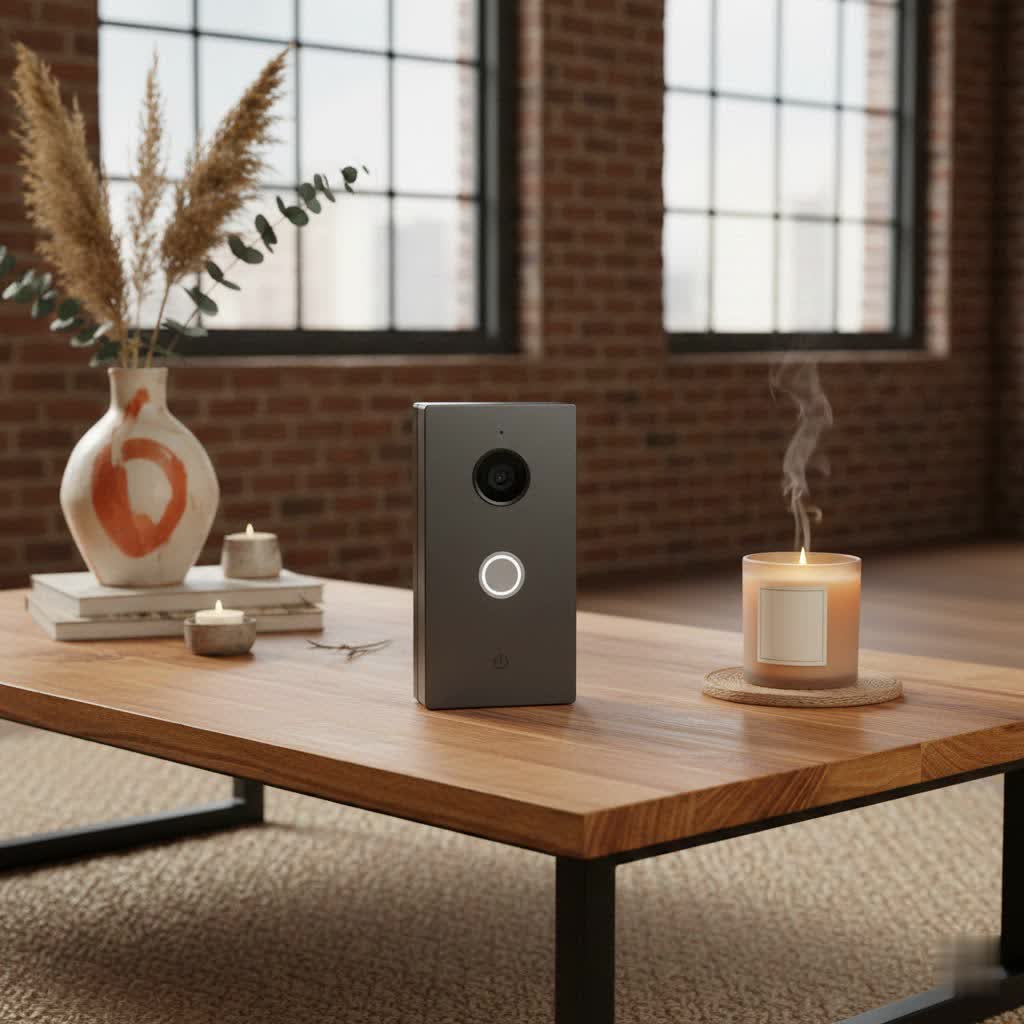
The Blink Video Doorbell is a smart home device designed to provide real-time monitoring of your front door. It integrates a camera, microphone, and speaker into a traditional doorbell, allowing you to see, hear, and speak to visitors from anywhere using your smartphone. This clever device connects to your home’s Wi-Fi, delivering essential security features without breaking the bank.
Investing in a video doorbell like the Blink offers numerous benefits. It provides peace of mind by letting you keep an eye on your property, deterring potential intruders, and monitoring package deliveries. The convenience of communicating with guests or delivery personnel remotely means you never miss an important visitor, even when you’re away from home. For instance, you can instruct a delivery driver to leave a package in a safe location or communicate with a friend who arrives early. Whether you’re at work, on vacation, or simply in another room, the Blink Video Doorbell keeps you connected to your doorstep, making it an invaluable addition to any modern home seeking enhanced security and connectivity.
Exploring the Blink Video Doorbell Camera’s Features
The Blink Video Doorbell Camera offers a robust set of features, carefully balancing performance with user-friendliness and affordability. Understanding these capabilities is key to appreciating its value.
Video and Audio Capabilities
|
Our Picks for the Best Video Doorbell in 2026
As an Amazon Associate I earn from qualifying purchases.
|
||
| Num | Product | Action |
|---|---|---|
| 1 | Blink Outdoor 4 – Wireless smart security camera, two-year battery life, 1080p HD day and infrared night live view, two-way talk. Sync Module Core included – 2 camera system |

|
| 2 | Noorio Wireless Doorbell Camera with Rechargeable Battery, 2K+ Resolution, 2-Way Audio, Color Night Vision, AI Motion Detection, Smart Video Doorbell Works with Alexa, D110 |
|
| 3 | NariOrbi WiFi Video Doorbell Camera with Human Detection, Battery Powered, Night Vision, 2-Way Talk, 2.4G WiFi, Cloud Storage |
|
| 4 | Blink Mini 2 — Home Security & Pet Camera with HD video, color night view, motion detection, two-way audio, and built-in spotlight — 1 camera (White) |
|
| 5 | Ring Battery Doorbell (newest model), Home or business security with Head-to-Toe video, Live View with Two-Way Talk, and Motion Detection & Alerts, Venetian Bronze |
|
| 6 | Blink Video Doorbell (newest model) – Head-to-toe HD view, two-year battery life, and simple setup. Sync Module Core included – System (Black) |
|
| 7 | Ring Battery Doorbell (newest model), Home or business security with Head-to-Toe video, Live View with Two-Way Talk, and Motion Detection & Alerts, Satin Nickel |
|
| 8 | Blink Video Doorbell (newest model) – Head-to-toe HD view, two-year battery life, and simple setup. Required Sync Module not included – Add-On (White) |
|
| 9 | Tapo by TP-Link Smart Video Doorbell Camera Wireless with Chime, 2K with Full Color Night Vision & Spotlights, No Monthly Fee, Ring Call, 160° Ultra-Wide View, Free AI Detection, Local Storage,D210 |
|
| 10 | Ring Indoor Cam, Home or business security in 1080p HD video, White |
|
The Blink Video Doorbell captures clear footage, with the latest 2nd Generation model boasting 1440 x 1440 HD color video and a 1:1 aspect ratio. This square aspect ratio, coupled with an expanded 150-degree head-to-toe field of view, allows you to see visitors from top to bottom and even spot packages on the ground. For older models, you can expect 1080p HD video. While the video quality is generally good for its price point, it focuses on clarity for identification rather than ultra-high-definition cinematic visuals. In low-light conditions, the camera utilizes infrared (IR) night vision to provide clear black-and-white footage, ensuring visibility around the clock. Additionally, the integrated two-way audio feature enables seamless communication with anyone at your door through the Blink Home Monitor app, making interactions easy and effective.
Power and Connectivity
One of the standout advantages of the Blink Video Doorbell is its flexible power options. It can operate entirely wire-free, relying on two AA 1.5-volt lithium non-rechargeable batteries, which can last for up to two years under typical usage conditions. This remarkable battery life is a significant draw, especially for renters or those without existing doorbell wiring. Alternatively, it can be hardwired to your existing doorbell system (requiring 16-24 volts AC), which extends the battery life further and allows your in-home chime to sound when pressed. Even when hardwired, the batteries are always required for operation. The doorbell connects to your home’s 2.4 GHz Wi-Fi network, ensuring reliable communication. For optimal functionality, particularly on-demand live view and local storage, connecting the doorbell to a Blink Sync Module (sold separately) is highly recommended. The Blink Video Doorbell also integrates seamlessly with Amazon Alexa-enabled devices, allowing for voice commands and doorbell announcements through smart displays or speakers.
Smart Features and Storage
Beyond basic monitoring, the Blink Video Doorbell includes smart features to enhance your home security experience. Its motion detection capabilities allow you to receive instant alerts on your smartphone when activity is detected at your door. You can customize activity zones to focus on specific areas and reduce unwanted notifications from passersby or traffic. Privacy zones can also be configured to block out areas you don’t wish to record. For video storage, Blink offers flexibility. You can opt for a Blink Subscription Plan, which provides unlimited cloud storage for video clips (with a 30-day trial period included with purchase). Alternatively, you can store videos locally without a subscription by pairing your doorbell with a Sync Module 2 and inserting a compatible USB flash drive. This dual-storage option caters to different user preferences regarding cost and data access.
Wired vs. Wire-Free: Choosing Your Blink Video Doorbell Setup
The Blink Video Doorbell offers both wired and wire-free installation options, providing flexibility for various home setups. Understanding the nuances of each can help you choose the best configuration for your needs.
When opting for a wire-free setup, the Blink Video Doorbell relies solely on its two AA lithium batteries for power. This method is incredibly convenient for homes without existing doorbell wiring or for renters who prefer not to alter their property. Installation is typically quick and straightforward, involving simply mounting the doorbell and connecting it to your Wi-Fi via the Blink app. However, in this mode, if not connected to a Sync Module, the doorbell operates in “Event Response Mode,” meaning live view and two-way audio are only available for a short period (60 seconds) after a motion event or doorbell press.
In a wired setup, the Blink Video Doorbell connects to your existing doorbell wiring. While the batteries are still essential for operation, the hardwired connection provides supplemental power, significantly extending the battery life up to its advertised two years. This setup also allows your traditional in-home chime to sound when the doorbell button is pressed, alongside app notifications. Furthermore, when hardwired and paired with a Sync Module, you gain on-demand live view and two-way audio at any time, not just during events. This configuration offers the most comprehensive user experience, combining the reliability of a wired connection with the extended battery life that Blink is known for.
The Blink Sync Module plays a crucial role in enhancing both wired and wire-free experiences. While the doorbell can function without it, pairing with a Sync Module 2 enables features like local video storage and, critically, on-demand live view and two-way audio at any time, even in a wire-free setup. For those seeking maximum functionality and convenience, especially without a wired connection, the Sync Module is a highly recommended addition.
How Does Blink Stack Up? A Comparison with Competitors
The video doorbell market is crowded, with major players like Ring, Arlo, Eufy, and Google Nest offering a range of devices. The Blink Video Doorbell carves out its niche by emphasizing affordability and simplicity, often competing directly with entry-level models from its rivals.
Compared to Ring video doorbells, which are also owned by Amazon, Blink generally offers a more budget-friendly entry point. Blink’s impressive two-year battery life using standard AA lithium batteries often surpasses the rechargeable battery life of many Ring models, which typically require more frequent recharging or swapping. While Ring often provides a slightly wider field of view and potentially more advanced analytics or color night vision in its higher-end models, Blink focuses on delivering reliable core functionality at a lower cost. Ring also has a broader ecosystem of devices and subscription tiers.
Eufy doorbells are often lauded for their local storage options without requiring a subscription, a feature that Blink also offers with its Sync Module 2. Arlo and Google Nest typically reside in a higher price bracket, offering premium features like continuous recording (with subscriptions), more sophisticated AI detection, and deeper integration into their respective smart home ecosystems. However, these advanced features come with a significantly higher price tag and often require more complex installation or higher subscription costs.
Ultimately, the Blink Video Doorbell is an excellent choice for users on a budget who prioritize long battery life, simple installation, and essential monitoring features. It’s a “good enough” option for most households that don’t need the most advanced, expensive functionalities, making it a strong contender in the entry-level video doorbell segment.
Installation Guide: Setting Up Your Blink Video Doorbell Camera
Setting up your Blink Video Doorbell Camera is a straightforward process, designed for DIY enthusiasts. With a few simple steps, you can have your new security device up and running.
What You’ll Need
Before you begin, gather the following:
- Your Blink Video Doorbell Camera unit.
- Two AA 1.5-volt lithium non-rechargeable batteries (included with most kits).
- A Phillips-head screwdriver.
- An electric drill (with 3/32-inch bit for screws and 7/32-inch bit for wall anchors, if needed).
- The included mounting bracket, screws, and wall anchors.
- The Blink Home Monitor app installed on your smartphone.
- A Blink Sync Module 2 (recommended for full features and local storage, purchased separately or as part of a system).
Step-by-Step Installation
- Download and Set Up the Blink App: Install the “Blink Home Monitor” app, create an account, and follow the prompts to link it to your Amazon account if desired.
- Install Sync Module (Recommended First): If using a Sync Module 2, plug it in near your doorbell location, and follow the in-app instructions to add it to your system. This involves scanning a QR code and connecting it to your Wi-Fi network.
- Prepare the Doorbell: Remove the back cover of your Blink Video Doorbell and insert the two AA lithium batteries. The button should flash, indicating power.
- Add Doorbell in App: In the Blink app, tap the “Add device” icon, select “Blink Video Doorbell,” and scan the QR code on the back of the doorbell. Choose your system (or create a new one) and connect the doorbell to your Wi-Fi network.
- Physical Mounting:
- Wire-Free: Position the mounting bracket at your desired height (ideally 40-48 inches from the ground). Use the provided paper template to mark drill holes. Drill pilot holes, insert wall anchors if mounting into drywall or masonry, and secure the backplate with screws. Snap the doorbell onto the backplate until it clicks.
- Wired: Turn off power to your existing doorbell at the breaker. Remove your old doorbell. Connect the two existing doorbell wires to the screws on the Blink doorbell’s backplate (polarity doesn’t matter). Secure the backplate to the wall using screws and anchors. Snap the Blink doorbell onto the backplate. Restore power at the breaker.
- Test: Test the doorbell by pressing the button and checking for notifications and live view in the app.
Optimizing Performance
To get the most out of your Blink Video Doorbell, consider these tips:
- Wi-Fi Strength: Ensure a strong 2.4 GHz Wi-Fi signal at your doorbell’s location. A weak signal can lead to delays and battery drain.
- Motion Zones: Customize activity zones in the app to only monitor relevant areas, reducing false alerts and conserving battery life.
- Optimal Placement: If using a wire-free setup, choose a location that provides a clear view of your entryway, considering package drop-off areas and potential blind spots. Wedge or corner mounts (sold separately) can help adjust the viewing angle.
- Battery Management: While the batteries last long, regular checks and adherence to recommended settings can help maximize their lifespan.
Common Issues and Troubleshooting for Your Blink Video Doorbell
Even with user-friendly devices like the Blink Video Doorbell, you might occasionally encounter issues. Here are some common problems and straightforward solutions to help you troubleshoot.
Connectivity Problems (Wi-Fi)
A stable Wi-Fi connection is crucial for your video doorbell’s performance.
- Symptom: Delayed notifications, difficulty accessing live view, “offline” status in the app.
- Solution:
- Check Wi-Fi Signal Strength: Use the Blink app to check the signal strength between your doorbell, Sync Module (if used), and Wi-Fi router.
- Router Proximity: Ensure your Wi-Fi router or Sync Module is within optimal range of the doorbell. If not, consider relocating them or using a Wi-Fi extender.
- 2.4 GHz Network: Confirm your doorbell is connected to a 2.4 GHz Wi-Fi network, as Blink devices do not support 5 GHz.
- Restart Devices: Try restarting your Wi-Fi router, Sync Module, and the Blink Video Doorbell (by removing and reinserting batteries).
Battery Drain
While Blink boasts a long battery life, certain factors can cause faster depletion.
- Symptom: Batteries dying much quicker than the advertised two years.
- Solution:
- High Activity: Frequent motion detections, live views, and two-way conversations consume more battery. Adjust motion sensitivity and activity zones to reduce unnecessary recordings.
- Weak Wi-Fi: A poor Wi-Fi connection forces the device to work harder, draining batteries faster. Improve signal strength as described above.
- Video Quality Settings: Higher video quality settings can impact battery life. Consider slightly reducing the quality if battery drain is a significant concern (though the 2nd Gen 1440p resolution is generally efficient).
- Cold Weather: Extreme cold can reduce battery performance. Ensure you’re using recommended lithium batteries, which perform better in cold temperatures than alkaline ones.
- Wired Connection: If possible, hardwiring the doorbell extends battery life by providing supplemental power.
Motion Detection Accuracy
Sometimes, motion alerts can be too frequent or miss important events.
- Symptom: Too many false alerts (e.g., from cars, trees) or missed genuine motion.
- Solution:
- Adjust Sensitivity: In the Blink app’s motion settings, fine-tune the sensitivity level. Start with a lower setting and gradually increase it.
- Customize Activity Zones: Utilize the customizable activity zones to exclude busy public areas and only monitor your immediate entryway.
- Privacy Zones: Set privacy zones to ignore specific areas that might trigger false alerts without being relevant.
- Mounting Height: Ensure the doorbell is mounted at the recommended height (40-48 inches) for optimal motion detection range and accuracy.
For more complex issues, consulting the Blink support website or contacting customer service is always a good next step.
Conclusion
The Blink Video Doorbell Camera offers a compelling solution for essential home security and convenience, particularly for those prioritizing affordability and ease of use. With its impressive battery life, flexible wired and wire-free installation options, and integration with Alexa, it provides reliable monitoring and communication capabilities. While it may not boast the cutting-edge features or ultra-high resolution of more expensive models, its focus on delivering core functionalities effectively makes it an excellent value proposition.
Whether you’re a first-time video doorbell owner, a renter, or simply seeking a no-frills security device, the Blink Video Doorbell provides a dependable way to keep an eye on your front door. By understanding its features, installation process, and potential troubleshooting, you can maximize its benefits and enhance your home’s safety. Is the simplicity and value of the Blink Video Doorbell the perfect fit for your smart home setup?
Frequently Asked Questions
Does the Blink Video Doorbell require a subscription?
No, a subscription is not strictly required. You can use a Sync Module 2 with a USB drive for local storage of video clips without a subscription. However, a Blink Subscription Plan offers cloud storage and additional features for a monthly fee.
Can the Blink Video Doorbell work without a Sync Module?
Yes, the Blink Video Doorbell can work without a Sync Module in “Event Response Mode.” However, a Sync Module 2 is highly recommended to enable features like on-demand live view, two-way audio at any time, and local video storage.
What is the battery life of the Blink Video Doorbell?
The Blink Video Doorbell can last up to two years on two AA 1.5-volt lithium non-rechargeable batteries, depending on usage, Wi-Fi strength, and environmental factors. Hardwiring the doorbell can help extend battery life.
Is the Blink Video Doorbell waterproof?
The Blink Video Doorbell is rated IP-54 weather-resistant, meaning it is protected against dust and splashing water from any direction. It is designed to withstand typical outdoor weather conditions but is not fully waterproof.
Does the Blink Video Doorbell work with Google Home?
No, the Blink Video Doorbell does not natively integrate with Google Home or SmartThings. It is primarily designed to work seamlessly with Amazon Alexa-enabled devices, allowing for voice control and announcements.
What is the difference between the 1st and 2nd Gen Blink Video Doorbell?
The 2nd Generation Blink Video Doorbell offers improved resolution (1440×1440 HD) and a wider 150-degree head-to-toe field of view with a 1:1 aspect ratio, providing better coverage of your entryway compared to the 1st Gen’s 1080p and typically narrower view.
How do I check the battery level of my Blink Video Doorbell?
You can check the battery level of your Blink Video Doorbell directly within the Blink Home Monitor app. Navigate to the device settings, and you should find a battery status indicator.
