Are you tired of wondering who’s at your doorstep when you’re away, or missing important deliveries? A video doorbell is no longer just a gadget for tech enthusiasts; it’s an essential layer of modern home security and convenience. Choosing the right one, however, can feel overwhelming with the myriad of options available. This comprehensive guide, crafted by an expert with over a decade in video doorbell technology, will demystify the choices, highlight top performers, and help you select the perfect device to safeguard your home and simplify your life.
What is a Video Doorbell and Why Do You Need One?
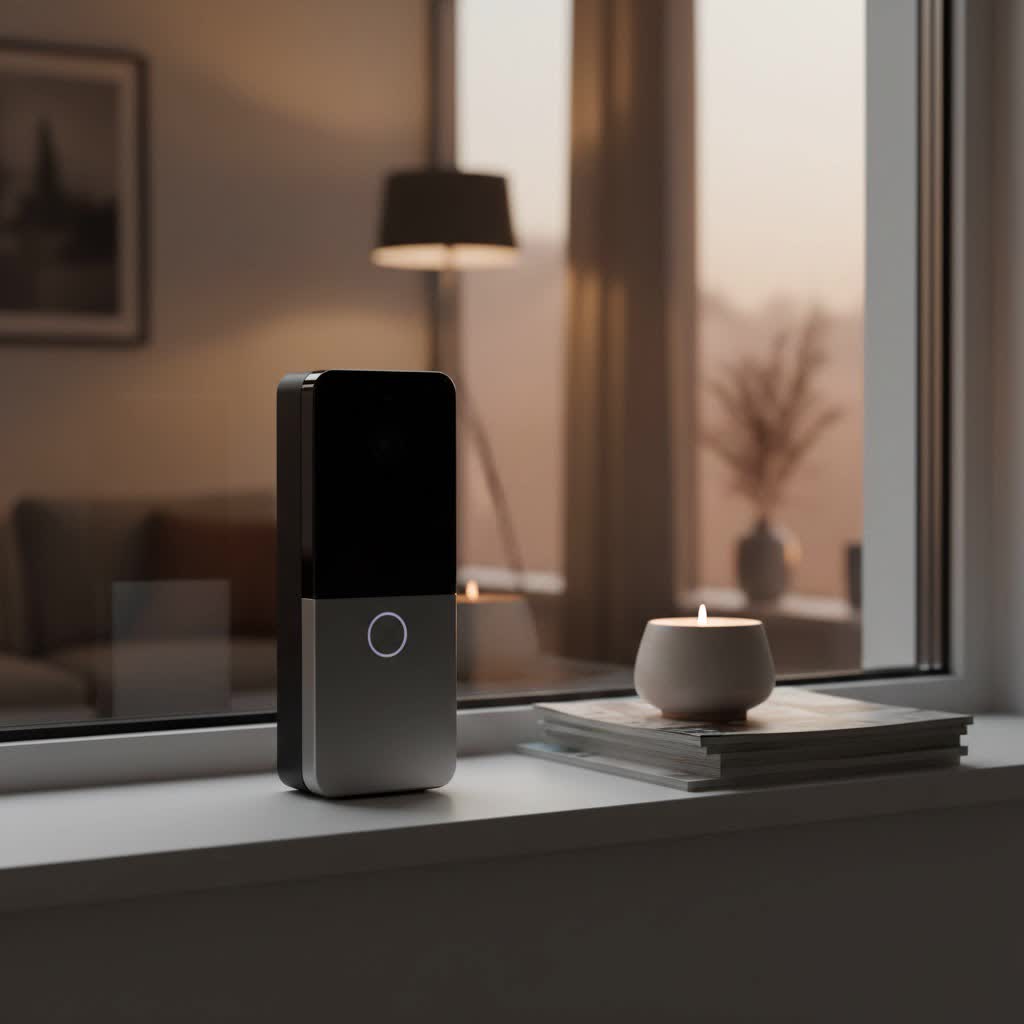
A video doorbell is an intelligent device that integrates a camera, microphone, speaker, and traditional doorbell button into a single unit, connecting to your home’s Wi-Fi network. Far more than a simple peephole, it acts as a mini surveillance system for your front door and other entry points, providing real-time visual and audio monitoring.
The benefits of integrating a video doorbell into your home security setup are numerous and compelling. Primarily, it significantly enhances security by acting as a deterrent to potential intruders and recording any suspicious activity. You can see and speak to visitors from anywhere in the world via your smartphone, offering unparalleled convenience. Furthermore, it gives you greater control over your home’s entry points, allowing you to monitor package deliveries, screen unexpected callers, or even provide instructions to service personnel. Common situations where a video doorbell proves invaluable include monitoring your home while at work or on vacation, ensuring children arrive home safely, deterring package theft, and avoiding unwanted solicitations.
Popular Types of Video Doorbells on the Market
Video doorbells come in various configurations, primarily categorized by how they connect to power and the range of features they offer. Understanding these distinctions is crucial for selecting a model that aligns with your home’s infrastructure and security demands.
Classification by Connectivity: Wired vs. Wireless (Battery)
The choice between a wired and wireless (battery-powered) video doorbell depends heavily on your existing home setup and comfort with installation.
-
Wired Video Doorbells: These devices typically connect to your home’s existing low-voltage doorbell wiring, providing continuous power.
- Pros: Enjoy uninterrupted power, eliminating the need for battery recharging. They often offer more stable connections and advanced features like continuous recording. Many can also ring your traditional indoor chime.
- Cons: Installation can be more complex, especially if you’re not comfortable with electrical wiring, potentially requiring professional assistance. Their placement is limited by the existing wiring.
- Comparison: Wired doorbells are generally more stable and reliable, offering consistent performance. While initial installation might be trickier, they remove the ongoing hassle of battery management.
-
Wireless (Battery-Powered) Video Doorbells: These run on rechargeable batteries, offering greater flexibility in placement.
- Pros: Installation is typically much easier and DIY-friendly, making them ideal for renters or homes without existing doorbell wiring. They can be placed almost anywhere within Wi-Fi range.
- Cons: Batteries require regular recharging, leading to downtime. Battery life can vary significantly based on usage, motion activity, and weather conditions (cold weather can reduce performance). They may also require a separate chime unit if they cannot use your existing one.
- Comparison: Wireless doorbells excel in ease of installation and flexibility. However, their reliance on battery power means you need to factor in recharging schedules and potential performance fluctuations. Some advanced models now offer both wired and battery options, providing the best of both worlds.
|
Our Picks for the Best Video Doorbell in 2026
As an Amazon Associate I earn from qualifying purchases.
|
||
| Num | Product | Action |
|---|---|---|
| 1 | Ring Battery Doorbell (newest model), Home or business security with Head-to-Toe video, Live View with Two-Way Talk, and Motion Detection & Alerts, Satin Nickel |

|
| 2 | Ring Indoor Cam, Home or business security in 1080p HD video, White |
|
| 3 | Blink Outdoor 4 – Wireless smart security camera, two-year battery life, 1080p HD day and infrared night live view, two-way talk. Sync Module Core included – 2 camera system |
|
| 4 | Blink Mini 2 — Home Security & Pet Camera with HD video, color night view, motion detection, two-way audio, and built-in spotlight — 1 camera (White) |
|
| 5 | NariOrbi WiFi Video Doorbell Camera with Human Detection, Battery Powered, Night Vision, 2-Way Talk, 2.4G WiFi, Cloud Storage |
|
| 6 | Blink Video Doorbell (newest model) – Head-to-toe HD view, two-year battery life, and simple setup. Required Sync Module not included – Add-On (White) |
|
| 7 | Noorio Wireless Doorbell Camera with Rechargeable Battery, 2K+ Resolution, 2-Way Audio, Color Night Vision, AI Motion Detection, Smart Video Doorbell Works with Alexa, D110 |
|
| 8 | Blink Video Doorbell (newest model) – Head-to-toe HD view, two-year battery life, and simple setup. Sync Module Core included – System (Black) |
|
| 9 | Ring Battery Doorbell (newest model), Home or business security with Head-to-Toe video, Live View with Two-Way Talk, and Motion Detection & Alerts, Venetian Bronze |
|
| 10 | Tapo by TP-Link Smart Video Doorbell Camera Wireless with Chime, 2K with Full Color Night Vision & Spotlights, No Monthly Fee, Ring Call, 160° Ultra-Wide View, Free AI Detection, Local Storage,D210 |
|
Classification by Features: Basic vs. Advanced (AI)
Beyond connectivity, video doorbells differentiate themselves through their feature sets, ranging from essential monitoring to sophisticated AI-powered security.
-
Basic Features: These foundational capabilities are present in most modern video doorbells.
- HD Video Recording: Typically 1080p or 2K resolution, capturing clear footage.
- Two-Way Audio: Allows you to speak and listen to visitors through your smartphone.
- Instant Notifications: Alerts sent to your phone when motion is detected or the doorbell is pressed.
- Standard Motion Detection: Triggers recording and alerts based on general movement.
- Infrared (IR) Night Vision: Provides black and white video in low-light conditions.
-
Advanced Features (AI-Enhanced): High-end models integrate smart technologies for superior performance and user experience.
- Higher Resolution: Some doorbells now offer 4K video for exceptionally crisp detail.
- Wider Field of View (FOV) & Aspect Ratio: A 180-degree FOV captures more of your surroundings, while a 1:1 aspect ratio provides a head-to-toe view, perfect for seeing packages on the ground.
- Color Night Vision: Utilizes ambient light or built-in LEDs to provide full-color video at night, often offering more detail than IR.
- AI-Powered Motion Detection: Intelligently differentiates between people, packages, pets, and vehicles, significantly reducing false alerts from swaying trees or passing cars.
- Facial Recognition: Some systems can identify known visitors and send personalized alerts.
- Pre-Recorded Messages: Allows you to play automated messages for visitors or delivery drivers.
- Flexible Storage Options: Many offer local storage via microSD cards or a home base (eliminating subscription fees), alongside or in place of cloud storage, which often requires a monthly subscription for extended video history.
- Smart Home Integration: Seamlessly connects with ecosystems like Amazon Alexa, Google Assistant, or Apple HomeKit, allowing voice control and viewing feeds on smart displays.
- Pre-Roll Recording: Captures a few seconds of video before a motion event is officially triggered, ensuring you don’t miss crucial moments.
Top Reputable Video Doorbell Brands
The market for video doorbells is dominated by several key players, each offering unique strengths and catering to different user preferences.
- Ring: An Amazon-owned brand, Ring is perhaps the most well-known. Their doorbells integrate seamlessly with Amazon Alexa ecosystems and offer a wide range of wired and battery-powered options. While feature-rich, many of their advanced functionalities and cloud storage require a Ring Protect subscription. The Ring Battery Doorbell Plus is often cited as a top pick for most users due to its improved video resolution, aspect ratio, and package detection.
- Google Nest: Google’s offerings, like the Google Nest Doorbell (battery), are favored by users deeply embedded in the Google Assistant ecosystem. They are praised for crisp video, accurate alerts, and on-device detection of people and packages, even without a subscription for basic features. However, extended cloud video history typically requires a Nest Aware plan.
- Eufy: Known for its commitment to local storage and subscription-free operation, Eufy is a strong contender for privacy-conscious users. Models like the Eufy Video Doorbell Dual feature two cameras, one specifically aimed at package detection. While offering excellent features without recurring costs, some models can be bulkier, and HomeKit support may be limited.
- Arlo: Arlo offers strong video quality and broad smart home integration, including Alexa, Google Assistant, and HomeKit. Their wired and wireless options provide flexibility, though full functionality often requires an Arlo Secure subscription for cloud storage and advanced features.
- Blink: Another Amazon subsidiary, Blink specializes in budget-friendly, battery-powered doorbells. The Blink Video Doorbell is a solid entry-level choice, especially when paired with the optional Sync Module 2 for local storage. It provides good basic security at an accessible price point.
- Aqara: Particularly strong for Apple HomeKit users, the Aqara G4 offers replaceable batteries, minimizing downtime for charging. It also supports local storage via a microSD card in its chime.
- TP-Link Tapo: The Tapo D230S1 and D235 models offer excellent value, packing many features often found in higher-priced units, frequently with most features accessible without a subscription thanks to local storage options.
- Philips: The Philips 7000 Series Video Doorbell is a notable option for its sharp 2K video quality, wide field of view, and unique wired/wireless flexibility, often requiring no subscription due to internal storage.
- EZVIZ: Devices like the EZVIZ EP3x Pro Doorbell stand out for significant internal storage (up to 32GB) and available solar charging, offering a strong subscription-free experience. However, some users report occasional notification delays.
- Swann: The SwannBuddy4K offers 4K resolution, local microSD storage, and sophisticated software, including AI voice responses. It provides superb video quality without mandatory subscriptions.
Comparison Table of the Best Video Doorbells
To help you navigate the options, here’s a comparison of some of the leading video doorbells:
| Model | Resolution | Power | Storage | Key Features | Pros | Cons |
|---|---|---|---|---|---|---|
| Ring Battery Doorbell Plus | 1536p | Battery/Wired | Cloud (Sub) | 1:1 aspect ratio, package detection, improved battery life, color night vision | Head-to-toe view, excellent camera, long battery life, Alexa integration | Best features behind subscription, 2.4GHz Wi-Fi only |
| Google Nest Doorbell (battery) | 1.3MP (HD) | Battery/Wired | Cloud (Sub), On-device | Person/package detection (on-device), excellent Google Home integration | On-device AI, easy installation, reliable alerts, good video quality | Subscription needed for extended history, no local storage |
| Eufy Video Doorbell Dual | 2K | Battery | Local (16GB) | Dual cameras (package focus), facial recognition, no subscription | Dual cameras for full view, local storage, no recurring fees | Bulkier design, battery not swappable, no HomeKit support |
| Arlo Video Doorbell | 1536×1536 | Wired | Cloud (Sub) | 180° FOV, 1:1 aspect ratio, smart home integration | Wide FOV, slim design, good video, works with Alexa/Google/HomeKit | Limited features without subscription, wired-only |
| EZVIZ EP3x Pro Doorbell | 2K | Battery/Solar | Local (32GB) | Dual cam, solar charging, 32GB internal storage | Subscription-free, long battery life with solar, great cameras | App can be confusing, occasional notification delays |
| Philips 7000 Series | 2K | Battery/Mains | Local (8GB) | Wide FOV, dual cameras, easy installation | Sharp 2K video, no subscription needed, versatile power, easy install | Slight delay in two-way audio, higher price point |
| SwannBuddy4K | 4K | Battery | Local (up to 128GB) | AI voice responses, excellent video quality, customizable detection | Superb video, local storage, smart software, no subscription required | AI voice assistant can be a gimmick, mounting bracket can be tricky |
Buying Guide: How to Choose the Right Video Doorbell
Selecting the perfect video doorbell involves a careful assessment of your specific needs, your home’s characteristics, and your budget. By systematically evaluating key factors, you can make an informed decision that enhances your home security and daily convenience.
Determine Your Needs
Start by clarifying what you primarily want from a video doorbell.
- Primary Purpose: Is your main goal enhanced security (deterring crime, capturing evidence), pure convenience (remote communication, parcel monitoring), or better visitor management? Your answer will prioritize certain features, such as advanced AI detection for security or two-way talk for convenience.
- Installation Location: Where do you plan to install it? If at the main entrance, do you have existing doorbell wiring? If for a gate or a distant side door, a wireless battery-powered option might be more suitable. Consider the ambient lighting and potential blind spots.
- Budget: Determine your initial purchase budget and, crucially, consider ongoing costs. Many brands offer basic functionality for free but lock advanced features and cloud storage behind monthly or annual subscription fees. Account for these long-term expenses.
Factors to Consider When Choosing
Once you have a clear idea of your needs, delve into the technical specifications and features.
- Image and Audio Quality: Look for higher resolution (2K or 4K) for clearer images, especially if you have a long driveway. A wide field of view (e.g., 180 degrees) ensures you capture more of your surroundings, while a 1:1 aspect ratio is ideal for seeing visitors from head-to-toe and packages on the ground. Evaluate night vision capabilities – color night vision often provides more detail than traditional IR if there’s some ambient light. Ensure two-way audio is clear and has minimal lag for effective communication.
- Connectivity and Smart Home Compatibility: Most video doorbells connect via 2.4GHz Wi-Fi, but some support dual-band (2.4GHz/5GHz) for better performance. Crucially, check its compatibility with your existing smart home ecosystem. Do you use Amazon Alexa, Google Assistant, or Apple HomeKit? Some doorbells integrate seamlessly with all, while others are platform-specific.
- Durability and Weather Resistance: Your video doorbell will be exposed to the elements. Look for models with a good IP rating (e.g., IP65 or higher) indicating resistance to dust and water. Consider the operating temperature range, especially if you live in an area with extreme climates.
- Storage Options: Decide between local storage (microSD card, home base), which avoids recurring fees but might have limited capacity, and cloud storage, which offers convenience and often longer video history but comes with a subscription. Many models offer a hybrid approach.
- Battery Life & Power (for wireless models): If opting for wireless, investigate the manufacturer’s claims on battery life. Real-world performance varies greatly. Look for models with easily removable and rechargeable batteries, or consider an optional solar charger to extend intervals between charges.
- Subscription Costs: Understand exactly what features are included with the base purchase and what requires a subscription. Features like advanced AI detection, extended video history, and rich notifications are often subscription-gated.
- Ease of Installation and Use: If you prefer DIY, choose a model known for straightforward installation. Check reviews on the accompanying mobile app – it should be intuitive and reliable for viewing live feeds, reviewing recordings, and adjusting settings.
- Warranty & Support: A good warranty and responsive customer support can be invaluable if issues arise.
Tips for Installation and Use
Once you’ve made your choice, proper installation and ongoing maintenance will maximize your video doorbell’s effectiveness.
- Optimal Placement: Install your doorbell at the recommended height (typically around 48 inches from the ground) to ensure a clear view of visitors’ faces and packages. Avoid direct sunlight or reflective surfaces that can wash out video quality. If needed, use an angled wedge mount to get the best viewing angle.
- Setup: Follow the manufacturer’s instructions carefully for connecting to your Wi-Fi and pairing with the mobile app. Ensure a strong Wi-Fi signal at the doorbell’s location, possibly using a Wi-Fi extender if necessary.
- Maintenance: For battery-powered units, adhere to a regular charging schedule. Periodically clean the camera lens to prevent smudges or dirt from impairing image quality. Keep your doorbell’s firmware and app updated to benefit from the latest features and security patches.
- Motion Zones & Privacy Zones: Customize motion zones within the app to focus detection on high-priority areas and exclude busy sidewalks or public spaces, reducing false alerts. Utilize privacy zones to black out areas you do not wish to record, respecting neighbors’ privacy.
Common Issues and Troubleshooting
Even the best video doorbells can encounter hiccups. Here are some common problems and straightforward troubleshooting steps to get your device back on track:
- Loss of Connection: If your doorbell goes offline, first check your home Wi-Fi network. Ensure your router is working correctly and consider its distance from the doorbell. Obstructions like thick walls can weaken the signal. Try restarting both your doorbell (if possible via the app or by temporarily removing power) and your Wi-Fi router.
- Poor Image Quality: A blurry or dark image might simply mean the lens is dirty. Gently clean it with a soft cloth. Check if direct sunlight or strong backlighting is causing glare; adjusting the doorbell’s angle or using a wedge mount can help. For night vision, ensure the area has some ambient light if your doorbell uses color night vision, or that the IR illuminators are not obstructed.
- Missed Notifications or Motion Detection: If you’re not getting alerts, check the motion detection sensitivity settings in your app; it might be set too low. Ensure your customized motion zones are correctly defined and cover the desired areas. Also, verify if advanced detection features (like person or package detection) require an active subscription that has expired.
- Short Battery Life (for wireless models): Frequent motion alerts, extensive live viewing, and cold weather can all drain the battery quickly. Try reducing motion sensitivity, especially in busy areas, and minimize unnecessary live checks. If possible, consider a wired connection or an auxiliary solar charger. Ensure the battery is fully charged using the recommended charger.
- No Chime Sound: If your indoor chime isn’t ringing, check the wiring if it’s a wired doorbell. For wireless doorbells, ensure the separate chime unit is powered on, properly paired with the doorbell, and within range.
- Delayed Notifications or Two-Way Audio Lag: This often points to network issues. Check your internet speed and Wi-Fi signal strength at the doorbell’s location. A slow or congested network can cause delays. Moving your router closer or using a Wi-Fi extender might improve performance.
- When to Contact Support: If you’ve exhausted basic troubleshooting steps and the problem persists, or if you suspect a hardware malfunction, it’s time to reach out to the manufacturer’s customer support. For complex wiring issues, consider contacting a professional electrician.
Conclusion
Choosing the best video doorbell is a pivotal step towards a smarter, more secure, and convenient home. From understanding the core functionalities and differentiating between wired and wireless options, to exploring advanced AI features and reputable brands, this guide aims to empower you with the knowledge needed for an informed decision. The “best” doorbell ultimately depends on your unique requirements, installation possibilities, and willingness to invest in subscription services. By prioritizing factors like video quality, reliable motion detection, smart home integration, and suitable storage options, you can confidently select a device that not only provides peace of mind but also seamlessly integrates into your daily life.
What aspect of a video doorbell do you value most for your home?
Frequently Asked Questions
Do I need a subscription plan for my video doorbell?
Most video doorbells offer basic features like live viewing and instant alerts without a subscription. However, advanced features such as extended video history, AI-powered person/package detection, and rich notifications often require a monthly or annual subscription fee for cloud storage and enhanced functionalities. Some brands, like Eufy and EZVIZ, offer generous local storage to reduce or eliminate the need for subscriptions.
Is a wired or battery-powered video doorbell better?
Neither is inherently “better” but suited for different needs. Wired doorbells offer continuous power and reliable connection, ideal if you have existing wiring and prefer no battery maintenance. Battery-powered doorbells are easier to install and more flexible in placement, perfect for renters or homes without doorbell wiring, but they require periodic recharging. Many modern doorbells now offer both options.
Can video doorbells work with my existing smart home system?
Most popular video doorbells are designed to integrate with major smart home ecosystems such as Amazon Alexa and Google Assistant, allowing you to view feeds on smart displays or use voice commands. Apple HomeKit compatibility is less common but available on certain models. Always check the specific compatibility of a doorbell with your smart home platform before purchasing.
How long do video doorbells generally last?
The lifespan of a video doorbell typically ranges from several years, with manufacturers often offering a 1-2 year warranty. The main component prone to degradation is the battery in wireless models, which can be extended by proper charging habits. Software support from manufacturers usually lasts around five years, after which a device may become vulnerable or lose advanced features.
What video resolution is best for a video doorbell?
For clear identification and detail, a resolution of 2K (1536p or 2560×1920) is generally recommended and widely available. While 1080p is sufficient for basic viewing, 2K offers significantly more detail. Some high-end models now feature 4K resolution, providing the crispest images, but this can demand more bandwidth and impact battery life.
Can I install a video doorbell myself, or do I need a professional?
Many battery-powered video doorbells are designed for straightforward DIY installation, often involving just mounting the device and connecting it to your Wi-Fi via an app. Wired doorbells can also be DIY if you are comfortable working with low-voltage electrical wiring. However, if you’re unsure about wiring or don’t have existing doorbell wires, professional installation is recommended to ensure safety and proper functionality.
