Have you ever wondered who’s at your door when you’re away, or wished you could prevent package theft before it happens? In today’s fast-paced world, traditional doorbells offer little more than an audible alert, leaving a significant gap in your home’s security and your peace of mind. This is where the power of a video doorbell transforms your entryway. By bridging the gap between convenience and comprehensive security, these smart devices allow you to see, hear, and speak to visitors from anywhere, turning your front door into a vigilant guardian. As an expert with over a decade immersed in video doorbell technology, this guide is designed to navigate you through the best-rated options, compare top models, and provide invaluable advice to help you select the perfect video doorbell to meet your family’s needs and budget.
What is a Video Doorbell? Why Do You Need One?
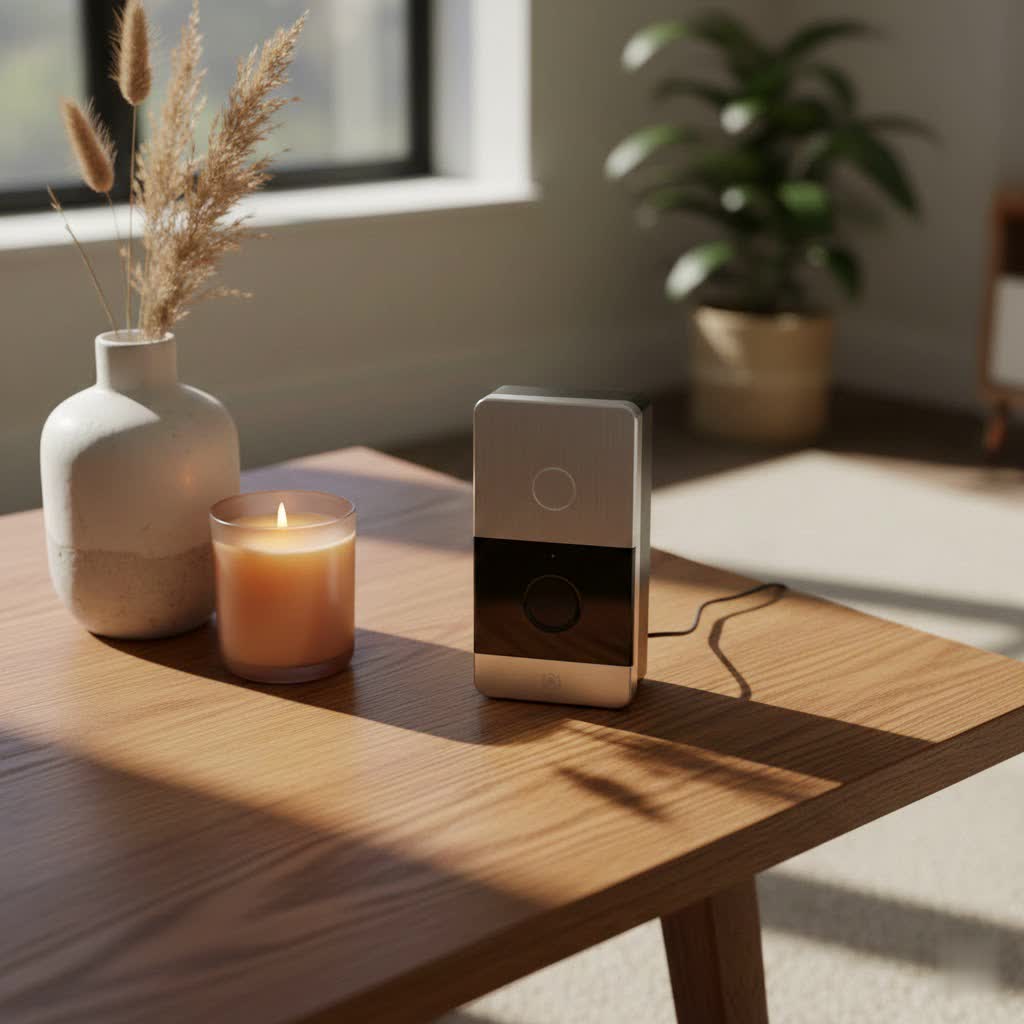
A video doorbell is a smart home device equipped with a camera, microphone, speaker, and motion sensor, all connected to your home Wi-Fi and accessible via your smartphone. When someone approaches your door or presses the doorbell, it sends an immediate notification to your phone, allowing you to view a live video feed, communicate in real-time, or review recorded footage.
The benefits of integrating a video doorbell into your home security setup are extensive:
- Enhanced Security: Monitor your entryway around the clock, record suspicious activity, and deter potential intruders simply by having a visible camera.
- Unrivaled Convenience: Answer your door from any location, whether you’re at work, on vacation, or simply in another room, enabling seamless communication with visitors or delivery personnel.
- Total Control: Receive real-time alerts, customize motion detection zones to focus on critical areas, and often integrate with other smart home devices for a truly connected experience.
Common situations where a video doorbell proves invaluable include ensuring safe package deliveries, screening unknown visitors before opening the door, monitoring children’s arrival home from school, and acting as a powerful deterrent against potential burglars.
Popular Video Doorbell Types on the Market
Understanding the different types of video doorbells available is crucial for making an informed decision. They primarily differ in how they connect to power and the range of features they offer.
Classification by Connection: Wired vs. Wireless
The choice between a wired and wireless (battery-powered) video doorbell depends largely on your existing home infrastructure and installation preferences.
Wired Video Doorbells:
- Pros: Enjoy continuous power, eliminating the need for battery recharging. Wired models are often more compact and can utilize your existing doorbell chime wiring, providing a familiar sound throughout your home. They generally offer a more stable and reliable connection.
- Cons: Requires existing low-voltage doorbell wiring. If your home lacks this, professional installation can be necessary, adding to the initial cost and complexity.
Wireless (Battery-Powered) Video Doorbells:
- Pros: These devices boast easy DIY installation and offer flexible placement options, as they don’t require any existing wiring. Simply mount it where you need it and connect to your Wi-Fi.
- Cons: Battery-powered units are typically bulkier to accommodate the battery. Batteries will need periodic recharging, with lifespans ranging from two months to a year depending on usage and settings. Their performance can also be more susceptible to the strength and stability of your Wi-Fi signal.
|
Our Picks for the Best Video Doorbell in 2026
As an Amazon Associate I earn from qualifying purchases.
|
||
| Num | Product | Action |
|---|---|---|
| 1 | Blink Mini 2 — Home Security & Pet Camera with HD video, color night view, motion detection, two-way audio, and built-in spotlight — 1 camera (White) |

|
| 2 | Ring Indoor Cam, Home or business security in 1080p HD video, White |
|
| 3 | Blink Video Doorbell (newest model) – Head-to-toe HD view, two-year battery life, and simple setup. Required Sync Module not included – Add-On (White) |
|
| 4 | Ring Battery Doorbell (newest model), Home or business security with Head-to-Toe video, Live View with Two-Way Talk, and Motion Detection & Alerts, Satin Nickel |
|
| 5 | Ring Battery Doorbell (newest model), Home or business security with Head-to-Toe video, Live View with Two-Way Talk, and Motion Detection & Alerts, Venetian Bronze |
|
| 6 | Blink Video Doorbell (newest model) – Head-to-toe HD view, two-year battery life, and simple setup. Sync Module Core included – System (Black) |
|
| 7 | Noorio Wireless Doorbell Camera with Rechargeable Battery, 2K+ Resolution, 2-Way Audio, Color Night Vision, AI Motion Detection, Smart Video Doorbell Works with Alexa, D110 |
|
| 8 | Tapo by TP-Link Smart Video Doorbell Camera Wireless with Chime, 2K with Full Color Night Vision & Spotlights, No Monthly Fee, Ring Call, 160° Ultra-Wide View, Free AI Detection, Local Storage,D210 |
|
| 9 | Blink Outdoor 4 – Wireless smart security camera, two-year battery life, 1080p HD day and infrared night live view, two-way talk. Sync Module Core included – 2 camera system |
|
| 10 | NariOrbi WiFi Video Doorbell Camera with Human Detection, Battery Powered, Night Vision, 2-Way Talk, 2.4G WiFi, Cloud Storage |
|
Classification by Features: Basic vs. Advanced (AI)
Video doorbells range from fundamental models covering essential needs to advanced systems leveraging artificial intelligence for sophisticated monitoring.
Basic Features:
- Video Recording: Captures footage of events at your door, often triggered by motion or a doorbell press.
- Two-Way Audio: Enables direct conversation with visitors through your smartphone app, even when you’re not home.
- Instant Notifications: Sends immediate alerts to your phone when someone rings the bell or when motion is detected, ensuring you’re always aware of activity.
Advanced (AI) Features:
- Facial Recognition: Identifies familiar faces and differentiates them from strangers, sending specific alerts. This feature is often subscription-based for some brands, such as Google Nest.
- Advanced Motion Detection: Utilizes AI to intelligently distinguish between people, animals, vehicles, and even packages, significantly reducing false alerts from harmless movements.
- Package Detection: Specifically designed to detect when a package has been delivered or picked up, a crucial feature for combating “porch piracy” (seen in models like the Eufy E340 and Ring Video Doorbell Plus).
- Customizable Motion Zones: Allows you to define specific areas within the camera’s view that you want to monitor for motion, ignoring irrelevant areas like public sidewalks.
- Subscription-Free Options: Many advanced models, particularly from brands like TP-Link Tapo, Eufy, and Aqara, offer local storage via microSD cards, allowing you to store recordings without recurring monthly cloud storage fees.
- Smart Home Integration: Seamlessly connects with popular smart home ecosystems like Amazon Alexa, Google Home, and Apple HomeKit Secure Video (as offered by Aqara G4), enabling voice control and automation.
Top Reputable Video Doorbell Brands
The market is flooded with video doorbells, but a few brands consistently stand out for their quality, features, and reliability. Here’s a look at some of the top contenders:
- TP-Link Tapo: This brand is highly praised for delivering exceptional value, often providing subscription-free operation with local storage options and strong overall performance. The Tapo D235, for instance, is noted for its impressive battery life and including a chime in the box, setting it apart from many competitors.
- Eufy: Known for its innovative features, Eufy often integrates dual cameras for superior package detection (as seen in the E340 model) and prioritizes local storage capabilities, which helps users avoid recurring subscription costs.
- Ring: A dominant force in the market, owned by Amazon, Ring offers a broad spectrum of models, including both wired and battery-powered options. They integrate seamlessly with the Alexa ecosystem, though full access to video history and advanced features typically requires a paid subscription.
- Google Nest: Backed by Google, Nest doorbells excel in video quality and smart AI features like facial recognition. While powerful, some of its most advanced AI functionalities, such as specific facial recognition alerts, usually come with a subscription. These devices are best suited for homes already invested in the Google Home/Nest ecosystem.
- Arlo: Arlo doorbells are recognized for their robust video quality and generally strong smart home integration, including support for Apple HomeKit, making them a solid choice for users within that ecosystem.
- SimpliSafe: This brand focuses on offering comprehensive home security system integration, with features designed to complement their wider security offerings, such as active guard monitoring.
- Blink: Another Amazon-owned brand, Blink provides ultra-affordable video doorbell options. While great for basic use and integration with Alexa, their models often lack local storage and may have lower audio quality compared to premium alternatives.
“When choosing a video doorbell, it’s not just about the upfront cost; consider the long-term value, especially if you want subscription-free recording with local storage. Many top-rated models now offer this, saving you money and giving you full control over your footage.” – Admin, Reviewbeev.com
Comparison Table of the Best Video Doorbells
To help you make an informed decision, here’s a comparison of some of the best-rated video doorbells on the market, highlighting their key specifications and unique selling points.
| Feature | TP-Link Tapo D235 | Eufy Video Doorbell E340 | Ring Video Doorbell Plus | Google Nest Doorbell (Battery) | Aqara Video Doorbell G4 |
|---|---|---|---|---|---|
| Power Options | Battery / Wired | Battery / Wired | Battery / Wired | Battery / Wired | Battery / Wired |
| Video Resolution | 2K (2560×1920) | 2K (Dual cameras) | 1536p | 960×1280 | 1080p |
| Field of View | 170° H, 140° V | Varies (Dual cameras) | 150° H&V (Head-to-Toe) | 145° | 162° |
| Local Storage | Yes (microSD) | Yes (8GB built-in) | No | No (3 hrs free cloud) | Yes (microSD + 7-day free cloud) |
| Subscription | No (optional cloud) | No | Required for full features | Recommended for full features | No (optional cloud) |
| Key Features | Excellent battery, chime included, subscription-free | Dual cameras (package detection), local storage, reliable | Head-to-toe view, package detection, quick notifications | AI facial recognition, vehicle/animal detection, some free video history | HomeKit Secure Video, 24/7 recording (wired), local face recognition |
| Pros (brief) | Great value, no subscription, strong performance | Excellent for package monitoring, no subscription | Wide vertical FoV, fast alerts | Smart AI, some free cloud access | Best for HomeKit users, generous free cloud & local storage |
| Cons (brief) | No head-to-toe view, 2.4GHz Wi-Fi only | Can be slower to notify | Subscription required for recorded video, no chime included | Facial recognition is subscription-based, lower resolution | No head-to-toe view, facial recognition can be flaky |
Objective Performance Evaluation:
When comparing these top models, the TP-Link Tapo D235 and Eufy E340 stand out for their strong value proposition, primarily due to their inclusion of local storage and often a physical chime, minimizing ongoing costs. Ring and Nest doorbells excel within their respective smart home ecosystems, offering seamless integration for users already committed to Amazon Alexa or Google Home. However, Ring’s reliance on subscriptions for core video history and Nest’s tendency to gate advanced AI features behind a paywall are important considerations. The Aqara G4 offers a compelling choice for Apple users, boasting robust HomeKit integration and a generous free cloud storage tier alongside local options. Responsiveness is a critical factor; models with faster notification times, such as the Aqara G4 and TP-Link Tapo D235, provide a more immediate and effective security response.
Video Doorbell Buying Guide
Choosing the right video doorbell involves more than just picking a popular brand. It requires careful consideration of your specific needs, the environment it will operate in, and your budget.
Determining Your Needs
Before diving into specifications, ask yourself a few key questions:
- What is your primary purpose? Are you focused purely on security and recording, or is convenience, like remote communication with guests, a higher priority? Perhaps managing package deliveries is your main concern.
- Where will it be installed? Do you have existing doorbell wiring, or would a battery-powered, wireless option be more suitable? Consider the strength of your Wi-Fi signal at the installation point.
- What is your projected budget? Basic models can start around £50, while advanced systems can exceed £200. Remember to factor in potential ongoing subscription costs for cloud storage or premium features.
Factors to Consider When Choosing
Once you’ve identified your primary needs, evaluate these technical and practical aspects:
- Image and Audio Quality: Aim for at least 1080p resolution, with 2K or higher being preferable for sharper details. Clear night vision is essential. A wide field of view (150 degrees or more) is particularly important for seeing visitors from head-to-toe and any packages left on your doorstep. According to one expert review, “Both resolution and field of view are critical, but field of view is marginally more important for seeing visitors head-to-toe or packages.” Clear two-way audio is also vital for effective communication.
- Connectivity and Compatibility: Ensure stable Wi-Fi connectivity (some support 5GHz for better bandwidth). Check for seamless integration with your existing smart home ecosystem, whether it’s Amazon Alexa, Google Home, or Apple HomeKit.
- Durability and Weather Resistance: Given its outdoor placement, your video doorbell needs to withstand the elements. Look for an IP rating (e.g., IP65) indicating resistance to dust and water.
- Warranty and Technical Support: Investigate the manufacturer’s warranty period and their reputation for customer service and technical support.
- Subscription vs. Local Storage: Decide if you prefer paying a monthly fee for cloud storage, which offers off-site backup and easy access, or a one-time purchase for local storage (e.g., microSD card), which avoids recurring costs. Many experts emphasize checking for local storage options to avoid being tied into a forced subscription.
Installation and Usage Tips
Proper installation and smart usage can significantly enhance your video doorbell experience:
- Optimal Placement: Mount the doorbell at eye-level to capture clear facial images. Ensure it has an unobstructed view of your entire porch area, including the ground directly in front of your door, to effectively detect packages.
- Connection and App Setup: Always follow the manufacturer’s instructions meticulously for both physical installation and setting up the companion app on your smartphone. Verify a strong Wi-Fi signal at the doorbell’s location.
- Maintenance Tips: Regularly clean the camera lens with a soft cloth to maintain optimal image clarity. For wireless models, monitor battery levels and recharge promptly. Keep the device’s firmware updated to ensure access to the latest features and security patches.
Common Issues and Troubleshooting
Even the best-rated video doorbells can encounter hiccups. Here are some common problems and straightforward solutions:
-
Poor Wi-Fi Connection:
- Problem: Video lag, dropped connections, or missed notifications.
- Fix: Ensure your Wi-Fi router is within optimal range. Consider using a Wi-Fi extender to boost the signal near your doorbell. Check for physical obstructions or interference from other devices.
-
Rapid Battery Drain:
- Problem: Your battery-powered doorbell needs recharging more frequently than expected.
- Fix: Optimize motion sensitivity settings, reducing the detection range or sensitivity if it’s triggering too often. Shorten recording lengths in the app settings. Ensure the battery is fully charging each time.
-
False Motion Alerts:
- Problem: Notifications triggered by pets, passing cars, or environmental factors like strong wind or rain.
- Fix: Adjust the motion detection zones in your doorbell’s app to exclude high-traffic or irrelevant areas. If available, enable AI-powered person, vehicle, or package detection to filter out unwanted alerts.
-
Blurry or Poor Video Quality:
- Problem: Images appear unclear, grainy, or discolored.
- Fix: Gently clean the camera lens with a soft, lint-free cloth. Check your doorbell’s app settings to ensure it’s recording at the highest possible resolution. Verify adequate lighting, especially at night.
-
No Notifications:
- Problem: You’re not receiving alerts on your smartphone when the doorbell rings or motion is detected.
- Fix: Double-check your app’s notification settings and your phone’s general notification permissions. Ensure the doorbell is online and has a stable connection. Sometimes, simply restarting the doorbell or the app can resolve the issue.
When to Contact Support: If you’ve tried these troubleshooting steps and are still experiencing persistent hardware issues, are unable to establish a connection, or suspect a defect, it’s time to reach out to the manufacturer’s customer support. They can provide advanced diagnostics or arrange for a replacement if necessary.
Conclusion
In an age where smart technology increasingly safeguards our homes, the video doorbell has emerged as an indispensable device for modern home security and convenience. We’ve explored the fundamental types, highlighted the leading brands, compared the best-rated models, and provided a comprehensive buying guide to navigate your choices. From enhanced security and remote communication to advanced AI features and flexible power options, selecting the best-rated video doorbell involves carefully balancing features, connectivity, and your personal budget.
Empower your home with the perfect video doorbell, gaining unparalleled peace of mind and control over your front door. Which features are most crucial for your home security needs?
Frequently Asked Questions
Do I need a subscription for a video doorbell?
Many video doorbells offer basic functionalities without a subscription, such as live viewing and instant notifications. However, advanced features like cloud video storage, facial recognition, or extended video history often require a monthly or annual fee. Brands like TP-Link Tapo, Eufy, and Aqara offer models with local storage to help users avoid ongoing costs.
What’s the difference between a wired and wireless video doorbell?
Wired doorbells connect to your home’s existing electrical wiring, providing continuous power and typically a more reliable connection. Wireless (battery-powered) doorbells are easier to install anywhere with a Wi-Fi signal, as they don’t require wiring, but their batteries need periodic recharging, usually every few months.
How important is the field of view for a video doorbell?
A wide field of view, particularly a vertical one (150 degrees or more), is crucial. It allows you to see more of your porch, including visitors from head-to-toe and packages left on the ground, which can be more practical for comprehensive security than just high resolution alone.
Can video doorbells integrate with my existing smart home system?
Yes, most top-rated video doorbells are designed to integrate with popular smart home ecosystems like Amazon Alexa, Google Home, and sometimes Apple HomeKit. This enables convenient features such as voice control, viewing live feeds on smart displays, and creating automated routines.
How do I prevent false motion alerts from my video doorbell?
You can significantly reduce false motion alerts by customizing motion detection zones within the doorbell’s app to exclude high-traffic areas like public sidewalks. Many advanced doorbells also offer AI-powered detection that can differentiate between people, packages, or vehicles, further minimizing unwanted notifications.
How long does a video doorbell battery typically last?
The battery life for wireless video doorbells varies considerably, generally ranging from two months to a year. Factors influencing this include the frequency of motion events, the sensitivity of motion detection settings, and environmental conditions. Optimizing these settings can help extend battery longevity.
What resolution should I look for in a video doorbell?
While higher resolutions like 2K or 4K offer sharper and more detailed images, a good 1080p resolution is often sufficient for clear identification. More critical than resolution alone are a wide field of view and robust night vision capabilities, ensuring comprehensive coverage and clarity in all lighting conditions.
