Your front door is more than just an entry point; it’s the first line of defense for your home. In today’s interconnected world, traditional doorbells are quickly being replaced by smart video doorbells, transforming how we interact with our visitors and monitor our property. If you’ve ever wondered who’s at your door when you’re not home, or wished you could speak to a delivery driver from anywhere, a video doorbell is the answer you’ve been searching for. This comprehensive guide will walk you through everything you need to know to choose, install, and maximize the potential of your next video doorbell, ensuring peace of mind and unparalleled convenience for your family.
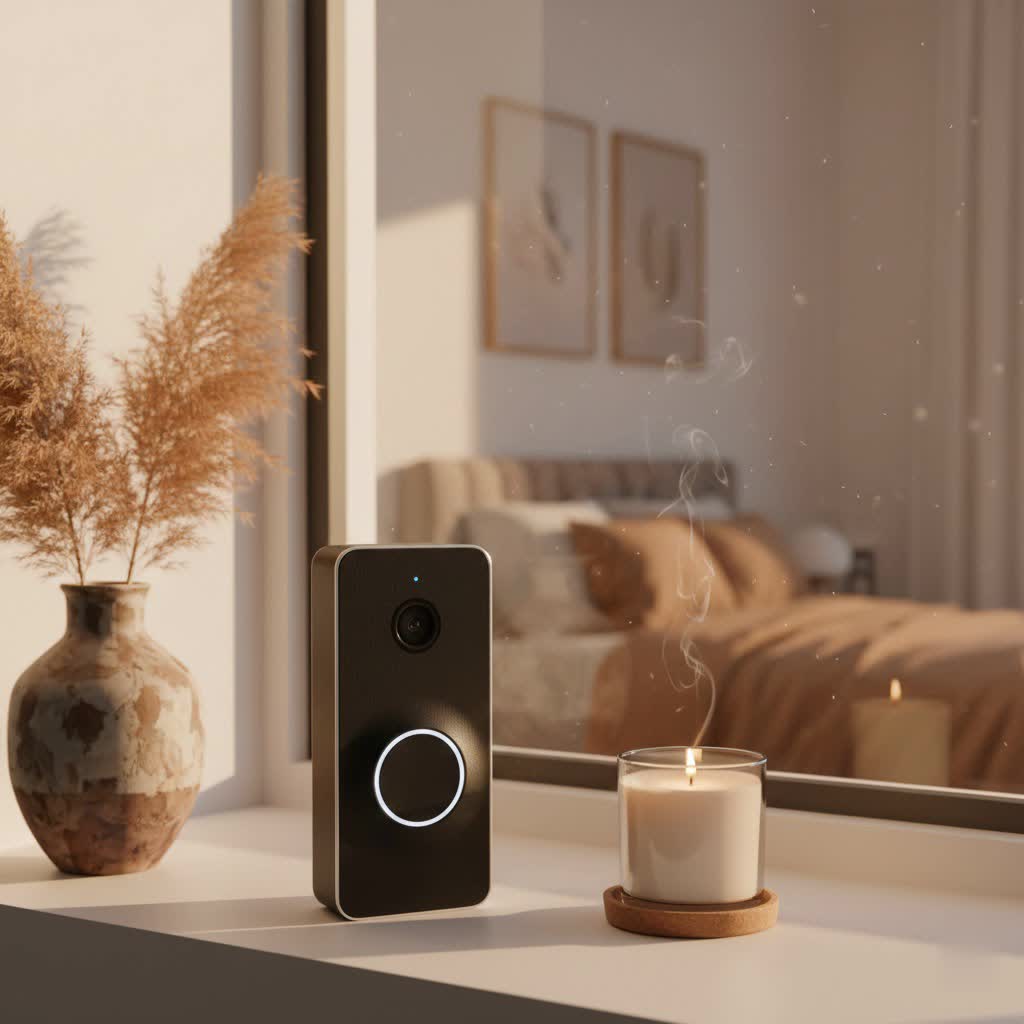
What is a Video Doorbell and Why Do You Need One?
A video doorbell is a smart device that integrates a camera, a microphone, a speaker, and a motion sensor into a traditional doorbell button. When someone presses the doorbell or the motion sensor is triggered, the device sends an alert to your smartphone, allowing you to see, hear, and speak to visitors in real-time, whether you’re at home or thousands of miles away. It’s essentially a vigilant guard for your entryway, always on duty.
The benefits of integrating a video doorbell into your home security setup are numerous and compelling. Firstly, they significantly enhance security by deterring potential intruders, recording suspicious activity, and providing clear evidence if an incident occurs. Secondly, they offer unparalleled convenience, letting you answer your door from anywhere, manage package deliveries, or screen unwanted solicitations without physically opening the door. Imagine checking in on your kids arriving home from school or directing a courier to leave a package in a secure location, all from your phone. Video doorbells also integrate seamlessly with other smart home devices, creating a more cohesive and automated living environment.
Common use cases extend beyond just answering the door. Many users appreciate the ability to monitor their porch for package deliveries, especially with the rise of online shopping. They’re also invaluable for identifying unexpected visitors, keeping an eye on pets in the yard, or simply ensuring your home remains secure while you’re away on vacation. For many, a video doorbell transforms their front porch into an active, intelligent part of their home security strategy.
Types of Video Doorbells: Wired vs. Wireless & Basic vs. Advanced
When exploring the world of video doorbells, you’ll encounter a variety of options primarily differentiated by their connectivity and feature sets. Understanding these distinctions is crucial for making an informed decision that aligns with your specific needs and existing home infrastructure.
Connectivity: Wired vs. Wireless
The fundamental difference in video doorbell types lies in how they receive power and connect to your home network. Both wired and wireless models offer distinct advantages and drawbacks, impacting installation, reliability, and ongoing maintenance.
Wired Video Doorbells connect directly to your home’s existing doorbell wiring, drawing continuous power. This eliminates the need for battery changes and ensures consistent operation.
- Pros:
- Reliable Power: No battery recharging, ensuring continuous operation.
- Consistent Performance: Often provides a more stable connection and clearer video quality due to hardwired power.
- Continuous Recording: Many wired models support continuous video recording, offering a complete timeline of activity.
- Utilizes Existing Chime: Can often integrate with your traditional indoor chime.
- Cons:
- Complex Installation: Requires existing doorbell wiring and may involve electrical work, potentially needing professional installation.
- Limited Placement: You’re restricted to the location of your current doorbell wiring.
- Not Ideal for Renters: Less flexible for those who cannot alter their home’s wiring.
Wireless Video Doorbells operate on rechargeable batteries and connect to your home Wi-Fi network. They offer greater flexibility in placement and are generally easier to install.
- Pros:
- Easy DIY Installation: No wiring required, making them ideal for renters or homeowners without existing doorbell wiring.
- Flexible Placement: Can be mounted almost anywhere within Wi-Fi range.
- Battery-Powered: Offers portability and independence from fixed power sources.
- Cons:
- Battery Maintenance: Requires regular recharging (typically every 2-6 months, depending on usage).
- Wi-Fi Dependence: Performance can be affected by weak Wi-Fi signals, leading to lag or dropped alerts.
- Less Reliable Power: Risk of downtime if the battery dies.
|
Our Picks for the Best Video Doorbell in 2026
As an Amazon Associate I earn from qualifying purchases.
|
||
| Num | Product | Action |
|---|---|---|
| 1 | Tapo by TP-Link Smart Video Doorbell Camera Wireless with Chime, 2K with Full Color Night Vision & Spotlights, No Monthly Fee, Ring Call, 160° Ultra-Wide View, Free AI Detection, Local Storage,D210 |

|
| 2 | Blink Video Doorbell (newest model) – Head-to-toe HD view, two-year battery life, and simple setup. Sync Module Core included – System (Black) |
|
| 3 | Ring Battery Doorbell (newest model), Home or business security with Head-to-Toe video, Live View with Two-Way Talk, and Motion Detection & Alerts, Venetian Bronze |
|
| 4 | Blink Video Doorbell (newest model) – Head-to-toe HD view, two-year battery life, and simple setup. Required Sync Module not included – Add-On (White) |
|
| 5 | Ring Indoor Cam, Home or business security in 1080p HD video, White |
|
| 6 | Noorio Wireless Doorbell Camera with Rechargeable Battery, 2K+ Resolution, 2-Way Audio, Color Night Vision, AI Motion Detection, Smart Video Doorbell Works with Alexa, D110 |
|
| 7 | Ring Battery Doorbell (newest model), Home or business security with Head-to-Toe video, Live View with Two-Way Talk, and Motion Detection & Alerts, Satin Nickel |
|
| 8 | Blink Outdoor 4 – Wireless smart security camera, two-year battery life, 1080p HD day and infrared night live view, two-way talk. Sync Module Core included – 2 camera system |
|
| 9 | NariOrbi WiFi Video Doorbell Camera with Human Detection, Battery Powered, Night Vision, 2-Way Talk, 2.4G WiFi, Cloud Storage |
|
| 10 | Blink Mini 2 — Home Security & Pet Camera with HD video, color night view, motion detection, two-way audio, and built-in spotlight — 1 camera (White) |
|
Here’s a quick comparison of wired versus wireless video doorbells:
| Feature | Wired Video Doorbells | Wireless Video Doorbells |
|---|---|---|
| Power Source | Hardwired to home’s electrical system | Rechargeable battery |
| Installation | More complex, may require professional | Simple, DIY-friendly |
| Reliability | High, consistent power, stable connection | Depends on battery charge and Wi-Fi signal strength |
| Placement | Limited to existing wiring | Flexible, can be placed anywhere within Wi-Fi range |
| Maintenance | Low (no battery changes) | High (regular battery recharging) |
| Features | Often supports continuous recording | Excellent for basic monitoring and alerts |
Features: Basic vs. Advanced (AI-Powered)
Beyond connectivity, video doorbells vary widely in the intelligent features they offer, from essential functions to sophisticated AI-driven capabilities.
Basic Features are standard across most video doorbells and provide fundamental security and communication. These include:
- HD Video: Typically 1080p resolution, offering clear visuals of your visitors.
- Two-Way Audio: Allows you to speak to and hear visitors through the doorbell’s speaker and microphone from your smartphone.
- Motion Detection: Alerts you to movement near your door, even if the doorbell isn’t pressed.
- App Notifications: Sends instant alerts to your phone when activity is detected or the doorbell rings.
- Night Vision: Infrared or color night vision ensures visibility in low-light conditions.
Advanced Features leverage cutting-edge technology, including artificial intelligence, to provide enhanced security, convenience, and control.
- High Resolution (2K, 4K): Offers ultra-sharp video, allowing for clearer details and digital zooming.
- Wide Field of View: Provides a broader perspective, often a 1:1 aspect ratio to capture visitors head-to-toe and view packages on the ground.
- Package Detection: AI-powered alerts specifically notify you when a package is delivered or picked up.
- Facial Recognition: Identifies familiar faces and can differentiate between strangers, often with customizable alerts.
- Pre-Roll Video: Captures a few seconds of video before a motion event is even triggered, providing crucial context.
- Customizable Motion Zones: Allows you to define specific areas for motion detection, reducing false alerts from passing cars or pets.
- Local Storage Options: Provides storage for video footage directly on the device or a connected hub (e.g., microSD card, base station), offering a subscription-free alternative to cloud storage.
- Smart Home Integration: Compatibility with ecosystems like Amazon Alexa, Google Assistant, or Apple HomeKit for voice control and unified device management.
- Dual Cameras: Some advanced models feature two cameras, one for a wide-angle view and another for specific areas like package monitoring.
These advanced features can significantly enhance the effectiveness and user experience of your video doorbell, providing a comprehensive layer of smart security.
Top Video Doorbell Brands & Models
The video doorbell market is competitive, with several established brands offering reliable and innovative solutions. Each brand often brings its own ecosystem and unique selling points.
- Ring: Perhaps the most well-known brand, Ring (an Amazon company) offers a wide range of wired and wireless doorbells that integrate seamlessly with Alexa devices. Models like the Ring Battery Doorbell Plus provide high-resolution video, a head-to-toe view, and package detection, making them popular choices for many. Ring’s strong point is its extensive smart home security ecosystem and wide product range.
- Google Nest: Google’s offerings, such as the Google Nest Doorbell (Battery), are a top choice for those invested in the Google Assistant ecosystem. They are praised for their smart alerts, vertical orientation, and sleek design. Nest doorbells often come with intelligent features like on-device people and package detection, even without a subscription for basic alerts.
- Eufy: Eufy stands out for its strong emphasis on local storage and subscription-free options. The Eufy Video Doorbell E340 (often with a dual-camera setup) is highly regarded for its dual cameras, excellent video quality, and robust local storage capabilities, appealing to users who prioritize data privacy and avoiding ongoing fees.
- Arlo: Known for its strong camera security systems, Arlo offers doorbells that integrate well within its ecosystem. The Arlo Video Doorbell provides clear video and smart home integration, though some models may require an existing wired setup for optimal performance.
- Tapo (TP-Link): A rising star, Tapo offers excellent value. The Tapo D235 is frequently lauded as a top overall video doorbell, often providing 2K video, wide field of view, and impressive battery life at a competitive price, sometimes including a chime.
- Blink: Another Amazon-owned brand, Blink doorbells are known for their affordability and long battery life. The Blink Video Doorbell is a great budget-friendly option that can operate on battery or wired power, especially when paired with the Blink Sync Module for local storage and enhanced features.
- Aqara: The Aqara Video Doorbell G4 is notable for being one of the few battery-powered doorbells that supports Apple HomeKit Secure Video, making it a favorite among iPhone users and those in the Apple ecosystem.
When considering these brands, evaluate their compatibility with your existing smart home devices, their subscription policies (if any), and the specific features most important to your household.
Choosing the Best Video Doorbell for Your Home (Buying Guide)
Selecting the right video doorbell involves more than just picking a popular brand. It requires a thoughtful assessment of your personal needs, your home’s infrastructure, and the features that will genuinely add value to your daily life.
Assess Your Needs
Before diving into specifications, clarify what you expect from your video doorbell.
- Primary Goal: Is your main purpose enhanced security, convenience, or managing deliveries? If security is paramount, you might prioritize features like 2K/4K resolution, advanced motion detection, and continuous recording. For convenience, remote access and two-way talk are key.
- Installation Location: Do you have existing doorbell wiring, or is your home a new build without any? This will largely dictate whether a wired or wireless model is more suitable. For apartments or rental properties, wireless models offer greater flexibility.
- Budget: Video doorbells range widely in price, from budget-friendly options under $100 to premium models exceeding $250. Factor in not just the initial purchase cost but also potential subscription fees for cloud storage.
- Smart Home Ecosystem: Do you use Amazon Alexa, Google Assistant, or Apple HomeKit? Choosing a doorbell that integrates seamlessly with your existing smart home hub will provide a more unified and efficient experience.
Key Factors to Consider When Selecting
Once you’ve assessed your needs, focus on these critical factors during your selection process:
- Video and Audio Quality:
- Resolution: Aim for at least 1080p HD. 2K or 4K offers superior detail for identification, especially when zooming in.
- Field of View: A wider field of view (e.g., 160 degrees or more) is better, with a 1:1 aspect ratio providing a head-to-toe view of visitors and a clear view of packages on the ground.
- Night Vision: Look for models with clear infrared night vision or color night vision for visibility in low light.
- Two-Way Talk: Ensure clear audio for effective communication with visitors.
- Power Source:
- Wired: Provides continuous power and reliability, ideal if you have existing wiring and prefer no battery maintenance.
- Battery: Offers easy installation and flexibility but requires periodic recharging. Consider models with long battery life (several months) and easily removable, swappable batteries.
- Storage Options:
- Cloud Storage: Most brands offer subscription plans for cloud storage of video recordings. Evaluate the cost, storage duration, and features included.
- Local Storage: Some doorbells feature onboard storage (microSD card) or come with a base station for local storage, often reducing or eliminating subscription costs.
- Smart Features:
- Motion Detection: Look for advanced motion detection with customizable zones and sensitivity to minimize false alerts.
- AI Capabilities: Features like package detection and facial recognition add significant value for specific security needs.
- Integration: Check compatibility with your smart home ecosystem (Alexa, Google Home, HomeKit) for seamless control and automation.
- Durability and Weather Resistance: Your doorbell will be exposed to the elements. Ensure it has an IP weather-resistance rating (e.g., IP65) to withstand rain, dust, and temperature fluctuations in your climate.
- Privacy and Security: Research the brand’s commitment to data privacy, encryption, and secure access to your video feed.
Installation and Usage Tips
Even the best video doorbell won’t perform optimally if not installed and used correctly.
- Optimal Placement: Install your doorbell at the recommended height (typically 48 inches from the ground) to capture faces clearly. Consider the angle to maximize the field of view, especially for package monitoring. If your home’s layout results in a narrow view, accessories like wedge kits can adjust the angle.
- Connecting and App Setup: Follow the manufacturer’s instructions carefully for wiring (if applicable) and connecting to your Wi-Fi network. Download the companion app, which is crucial for managing settings, receiving alerts, and accessing live or recorded footage.
- Maximizing Battery Life (for wireless models): Reduce motion sensitivity and customize detection zones to minimize unnecessary recordings and notifications, which drain the battery. Ensure a strong Wi-Fi signal to prevent the doorbell from constantly searching for a connection.
- Regular Maintenance: Keep the camera lens clean from dust, dirt, or spiderwebs for clear video. For wired models, occasionally check wiring connections if issues arise.
“The greatest value of a video doorbell isn’t just seeing who’s there; it’s the peace of mind knowing you’re always connected to your home, no matter where you are.” – John Doe, Smart Home Security Expert
Common Video Doorbell Issues and Troubleshooting
Even with advanced technology, video doorbells can sometimes encounter hiccups. Understanding common issues and their fixes can save you time and frustration.
- Connectivity Problems:
- Symptoms: Doorbell goes offline, delayed notifications, poor video quality.
- Fixes: Ensure your Wi-Fi router is within range and has a strong signal at the doorbell’s location. Restart your router and the doorbell. Check for Wi-Fi interference from other devices. Consider a Wi-Fi extender if the signal is consistently weak.
- False Motion Alerts:
- Symptoms: Frequent alerts triggered by passing cars, trees swaying, or shadows.
- Fixes: Adjust motion sensitivity settings within the app. Configure specific motion detection zones to exclude high-traffic areas outside your property line. Some advanced doorbells offer object detection (human, vehicle, animal) to filter out irrelevant events.
- Battery Drain (for wireless models):
- Symptoms: Battery requires frequent recharging, much faster than advertised.
- Fixes: High motion activity and frequent live viewing will deplete the battery faster. Reduce motion sensitivity, refine detection zones, and limit unnecessary live streaming. Ensure your Wi-Fi signal is strong; a weak signal makes the doorbell work harder, draining the battery. Extreme cold weather can also impact battery performance.
- Poor Video/Audio Quality:
- Symptoms: Grainy video, distorted audio, lag.
- Fixes: Check your Wi-Fi connection strength. Clean the camera lens. Ensure there are no obstructions. If using a wired model, verify the power connection is stable. Update the doorbell’s firmware via the app.
If basic troubleshooting doesn’t resolve the issue, consult your doorbell’s user manual or the manufacturer’s online support resources. For complex wiring issues or persistent hardware problems, contacting professional technical support or a licensed electrician is advisable.
Conclusion
Video doorbells have moved beyond mere gadgets to become essential components of modern home security and convenience. From deterring potential threats to enabling seamless communication with visitors, these smart devices offer an invaluable layer of protection and control for your home. By understanding the differences between wired and wireless models, recognizing key features, and selecting a product that aligns with your specific needs and budget, you can confidently upgrade your entryway. Investing in a video doorbell is more than just buying a device; it’s investing in peace of mind, knowing that you’re always connected to what matters most. Are you ready to transform your front door into a smart, secure gateway?
Frequently Asked Questions
Do I need a subscription for a video doorbell to work?
While many video doorbells offer basic functionalities like live viewing and two-way talk without a subscription, most brands require a paid plan for advanced features such as cloud video storage, extended video history, package detection, or facial recognition. Brands like Eufy often provide local storage options to minimize or eliminate subscription needs.
How long does a video doorbell battery last?
Battery life for wireless video doorbells typically ranges from two to six months, depending on usage frequency, motion event triggers, live view access, and environmental factors like extreme cold. High traffic areas or frequent interactions will reduce battery life.
Can video doorbells integrate with my smart home system?
Yes, most modern video doorbells are designed to integrate with popular smart home ecosystems like Amazon Alexa, Google Assistant, and some with Apple HomeKit. This allows for voice control, displaying video feeds on smart displays, and creating automated routines.
What resolution should I look for in a video doorbell?
At a minimum, aim for 1080p HD resolution for clear video. For superior detail, especially for identifying faces or zooming in on specific areas, 2K or even 4K resolution models are available and provide enhanced clarity.
Is professional installation necessary for a video doorbell?
Professional installation is generally recommended for wired video doorbells, especially if you’re not comfortable with electrical work or if your home lacks existing doorbell wiring. Wireless models are typically designed for easy DIY installation and only require mounting and connecting to Wi-Fi.
